PLC Simulator

For TeamsPLC Training Equipment

PLC Training Equipment: A Buying Guide for Labs & Classrooms

What it actually takes to equip a PLC program in 2026 — training benches, rigs, portable kits, DIY builds, and virtual labs — with real vendor prices checked in July 2026, an honest procurement checklist, and the cost-per-student math nobody prints on a quote.

Last updated: 10 July 2026

The short answer

What equipment do you need to teach PLC programming?

To teach PLC programming you need four things: a PLC students can program (real or simulated), the vendor programming software, input/output devices or a simulated machine to control, and graded exercises for assessment. Every product on the market — from a quote-priced Amatrol bench to a $199-per-seat-per-year browser lab — is a different packaging of those four.

The decisions that actually separate the options are seats per unit, who maintains it, whether curriculum and auto-grading are included, and what the software licences add per seat — which is what the checklist and cost table below are for.

This guide is written for the person who has to justify the purchase order: a lab planner, instructor, or program head at a college, trade school, or training centre. We sell one of the categories below (the virtual lab), so weigh our framing accordingly — but every hardware price here was read from a live vendor page in July 2026 and linked in the sources, and where hardware genuinely wins, this page says so.

The market

The five categories of PLC training equipment for education

1. Full training benches & rigs (Amatrol, LearnLab, Tesca)

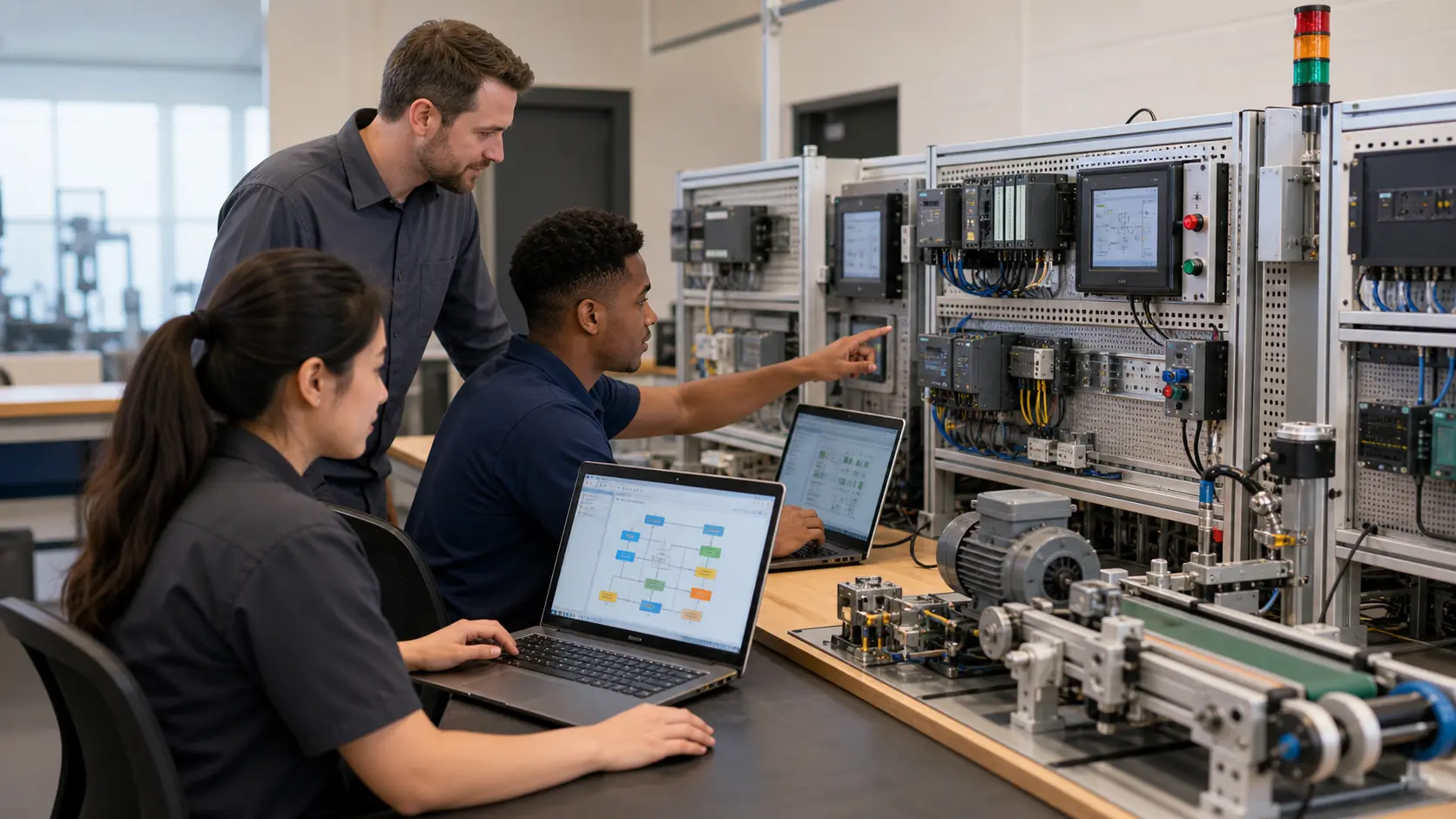
Floor-standing or console systems with a mounted industrial PLC, pre-wired I/O, fault insertion, and (in the bigger packages) a full curriculum. This is the classic “PLC training system” procurement language. None of the major bench vendors publish list prices — everything is quotation/RFQ, so budgeting starts with a sales conversation. Strengths: robust, curriculum-backed, built for a decade of student abuse. Weaknesses: one or two students per bench at a time, freight and commissioning, and you own the maintenance.

2. Benchtop training systems

Panel- or frame-mounted systems around a real Allen-Bradley or Siemens controller with VFDs, analog I/O, and motion options. TW Controls listed these from $4,739 (Micro850 with VFD/analog) up to $20,770 (CompactLogix with 2-axis Kinetix motion and IO-Link) when we checked in July 2026, with a Siemens S7-1200/TIA Portal system from $5,502. An advanced PLC training system in this class adds motion axes, IO-Link sensors, and safety controllers on top of the base PLC. Real industrial parts, real vendor software — priced accordingly.

3. Portable trainer kits

Suitcase-style or board-mounted trainers a student can carry. plccable.com listed kits from $299.99 (Arduino Opta) through $1,299.95 (Siemens S7-1200 analog trainer) and $1,499.95 (Micro850 analog trainer) up to $3,999.99 (Allen-Bradley suitcase trainer with PowerFlex VFD) in July 2026. Some vendors in this segment, like BIN95, don't publish prices at all — quote by phone. Our full breakdown of this category is in the PLC trainer kit guide.

4. DIY builds

A surplus or entry-level PLC, a DIN rail, buttons, and pilot lights on a board. Cheapest path to real hardware and a genuinely good instructor project — but the hidden costs are instructor build hours, no warranty, no curriculum, and software licensing you still have to solve per seat. Fine for one demonstration station; painful as the plan for a 12-station lab.

5. Virtual PLC labs — PLC training equipment for simulation (what we make)

A browser-based simulator with graded exercises — every student gets their own “bench” on the laptop they already have, in class and at home, with nothing to wire, maintain, or re-image. Ours is a full virtual PLC lab with ladder logic, timers/counters, HMI building, auto-graded machine scenarios, and instructor cohort reporting, at $199 per seat per year on the Teams plan (minimum 5 seats). The honest limitation: it is not physical hardware — see the where hardware wins section below.

Before you sign the PO

The procurement checklist vendors hope you skip

Every one of these questions has caught a real program out. Put them in the RFQ.

  • Is curriculum included — and does it match your program?

    A bench without exercises is furniture. Ask to see the actual lab manual, how many graded exercises it contains, and whether it maps to your course outcomes. If curriculum is a paid add-on, price it into the comparison. (Ours ships with the platform; there is also a free PLC lab manual you can use with any equipment.)

  • How is student work assessed?

    Instructor-checks-every-bench does not scale past a handful of stations. Ask whether the system auto-grades, logs attempts, and reports per-student progress — or whether assessment is entirely on your instructors’ evenings.

  • Who maintains it, and what do spares cost?

    Students break things; that is the point of a training lab. Ask for the spares price list, the warranty terms, whether repairs need a vendor technician, and what the realistic annual maintenance budget looks like. A quote-priced bench with quote-priced spares is two unknowns, not one.

  • How many students per unit — really?

    One bench is one or two students working while the rest of the class watches. Divide every quote by the number of students who can be hands-on simultaneously, not by class size. This single division changes most equipment decisions.

  • What do the software licences add?

    Vendor programming software is licensed per seat and is not included with every trainer — plccable.com listed a single TIA Portal Basic licence at $699.95 (July 2026). Count a licence for every programming seat, not every PLC, and ask how licences are activated on locked-down college machines.

  • Freight, installation, power?

    Full benches ship on pallets and may need dedicated circuits. Get delivered-and-commissioned pricing, not ex-works.

  • Is it fundable?

    If you are buying with grant money, confirm the equipment serves an approved program of study and keep the vendor documentation your state application needs — see the funding section below.

The real comparison

What does a PLC training system cost per student?

A hardware PLC training system costs roughly $750–$2,370 of capital per student served at typical 2-students-per-unit ratios — based on a $1,499.95 portable trainer or a $4,739 benchtop system (July 2026 list prices) shared by two — while a virtual lab at $199 per seat per year gives a 20-student class its own stations for $3,980 a year.

Cost per student: hardware PLC training equipment vs a browser virtual lab, July 2026
Equipment for a 20-student classUnit price (checked July 2026)Hands-on students per unitOutlay for 20 studentsNotes
Full training bench / rig (Amatrol, LearnLab, Tesca)By quotation — no published list prices1–2RFQ × 10 units + freight + sparesCurriculum and fault insertion usually included; you own maintenance
Benchtop training system$4,739–$20,770 (TW Controls)1–2≈ $47,390+ (10 × $4,739 entry system), one-timeReal industrial parts; vendor software licences per programming seat extra where not bundled
Portable trainer kit$299.99–$3,999.99 (plccable.com)1–2≈ $15,000 (10 × $1,499.95 Micro850 trainer), one-timeNo curriculum or grading included; storage and breakage are yours
DIY buildVaries with sourced parts1–2Parts + significant instructor build hoursNo warranty, no curriculum; software licensing still per seat
Virtual PLC lab — our Teams plan$199 / seat / year (min 5 seats)1 per seat — every student, simultaneously$3,980 / year (20 × $199)Curriculum + auto-grading + cohort reporting included; no maintenance; works at home; not physical hardware

Hardware prices as listed on the linked vendor pages, checked 10 July 2026 — follow the links for current figures. Hardware is a capital purchase that amortises over multiple cohorts (5–10 years is a fair planning life); the virtual lab is a recurring subscription. Comparing honestly: over 5 years, 10 entry benchtop systems ≈ $47,390 for 2-at-a-time access, versus $19,900 in virtual-lab seats for all-at-once access — and most programs get the best result buying one or two hardware stations plus virtual seats, not either alone.

Terminology

PLC training system vs training rig vs trainer kit — what's the difference?

Vendors use these terms loosely, but in practice: a PLC training system is the integrated package — controller, pre-wired I/O, software, and usually curriculum — sold as one catalogue item (Amatrol- and LearnLab-style language). A PLC training rig (or bench) is the physical furniture end of the same idea: a floor-standing or bench-mounted frame students wire and fault-find on, often institution-built or configured to order. A PLC trainer kit is the small, portable version — a suitcase or board with a real PLC and basic I/O, priced for individuals as much as institutions (we compare that whole segment in the trainer kit guide). A virtual PLC lab replaces the shared physical asset with a simulated station per student. When you write the RFQ, specify outcomes (wiring competency? programming volume? troubleshooting?) rather than a term — the term won't protect you from buying the wrong category.

Straight answer

Where hardware genuinely wins

A virtual lab will not teach a student what 24 VDC feels like through a stripped wire, and we won't pretend otherwise. Keep real equipment for: physical wiring practice (terminal discipline, wire management, torque), live-voltage troubleshooting with a meter on an energised panel, lockout/tagout procedure, and the motor-starter/VFD work where the noise and inertia are part of the lesson. If your PLC control systems training program certifies hands-on competencies, at least one real station is non-negotiable.

What moves off the hardware is the volume: the graded programming reps, timers, counters, sequencing, HMI exercises, and the diagram-side of wiring — our college platform includes a wiring lab that covers reading ladder wiring diagrams and multimeter reasoning on screen, so students arrive at the physical rig already knowing what they're connecting and why. One bench for the hands, virtual seats for the head, is the configuration we see work.

“The pattern I keep seeing in training centres is three students standing around one bench, one of them holding the keyboard. The bench isn't the problem — the ratio is. Buy the bench for wiring and troubleshooting, then give every student their own simulated station for the programming reps. That's the whole pitch, and where it doesn't fit I'd rather tell you now than after the PO.”

— Paul, creator of plcsimulationsoftware.com

Funding it

Paying for it: Perkins V and workforce-development grants

For US institutions, the primary federal channel is Perkins V — the Strengthening Career and Technical Education for the 21st Century Act, the current federal CTE law, which distributes roughly $1.4 billion a year in state formula grants. Purchasing equipment that serves an approved CTE program of study is an allowable use, and that generally covers both physical trainers and instructional software or simulator licences. Funds are administered by your state agency through a local application, so the process, deadlines, and priorities are state-specific — your Perkins coordinator or state CTE office is the first call.

Beyond Perkins, state workforce-development and employer-partnership grants regularly fund automation training equipment, and several states run dedicated equipment-modernisation programs for CTE labs. Two practical notes from procurement officers we've worked with: grant applications score better when the equipment plan names the credential or program of study it serves, and the annually-billed per-seat licences of a PLC online training program fit neatly inside a one-year grant cycle — no multi-year capital commitment to justify. We can provide quotations, sole-source letters, and curriculum-mapping documentation for funding applications on request via the Teams page.

Sources

Hardware prices on this page were read from these vendor pages on 10 July 2026. Prices change — treat the links as the source of truth:

Virtual-lab pricing is our own published Teams pricing: $199 per seat per year, minimum 5 seats, billed annually. Amatrol, LearnLab, and Tesca publish no list prices; their systems are quoted per configuration.

Questions

PLC training equipment FAQ

At minimum: a PLC students can program (real or simulated), the vendor programming software, input/output devices to control (buttons, lights, or a simulated machine), and structured exercises with a way to assess the results. Programs typically assemble that from four equipment categories — full training benches from vendors like Amatrol, LearnLab, or Tesca; portable trainer kits ($300–$4,000 per kit at vendors we checked in July 2026); DIY builds around a surplus PLC; and browser-based virtual labs, which give every student their own station for $199 per seat per year. Most strong programs combine one or two hardware stations for wiring practice with virtual seats for the programming volume.

Run a class pilot before you spend a dollar on equipment

Institutions buy this via pilot and purchase order, not a credit-card form. Trial the full virtual lab with one class free, see the auto-graded results, then scope seats — we handle quotations and POs. Also being assembled for instructors: a free PLC lab manual you can teach from with any equipment on this page.

Related: PLC trainer kits compared · the virtual PLC lab · for colleges