PLC Simulator
100% free to try

Free PLC Simulator — No Card and No Trial Clock

Write ladder logic in a browser tab. Watch a simulated machine execute your program in real time. No download, no licence key, no credit card.

Real free plc simulator footage

See this exact skill in the working simulator.

Watch the real browser product respond to the task on this page, then try the same practical workflow yourself. No slides, concept mockups, install, or credit card.

Try this in the browser
Free PLC Simulator — What You Can Build in the Browser

What free PLC practice looks like

Move from one rung to a visible machine result

These are the practical steps the free path is designed to teach: understand the scan, operate inputs, observe outputs, then apply timers and motor-control logic to recognizable equipment.

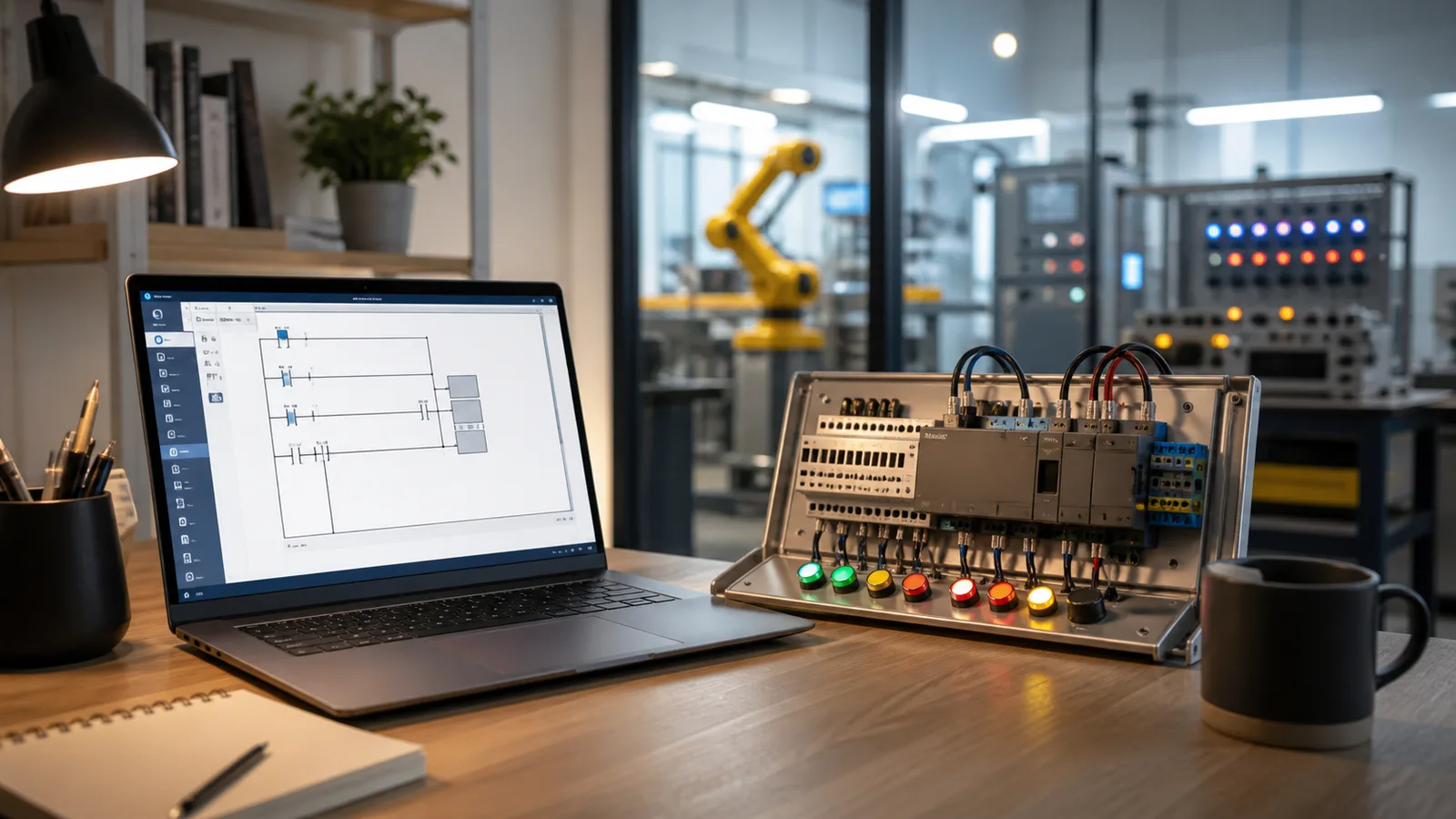
Laptop PLC ladder editor beside a compact wired input and output training bench
01Open a guided PLC bench in the browser without installing an engineering suite or configuring hardware.
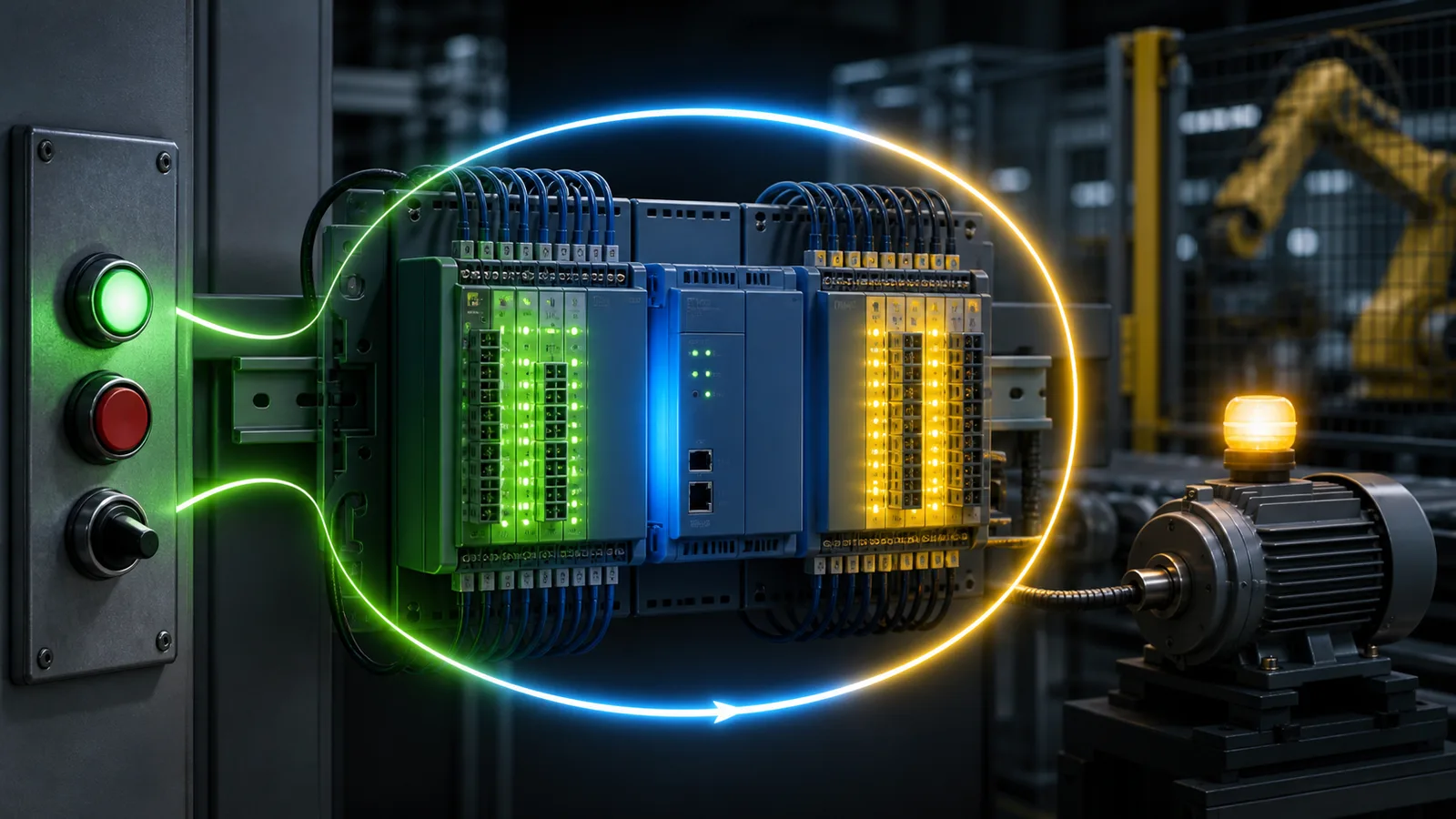
PLC training rack showing the repeating input, logic and output scan cycle as a luminous path
02See the controller repeat input sampling, program execution and output updates while the machine responds.
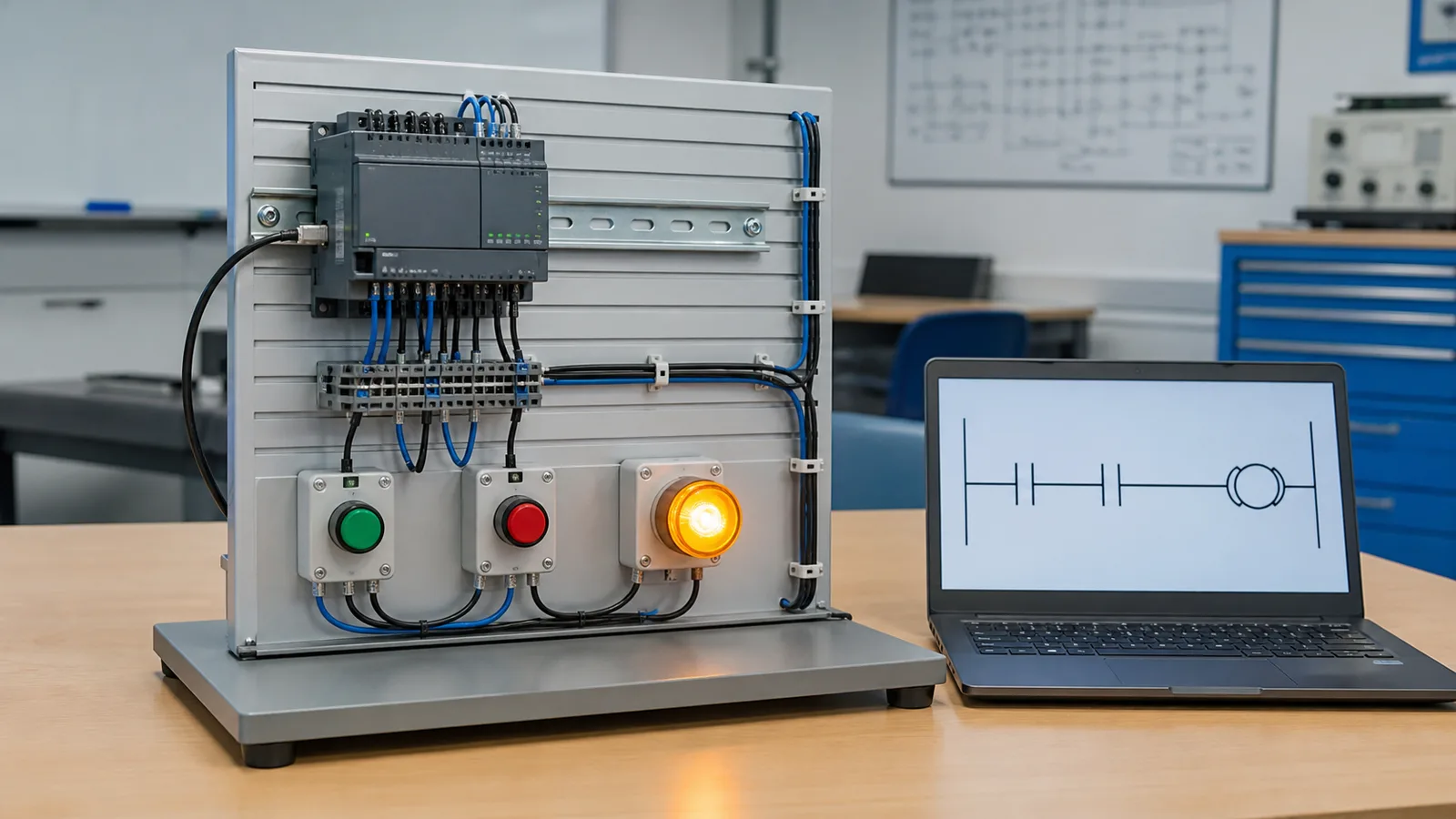
Beginner PLC bench with two pushbuttons, a ladder rung and an illuminated output lamp
03Build one small rung, operate its inputs and verify the output before moving into larger scenarios.
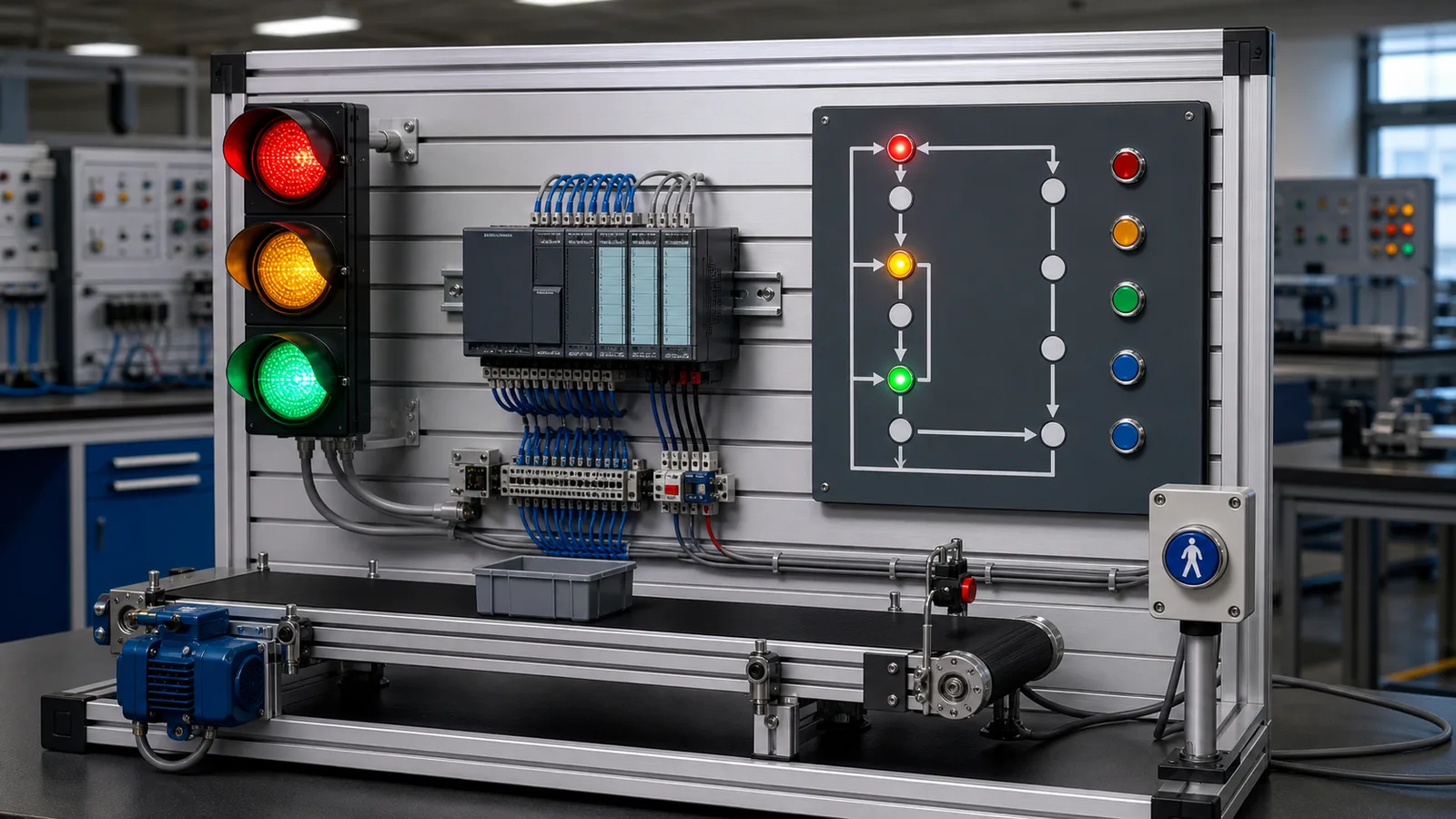
Traffic-light PLC training rig with red amber and green lamps and a compact controller
04Use timers and state transitions in a sequence whose correct and incorrect behavior is immediately visible.
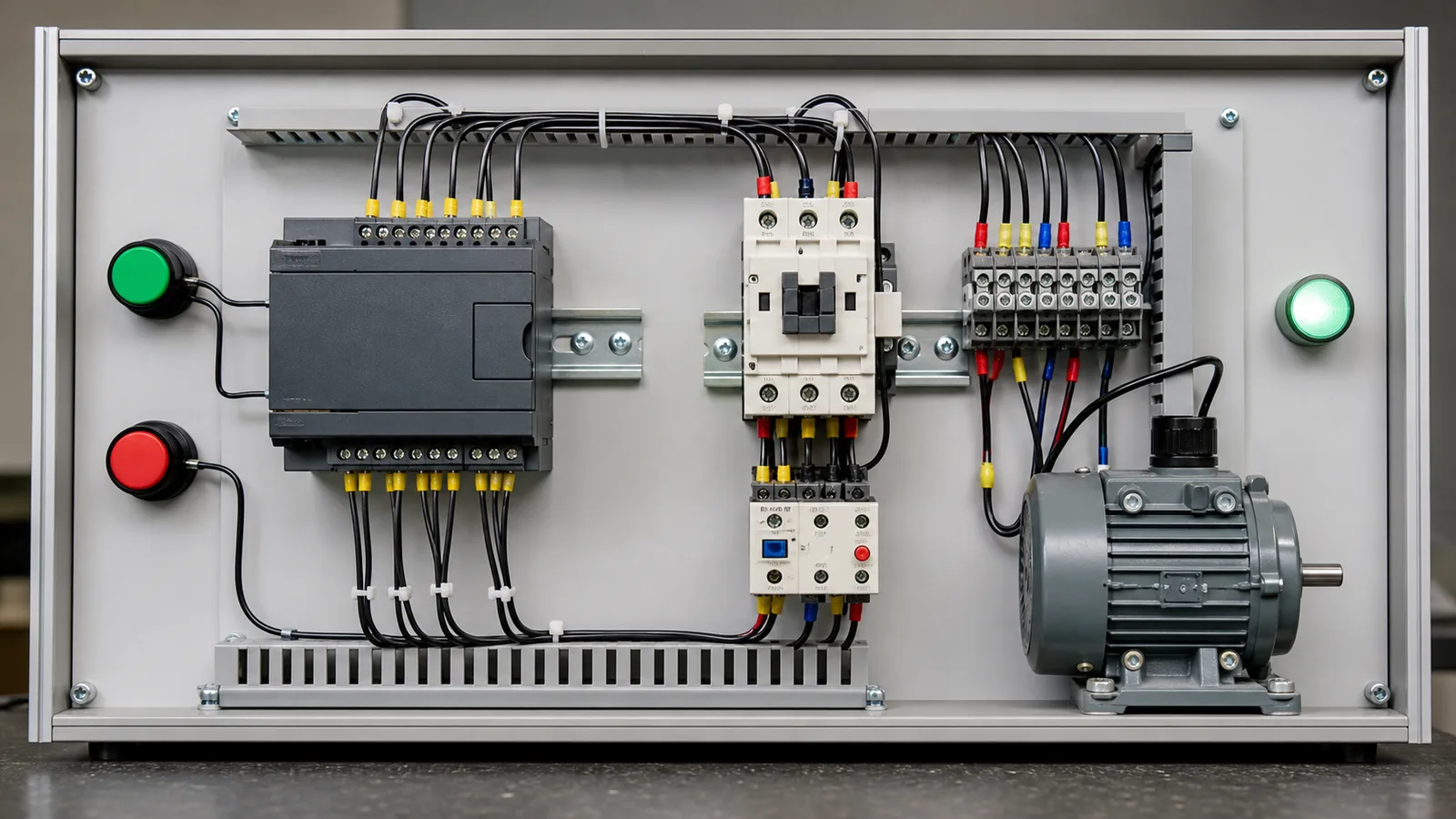
PLC motor start-stop trainer with pushbuttons, contactor, overload relay and motor
05Connect the ladder decision to recognizable motor-control hardware and a safe stop path.
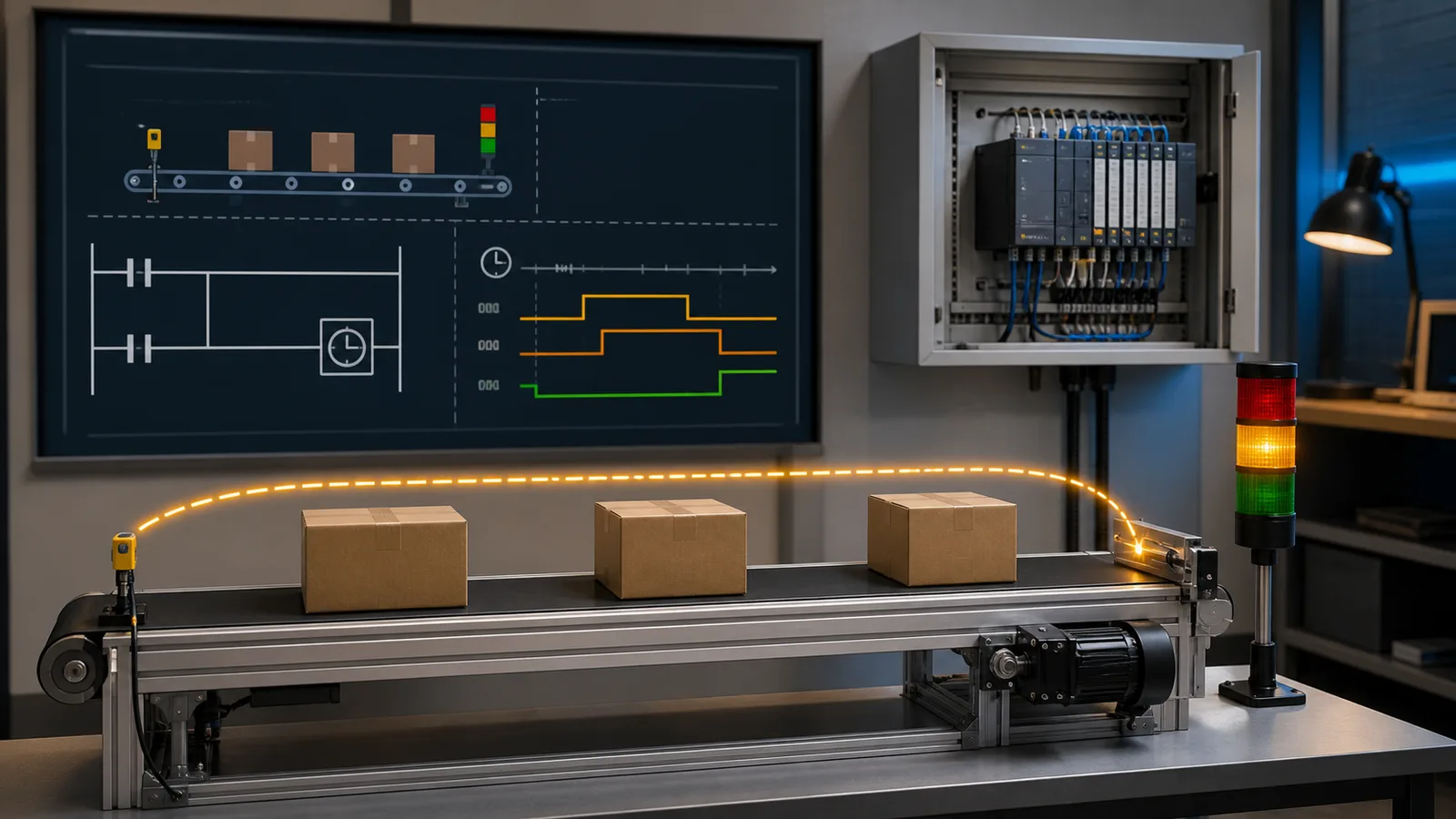
Conveyor PLC timer lesson with part sensor, boxes and a stack light
06Apply timer behavior to a real process event, then use the tests to diagnose an incorrect delay or transition.

You’re watching the page’s live simulator demo. No install or sign-in is needed for this preview. Run the guided no-account program →

The problem

Why most PLC simulators are not actually free.

If you have searched for a free PLC simulator before, you already know the drill. You find a product name, follow the link, and discover that "free" means a 30-day trial, a student licence that expires with your enrollment, or a stripped demo that will not let you save. The genuinely free tools either require a full desktop install or give you a blank canvas with no guidance on what to program.

Official vendor simulators are generally attached to their engineering environments, controller families and licensing terms. Other free runtimes can be excellent for standards-based experimentation but usually expect you to configure the project and test plant yourself. This browser path starts with a guided objective and visible machine response, then hands model-specific work back to the correct vendor tools.

The pattern is consistent: every product that runs against a real machine model either costs money or locks you into one vendor’s toolchain. For a student who wants to practice motor-start-stop logic before a job interview, or a plant engineer who wants to check a rung change before a commissioning window, that barrier is unnecessary. This PLC simulator removes it.

A free PLC simulator running in the browser: write ladder logic in the editor, press Run, and a live machine model responds — no install, no licence key, no credit card.A web browser window running a PLC ladder logic simulator with an input/output strip, requiring no installation or download.plcsimulator.app/playno installINPUTSOUTPUTS
The free PLC simulator runs entirely in a browser tab — nothing to download.
Free plan

What you get on the free plan.

No trial clock and no credit card. Here is exactly what the signed-in free tier and the no-account first run provide.

27 free-tier scenario records

Create a free account with no credit card to use the full editor and auto-graded tests on 27 source-tagged free-tier records. The guided /try experience runs one first program without an account.

Full ladder + Structured Text editor

The same Monaco-based editor used on paid tiers. Contacts, coils, timers, counters, edge detection, compare, math, and PID function blocks — all wired up and available on the free plan.

9 learning dialects

The core tutor covers IEC 61131-3, Allen-Bradley, Siemens SCL, Mitsubishi, Omron, KEYENCE KV, Schneider Unity, Delta, Instruction List. The first 6 core lessons in every dialect are free; vendor-style support is educational rather than full firmware emulation.

Auto-graded test cases

Every free scenario ships with a scripted test suite that evaluates sequencing, interlocks, and timing. You get pass/fail feedback with failure reasons — not just a green tick.

Works on any device, any OS

Windows, Mac, Linux, Chromebook. Any modern Chrome, Firefox, Safari, or Edge release. No admin rights required. This matters in locked-down university labs and corporate environments.

Free tier never expires

There is no trial clock. Your signed-in free access remains available, while Basic and Pro unlock their respective records from the 140-record source catalog. Visible availability can vary by entitlement and staged rollout.

The scan cycle the free PLC simulator runs: read inputs, execute the ladder logic, update outputs, then repeat — the same loop as a real PLC.The repeating PLC scan cycle: read inputs, execute the ladder logic, update outputs, then housekeeping, looping continuously.1Read Inputs2Execute Logic3Update Outputs4HousekeepingSCANCYCLE
The free editor runs a real scan cycle.
The digital I/O table in the free PLC simulator: input bits like push-buttons and sensors map to addresses, and output bits like motors and lamps follow your ladder coils.A digital input pushbutton wired to a PLC input card, and a PLC output card driving a lamp, with a sinking versus sourcing hint.I/O CARDINPUTOUTPUTPushbuttonI:0/0LampO:0/0sinking (NPN) vs sourcing (PNP)
Read inputs, drive outputs — all on the free plan.
The coding tutor supports 9 learning dialects. Its first 6 core lessons per dialect are free, with later lessons and advanced features gated by plan.The five IEC 61131-3 PLC programming languages as chips: Ladder Diagram, Function Block Diagram, Structured Text, Instruction List and Sequential Function Chart.IEC 61131-3 — five languagesLDLadder DiagramFBDFunction BlockSTStructured TextILInstruction ListSFCSequential Func. Chart
9 learning dialects; 6 free core lessons each.
Paid tiers

What is locked behind Basic and Pro.

Being straight about this: the source catalog defines 140 records marked published. The free tier covers 27 source-tagged records; Basic and Pro unlock records by tier, while visible availability can vary by entitlement and staged rollout.

  • +Basic- and Pro-tier catalog access according to each record's tier and current rollout
  • +Progress tracking across sessions (Basic and Pro)
  • +Interview-timer mode — timed challenges to simulate a real interview (Pro)
  • +Solution walk-throughs with rung-by-rung commentary (Pro)
  • +Downloadable completion certificate for interview portfolios (Pro)
How it compares

Other free PLC simulators — an honest comparison.

These are legitimate tools. Each is right for a specific use case. The table shows what each one actually gives you for free.

ToolFree priceBrowser-basedAuto-gradedScenarios includedMulti-dialect
This simulator (free tier)FreeYesYes279 learning dialects
OpenPLC RuntimeFree open-source runtimeNo — desktop installNoNone (bring your own)IEC 61131-3 only
PLC-FiddleFreeYesNoNone (blank canvas)Ladder only
LogixPro LITECheck current licence termsNo — Windows onlyLimitedSmall set (AB-only)AB only
CoDeSys (free edition)Free IDE/runtime optionsNo — desktop installNoNone (bring your own)IEC 61131-3 only
Siemens PLCSIMRequires compatible TIA Portal licensingNo — Windows onlyNoNone (bring your own)Siemens only

Product editions and licence terms change. Verify current scope, platform support and pricing on each vendor’s official site before choosing an engineering tool.

Start here

Start with one guided PLC program — no account required.

The guided first-program experience is the fastest way to see the simulator workflow. It loads at /try with no account, form, or confirmation email. Catalog scenario play uses a free or paid account.

The no-account run teaches the core edit, run, observe and correct loop on a small PLC program. After that, a free account opens the free-tier catalog and saves progress across sessions.

This first run shows what separates a guided PLC programming simulator from a blank-canvas editor. Registered scenarios then add persistent progress and auto-graded test cases.

The ladder logic symbols you write in the free PLC simulator: normally-open contact (XIC), normally-closed contact (XIO), output coil (OTE), and latch/unlatch (OTL/OTU).The core ladder logic symbols side by side: XIC examine-if-closed, XIO examine-if-open, OTE output energize, OTL output latch and OTU output unlatch.XICIfXIOIfOTEEnergizeLOTLLatchUOTUUnlatch
The ladder symbol set — available on the free plan.
A motor start/stop seal-in rung built in the free PLC simulator: a normally-open Start contact sealed in by a Motor contact, with a normally-closed Stop contact energising the Motor coil.A basic ladder logic rung between two power rails: an examine-if-closed contact (XIC) in series driving an output coil (OTE).L1L2] [StartXIC I:0/0LampOTE O:0/0
A seal-in rung — the canonical first program, free to try.
A TON on-delay timer in the free PLC simulator: the timer Done bit turns on once the input has been true for the preset time, with the elapsed value accumulating toward the preset.A TON on-delay timer: the accumulated time bar ramps up toward the preset value, and the done (DN) bit turns on when the accumulator reaches preset.TONPRE 5000ACCACC ramps to PREPREDNdone bit
Timers like TON drive the traffic-light timing windows.
Is free enough?

Can I learn PLC programming with a free simulator?

Yes — for the logic half of the trade, a free browser simulator is enough. The free tier here runs the same editor, scan cycle, and auto-graded test cases as the paid tiers. The wider platform adds wiring and fault-finding practice, interactive sensor lessons, and an article library when you outgrow the first scenarios — all built around IEC 61131-3 standard languages.

Free practice also points at a market with real money in it: O*NET (U.S. Department of Labor) lists a 2025 median wage of $73,900 for electro-mechanical and mechatronics technicians — the role many simulator users are training toward.

“Free tools usually fail you one of two ways: a blank canvas with no goal, or a demo with a trial clock. The fix is a graded objective — give a learner a machine that fails visibly and a test suite that says why, and free is enough to get hired.”
— Paul, builder of this simulator
Free tier questions

Frequently asked about the free PLC simulator.

Open the free simulator now.

No install. No credit card. No trial clock. The guided first program loads without an account — or register for 27 free-tier scenario records.

Related: PLC simulator · PLC programming simulator · all scenarios · pricing

Free-access evaluation guide

Free PLC simulator: what to test before you commit

Direct answer

A useful free PLC simulator should let you build and execute real logic, change inputs, observe outputs and complete at least one machine task before registration or payment. Evaluate behavior, supported instructions, saving, scenarios, platform limits and the path to target-hardware validation.

This guide is written for students, career changers, technicians and instructors comparing no-cost ways to practise PLC logic in a browser. The intended result is specific: the evaluator can distinguish a diagram editor, a logic runtime, a machine simulator and vendor hardware emulation, then choose the tool that matches the learning job.

System map / 02

Six concepts that control the result

Treat these as connected checkpoints. Each checkpoint has an expected state, an observable state and a boundary to the next part of the system. That structure prevents a software indication from being mistaken for physical proof.

NODE 01observable

Executable logic

Confirm the tool actually evaluates instructions over scans instead of only drawing or converting a diagram.

NODE 02observable

Observable I/O

Inputs, internal tags, outputs and physical model state should be inspectable while the program runs.

NODE 03observable

Practice task

A bounded machine requirement teaches more than a blank editor because success has an observable definition.

NODE 04observable

Feedback

Useful grading identifies which requirement failed without silently writing the solution.

NODE 05observable

Persistence

Understand what can run anonymously, what needs an account and what is saved or exportable.

NODE 06observable

Transfer boundary

Separate vendor-neutral learning from exact project-file, firmware, I/O and safety validation.

Procedure / 03

A six-step practice and commissioning workflow

Run the steps in order the first time. Later, the same structure becomes a diagnostic loop: define the expected condition, observe the boundary, interpret the difference and choose one proving action.

  1. 01

    Open the first task

    Start the no-account exercise and confirm the editor loads.

    Evidence: A runnable requirement appears without payment.

    Avoid: Judging from screenshots alone.

  2. 02

    Build one rung

    Connect an input condition to an output and compile.

    Evidence: The runtime accepts supported syntax and reports errors clearly.

    Avoid: Copying a finished solution.

  3. 03

    Change inputs

    Exercise false, true and stop conditions.

    Evidence: Outputs follow repeated scans rather than a static preview.

    Avoid: Testing only the energized state.

  4. 04

    Inspect machine response

    Compare output command with modeled physical state.

    Evidence: The task connects code to a consequence.

    Avoid: Treating coil state as complete proof.

  5. 05

    Review limits

    Check instruction, dialect, saving, scenario and access documentation.

    Evidence: The tool fits the intended learning objective.

    Avoid: Assuming “free” means unrestricted.

  6. 06

    Plan transfer

    List what must be repeated in the vendor tool and on hardware.

    Evidence: Simulation evidence has an explicit validation handoff.

    Avoid: Deploying learning code directly.

Diagnostic matrix / 04

Symptoms, proving points and next actions

The table is a reasoning aid, not a parts-replacement chart. Preserve the initial symptom, inspect the named boundary and use the interpretation to choose the next controlled test. Site safety procedures and equipment manuals remain authoritative.

Diagnostic symptoms, inspection points, interpretations and next actions for Free PLC simulator: what to test before you commit
Observed symptomInspectInterpretationNext proving action
Editor will not compileSyntax, instruction support, operand type and incomplete rungThe error belongs to the language contract.Reduce to the smallest failing statement.
Output never changesInput state, rung truth, final writer and run modeThe program may not be scanning or the final state is controlled elsewhere.Inspect one tag path.
Scenario does not passExact requirement, initial state, timing and physical assertionCompiling is weaker than meeting behavior.Read the failed assertion.
Progress is not savedAnonymous/account state, browser storage and documented persistenceAccess mode determines retention.Sign in before relying on continuity.
Vendor instruction missingSupported subset and equivalent transferable patternThe learning runtime is not the vendor IDE.Use documented instructions or target tool.
Mobile layout feels constrainedViewport, keyboard, editor panels and task typeComplex editing may benefit from a larger display.Use mobile for review and desktop for dense authoring.

Product evidence / 05

What the browser practice can actually demonstrate

The first guided rung and selected public interactions run without a card; accounts add progress and project continuity, while paid paths add broader scenarios and assessment features.

Where simulation stops

Free access does not imply complete vendor emulation, unlimited catalog access or permission to commission real machinery. Current access and capability boundaries are published separately.

Commissioning notebook / 06

Six cases that turn the concepts into evidence

Use these as written briefs rather than click-through instructions. For every case, state the expected condition before acting, retain the first useful observation and explain why the final result proves the requirement. A different program or component choice can still be correct when it produces the same bounded behavior and evidence.

Case 01

predict → observe → prove

Prove executable logic

Engineering context. Confirm the tool actually evaluates instructions over scans instead of only drawing or converting a diagram. Begin with a written normal condition and identify which request, state, physical result or communication value will provide independent confirmation. Do not begin by changing the configuration; the initial state is part of the evidence and should remain reproducible.

Controlled setup. Use the “Open the first task” stage of the workflow: start the no-account exercise and confirm the editor loads. The acceptance record should show this result: a runnable requirement appears without payment. Record initial conditions, the exact stimulus and the observation point so another learner can repeat the case without relying on your memory.

Fault challenge. Introduce or analyse “Editor will not compile” as one bounded deviation. Inspect syntax, instruction support, operand type and incomplete rung The working interpretation is that the error belongs to the language contract. The next proving action is to reduce to the smallest failing statement. Change only one condition before observing the result, and preserve timestamps or measurements where timing matters.

Review and recovery. The most common trap here is judging from screenshots alone. After restoring the cause, repeat the normal case and at least one stop, timeout, disconnect or restart boundary relevant to this topic. Remove temporary forces and bypasses, return the model to a known state and retain the evidence that both operation and recovery are deliberate.

Explain it aloud: Is there a free PLC simulator online? A defensible short answer is: Yes. This site provides a no-account first rung and free-account learning path, with documented limits and optional paid scenarios.

Case 02

predict → observe → prove

Prove observable i/o

Engineering context. Inputs, internal tags, outputs and physical model state should be inspectable while the program runs. Begin with a written normal condition and identify which request, state, physical result or communication value will provide independent confirmation. Do not begin by changing the configuration; the initial state is part of the evidence and should remain reproducible.

Controlled setup. Use the “Build one rung” stage of the workflow: connect an input condition to an output and compile. The acceptance record should show this result: the runtime accepts supported syntax and reports errors clearly. Record initial conditions, the exact stimulus and the observation point so another learner can repeat the case without relying on your memory.

Fault challenge. Introduce or analyse “Output never changes” as one bounded deviation. Inspect input state, rung truth, final writer and run mode The working interpretation is that the program may not be scanning or the final state is controlled elsewhere. The next proving action is to inspect one tag path. Change only one condition before observing the result, and preserve timestamps or measurements where timing matters.

Review and recovery. The most common trap here is copying a finished solution. After restoring the cause, repeat the normal case and at least one stop, timeout, disconnect or restart boundary relevant to this topic. Remove temporary forces and bypasses, return the model to a known state and retain the evidence that both operation and recovery are deliberate.

Explain it aloud: Do I need to install software? A defensible short answer is: The browser runtime does not require a vendor IDE installation for supported learning tasks.

Case 03

predict → observe → prove

Prove practice task

Engineering context. A bounded machine requirement teaches more than a blank editor because success has an observable definition. Begin with a written normal condition and identify which request, state, physical result or communication value will provide independent confirmation. Do not begin by changing the configuration; the initial state is part of the evidence and should remain reproducible.

Controlled setup. Use the “Change inputs” stage of the workflow: exercise false, true and stop conditions. The acceptance record should show this result: outputs follow repeated scans rather than a static preview. Record initial conditions, the exact stimulus and the observation point so another learner can repeat the case without relying on your memory.

Fault challenge. Introduce or analyse “Scenario does not pass” as one bounded deviation. Inspect exact requirement, initial state, timing and physical assertion The working interpretation is that compiling is weaker than meeting behavior. The next proving action is to read the failed assertion. Change only one condition before observing the result, and preserve timestamps or measurements where timing matters.

Review and recovery. The most common trap here is testing only the energized state. After restoring the cause, repeat the normal case and at least one stop, timeout, disconnect or restart boundary relevant to this topic. Remove temporary forces and bypasses, return the model to a known state and retain the evidence that both operation and recovery are deliberate.

Explain it aloud: Can I save a free PLC program? A defensible short answer is: Saving and access depend on the current account and plan boundary; verify the pricing and capability pages before relying on a workflow.

Case 04

predict → observe → prove

Prove feedback

Engineering context. Useful grading identifies which requirement failed without silently writing the solution. Begin with a written normal condition and identify which request, state, physical result or communication value will provide independent confirmation. Do not begin by changing the configuration; the initial state is part of the evidence and should remain reproducible.

Controlled setup. Use the “Inspect machine response” stage of the workflow: compare output command with modeled physical state. The acceptance record should show this result: the task connects code to a consequence. Record initial conditions, the exact stimulus and the observation point so another learner can repeat the case without relying on your memory.

Fault challenge. Introduce or analyse “Progress is not saved” as one bounded deviation. Inspect anonymous/account state, browser storage and documented persistence The working interpretation is that access mode determines retention. The next proving action is to sign in before relying on continuity. Change only one condition before observing the result, and preserve timestamps or measurements where timing matters.

Review and recovery. The most common trap here is treating coil state as complete proof. After restoring the cause, repeat the normal case and at least one stop, timeout, disconnect or restart boundary relevant to this topic. Remove temporary forces and bypasses, return the model to a known state and retain the evidence that both operation and recovery are deliberate.

Explain it aloud: Does it simulate Allen-Bradley or Siemens exactly? A defensible short answer is: No. Dialect guides teach transferable naming and syntax subsets but do not claim firmware or project-file parity.

Case 05

predict → observe → prove

Prove persistence

Engineering context. Understand what can run anonymously, what needs an account and what is saved or exportable. Begin with a written normal condition and identify which request, state, physical result or communication value will provide independent confirmation. Do not begin by changing the configuration; the initial state is part of the evidence and should remain reproducible.

Controlled setup. Use the “Review limits” stage of the workflow: check instruction, dialect, saving, scenario and access documentation. The acceptance record should show this result: the tool fits the intended learning objective. Record initial conditions, the exact stimulus and the observation point so another learner can repeat the case without relying on your memory.

Fault challenge. Introduce or analyse “Vendor instruction missing” as one bounded deviation. Inspect supported subset and equivalent transferable pattern The working interpretation is that the learning runtime is not the vendor IDE. The next proving action is to use documented instructions or target tool. Change only one condition before observing the result, and preserve timestamps or measurements where timing matters.

Review and recovery. The most common trap here is assuming “free” means unrestricted. After restoring the cause, repeat the normal case and at least one stop, timeout, disconnect or restart boundary relevant to this topic. Remove temporary forces and bypasses, return the model to a known state and retain the evidence that both operation and recovery are deliberate.

Explain it aloud: Can I use it on a Chromebook? A defensible short answer is: Browser-based learning is intended for modern desktop and mobile browsers, although dense editing is easier with a keyboard and larger screen.

Case 06

predict → observe → prove

Prove transfer boundary

Engineering context. Separate vendor-neutral learning from exact project-file, firmware, I/O and safety validation. Begin with a written normal condition and identify which request, state, physical result or communication value will provide independent confirmation. Do not begin by changing the configuration; the initial state is part of the evidence and should remain reproducible.

Controlled setup. Use the “Plan transfer” stage of the workflow: list what must be repeated in the vendor tool and on hardware. The acceptance record should show this result: simulation evidence has an explicit validation handoff. Record initial conditions, the exact stimulus and the observation point so another learner can repeat the case without relying on your memory.

Fault challenge. Introduce or analyse “Mobile layout feels constrained” as one bounded deviation. Inspect viewport, keyboard, editor panels and task type The working interpretation is that complex editing may benefit from a larger display. The next proving action is to use mobile for review and desktop for dense authoring. Change only one condition before observing the result, and preserve timestamps or measurements where timing matters.

Review and recovery. The most common trap here is deploying learning code directly. After restoring the cause, repeat the normal case and at least one stop, timeout, disconnect or restart boundary relevant to this topic. Remove temporary forces and bypasses, return the model to a known state and retain the evidence that both operation and recovery are deliberate.

Explain it aloud: Will it teach troubleshooting? A defensible short answer is: Scenarios can expose faults and failed requirements, while dedicated troubleshooting labs add evidence-led diagnosis.

Answer surface / 07

Questions people ask about Free PLC simulator

These concise answers define the operating, training and product boundaries most often missed in broad summaries. The full workflow and diagnostic table above provide the evidence behind them.

Is there a free PLC simulator online?

Yes. This site provides a no-account first rung and free-account learning path, with documented limits and optional paid scenarios.

Do I need to install software?

The browser runtime does not require a vendor IDE installation for supported learning tasks.

Can I save a free PLC program?

Saving and access depend on the current account and plan boundary; verify the pricing and capability pages before relying on a workflow.

Does it simulate Allen-Bradley or Siemens exactly?

No. Dialect guides teach transferable naming and syntax subsets but do not claim firmware or project-file parity.

Can I use it on a Chromebook?

Browser-based learning is intended for modern desktop and mobile browsers, although dense editing is easier with a keyboard and larger screen.

Will it teach troubleshooting?

Scenarios can expose faults and failed requirements, while dedicated troubleshooting labs add evidence-led diagnosis.

Is free simulation enough for a job?

It can build a portfolio and reasoning, but employers also require equipment, safety and site-specific competence.

What should I try first?

Complete the switch-to-output rung, then a start-stop circuit and one sensor-driven machine scenario.