
Stop poking randomly. A systematic method moves from symptom to root cause in the fewest steps: inputs, logic, outputs, field. Eight live fault scenarios and eight wiring fault labs train every fault family. Free to start.
Join 900+ learners practicing PLC programming
First fault scenarios and wiring labs are free. Create a free account to save your progress.

Where faults live
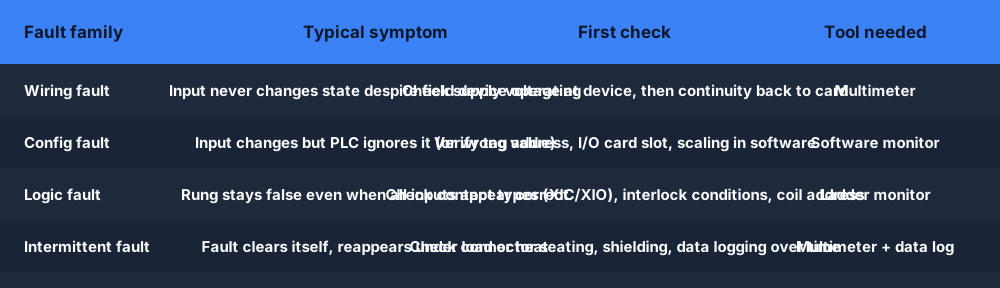
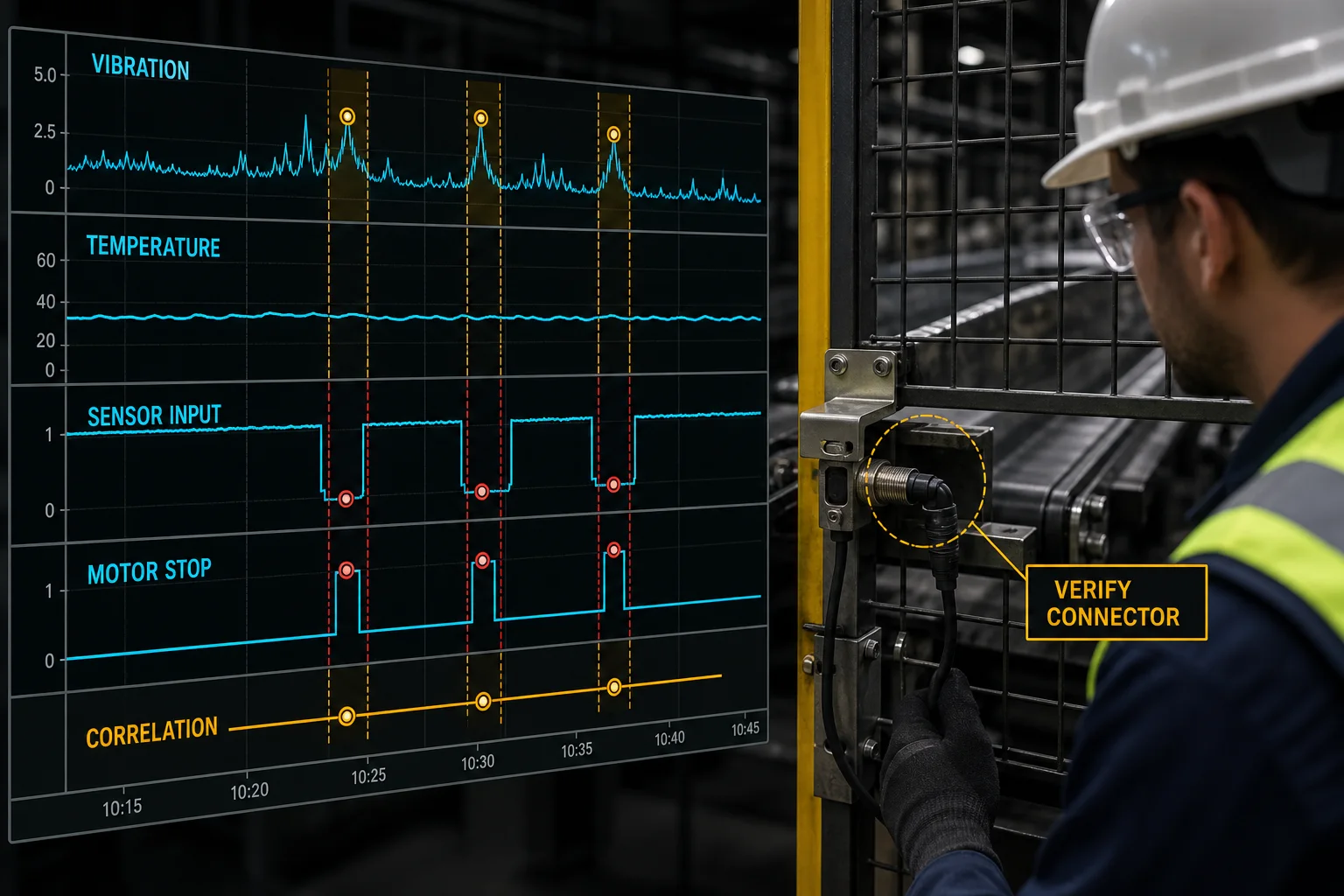
Before any diagnosis, identify which family you are in. That determines the first measurement and the correct tool. Wiring faults account for 60–70% of field calls — eliminate that family first.
The method
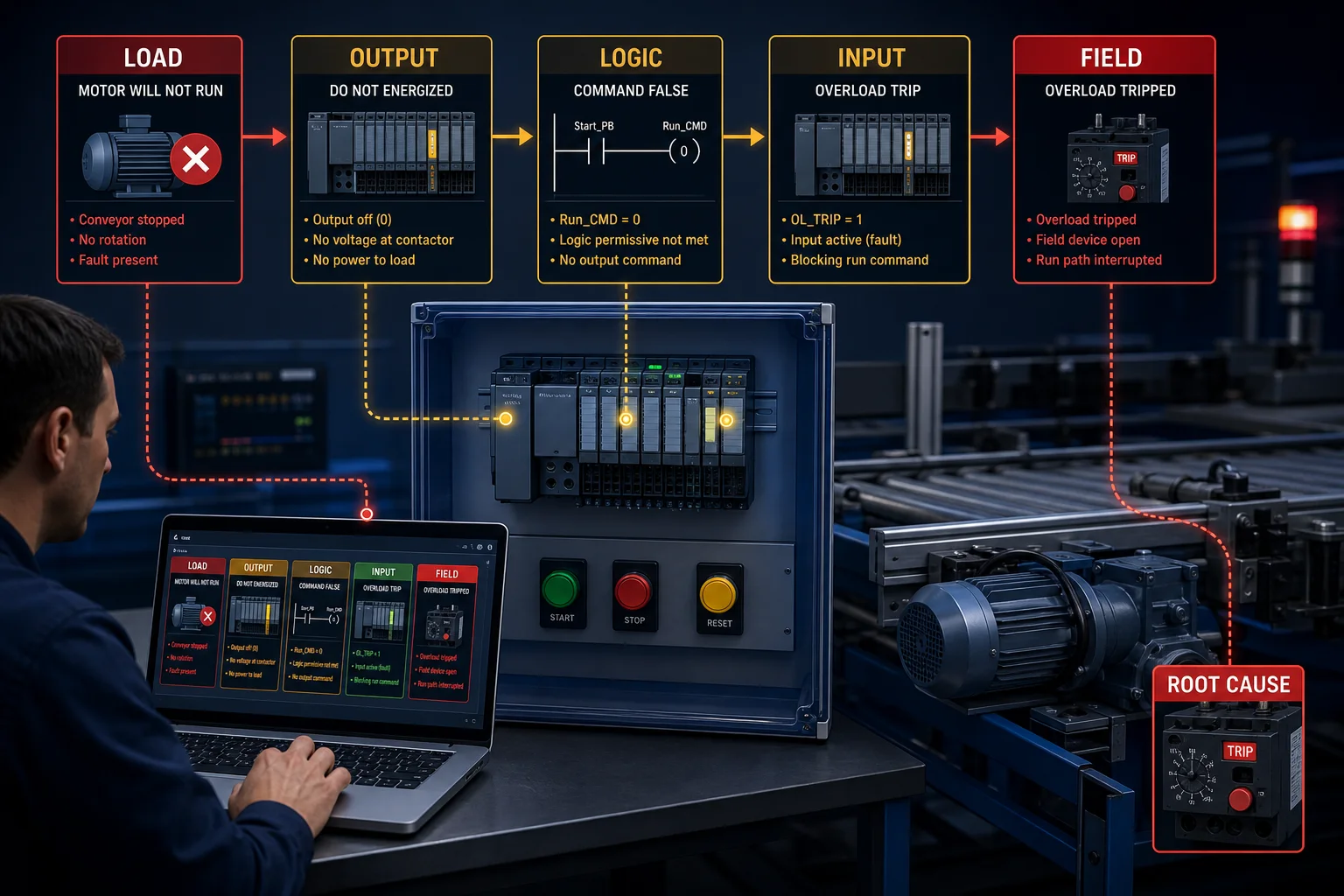
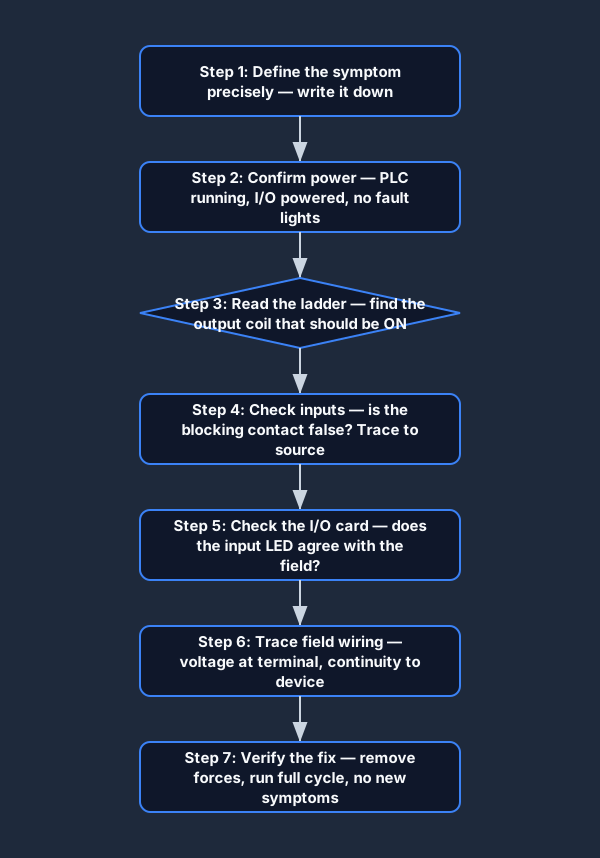
Every step eliminates a portion of the fault window. The direction is always inputs to field: define the symptom, confirm power, read the ladder, check the I/O card, trace the wiring, check the output, verify the fix.
Write it down before touching anything. "Motor does not start" is a symptom. "I think the proximity sensor is bad" is a hypothesis. Keep them separate — you need the symptom clear before you form hypotheses.
Inputs → Logic → Outputs → Field is the direction of travel.
Confirm PLC RUN LED, I/O card power LEDs, and supply voltage at the distribution point. A PLC in fault mode or a card with a blown supply fuse mimics logic and wiring faults.
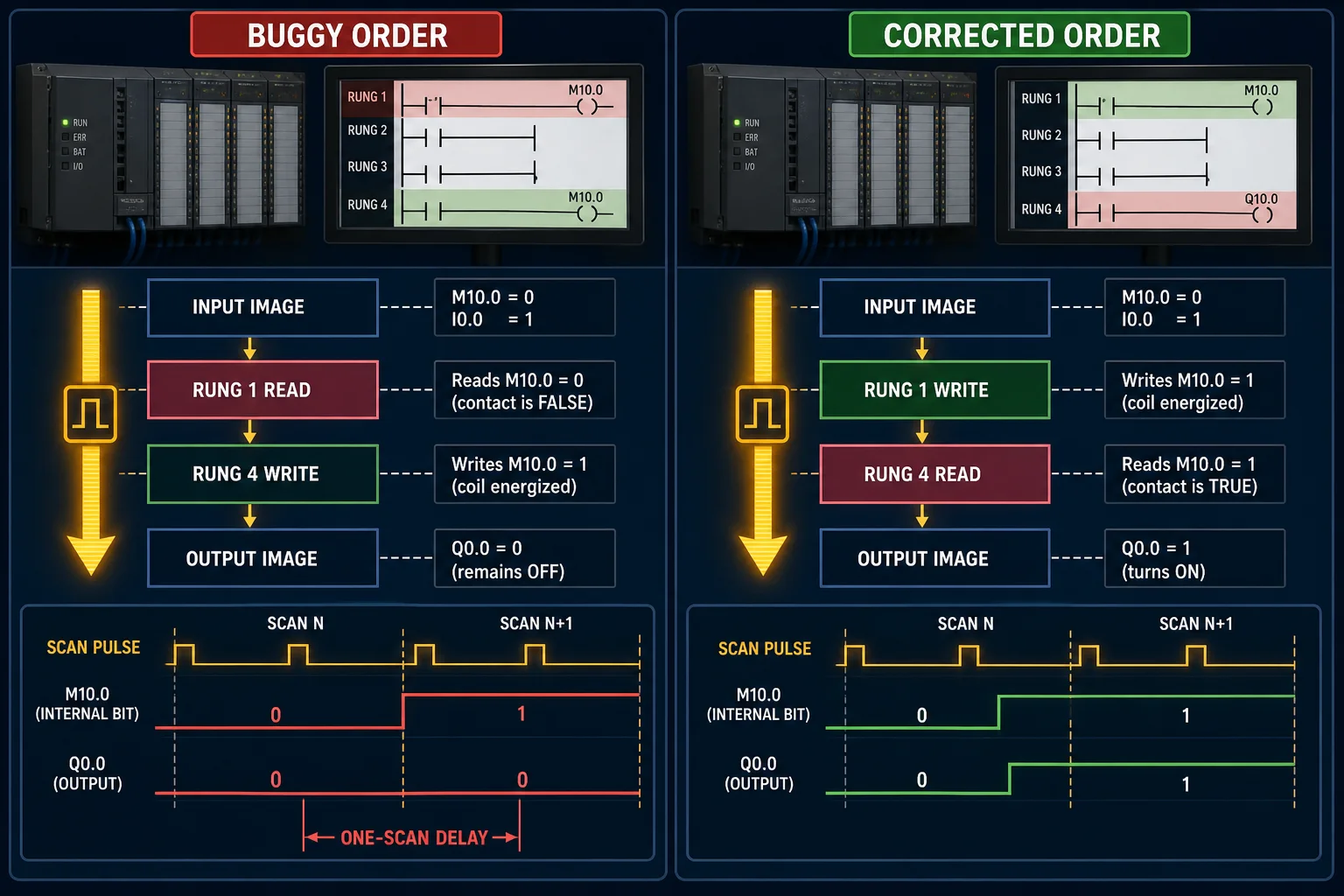
Open the online ladder monitor and find the output coil for the device that is not operating. Walk the rung from left rail to right. Which contact is false when it should be true? That contact is your target.
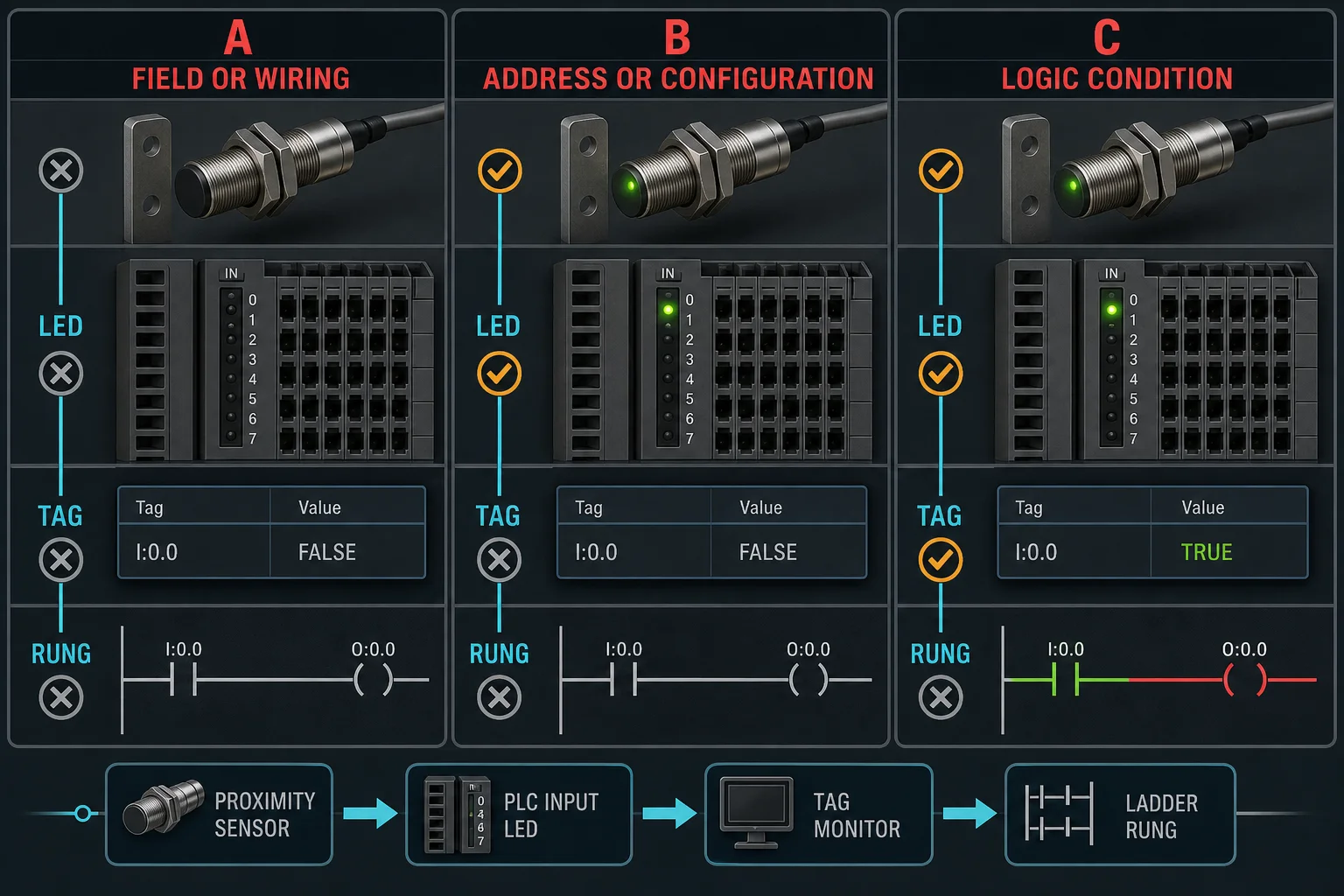
For the blocking contact, check the input LED on the physical card. LED off = field fault (go to Step 6). LED on but tag false = configuration fault (wrong address or card slot). LED matches tag but rung still false = logic fault in the rung itself.
The LED/tag comparison is the fastest field-vs-software split.
Measure voltage at the I/O card terminal. If correct: trace toward the device, measuring at the midpoint of the remaining run. If zero: trace back toward the supply. Each measurement halves the fault window.
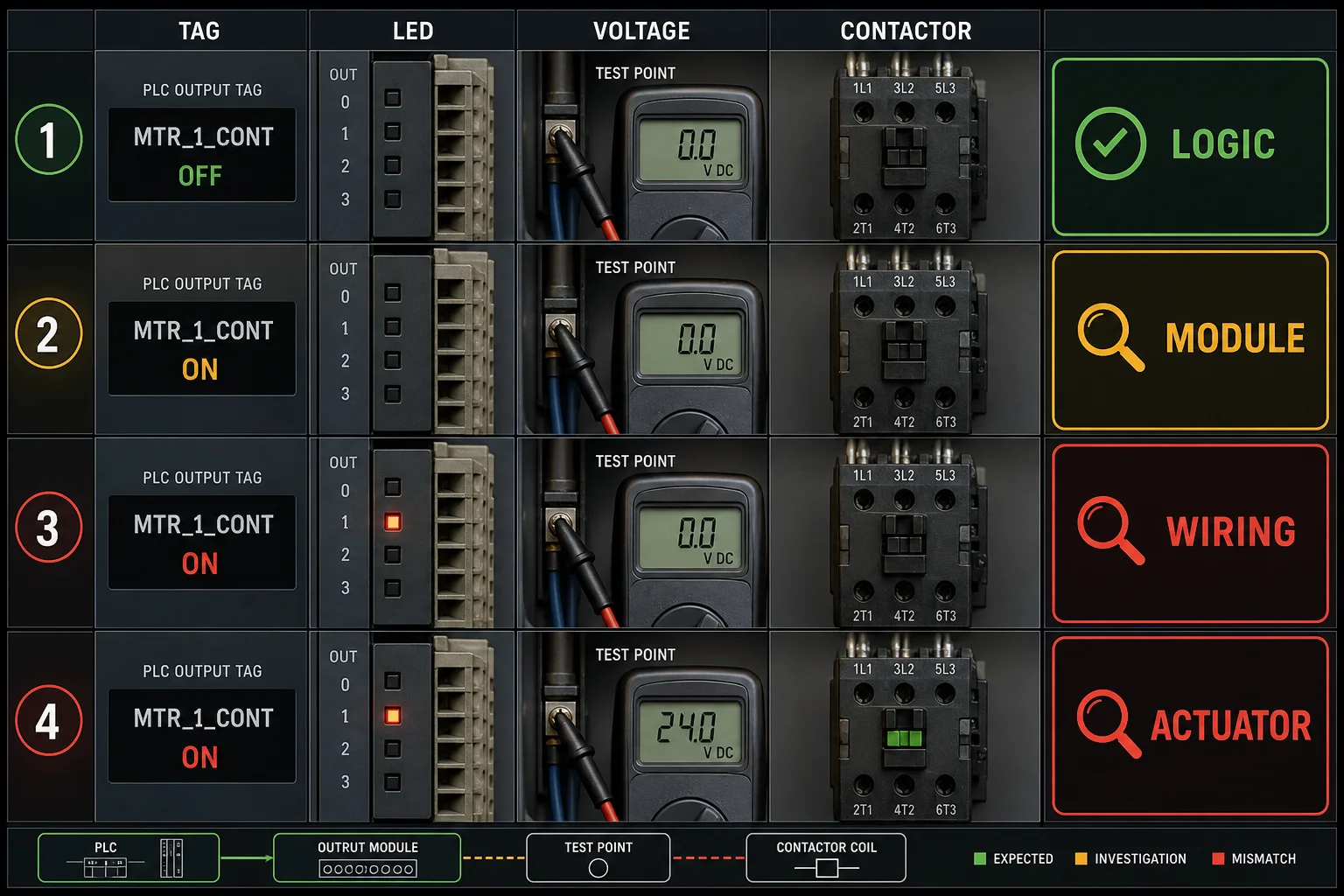
Output LED lit but actuator not responding: break in wiring between card and actuator, or actuator fault. Output LED not lit but tag is true: output card fuse blown or card failure. Measure voltage at the actuator terminals while output is commanded ON.
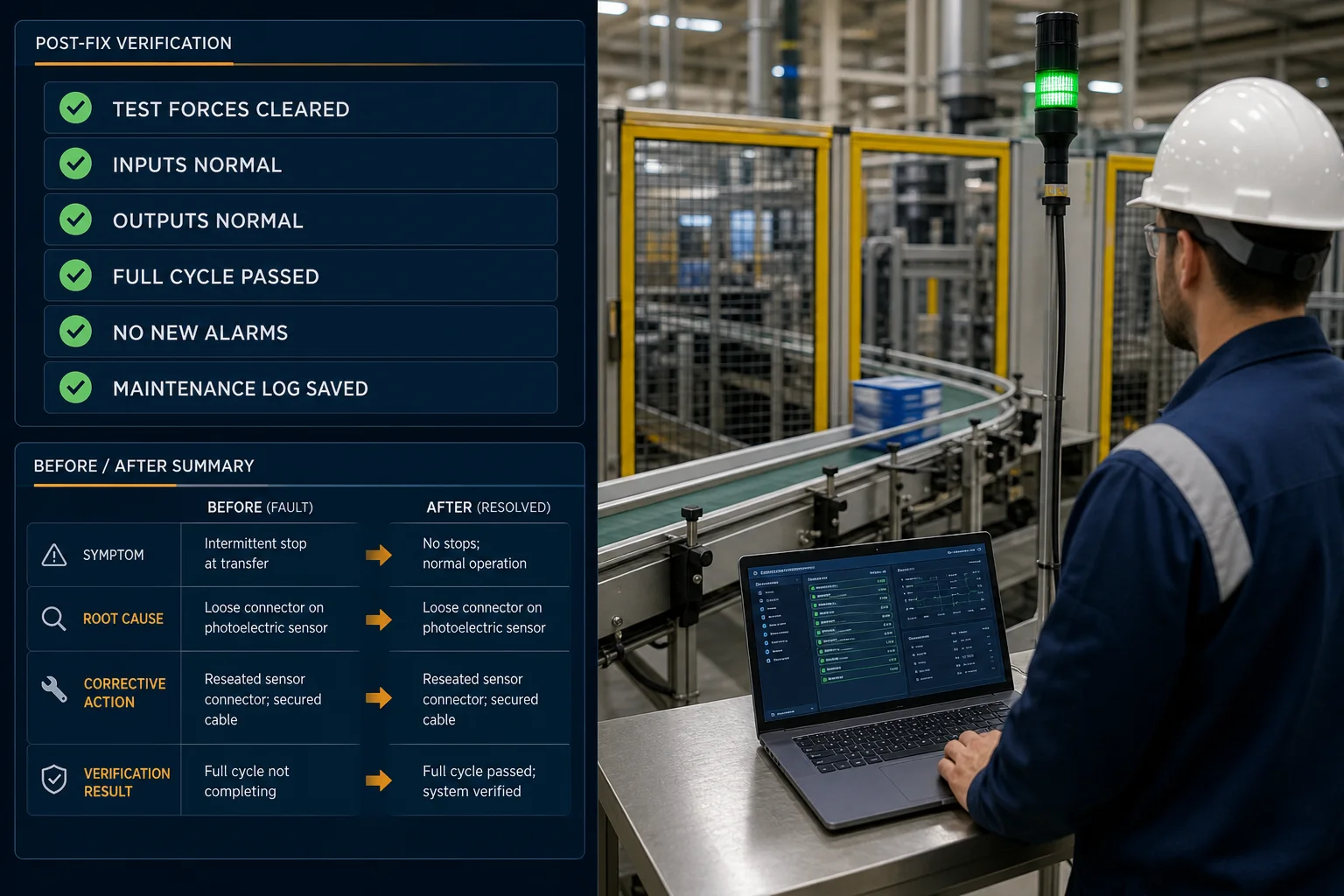
Make the minimum change needed. Clear all test forces. Cycle the machine through a full operational sequence. Confirm the original symptom is gone and no new symptoms appear. Document root cause and fix in the maintenance log.
Verify before you close the job.
Instead of probing from one end sequentially, measure at the midpoint of the circuit. Voltage present: fault is in the second half. Zero volts: fault is in the first half. Repeat — each measurement halves the remaining window. The PLC I/O boundary (card terminal vs field terminal) is the natural midpoint for most control circuits.
16 components, 4 measurements maximum — versus 16 sequential tests.
Honest scope
The fault scenarios and wiring labs build diagnostic reasoning — the method, the mental model of the circuit, and pattern recognition of fault types. That transfers directly to real hardware. What a browser cannot replicate:
Use the simulator to build the reasoning. Arrive at a real panel having already diagnosed sixteen simulated faults and you will be measurably faster than someone coming in cold.
What is inside
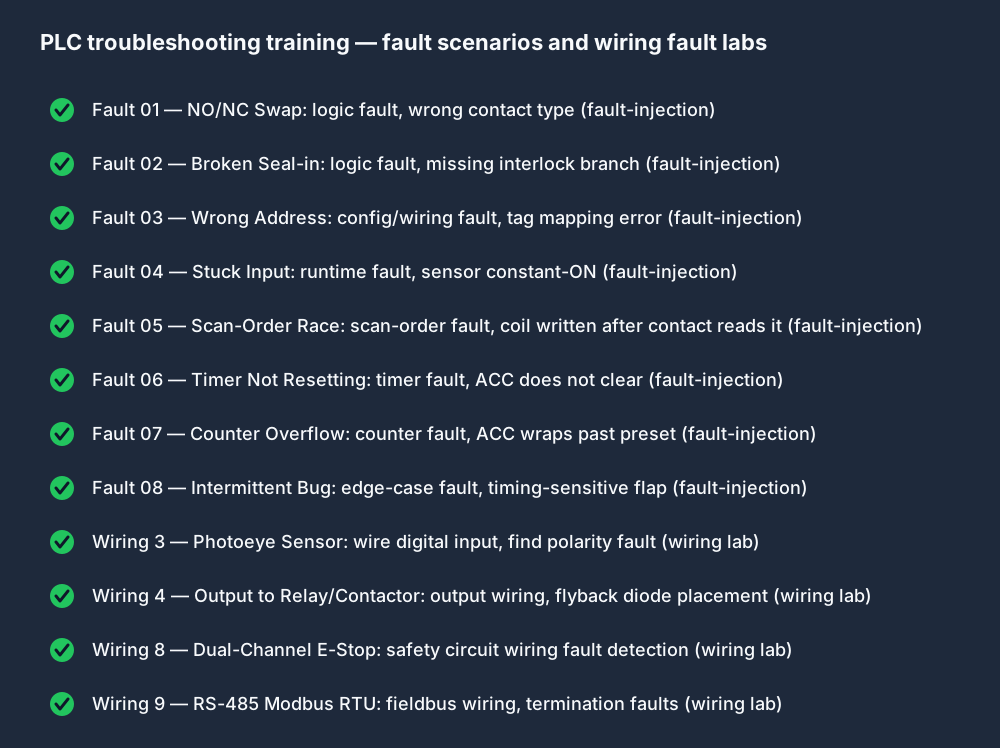
Each scenario injects a specific fault into a running machine simulation. Each wiring lab puts a fault in a field circuit and asks you to trace it with the virtual multimeter. Every one is auto-graded.
Go deeper
Guide
Complete coverage of the 7-step method, multimeter discipline sequence, half-split technique, and how to approach all four fault families including intermittent faults.
Read the guide →Guide
The three fault zones in a DOL motor starter — coil circuit, overload relay, and PLC output side — with the correct measurement sequence and overload trip diagnosis checklist.
Read the guide →Keep exploring
Free browser simulator. Auto-graded. No hardware panel, no $500 course, no install.