PLC Simulator
PLC simulator for Chromebook

PLC Simulator That Runs on a Chromebook

Practice ladder logic and structured text on a school-issued Chromebook. No Dev Mode, no Linux subsystem, no Play Store install. Just open Chrome.

Join 9400+ learners practicing PLC programming

The problem

Why Chromebooks struggle with PLC software

ChromeOS is sandboxed by design. You cannot download an .exe and install TIA Portal, Studio 5000, Codesys, or LogixPro. The Play Store does not ship any of the major vendor PLC tools. On a school-issued Chromebook, district IT usually blocks Linux-subsystem unlock, Play Store installs of unknown apps, and Dev Mode flipping — all of which are warranty-voiding anyway.

For a high-school robotics student, a mechatronics programme at a community college, or an apprentice who was handed a school Chromebook and told to learn PLCs, the existing vendor software is simply not reachable. That leaves either buying a personal laptop (expensive) or finding a tool that runs in the ChromeOS browser as-is (much shorter list).

A PLC simulator running in a Chrome tab on a Chromebook — ladder logic editor, scan-cycle runtime and I/O strip — with no Dev Mode, no Linux subsystem, no Crostini and no Play Store install on ChromeOSA web browser window running a PLC ladder logic simulator with an input/output strip, requiring no installation or download.plcsimulator.app/playno installINPUTSOUTPUTS
The whole PLC simulator lives in a Chrome tab on ChromeOS — no Dev Mode unlock, no Crostini, no Play Store.

Workarounds and why they fail

What students try — and how each one falls apart

Dev Mode unlock

Voids the warranty on a school-issued Chromebook. District MDM usually reverts it the next time the laptop connects to the school wifi. You also lose locally stored homework.

Crostini / Linux subsystem

Promising on paper — ChromeOS does support a Linux container. In practice, districts disable it on managed devices. Even when allowed, TIA Portal and Studio 5000 still need Windows under the Linux install.

Play Store PLC apps

The few that install are rudimentary ladder toys. None support real dialects, none offer scored scenarios, most have not been updated in years.

Remote desktop to a home PC

RDP is commonly blocked outbound by school networks. Even where allowed, latency and keyboard issues make writing ladder miserable.

Borrowed Windows laptop at home

Works — until you want to study between classes on the Chromebook you actually carry.

Buy your own laptop

The real solution, and the most expensive one. Not an option for many students.

ChromeOS-native in the browser

What this tool does on a Chromebook

Runs in plain Chrome

No Linux subsystem, no Crostini, no Play Store. The website is the app. Opens from the address bar.

Installable as a PWA

Chrome shows an Install prompt — one click and it sits in your Launcher with its own icon, its own window, and offline caching for scenarios you have already opened.

Works with touch + trackpad

On a 2-in-1 Chromebook, tap rungs directly; on a clamshell, use the trackpad and keyboard. Stylus input is supported if you have one.

A PLC digital input pushbutton wired to an input card and an output card driving a lamp, the input and output model Chromebook students learn before touching real field wiringA digital input pushbutton wired to a PLC input card, and a PLC output card driving a lamp, with a sinking versus sourcing hint.I/O CARDINPUTOUTPUTPushbuttonI:0/0LampO:0/0sinking (NPN) vs sourcing (PNP)
Tap a contact, watch the output light — the digital input/output model that underpins every scenario.

What actually runs on ChromeOS

Real PLC concepts, inside one Chrome tab

This is not a single-rung Play Store toy. On a Chromebook you write real IEC 61131-3 ladder logic and structured text, a genuine scan-cycle runtime executes it, and hidden test cases grade every rung — the same foundation taught in community-college PLC programmes. Here is what you actually practise on ChromeOS.

The PLC scan cycle — read inputs, execute the ladder program, update outputs, then repeat — running in a Chrome tab on a Chromebook with no PLC runtime installed on ChromeOSThe repeating PLC scan cycle: read inputs, execute the ladder logic, update outputs, then housekeeping, looping continuously.1Read Inputs2Execute Logic3Update Outputs4HousekeepingSCANCYCLE
The scan cycle runs in Chrome on your Chromebook — read inputs, solve logic, write outputs, repeat.
A ladder logic rung with a normally-open contact driving an output coil, the first program a Chromebook PLC student writes in the ChromeOS browserA basic ladder logic rung between two power rails: an examine-if-closed contact (XIC) in series driving an output coil (OTE).L1L2] [StartXIC I:0/0LampOTE O:0/0
Your first rung — a contact driving a coil — graded live in the Chrome tab.
Common ladder logic symbols — normally-open and normally-closed contacts, output coils, set and reset coils — learned on a Chromebook browser PLC simulatorThe core ladder logic symbols side by side: XIC examine-if-closed, XIO examine-if-open, OTE output energize, OTL output latch and OTU output unlatch.XICIfXIOIfOTEEnergizeLOTLLatchUOTUUnlatch
The ladder symbol set — contacts, coils, set/reset — identical to the vendor tooling you will use on the job.
An IEC TON on-delay timer timing chart, a core instruction Chromebook students drill in the browser simulator for the traffic-light scenarioA TON on-delay timer: the accumulated time bar ramps up toward the preset value, and the done (DN) bit turns on when the accumulator reaches preset.TONPRE 5000ACCACC ramps to PREPREDNdone bit
TON / TOF timers tick on the scan clock — the engine behind the traffic-light scenario.
The five IEC 61131-3 languages — Ladder, Function Block, Structured Text, SFC and Instruction List — practised on a Chromebook in the browser without any vendor IDE installThe five IEC 61131-3 PLC programming languages as chips: Ladder Diagram, Function Block Diagram, Structured Text, Instruction List and Sequential Function Chart.IEC 61131-3 — five languagesLDLadder DiagramFBDFunction BlockSTStructured TextILInstruction ListSFCSequential Func. Chart
IEC 61131-3 — the same international standard the real industrial tools implement, learned on a Chromebook.
PLC architecture — CPU, input modules, output modules and field devices — taught on a Chromebook browser simulator for high-school robotics and mechatronics studentsA modular PLC rack on a backplane: power supply, CPU processor, input module, output module and a communications module side by side.PLC RACKbackplane busPSUPowerCPUProcessorDIInputDOOutputNETComms
The CPU / input / output / field-device model — the mental map you carry from FRC robotics to a real PLC.

Getting started

Three steps on a Chromebook

  1. 1. Open Chrome. Your school Chromebook probably has nothing else, which is fine — Chrome is all we need.
  2. 2. Sign up free. Email and password. No district-admin approval needed; no software install; no admin unlock.
  3. 3. Pick a scenario. traffic light is the classic first run — four-way sequencing with timers.

If your school IT blocks the site, show them this page. We are a normal HTTPS web app with no plugins and no Play Store footprint.

Performance

Performance expectations on a Chromebook

Fine

  • Any Chromebook from 2020 onwards.
  • Chromebook Plus tier — smooth across the full 140-scenario catalogue.
  • Lenovo, HP, ASUS, Acer, and Samsung models tested.

Usable but slower

  • Pre-2019 entry Chromebooks — the editor works, the animation can stutter.
  • 11" screens — functional, but a 13"+ external monitor helps the editor feel less cramped.
  • Very slow wifi — initial load is bigger, but once cached it runs offline.

Student-friendly scenarios

A starter path for a Chromebook student

Traffic Light

Four-way sequence — the classic PLC first scenario.

View scenario →

Motor Start / Stop

Three-wire control — a robotics-to-PLC bridge.

View scenario →

Conveyor Sort

Sensors, diverter, counting — industrial but intuitive.

View scenario →

Garage Door

Open / close with obstruction reverse.

View scenario →

Elevator

State machine with floor requests and direction.

View scenario →

PID Temperature

A realistic PID tuning introduction.

View scenario →

If you are a student, see the student PLC simulator page, follow My Learning Path, or read what a browser PLC simulator actually does.

Questions

Chromebook PLC simulator FAQ

Unlikely. It is a normal HTTPS site with no plugins, no unusual ports, and no native binaries. The most common blocker is a blanket "unknown SaaS" rule — if your district uses one, ask your teacher or IT admin to whitelist plcsimulationsoftware.com. We have deliberately avoided anything that looks suspicious to a content filter.

Your Chromebook can run a PLC simulator.

No unlock, no installs, no district drama. Free tier.

Create free account →

Runnable simulator field guide

PLC simulator for Chromebook: implementation, evidence and troubleshooting

Direct answer

PLC simulator for Chromebook becomes useful when it connects chromeos version, browser, account policy, network, storage, keyboard, screen size, accessibility and target learning task with browser editor and runtime through saved project state, scenario checks and exportable evidence, then proves a start-stop and timer exercise completed, reopened and repeated from reset under normal, boundary, fault and recovery conditions. The objective is a repeatable engineering or learning result, not merely activity inside a page or tool.

This guide is written for students and instructors using managed or personal Chromebooks that cannot install Windows-only PLC engineering suites. The intended result is specific: the learner can open, run and save a bounded PLC exercise in the browser and identify which later target-tool tasks still require another environment.
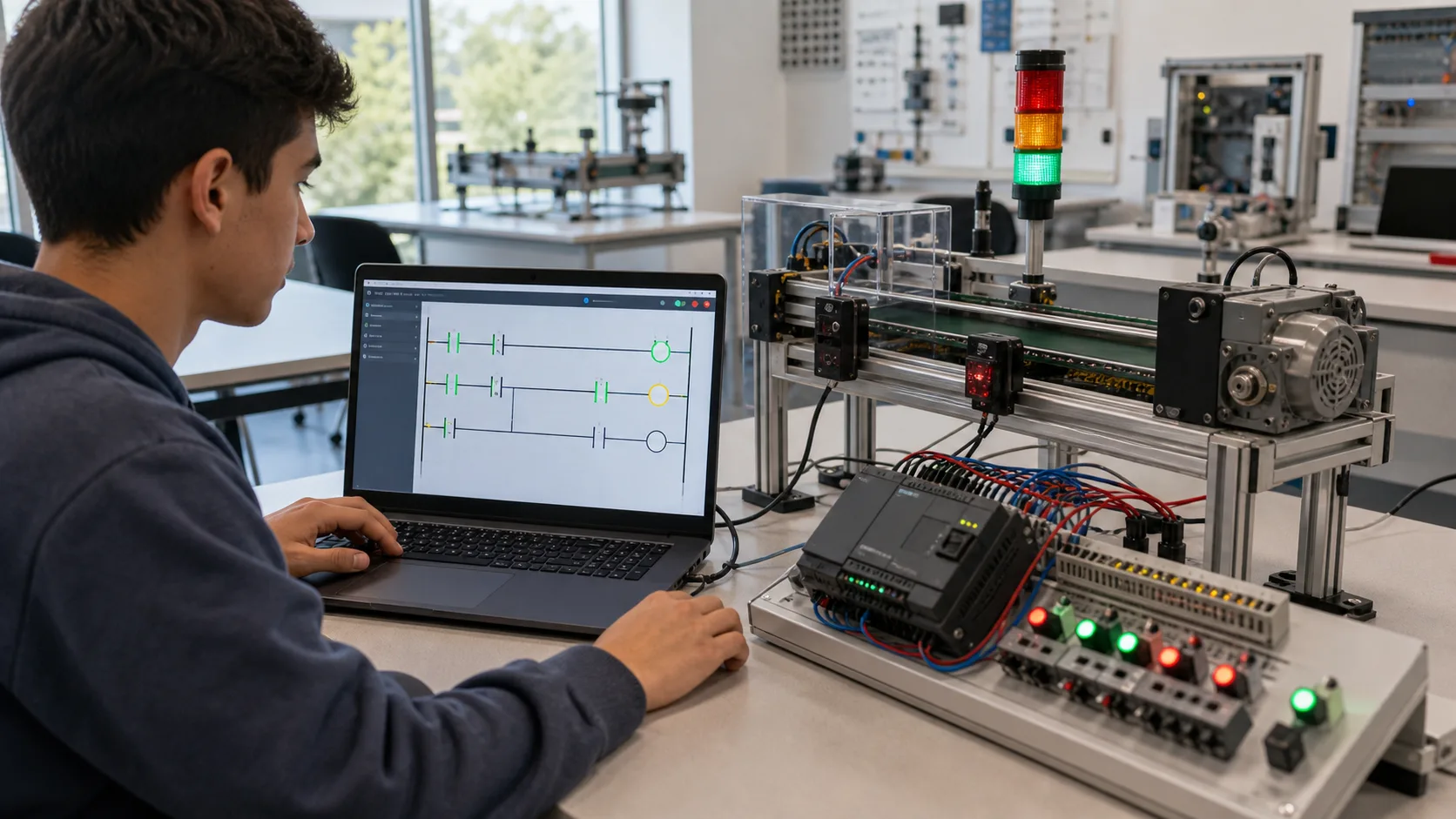
Student using a Chromebook browser PLC simulator beside a compact conveyor training rig with visible sensors and outputs
A browser exercise can prove control behavior on ChromeOS while keeping vendor-project compatibility as a separate target-tool check.

System map / 02

Six concepts that control the result

Treat these as connected checkpoints. Each checkpoint has an expected state, an observable state and a boundary to the next part of the system. That structure prevents a software indication from being mistaken for physical proof.

NODE 01observable

Define the operating contract

ChromeOS version, browser, account policy, network, storage, keyboard, screen size, accessibility and target learning task. For browser PLC practice on ChromeOS, record the initial condition, actor, requested change, observable result and stopping condition before selecting a tool or implementation.

NODE 02observable

Map the evidence path

browser editor and runtime through saved project state, scenario checks and exportable evidence. Separate request, internal state, output or service, physical or user-visible result and independent feedback so each boundary can be inspected.

NODE 03observable

Prove normal operation

a start-stop and timer exercise completed, reopened and repeated from reset. Run more than one cycle from a known state and retain the values, timings or artifacts that demonstrate repeatability.

NODE 04observable

Exercise a boundary case

managed-browser restrictions, blocked storage, offline loss, small screen, unsupported syntax and target transfer. Choose minimum, maximum, simultaneous, delayed or restart conditions that reveal assumptions hidden by the happy path.

NODE 05observable

Diagnose a controlled fault

a browser, account, persistence, runtime, input or compatibility issue. Preserve the first symptom, divide the system at a measurable boundary and change one condition only after predicting the result.

NODE 06observable

Transfer and hand over

the accepted behavior recreated later in the required vendor environment and controller. Restore normal state, remove temporary changes, repeat affected checks and document which claims remain limited to the learning environment.

Procedure / 03

A six-step practice and commissioning workflow

Run the steps in order the first time. Later, the same structure becomes a diagnostic loop: define the expected condition, observe the boundary, interpret the difference and choose one proving action.

  1. 01

    Write the acceptance case

    Convert chromeos version, browser, account policy, network, storage, keyboard, screen size, accessibility and target learning task into initial conditions, one stimulus and observable pass criteria.

    Evidence: Another person can repeat the case without guessing the intended result.

    Avoid: Using page completion or an animation as the acceptance criterion.

  2. 02

    Build the map

    Document browser editor and runtime through saved project state, scenario checks and exportable evidence and name who owns each state or decision.

    Evidence: Every request and result has a source, destination and useful inspection point.

    Avoid: Using the same value as command, status and independent feedback.

  3. 03

    Run the baseline

    Apply a start-stop and timer exercise completed, reopened and repeated from reset from a clean start and record the expected evidence.

    Evidence: Repeated runs produce the same bounded result.

    Avoid: Changing several parameters before a baseline exists.

  4. 04

    Challenge assumptions

    Test managed-browser restrictions, blocked storage, offline loss, small screen, unsupported syntax and target transfer without changing the acceptance contract.

    Evidence: Limits, timing and restart behavior reach defined states.

    Avoid: Testing only one ideal sequence.

  5. 05

    Isolate one failure

    Introduce or analyse a browser, account, persistence, runtime, input or compatibility issue and locate the first disagreement.

    Evidence: The proving action distinguishes the leading hypotheses.

    Avoid: Resetting, forcing or replacing before evidence is retained.

  6. 06

    Close the evidence loop

    Complete the accepted behavior recreated later in the required vendor environment and controller and repeat the affected regression cases.

    Evidence: A run is complete only when the requested behavior, stop behavior, fault response and recovery are observable from a fresh initial condition.

    Avoid: Treating an acknowledged message or one successful rerun as handover.

Diagnostic matrix / 04

Symptoms, proving points and next actions

The table is a reasoning aid, not a parts-replacement chart. Preserve the initial symptom, inspect the named boundary and use the interpretation to choose the next controlled test. Site safety procedures and equipment manuals remain authoritative.

Diagnostic symptoms, inspection points, interpretations and next actions for PLC simulator for Chromebook: implementation, evidence and troubleshooting
Observed symptomInspectInterpretationNext proving action
The expected result is unclearRequirement, initial state, actor, stimulus, units and pass conditionThe operator, programmer and reviewer may be solving different versions of the task.Rewrite one observable acceptance case before continuing.
Internal state changes but the outcome does notRequest, final owner, output or service boundary and independent feedbackA software or interface indication proves intent at one layer, not the complete outcome.Trace the first boundary after the changing state.
Normal case passes but an edge case failsLimits, timing, simultaneous events, reset and restart assumptionsThe implementation contains a hidden assumption exposed by the changed condition.Add the failed boundary as a permanent regression case.
The failure disappears after resetOriginal symptom, histories, diagnostics, timestamps and active causeReset changed evidence or state without proving the initiating cause.Reproduce under a controlled condition and preserve pre/post-event data.
Simulator and target disagreeModel boundary, software version, task timing, I/O behavior, data types and configurationA learning model and the intended target do not share one of the recorded assumptions.Reduce the case and verify against current target documentation.
The result cannot be explainedPrediction, observation, proving action, alternative hypotheses and limitationsActivity occurred but the evidence is not yet transferable or reviewable.Have the learner defend the signal path and repeat a changed case.

Product evidence / 05

What the browser practice can actually demonstrate

The browser runtime joins editable control state to visible I/O and machine or process behavior, allowing the same initial conditions and stimuli to be replayed.

Where simulation stops

Browser access does not make vendor Windows software or native project formats run on ChromeOS, and device policies, graphics and network restrictions can affect labs.

Commissioning notebook / 06

Six cases that turn the concepts into evidence

Use these as written briefs rather than click-through instructions. For every case, state the expected condition before acting, retain the first useful observation and explain why the final result proves the requirement. A different program or component choice can still be correct when it produces the same bounded behavior and evidence.

Case 01

predict → observe → prove

Prove define the operating contract

Engineering context. ChromeOS version, browser, account policy, network, storage, keyboard, screen size, accessibility and target learning task. For browser PLC practice on ChromeOS, record the initial condition, actor, requested change, observable result and stopping condition before selecting a tool or implementation. Begin with a written normal condition and identify which request, state, physical result or communication value will provide independent confirmation. Do not begin by changing the configuration; the initial state is part of the evidence and should remain reproducible.

Controlled setup. Use the “Write the acceptance case” stage of the workflow: convert chromeos version, browser, account policy, network, storage, keyboard, screen size, accessibility and target learning task into initial conditions, one stimulus and observable pass criteria. The acceptance record should show this result: another person can repeat the case without guessing the intended result. Record initial conditions, the exact stimulus and the observation point so another learner can repeat the case without relying on your memory.

Fault challenge. Introduce or analyse “The expected result is unclear” as one bounded deviation. Inspect requirement, initial state, actor, stimulus, units and pass condition The working interpretation is that the operator, programmer and reviewer may be solving different versions of the task. The next proving action is to rewrite one observable acceptance case before continuing. Change only one condition before observing the result, and preserve timestamps or measurements where timing matters.

Review and recovery. The most common trap here is using page completion or an animation as the acceptance criterion. After restoring the cause, repeat the normal case and at least one stop, timeout, disconnect or restart boundary relevant to this topic. Remove temporary forces and bypasses, return the model to a known state and retain the evidence that both operation and recovery are deliberate.

Explain it aloud: What should I learn first about browser PLC practice on ChromeOS? A defensible short answer is: Start with the operating contract and evidence path: chromeos version, browser, account policy, network, storage, keyboard, screen size, accessibility and target learning task, followed by browser editor and runtime through saved project state, scenario checks and exportable evidence. Add advanced features only after the baseline is predictable.

Case 02

predict → observe → prove

Prove map the evidence path

Engineering context. browser editor and runtime through saved project state, scenario checks and exportable evidence. Separate request, internal state, output or service, physical or user-visible result and independent feedback so each boundary can be inspected. Begin with a written normal condition and identify which request, state, physical result or communication value will provide independent confirmation. Do not begin by changing the configuration; the initial state is part of the evidence and should remain reproducible.

Controlled setup. Use the “Build the map” stage of the workflow: document browser editor and runtime through saved project state, scenario checks and exportable evidence and name who owns each state or decision. The acceptance record should show this result: every request and result has a source, destination and useful inspection point. Record initial conditions, the exact stimulus and the observation point so another learner can repeat the case without relying on your memory.

Fault challenge. Introduce or analyse “Internal state changes but the outcome does not” as one bounded deviation. Inspect request, final owner, output or service boundary and independent feedback The working interpretation is that a software or interface indication proves intent at one layer, not the complete outcome. The next proving action is to trace the first boundary after the changing state. Change only one condition before observing the result, and preserve timestamps or measurements where timing matters.

Review and recovery. The most common trap here is using the same value as command, status and independent feedback. After restoring the cause, repeat the normal case and at least one stop, timeout, disconnect or restart boundary relevant to this topic. Remove temporary forces and bypasses, return the model to a known state and retain the evidence that both operation and recovery are deliberate.

Explain it aloud: How do I practise browser PLC practice on ChromeOS effectively? A defensible short answer is: Use short cases with known initial conditions, a written prediction, one action and an observable result. Then alter a boundary or fault and explain why the evidence changed.

Case 03

predict → observe → prove

Prove prove normal operation

Engineering context. a start-stop and timer exercise completed, reopened and repeated from reset. Run more than one cycle from a known state and retain the values, timings or artifacts that demonstrate repeatability. Begin with a written normal condition and identify which request, state, physical result or communication value will provide independent confirmation. Do not begin by changing the configuration; the initial state is part of the evidence and should remain reproducible.

Controlled setup. Use the “Run the baseline” stage of the workflow: apply a start-stop and timer exercise completed, reopened and repeated from reset from a clean start and record the expected evidence. The acceptance record should show this result: repeated runs produce the same bounded result. Record initial conditions, the exact stimulus and the observation point so another learner can repeat the case without relying on your memory.

Fault challenge. Introduce or analyse “Normal case passes but an edge case fails” as one bounded deviation. Inspect limits, timing, simultaneous events, reset and restart assumptions The working interpretation is that the implementation contains a hidden assumption exposed by the changed condition. The next proving action is to add the failed boundary as a permanent regression case. Change only one condition before observing the result, and preserve timestamps or measurements where timing matters.

Review and recovery. The most common trap here is changing several parameters before a baseline exists. After restoring the cause, repeat the normal case and at least one stop, timeout, disconnect or restart boundary relevant to this topic. Remove temporary forces and bypasses, return the model to a known state and retain the evidence that both operation and recovery are deliberate.

Explain it aloud: What counts as proof of competence? A defensible short answer is: A repeatable artifact or system result plus an explanation of the signal path is stronger than time spent, screenshots or a copied answer. Physical competence requires separate supervised evidence.

Case 04

predict → observe → prove

Prove exercise a boundary case

Engineering context. managed-browser restrictions, blocked storage, offline loss, small screen, unsupported syntax and target transfer. Choose minimum, maximum, simultaneous, delayed or restart conditions that reveal assumptions hidden by the happy path. Begin with a written normal condition and identify which request, state, physical result or communication value will provide independent confirmation. Do not begin by changing the configuration; the initial state is part of the evidence and should remain reproducible.

Controlled setup. Use the “Challenge assumptions” stage of the workflow: test managed-browser restrictions, blocked storage, offline loss, small screen, unsupported syntax and target transfer without changing the acceptance contract. The acceptance record should show this result: limits, timing and restart behavior reach defined states. Record initial conditions, the exact stimulus and the observation point so another learner can repeat the case without relying on your memory.

Fault challenge. Introduce or analyse “The failure disappears after reset” as one bounded deviation. Inspect original symptom, histories, diagnostics, timestamps and active cause The working interpretation is that reset changed evidence or state without proving the initiating cause. The next proving action is to reproduce under a controlled condition and preserve pre/post-event data. Change only one condition before observing the result, and preserve timestamps or measurements where timing matters.

Review and recovery. The most common trap here is testing only one ideal sequence. After restoring the cause, repeat the normal case and at least one stop, timeout, disconnect or restart boundary relevant to this topic. Remove temporary forces and bypasses, return the model to a known state and retain the evidence that both operation and recovery are deliberate.

Explain it aloud: Why test faults and restart behavior? A defensible short answer is: Because a browser, account, persistence, runtime, input or compatibility issue or managed-browser restrictions, blocked storage, offline loss, small screen, unsupported syntax and target transfer can expose assumptions that never appear during ideal startup and steady operation.

Case 05

predict → observe → prove

Prove diagnose a controlled fault

Engineering context. a browser, account, persistence, runtime, input or compatibility issue. Preserve the first symptom, divide the system at a measurable boundary and change one condition only after predicting the result. Begin with a written normal condition and identify which request, state, physical result or communication value will provide independent confirmation. Do not begin by changing the configuration; the initial state is part of the evidence and should remain reproducible.

Controlled setup. Use the “Isolate one failure” stage of the workflow: introduce or analyse a browser, account, persistence, runtime, input or compatibility issue and locate the first disagreement. The acceptance record should show this result: the proving action distinguishes the leading hypotheses. Record initial conditions, the exact stimulus and the observation point so another learner can repeat the case without relying on your memory.

Fault challenge. Introduce or analyse “Simulator and target disagree” as one bounded deviation. Inspect model boundary, software version, task timing, I/O behavior, data types and configuration The working interpretation is that a learning model and the intended target do not share one of the recorded assumptions. The next proving action is to reduce the case and verify against current target documentation. Change only one condition before observing the result, and preserve timestamps or measurements where timing matters.

Review and recovery. The most common trap here is resetting, forcing or replacing before evidence is retained. After restoring the cause, repeat the normal case and at least one stop, timeout, disconnect or restart boundary relevant to this topic. Remove temporary forces and bypasses, return the model to a known state and retain the evidence that both operation and recovery are deliberate.

Explain it aloud: Can browser practice replace official software or hardware? A defensible short answer is: No. It can build concepts and diagnostic reasoning. Exact firmware, I/O electrical behavior, networking, safety and commissioning require current official tools, documentation and target equipment.

Case 06

predict → observe → prove

Prove transfer and hand over

Engineering context. the accepted behavior recreated later in the required vendor environment and controller. Restore normal state, remove temporary changes, repeat affected checks and document which claims remain limited to the learning environment. Begin with a written normal condition and identify which request, state, physical result or communication value will provide independent confirmation. Do not begin by changing the configuration; the initial state is part of the evidence and should remain reproducible.

Controlled setup. Use the “Close the evidence loop” stage of the workflow: complete the accepted behavior recreated later in the required vendor environment and controller and repeat the affected regression cases. The acceptance record should show this result: a run is complete only when the requested behavior, stop behavior, fault response and recovery are observable from a fresh initial condition. Record initial conditions, the exact stimulus and the observation point so another learner can repeat the case without relying on your memory.

Fault challenge. Introduce or analyse “The result cannot be explained” as one bounded deviation. Inspect prediction, observation, proving action, alternative hypotheses and limitations The working interpretation is that activity occurred but the evidence is not yet transferable or reviewable. The next proving action is to have the learner defend the signal path and repeat a changed case. Change only one condition before observing the result, and preserve timestamps or measurements where timing matters.

Review and recovery. The most common trap here is treating an acknowledged message or one successful rerun as handover. After restoring the cause, repeat the normal case and at least one stop, timeout, disconnect or restart boundary relevant to this topic. Remove temporary forces and bypasses, return the model to a known state and retain the evidence that both operation and recovery are deliberate.

Explain it aloud: How should progress be documented? A defensible short answer is: Keep the requirement, initial state, program or configuration, observed values, fault hypothesis, proving action, recovery result and a concise limitations statement.

Answer surface / 07

Questions people ask about PLC simulator for Chromebook

These concise answers define the operating, training and product boundaries most often missed in broad summaries. The full workflow and diagnostic table above provide the evidence behind them.

What should I learn first about browser PLC practice on ChromeOS?

Start with the operating contract and evidence path: chromeos version, browser, account policy, network, storage, keyboard, screen size, accessibility and target learning task, followed by browser editor and runtime through saved project state, scenario checks and exportable evidence. Add advanced features only after the baseline is predictable.

How do I practise browser PLC practice on ChromeOS effectively?

Use short cases with known initial conditions, a written prediction, one action and an observable result. Then alter a boundary or fault and explain why the evidence changed.

What counts as proof of competence?

A repeatable artifact or system result plus an explanation of the signal path is stronger than time spent, screenshots or a copied answer. Physical competence requires separate supervised evidence.

Why test faults and restart behavior?

Because a browser, account, persistence, runtime, input or compatibility issue or managed-browser restrictions, blocked storage, offline loss, small screen, unsupported syntax and target transfer can expose assumptions that never appear during ideal startup and steady operation.

Can browser practice replace official software or hardware?

No. It can build concepts and diagnostic reasoning. Exact firmware, I/O electrical behavior, networking, safety and commissioning require current official tools, documentation and target equipment.

How should progress be documented?

Keep the requirement, initial state, program or configuration, observed values, fault hypothesis, proving action, recovery result and a concise limitations statement.

What should I do when the answer differs from a guide?

Check assumptions, version, units and initial state first. Reduce the case, compare one boundary at a time and prefer current primary documentation for target-specific behavior.

When is a browser PLC practice on ChromeOS exercise finished?

A run is complete only when the requested behavior, stop behavior, fault response and recovery are observable from a fresh initial condition.