PLC Simulator

← For teams & institutions

For TVET & vocational colleges

Browser-Based PLC Training for TVET and Vocational College Engineering Programmes

A single Siemens S7-1200 starter kit runs into the high hundreds of dollars per student before you've added wiring panels, software licences, and maintenance contracts. Multiply by a 30-student cohort and most engineering departments will decline the capital request before the motivation is even written. The traditional one-rig-per-student model was never financially viable. There is another way.

Join 10100+ learners practicing PLC programming

Setting up a college cohort? Create a free account, set up your team, or request institutional pricing.

The problem

Why the current model does not work for most colleges

Hardware that outlives its usefulness (but not its cost)

Rigs purchased in 2015 run outdated firmware that no longer reflects what graduates encounter in the field. Vendors move on; colleges are locked into whatever platform the purchasing committee approved eight years ago. Graduates leave with exposure to one ageing platform and no ability to adapt to others.

Vendor licensing that punishes growth

Per-machine, per-seat, and per-campus licensing models were designed for industrial customers, not educational institutions growing year by year. There are no resale rights, no home-use provisions, and no practical way for students to continue practising outside scheduled lab hours.

No remote-friendly option for hybrid programmes

Load shedding, transport delays, and working students make physical lab attendance unreliable. When the lab is the only place students can access the software, any disruption to attendance equals lost practice hours with no alternative.

QCTO and NQF alignment pressure without supporting tools

Generating PoE (Portfolio of Evidence) for practical competency assessments is a manual, paper-heavy process. There is no digital activity log, no automatic timestamp trail, and no easy way to compile evidence per student for moderation. Note: the platform itself is not QCTO-accredited — it provides evidence-gathering support within your accredited programme.

The solution

What the Teams plan provides for colleges

A full PLC environment in any browser, on any device

No installation, no IT involvement, no admin rights required. Works in Chrome, Firefox, Safari, and Edge on any operating system. The ladder logic editor supports contacts, coils, timers, counters, and comparison blocks to IEC 61131-3 — this is not a simplified toy, it is the same logic model students will encounter in the field.

40+ scenarios mapped to real industrial contexts

Conveyor systems, traffic light sequencing, motor star-delta starters, level control, and fault detection — each scenario is named and framed around recognisable industrial equipment. That industrial framing bridges classroom theory to workplace relevance in a way that abstract ladder exercises cannot.

Learning paths and cohort progress reporting

The /team admin console lets you build a structured learning path, assign it to a cohort, and view progress at a glance. You no longer chase individual students for updates or guess who is behind before a practical assessment.

Portfolio PDF export for student assessment portfolios

Each student can export a portfolio PDF with timestamped scenario completions and their name attached. The document provides verifiable completion evidence that supports PoE compilation for NQF-aligned practical assessments.

No per-student licensing surprises

Pro seats are priced at $199 per year. Seats are reassignable — if a student withdraws mid-year, that seat moves to a replacement student. No penalty, no wasted spend, no negotiation required.

Curriculum coverage

What your students actually practise — at a glance

Unlike a slide deck or a video course, every concept below is something your TVET students build, run, and are auto-graded on in the browser — no rig, no install, no per-lab licence. This is the same IEC 61131-3 logic model they will meet on a real plant floor, mapped across the N3–N6 Industrial Electronics practical progression.

The PLC simulator running in a college lab browser — ladder editor, live simulation and auto-grader in one tab on any student device including a Chromebook, no install or admin rightsA web browser window running a PLC ladder logic simulator with an input/output strip, requiring no installation or download.plcsimulator.app/playno installINPUTSOUTPUTS
Runs in any browser on any student device — including locked-down lab PCs and Chromebooks.
PLC architecture taught in the vocational college curriculum — CPU, input modules, output modules and field devices — the foundational lesson for TVET engineering studentsA modular PLC rack on a backplane: power supply, CPU processor, input module, output module and a communications module side by side.PLC RACKbackplane busPSUPowerCPUProcessorDIInputDOOutputNETComms
Module 1 — what a PLC is: CPU, I/O modules, and the field devices they drive.
The PLC scan cycle taught to vocational college students — read inputs, execute the ladder program, update outputs, repeat — the concept that makes ladder logic make senseThe repeating PLC scan cycle: read inputs, execute the ladder logic, update outputs, then housekeeping, looping continuously.1Read Inputs2Execute Logic3Update Outputs4HousekeepingSCANCYCLE
The scan cycle — the foundation every practical assessment builds on.
A ladder logic rung in the college PLC simulator — a normally-open contact driving an output coil — written and auto-graded in the browser for TVET practical competencyA basic ladder logic rung between two power rails: an examine-if-closed contact (XIC) in series driving an output coil (OTE).L1L2] [StartXIC I:0/0LampOTE O:0/0
The first graded rung — a contact driving a coil, scored instantly.
Ladder logic symbols in the TVET PLC curriculum — normally-open and normally-closed contacts, output coils, set and reset coils — the symbol set students read and write across every scenarioThe core ladder logic symbols side by side: XIC examine-if-closed, XIO examine-if-open, OTE output energize, OTL output latch and OTU output unlatch.XICIfXIOIfOTEEnergizeLOTLLatchUOTUUnlatch
The ladder symbol set — the alphabet of every practical task.
An IEC TON on-delay timer timing chart taught in the college PLC curriculum — the instruction behind sequencing scenarios such as traffic lights and conveyor delaysA TON on-delay timer: the accumulated time bar ramps up toward the preset value, and the done (DN) bit turns on when the accumulator reaches preset.TONPRE 5000ACCACC ramps to PREPREDNdone bit
Timers (TON / TOF) — sequencing logic for star-delta and conveyor tasks.
An IEC CTU up-counter taught in the vocational college PLC curriculum — the instruction used to count parts in conveyor-sort and batching scenariosA CTU count-up counter: each input pulse increments the accumulator toward the preset, and the done (DN) bit turns on when count reaches preset.count pulsesCTUPRE 5ACC 3ACCcount toward presetDNdone bit
Counters (CTU / CTD) — part-counting for conveyor and batching scenarios.
The five IEC 61131-3 languages covered in the college PLC curriculum — Ladder, Function Block, Structured Text, SFC and Instruction List — so graduates can adapt across vendor platformsThe five IEC 61131-3 PLC programming languages as chips: Ladder Diagram, Function Block Diagram, Structured Text, Instruction List and Sequential Function Chart.IEC 61131-3 — five languagesLDLadder DiagramFBDFunction BlockSTStructured TextILInstruction ListSFCSequential Func. Chart
IEC 61131-3 breadth — the standard that transfers across every vendor.

Pilot outcomes

What a college pilot should prove

Delivery: can a learner reach an auto-graded pass on campus hardware without installing vendor software or booking a shared PLC rig?

Evidence: can lecturers use cohort progress, attempts, and exported results to identify learners who need support before practical assessment?

Pricing

Simple per-seat pricing — no lab fees

Cohort sizeAnnual costPer student / month
10 students$1,990 / yr$16.58
30 students$5,970 / yr$16.58
60 students$11,940 / yr$16.58

Pro seats are $199/seat/year on annual billing. Bulk pricing available — see full pricing →

What's included

Everything in the Teams plan

  • Team admin console at /team — cohort management, member management, learning path builder
  • 9 PLC dialects: IEC 61131-3, Allen-Bradley, Siemens, Mitsubishi, Omron, KEYENCE KV, Schneider, Delta, Instruction List
  • 40+ industrial scenarios with fault-injection mode and sandbox
  • 55 guided learning modules + 12 quizzes
  • 6 interview preparation tracks
  • Org-private custom scenario builder (visible only to your team)
  • Cohort progress reports — see completions across a cohort at a glance
  • Portfolio PDF export per student — supports PoE compilation
  • Individual student logins — required for per-student reporting

How to roll it out

From pilot to full cohort in four steps

1

Trial it free yourself

Create a free account and work through the first few graded scenarios as a lecturer would. No card, no install — confirm it fits your scheme of work before involving procurement.

2

Evaluate with a small group

Set up a team at /org/signup and invite up to four learners alongside one instructor. Build a short Free-tier learning path and watch the cohort progress report populate.

3

Map evidence to your PoE

Export per-student portfolio PDFs of timestamped, name-attributed completions. Your programme team decides how that evidence maps to your QCTO/NQF outcomes — the platform supplies the activity trail.

4

Scale and reassign seats

Roll out to the full cohort. When a student withdraws mid-year, reassign the seat rather than waste it. A pro-forma quotation is available for your procurement office.

Questions

TVET college PLC simulator FAQ

The platform is not QCTO-accredited — your institution holds accreditation status, not the tool. What the platform does is generate timestamped, student-attributed activity records and portfolio PDFs that support your PoE compilation process. The decision on how to map platform evidence to your specific QCTO qualification outcomes sits with your programme team.

Start a pilot with your next cohort.

Run a free evaluation before purchasing. Managed rollout starts at five seats, with no hardware budget required.

Run a free class or team pilot

Use a real cohort before making a purchasing decision. Send your work email and organisation; we’ll reply with a pilot plan and only ask for the details relevant to your setup.

Checking this request.

No spam. We reply within 1 business day.

Form not working? Email us directly and we’ll set it up manually.

Competency and practice field guide

PLC simulator for colleges: implementation, evidence and troubleshooting

Direct answer

PLC simulator for colleges becomes useful when it connects programme outcomes, learner baseline, timetable, seat count, devices, connectivity, accessibility, instructor capacity, hardware, assessment and support with competency through short instruction, guided run, independent changed scenario, feedback, remediation and retained rubric evidence, then proves one motor, sequence, instrumentation and fault task completed independently and later transferred to a training panel under normal, boundary, fault and recovery conditions. The objective is a repeatable engineering or learning result, not merely activity inside a page or tool.

This guide is written for tVET, community-college and vocational instructors, lab managers and administrators scaling practical automation education. The intended result is specific: the college can align simulator tasks with workshop outcomes, learner devices, instructor review and phased physical-equipment access.
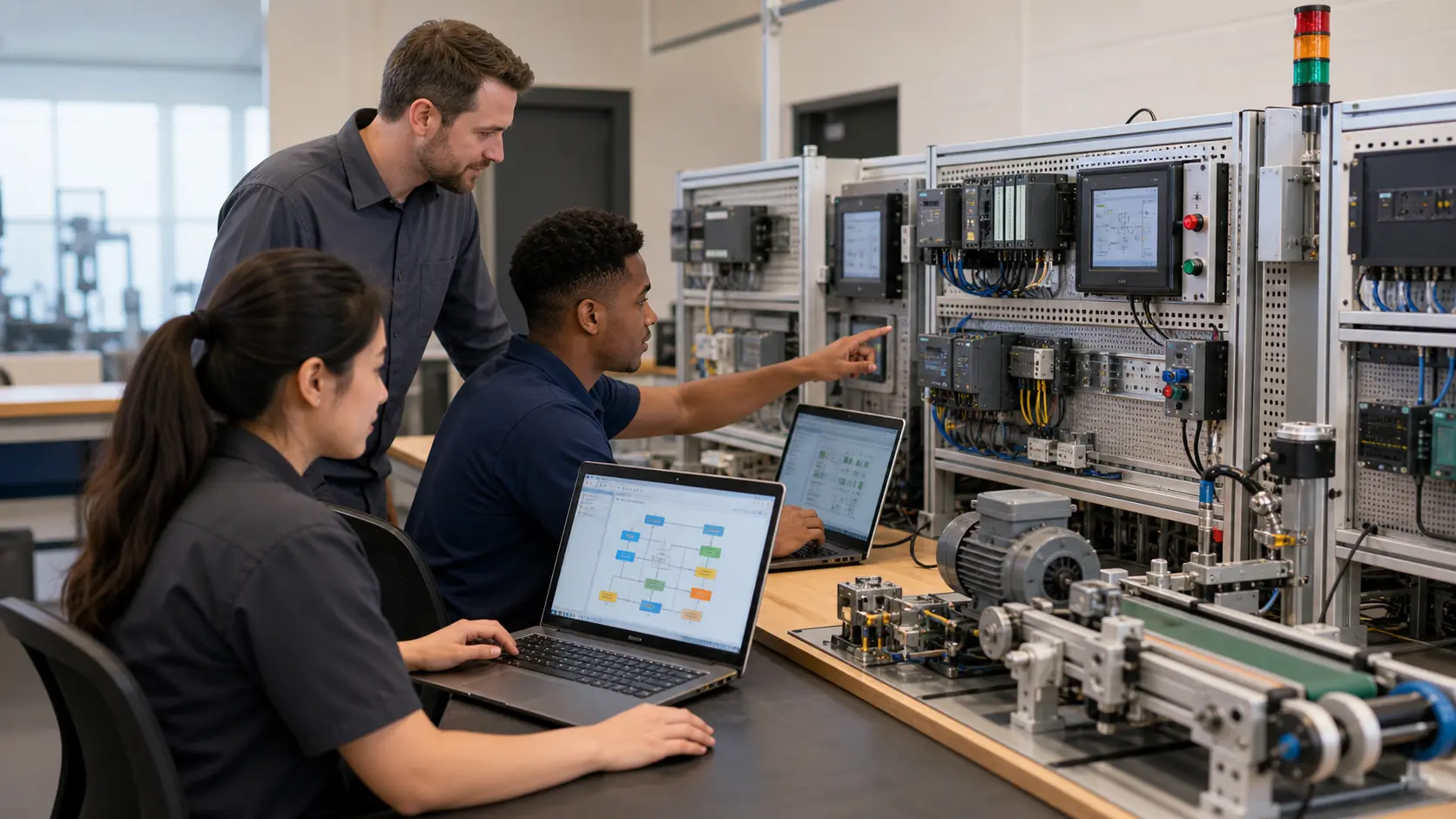
adult learners and an instructor using PLC racks, laptops and a miniature process in a vocational automation lab while studying vocational college PLC lab delivery and assessment
The physical context keeps vocational college PLC lab delivery and assessment tied to declared inputs, owned decisions, observable results and evidence that another person can verify.

System map / 02

Six concepts that control the result

Treat these as connected checkpoints. Each checkpoint has an expected state, an observable state and a boundary to the next part of the system. That structure prevents a software indication from being mistaken for physical proof.

NODE 01observable

Define the operating contract

programme outcomes, learner baseline, timetable, seat count, devices, connectivity, accessibility, instructor capacity, hardware, assessment and support. For vocational college PLC lab delivery and assessment, record the initial condition, actor, requested change, observable result and stopping condition before selecting a tool or implementation.

NODE 02observable

Map the evidence path

competency through short instruction, guided run, independent changed scenario, feedback, remediation and retained rubric evidence. Separate request, internal state, output or service, physical or user-visible result and independent feedback so each boundary can be inspected.

NODE 03observable

Prove normal operation

one motor, sequence, instrumentation and fault task completed independently and later transferred to a training panel. Run more than one cycle from a known state and retain the values, timings or artifacts that demonstrate repeatability.

NODE 04observable

Exercise a boundary case

mixed devices, weak connectivity, large class, copied solution, language need, hardware bottleneck, lost work and inconsistent marking. Choose minimum, maximum, simultaneous, delayed or restart conditions that reveal assumptions hidden by the happy path.

NODE 05observable

Diagnose a controlled fault

an access, prerequisite, concept, implementation, diagnostic, assessment, instructor or hardware-transfer gap. Preserve the first symptom, divide the system at a measurable boundary and change one condition only after predicting the result.

NODE 06observable

Transfer and hand over

results moderated and combined with supervised workshop evidence under the college programme. Restore normal state, remove temporary changes, repeat affected checks and document which claims remain limited to the learning environment.

Procedure / 03

A six-step practice and commissioning workflow

Run the steps in order the first time. Later, the same structure becomes a diagnostic loop: define the expected condition, observe the boundary, interpret the difference and choose one proving action.

  1. 01

    Write the acceptance case

    Convert programme outcomes, learner baseline, timetable, seat count, devices, connectivity, accessibility, instructor capacity, hardware, assessment and support into initial conditions, one stimulus and observable pass criteria.

    Evidence: Another person can repeat the case without guessing the intended result.

    Avoid: Using page completion or an animation as the acceptance criterion.

  2. 02

    Build the map

    Document competency through short instruction, guided run, independent changed scenario, feedback, remediation and retained rubric evidence and name who owns each state or decision.

    Evidence: Every request and result has a source, destination and useful inspection point.

    Avoid: Using the same value as command, status and independent feedback.

  3. 03

    Run the baseline

    Apply one motor, sequence, instrumentation and fault task completed independently and later transferred to a training panel from a clean start and record the expected evidence.

    Evidence: Repeated runs produce the same bounded result.

    Avoid: Changing several parameters before a baseline exists.

  4. 04

    Challenge assumptions

    Test mixed devices, weak connectivity, large class, copied solution, language need, hardware bottleneck, lost work and inconsistent marking without changing the acceptance contract.

    Evidence: Limits, timing and restart behavior reach defined states.

    Avoid: Testing only one ideal sequence.

  5. 05

    Isolate one failure

    Introduce or analyse an access, prerequisite, concept, implementation, diagnostic, assessment, instructor or hardware-transfer gap and locate the first disagreement.

    Evidence: The proving action distinguishes the leading hypotheses.

    Avoid: Resetting, forcing or replacing before evidence is retained.

  6. 06

    Close the evidence loop

    Complete results moderated and combined with supervised workshop evidence under the college programme and repeat the affected regression cases.

    Evidence: A learner completes the surface by explaining the result, passing a changed case and identifying what still requires supervised target-equipment practice.

    Avoid: Treating an acknowledged message or one successful rerun as handover.

Diagnostic matrix / 04

Symptoms, proving points and next actions

The table is a reasoning aid, not a parts-replacement chart. Preserve the initial symptom, inspect the named boundary and use the interpretation to choose the next controlled test. Site safety procedures and equipment manuals remain authoritative.

Diagnostic symptoms, inspection points, interpretations and next actions for PLC simulator for colleges: implementation, evidence and troubleshooting
Observed symptomInspectInterpretationNext proving action
The expected result is unclearRequirement, initial state, actor, stimulus, units and pass conditionThe learner, instructor and assessor may be solving different versions of the task.Rewrite one observable acceptance case before continuing.
Internal state changes but the outcome does notRequest, final owner, output or service boundary and independent feedbackA software or interface indication proves intent at one layer, not the complete outcome.Trace the first boundary after the changing state.
Normal case passes but an edge case failsLimits, timing, simultaneous events, reset and restart assumptionsThe implementation contains a hidden assumption exposed by the changed condition.Add the failed boundary as a permanent regression case.
The failure disappears after resetOriginal symptom, histories, diagnostics, timestamps and active causeReset changed evidence or state without proving the initiating cause.Reproduce under a controlled condition and preserve pre/post-event data.
Simulator and target disagreeModel boundary, software version, task timing, I/O behavior, data types and configurationA learning model and the intended target do not share one of the recorded assumptions.Reduce the case and verify against current target documentation.
The result cannot be explainedPrediction, observation, proving action, alternative hypotheses and limitationsActivity occurred but the evidence is not yet transferable or reviewable.Have the learner defend the signal path and repeat a changed case.

Product evidence / 05

What the browser practice can actually demonstrate

The browser platform can retain programs, scenario results, attempts and observable machine state so practice is attached to evidence rather than seat time alone.

Where simulation stops

Digital practice does not replace accredited curriculum approval, workshop safety, supervised wiring, target hardware or local assessment requirements.

Commissioning notebook / 06

Six cases that turn the concepts into evidence

Use these as written briefs rather than click-through instructions. For every case, state the expected condition before acting, retain the first useful observation and explain why the final result proves the requirement. A different program or component choice can still be correct when it produces the same bounded behavior and evidence.

Case 01

predict → observe → prove

Prove define the operating contract

Engineering context. programme outcomes, learner baseline, timetable, seat count, devices, connectivity, accessibility, instructor capacity, hardware, assessment and support. For vocational college PLC lab delivery and assessment, record the initial condition, actor, requested change, observable result and stopping condition before selecting a tool or implementation. Begin with a written normal condition and identify which request, state, physical result or communication value will provide independent confirmation. Do not begin by changing the configuration; the initial state is part of the evidence and should remain reproducible.

Controlled setup. Use the “Write the acceptance case” stage of the workflow: convert programme outcomes, learner baseline, timetable, seat count, devices, connectivity, accessibility, instructor capacity, hardware, assessment and support into initial conditions, one stimulus and observable pass criteria. The acceptance record should show this result: another person can repeat the case without guessing the intended result. Record initial conditions, the exact stimulus and the observation point so another learner can repeat the case without relying on your memory.

Fault challenge. Introduce or analyse “The expected result is unclear” as one bounded deviation. Inspect requirement, initial state, actor, stimulus, units and pass condition The working interpretation is that the learner, instructor and assessor may be solving different versions of the task. The next proving action is to rewrite one observable acceptance case before continuing. Change only one condition before observing the result, and preserve timestamps or measurements where timing matters.

Review and recovery. The most common trap here is using page completion or an animation as the acceptance criterion. After restoring the cause, repeat the normal case and at least one stop, timeout, disconnect or restart boundary relevant to this topic. Remove temporary forces and bypasses, return the model to a known state and retain the evidence that both operation and recovery are deliberate.

Explain it aloud: How can colleges teach PLCs with limited hardware? A defensible short answer is: Use browser simulation for scalable concepts, programs and fault cases, then rotate learners through shared panels for physical I/O, measurement, networks and commissioning.

Case 02

predict → observe → prove

Prove map the evidence path

Engineering context. competency through short instruction, guided run, independent changed scenario, feedback, remediation and retained rubric evidence. Separate request, internal state, output or service, physical or user-visible result and independent feedback so each boundary can be inspected. Begin with a written normal condition and identify which request, state, physical result or communication value will provide independent confirmation. Do not begin by changing the configuration; the initial state is part of the evidence and should remain reproducible.

Controlled setup. Use the “Build the map” stage of the workflow: document competency through short instruction, guided run, independent changed scenario, feedback, remediation and retained rubric evidence and name who owns each state or decision. The acceptance record should show this result: every request and result has a source, destination and useful inspection point. Record initial conditions, the exact stimulus and the observation point so another learner can repeat the case without relying on your memory.

Fault challenge. Introduce or analyse “Internal state changes but the outcome does not” as one bounded deviation. Inspect request, final owner, output or service boundary and independent feedback The working interpretation is that a software or interface indication proves intent at one layer, not the complete outcome. The next proving action is to trace the first boundary after the changing state. Change only one condition before observing the result, and preserve timestamps or measurements where timing matters.

Review and recovery. The most common trap here is using the same value as command, status and independent feedback. After restoring the cause, repeat the normal case and at least one stop, timeout, disconnect or restart boundary relevant to this topic. Remove temporary forces and bypasses, return the model to a known state and retain the evidence that both operation and recovery are deliberate.

Explain it aloud: What should a college PLC simulator support? A defensible short answer is: Prioritize curriculum mapping, low-friction access, runnable machines, changed cases, feedback, instructor evidence, accessibility, saving and a clear target-transfer boundary.

Case 03

predict → observe → prove

Prove prove normal operation

Engineering context. one motor, sequence, instrumentation and fault task completed independently and later transferred to a training panel. Run more than one cycle from a known state and retain the values, timings or artifacts that demonstrate repeatability. Begin with a written normal condition and identify which request, state, physical result or communication value will provide independent confirmation. Do not begin by changing the configuration; the initial state is part of the evidence and should remain reproducible.

Controlled setup. Use the “Run the baseline” stage of the workflow: apply one motor, sequence, instrumentation and fault task completed independently and later transferred to a training panel from a clean start and record the expected evidence. The acceptance record should show this result: repeated runs produce the same bounded result. Record initial conditions, the exact stimulus and the observation point so another learner can repeat the case without relying on your memory.

Fault challenge. Introduce or analyse “Normal case passes but an edge case fails” as one bounded deviation. Inspect limits, timing, simultaneous events, reset and restart assumptions The working interpretation is that the implementation contains a hidden assumption exposed by the changed condition. The next proving action is to add the failed boundary as a permanent regression case. Change only one condition before observing the result, and preserve timestamps or measurements where timing matters.

Review and recovery. The most common trap here is changing several parameters before a baseline exists. After restoring the cause, repeat the normal case and at least one stop, timeout, disconnect or restart boundary relevant to this topic. Remove temporary forces and bypasses, return the model to a known state and retain the evidence that both operation and recovery are deliberate.

Explain it aloud: What should I learn first about vocational college PLC lab delivery and assessment? A defensible short answer is: Start with the operating contract and evidence path: programme outcomes, learner baseline, timetable, seat count, devices, connectivity, accessibility, instructor capacity, hardware, assessment and support, followed by competency through short instruction, guided run, independent changed scenario, feedback, remediation and retained rubric evidence. Add advanced features only after the baseline is predictable.

Case 04

predict → observe → prove

Prove exercise a boundary case

Engineering context. mixed devices, weak connectivity, large class, copied solution, language need, hardware bottleneck, lost work and inconsistent marking. Choose minimum, maximum, simultaneous, delayed or restart conditions that reveal assumptions hidden by the happy path. Begin with a written normal condition and identify which request, state, physical result or communication value will provide independent confirmation. Do not begin by changing the configuration; the initial state is part of the evidence and should remain reproducible.

Controlled setup. Use the “Challenge assumptions” stage of the workflow: test mixed devices, weak connectivity, large class, copied solution, language need, hardware bottleneck, lost work and inconsistent marking without changing the acceptance contract. The acceptance record should show this result: limits, timing and restart behavior reach defined states. Record initial conditions, the exact stimulus and the observation point so another learner can repeat the case without relying on your memory.

Fault challenge. Introduce or analyse “The failure disappears after reset” as one bounded deviation. Inspect original symptom, histories, diagnostics, timestamps and active cause The working interpretation is that reset changed evidence or state without proving the initiating cause. The next proving action is to reproduce under a controlled condition and preserve pre/post-event data. Change only one condition before observing the result, and preserve timestamps or measurements where timing matters.

Review and recovery. The most common trap here is testing only one ideal sequence. After restoring the cause, repeat the normal case and at least one stop, timeout, disconnect or restart boundary relevant to this topic. Remove temporary forces and bypasses, return the model to a known state and retain the evidence that both operation and recovery are deliberate.

Explain it aloud: How do I practise vocational college PLC lab delivery and assessment effectively? A defensible short answer is: Use short cases with known initial conditions, a written prediction, one action and an observable result. Then alter a boundary or fault and explain why the evidence changed.

Case 05

predict → observe → prove

Prove diagnose a controlled fault

Engineering context. an access, prerequisite, concept, implementation, diagnostic, assessment, instructor or hardware-transfer gap. Preserve the first symptom, divide the system at a measurable boundary and change one condition only after predicting the result. Begin with a written normal condition and identify which request, state, physical result or communication value will provide independent confirmation. Do not begin by changing the configuration; the initial state is part of the evidence and should remain reproducible.

Controlled setup. Use the “Isolate one failure” stage of the workflow: introduce or analyse an access, prerequisite, concept, implementation, diagnostic, assessment, instructor or hardware-transfer gap and locate the first disagreement. The acceptance record should show this result: the proving action distinguishes the leading hypotheses. Record initial conditions, the exact stimulus and the observation point so another learner can repeat the case without relying on your memory.

Fault challenge. Introduce or analyse “Simulator and target disagree” as one bounded deviation. Inspect model boundary, software version, task timing, I/O behavior, data types and configuration The working interpretation is that a learning model and the intended target do not share one of the recorded assumptions. The next proving action is to reduce the case and verify against current target documentation. Change only one condition before observing the result, and preserve timestamps or measurements where timing matters.

Review and recovery. The most common trap here is resetting, forcing or replacing before evidence is retained. After restoring the cause, repeat the normal case and at least one stop, timeout, disconnect or restart boundary relevant to this topic. Remove temporary forces and bypasses, return the model to a known state and retain the evidence that both operation and recovery are deliberate.

Explain it aloud: What counts as proof of competence? A defensible short answer is: A repeatable artifact or system result plus an explanation of the signal path is stronger than time spent, screenshots or a copied answer. Physical competence requires separate supervised evidence.

Case 06

predict → observe → prove

Prove transfer and hand over

Engineering context. results moderated and combined with supervised workshop evidence under the college programme. Restore normal state, remove temporary changes, repeat affected checks and document which claims remain limited to the learning environment. Begin with a written normal condition and identify which request, state, physical result or communication value will provide independent confirmation. Do not begin by changing the configuration; the initial state is part of the evidence and should remain reproducible.

Controlled setup. Use the “Close the evidence loop” stage of the workflow: complete results moderated and combined with supervised workshop evidence under the college programme and repeat the affected regression cases. The acceptance record should show this result: a learner completes the surface by explaining the result, passing a changed case and identifying what still requires supervised target-equipment practice. Record initial conditions, the exact stimulus and the observation point so another learner can repeat the case without relying on your memory.

Fault challenge. Introduce or analyse “The result cannot be explained” as one bounded deviation. Inspect prediction, observation, proving action, alternative hypotheses and limitations The working interpretation is that activity occurred but the evidence is not yet transferable or reviewable. The next proving action is to have the learner defend the signal path and repeat a changed case. Change only one condition before observing the result, and preserve timestamps or measurements where timing matters.

Review and recovery. The most common trap here is treating an acknowledged message or one successful rerun as handover. After restoring the cause, repeat the normal case and at least one stop, timeout, disconnect or restart boundary relevant to this topic. Remove temporary forces and bypasses, return the model to a known state and retain the evidence that both operation and recovery are deliberate.

Explain it aloud: Why test faults and restart behavior? A defensible short answer is: Because an access, prerequisite, concept, implementation, diagnostic, assessment, instructor or hardware-transfer gap or mixed devices, weak connectivity, large class, copied solution, language need, hardware bottleneck, lost work and inconsistent marking can expose assumptions that never appear during ideal startup and steady operation.

Answer surface / 07

Questions people ask about PLC simulator for colleges

These concise answers define the operating, training and product boundaries most often missed in broad summaries. The full workflow and diagnostic table above provide the evidence behind them.

How can colleges teach PLCs with limited hardware?

Use browser simulation for scalable concepts, programs and fault cases, then rotate learners through shared panels for physical I/O, measurement, networks and commissioning.

What should a college PLC simulator support?

Prioritize curriculum mapping, low-friction access, runnable machines, changed cases, feedback, instructor evidence, accessibility, saving and a clear target-transfer boundary.

What should I learn first about vocational college PLC lab delivery and assessment?

Start with the operating contract and evidence path: programme outcomes, learner baseline, timetable, seat count, devices, connectivity, accessibility, instructor capacity, hardware, assessment and support, followed by competency through short instruction, guided run, independent changed scenario, feedback, remediation and retained rubric evidence. Add advanced features only after the baseline is predictable.

How do I practise vocational college PLC lab delivery and assessment effectively?

Use short cases with known initial conditions, a written prediction, one action and an observable result. Then alter a boundary or fault and explain why the evidence changed.

What counts as proof of competence?

A repeatable artifact or system result plus an explanation of the signal path is stronger than time spent, screenshots or a copied answer. Physical competence requires separate supervised evidence.

Why test faults and restart behavior?

Because an access, prerequisite, concept, implementation, diagnostic, assessment, instructor or hardware-transfer gap or mixed devices, weak connectivity, large class, copied solution, language need, hardware bottleneck, lost work and inconsistent marking can expose assumptions that never appear during ideal startup and steady operation.

Can browser practice replace official software or hardware?

No. It can build concepts and diagnostic reasoning. Exact firmware, I/O electrical behavior, networking, safety and commissioning require current official tools, documentation and target equipment.

How should progress be documented?

Keep the requirement, initial state, program or configuration, observed values, fault hypothesis, proving action, recovery result and a concise limitations statement.

Continue the signal path / 08

Related practice and reference pages

Real plc simulator for colleges footage

See this exact skill in the working simulator.

Watch the real browser product respond to the task on this page, then try the same practical workflow yourself. No slides, concept mockups, install, or credit card.

Try this in the browser
PLC Simulator for Colleges — Scalable Browser Labs and Assessment