PLC Simulator
Factory IO alternative

A Factory IO Alternative That Runs in Your Browser

Factory I/O is a capable Windows 3D factory tool with external PLC connectivity. Our alternative now adds browser-based 3D composition to its built-in PLC, HMI, grading and fault workflows. Here is the honest boundary.

Join 9400+ learners practicing PLC programming

Real Factory I/O alternative footage

See this exact skill in the working simulator.

Watch the real browser product respond to the task on this page, then try the same practical workflow yourself. No slides, concept mockups, install, or credit card.

Try this in the browser
Factory I/O Alternative — PLC, 3D Machines and Guided Learning Online

Compare the real workflows

The decision is integrated learning versus external connectivity

Both tools can make PLC logic visible in a 3D machine. The meaningful differences are where the controller runs, how much setup comes before the first result, and whether the exercise produces objective learning evidence.

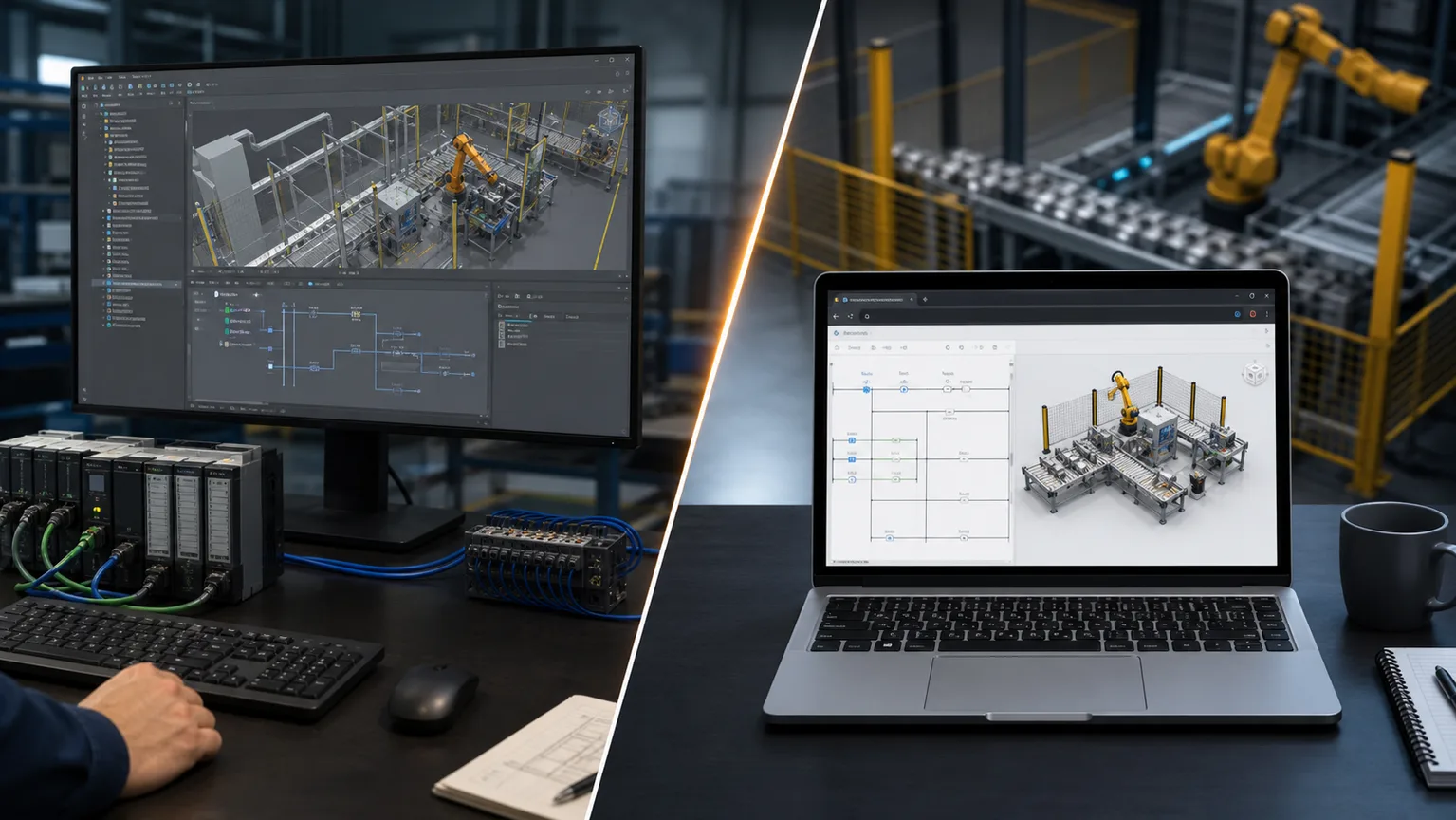
Side-by-side industrial automation workstations comparing desktop 3D PLC integration with a browser PLC simulator
01Choose the desktop workflow when external controller connectivity is the goal; choose the integrated browser path when rapid guided practice matters most.
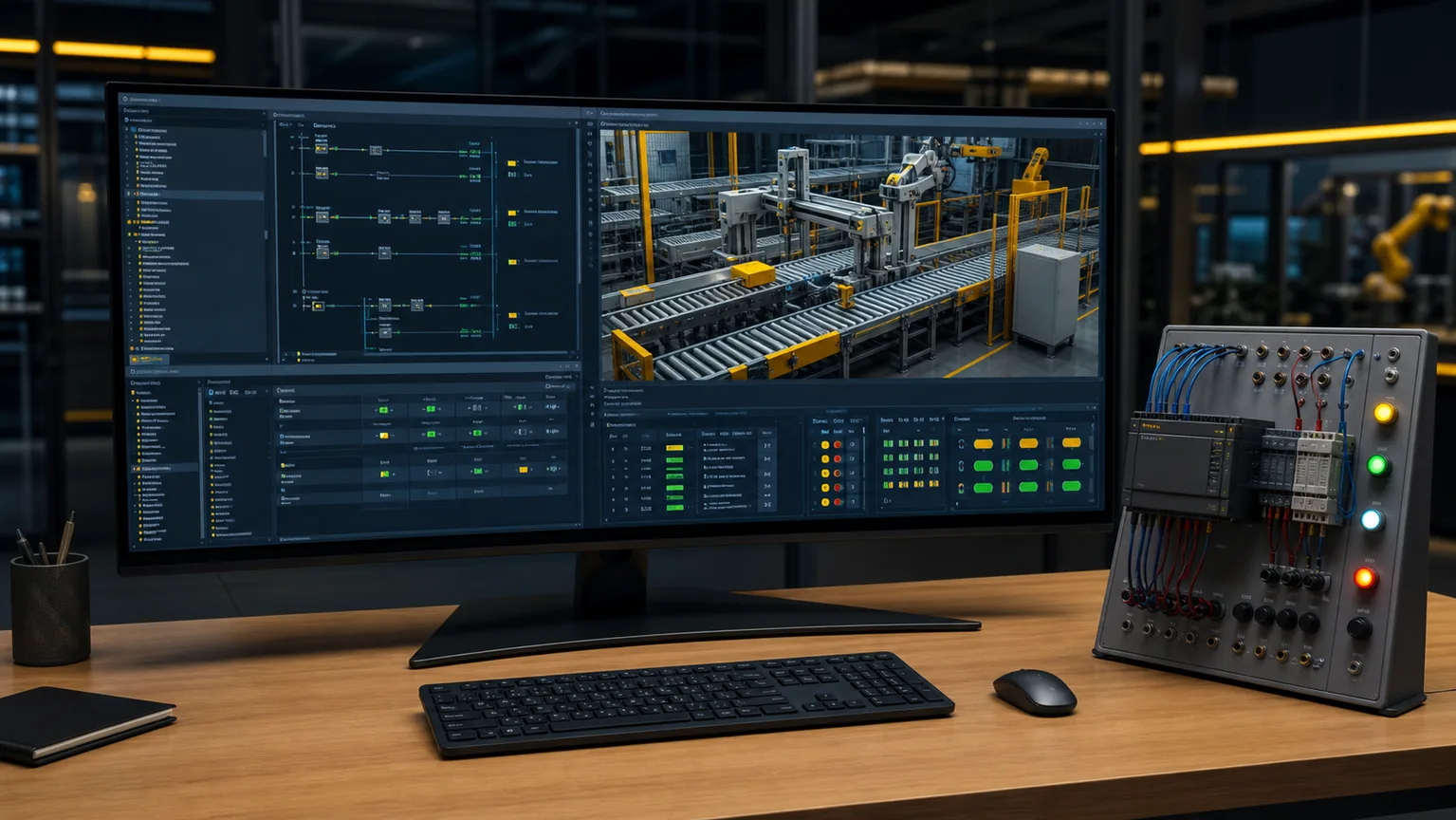
Browser PLC workspace showing ladder logic, live I/O and a 3D conveyor cell beside a training panel
02The browser workspace keeps logic, machine response, I/O state and grading in one place without a separate driver setup.
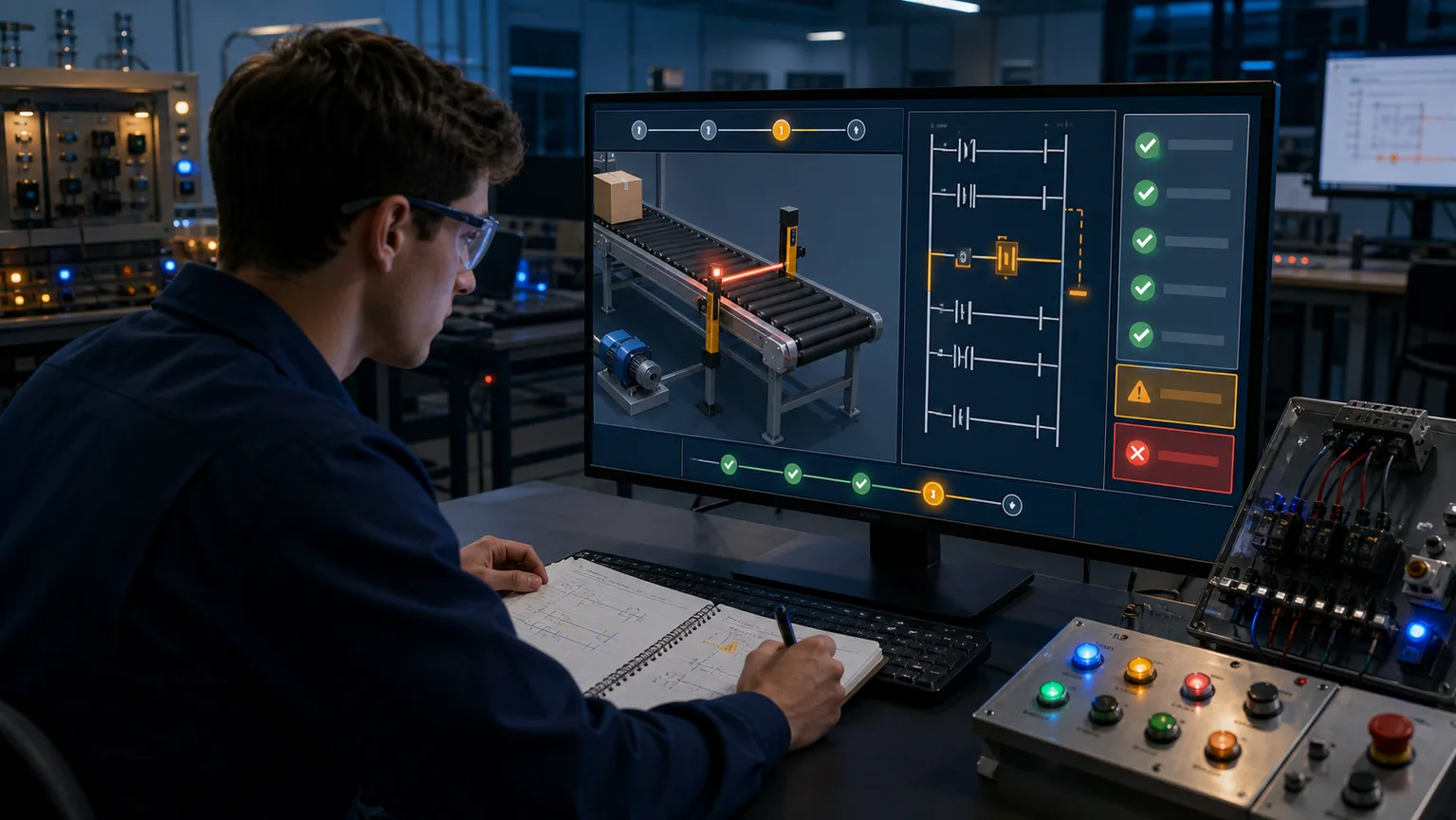
Controls learner diagnosing a conveyor sensor fault with ladder logic and objective pass fail checks
03Guided tests turn “the scene seems to work” into evidence that the required sequence, interlocks and fault response passed.
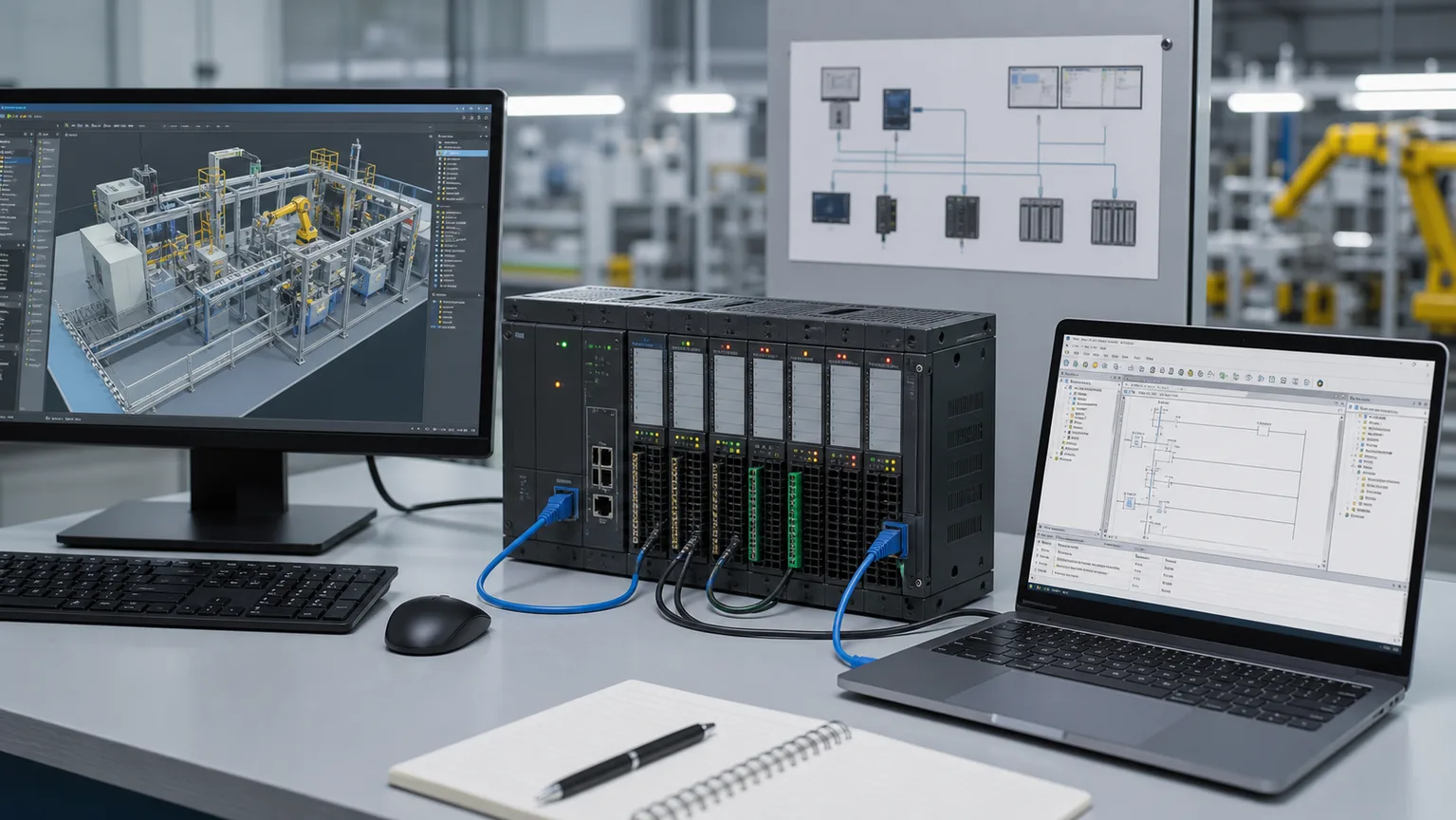
Physical PLC rack connected by Ethernet to a vendor engineering laptop and desktop 3D factory simulation
04Factory I/O remains the stronger fit when a supported external PLC or vendor engineering workflow must drive the scene.
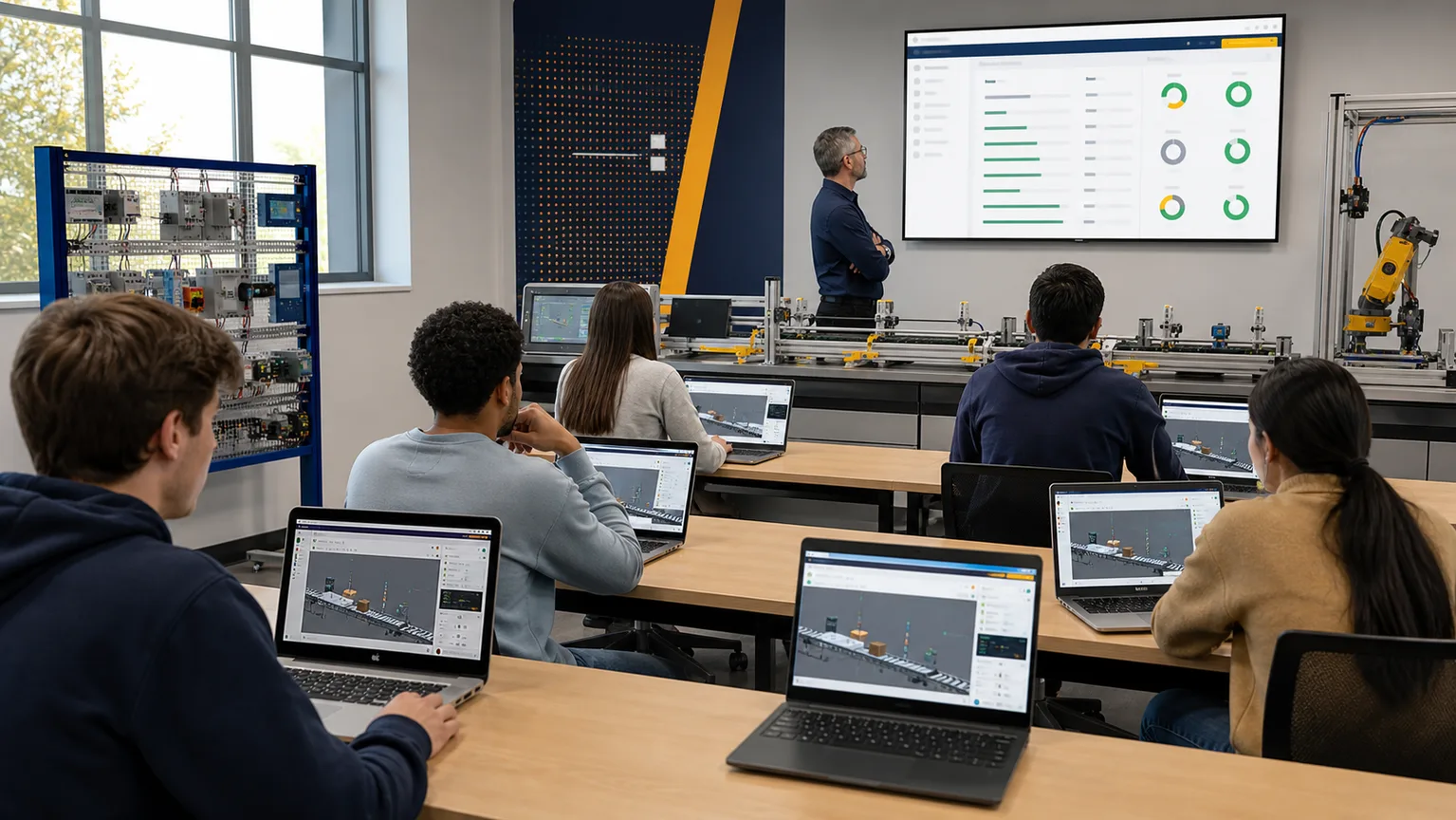
Industrial automation class using the same browser PLC conveyor simulation across mixed laptop operating systems
05A browser deployment removes installer and operating-system friction from mixed-device classrooms and personal study.
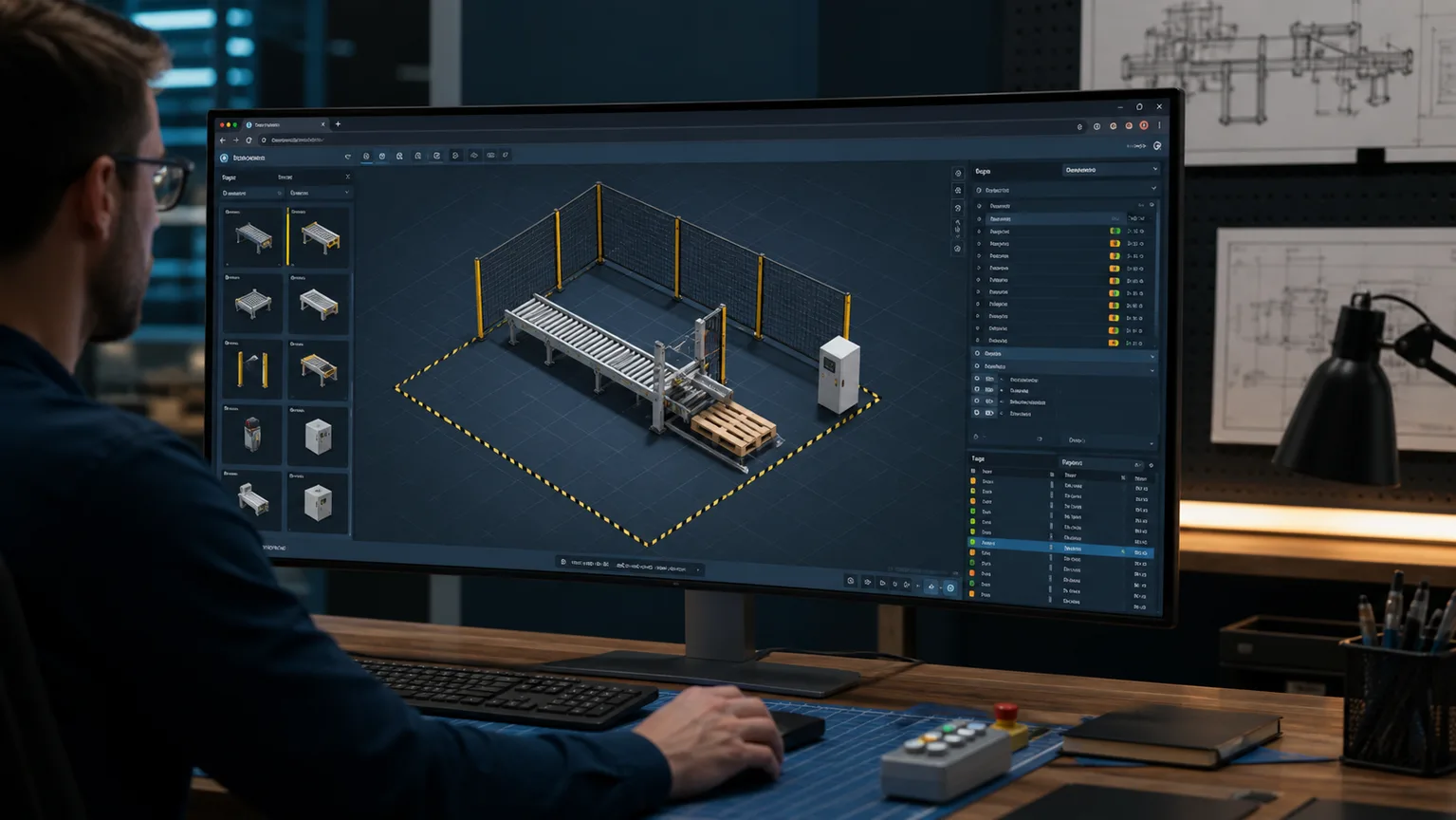
Custom browser 3D factory sandbox composing a conveyor, sensors, pusher, pallet and safety fence
06Pro learners can compose reusable 3D factory components, generate PLC tags and test the resulting machine in the same workspace.
Now shipping · browser 3D

This comparison changed: we now have a reusable 3D factory builder too.

The difference is no longer 3D versus 2D. Our 3D Sandbox combines reusable factory composition, built-in PLC tags, failure injection, guided grading and a browser runtime. Factory I/O remains stronger for external vendor-IDE connectivity and its mature Windows desktop ecosystem.

151
reusable components
3
lazy-loadable packs
PLC
driven motion + faults

Public viewer is free. Guided 3D starts on Basic; composing and saving custom 3D scenes is Pro.

Live WebGL component viewer

151 real-time factory components

Load the interactive viewer when you are ready to orbit the models.

Loads 3D only after your click

Drag to orbit · scroll to zoom · choose any componentOpen full viewer ↗

Opening honesty

We make one of the tools being compared.

We have tried to be fair to Factory I/O. It remains the better fit when external Windows vendor-IDE connectivity is the requirement. Ours is the better fit when you want the PLC editor, HMI, reusable 3D factory, generated tags, failure injection and automated training evidence in one browser workspace.

A free no-install browser PLC simulator running in a tab on Mac, Linux, and Chromebook — the cross-platform alternative to the Windows-only Factory IOA web browser window running a PLC ladder logic simulator with an input/output strip, requiring no installation or download.plcsimulator.app/playno installINPUTSOUTPUTS
No Windows VM, no vendor IDE — the whole simulator runs in a browser tab.

Background

What Factory IO actually is

Factory I/O is a 3D factory simulation for learning automation technologies. You compose common industrial parts into a scene and control it with its integrated Starter softPLC or, in the relevant edition, a supported external PLC, simulator or protocol driver.

Factory I/O currently offers subscription and one-time editions. Its official editions page lists Starter from €40/year or €109 one-time and Ultimate from €28/month, €278/year or €765 one-time. Starter includes Control I/O; vendor-engineering workflows bring the supported external tool and its licensing separately.

Digital input and output mapping between sensors and actuators and a PLC program — the same scene I/O model Factory IO exposes over OPC UA and Modbus, built directly into this browser alternativeA digital input pushbutton wired to a PLC input card, and a PLC output card driving a lamp, with a sinking versus sourcing hint.I/O CARDINPUTOUTPUTPushbuttonI:0/0LampO:0/0sinking (NPN) vs sourcing (PNP)
Factory IO bridges scene I/O to your PLC over OPC UA or Modbus. We wire the same digital inputs and outputs straight into the editor.

Strengths

What Factory IO does well

3D visualisation

The mature desktop scene and physical interactions are genuinely effective. Watching code drive a spatial line reveals relationships a flat diagram can hide.

Component library

A broad, established parts catalogue covers loads, conveyors, operators, sensors, actuators and stations. You can compose a useful line quickly.

Vendor-IDE integration

The OPC UA / Modbus TCP bridge lets you run your real TIA Portal or Studio 5000 program against the 3D scene. If your day job uses one of those IDEs, Factory IO feels continuous with it.

A start/stop motor control circuit driving a conveyor — the kind of control logic you write against Factory IO's 3D line and grade automatically in this browser-based Factory IO alternativeA 3-wire motor control circuit: Stop and Start pushbuttons, a contactor coil with a seal-in auxiliary contact and an overload contact, driving a motor.StopStartM (seal-in)OLMMmotor
The logic that drives a Factory IO conveyor is the same logic you write and auto-grade here.

Learner pain points

Where Factory IO falls short if you are still learning

Windows-only install

If you are on a Mac, Linux box, Chromebook, or any locked-down work device, Factory IO is a non-starter without a Windows VM and another Windows licence.

Vendor workflows add another tool

Starter includes a Control I/O FBD softPLC. To practise TIA Portal, Studio 5000, Codesys or another vendor workflow, that separate IDE, driver setup and licensing still apply.

Licence cost stacks fast

Ultimate is listed at €28/month, €278/year or €765 perpetual before any separate vendor IDE. That can be entirely reasonable for working engineers, but it is meaningful friction for a beginner.

No built-in curriculum

You get a box of 3D parts, not a scored syllabus. There is no auto-grader telling you whether your program actually solves the scenario — you decide by watching the line run.

Feature comparison

Factory IO vs plcsimulationsoftware.com

FeatureFactory IOOurs
PlatformWindows onlyAny modern browser (Mac, Linux, Chromebook, Windows)
PriceStarter from €40/yr; Ultimate from €28/mo (official list pricing)Public viewer free; Basic $12/mo; Pro $29/mo
Includes PLC editorStarter: Control I/O FBD; vendor IDEs separateYes — ladder and Structured Text built in
Scored scenariosNo built-in objective graderYes — auto-graded scenario library
DialectsDepends on the IDE you connectIEC 61131-3, Allen-Bradley, Siemens
Install footprintWindows desktop install; external IDE depends on workflowNo local app install — runs in the browser
VisualisationMature Windows desktop 3D factory2D + additive browser 3D scenarios and custom 3D Sandbox
Interview-timer modeNoYes (Pro)
Portfolio PDF exportNoYes (Pro)
Works on school-issued ChromebookNoYes
The five IEC 61131-3 programming languages with Allen-Bradley and Siemens dialects built in — coverage Factory IO leaves to whichever vendor IDE you connect, included free in this alternativeThe five IEC 61131-3 PLC programming languages as chips: Ladder Diagram, Function Block Diagram, Structured Text, Instruction List and Sequential Function Chart.IEC 61131-3 — five languagesLDLadder DiagramFBDFunction BlockSTStructured TextILInstruction ListSFCSequential Func. Chart
Factory IO depends on whatever IDE you connect. We ship IEC 61131-3 with Allen-Bradley and Siemens dialects in the box.
A Structured Text routine running in the editor — write ST as well as ladder in this free browser Factory IO alternative without installing a vendor PLC IDEA small Structured Text code block in an editor: an IF/THEN condition, a TON timer call and assignments, showing text-based PLC programming.main.st — Structured Text1IF Start AND NOT Stop THEN2 Run := TRUE;3END_IF;4DelayTmr(IN := Run, PT := T#5s);5Lamp := DelayTmr.Q;
Practise Structured Text and ladder side by side — no vendor IDE install required.

Pick Factory IO if…

  • You are on Windows already.
  • You already own TIA Portal, Studio 5000, or Codesys.
  • You want 3D visualisation as a priority.
  • You need its established external PLC and vendor-IDE driver workflow.
  • You are an instructor with a Windows lab and licence budget.

Pick us if…

  • You are on a Mac, Linux machine, or Chromebook.
  • You do not have a TIA Portal or Studio 5000 licence.
  • You want scored feedback, not visual-only feedback.
  • You want to practise IEC, Allen-Bradley, and Siemens dialects side-by-side.
  • You are doing interview prep in the next four weeks.
  • You want a free tier with no credit card.

Try it

Scenarios that cover the same ground as Factory IO demos

The PLC scan cycle — read inputs, execute logic, write outputs — running on a real execution model in this browser Factory IO alternative, not a static puzzleThe repeating PLC scan cycle: read inputs, execute the ladder logic, update outputs, then housekeeping, looping continuously.1Read Inputs2Execute Logic3Update Outputs4HousekeepingSCANCYCLE
Every scenario runs a real read-execute-write scan cycle — the same control model behind a Factory IO scene, scored automatically.

Conveyor Sort

Pushers, sensors, and a diverter — the classic Factory IO "Sorting by Height" feel.

View scenario →

Palletizer

Stack cartons onto a pallet with counting and layer-change logic.

View scenario →

Bottling Line

Fill, cap, and label with station-to-station interlocks and fault handling.

View scenario →

Pick & Place

Two-axis arm with position sensors and grip feedback.

View scenario →

Carton Erector

Timed pneumatic sequence with confirmation sensors.

View scenario →

Case Packer

Sequenced fill-count-release with fault recovery.

View scenario →
A TON on-delay timer sequencing a pneumatic station — the timed actuator logic behind a Factory IO carton-erector scenario, modelled in this browser alternativeA TON on-delay timer: the accumulated time bar ramps up toward the preset value, and the done (DN) bit turns on when the accumulator reaches preset.TONPRE 5000ACCACC ramps to PREPREDNdone bit
Timed pneumatic sequences — like the carton erector — use real TON/TOF timers, not animation tweens.
A seal-in latch holding a motor running after a momentary start — the start/stop interlock pattern you build for every Factory IO conveyor, graded in this Factory IO alternativeA seal-in latch rung: a Start contact in parallel with a Hold contact, in series with a normally-closed Stop contact, driving an output coil.StartHold (seal)StopMotor
Seal-in latching is the first interlock most learners hit — drill it with scored feedback.

Third options

Neither fits? Here is what else to consider.

  • LogixPro 500 — classic Allen-Bradley SLC 500 classroom simulator. Dated but well-known in US colleges. See our LogixPro alternative comparison.
  • Codesys — the industry-reference IEC 61131-3 IDE, free to download, runs its own SoftPLC simulation. Windows-only and demo mode shuts down after 2 hours. See our Codesys alternative comparison.
  • PLC-Fiddle — the lightest possible "try ladder in 30 seconds" browser tool. Ladder-only, no scored scenarios. See our PLC-Fiddle alternative comparison.
  • VirtualPlant — a free, open-source 3D factory simulator that runs on Windows, Linux, and macOS. The closest thing to a free Factory IO clone for the 3D look, though it is a smaller community project with fewer components and you still bring your own PLC program.
  • FluidSIM — Festo's 3D pneumatic and hydraulic circuit simulator with PLC control. Strong if your focus is the fluid-power side of a machine rather than ladder fundamentals.
  • OpenPLC on a Raspberry Pi — if you want real hardware for under $100 and do not mind a serious setup weekend.

Use cases

Can I use this instead of Factory IO for…?

The honest answer depends on what you are trying to get out of the exercise. Both products can now provide 3D composition; the practical split is usually external vendor-IDE connectivity and desktop scene maturity versus an integrated editor, faults and scored execution:

  • Learning ladder, ST, or interlock logic from scratch? Yes — and you get an auto-grader telling you whether it is correct, which Factory IO does not. Start on the scenarios page.
  • School or college coursework on a Chromebook? Yes — Factory IO will not install, and our free tier needs no licence or admin rights.
  • Interview prep in the next few weeks? Yes — use the timed mode and PDF portfolio export; that is exactly what we built it for.
  • Connecting a real vendor IDE to a mature desktop 3D scene? Choose Factory I/O. Its established driver workflow is the better fit for that requirement.
  • A production digital twin or CAD-accurate virtual commissioning model? Neither product should be selected from this comparison alone. Validate CAD import, kinematics, collisions, cycle-time accuracy, vendor interfaces and engineering evidence with a production commissioning specialist.
A fault-finding flow for diagnosing why a scored scenario does not pass — the structured debugging Factory IO leaves you to eyeball, made explicit in this browser PLC simulator alternativeA PLC fault-diagnosis flow from top to bottom: observe the symptom, check the inputs, check the logic, check the outputs, then apply the fix.SymptomCheck inputsCheck logicCheck outputsFix
When a scenario fails, the grader points you at the failing test case — no guessing from a 3D scene whether the line "looked right".

Complementary use

Many learners actually use both

Drill fundamentals with us — scored feedback, any OS, no install — and graduate to Factory IO on a Windows machine when you want the 3D commissioning feel and are already working in TIA Portal or Studio 5000. The two tools answer different questions and do not compete head-on for a serious learner's time.

Cost

The free Factory IO alternative

Searching for a free Factory IO alternative usually means one of two things: you do not want to spend money on software yet, or you need something that works on the device in front of you right now. This simulator covers both. The free tier requires no credit card and a free account exposes 27 source-tagged free-tier scenario records plus 6 free core lessons per dialect. The separate guided /try experience works without an account.

As checked against the official editions page in August 2026, Factory I/O lists Starter from €40/year or €109 one-time and Ultimate from €28/month, €278/year or €765 one-time. Starter includes the Control I/O FBD softPLC; a TIA Portal, Studio 5000 or other vendor-IDE workflow uses that separately licensed tool. If you are early in your learning path and want ladder or Structured Text against a simulated machine without installing another product, the free path here is the simpler starting point.

Pricing

Factory I/O pricing (and what the alternative costs)

Factory I/O is paid Windows desktop software licensed per seat, with subscription and perpetual choices plus a free time-limited trial. Real Games can change its editions and prices, so verify the official editions page. Starter includes Control I/O; using TIA Portal, Studio 5000, CODESYS or another vendor IDE is a separate workflow and may carry separate licensing.

The cost structure here is different in kind, not just in size: a free tier with no trial clock, Basic for the wider core curriculum and guided practice, and Pro for every published scenario, the 3D Sandbox and career tools. Because the editor is built in, there is no vendor IDE to license, and because it is delivered in the browser, one account works on every machine you own instead of one licensed seat.

Does Factory I/O run on a Mac? No — Factory I/O is Windows-only, so on macOS it needs a Windows VM and licence on top of the seat price. The browser alternative runs natively on a Mac (Intel or Apple Silicon) in Safari or Chrome.

Questions

Factory IO alternative FAQ

Yes for visual PLC training and custom factory composition, but not identically. Both now provide reusable 3D factory components and PLC-driven motion. Our advantage is one browser workspace with ladder, Structured Text, HMI, generated tags, fault injection and objective grading. Factory I/O remains stronger when you need its external vendor-IDE drivers and Windows desktop ecosystem.

Give it five minutes.

No install. No credit card. Start a conveyor or palletizer scenario right now.

Run the motor-control lab free →

Software evaluation field guide

Factory I/O alternative: implementation, evidence and troubleshooting

Direct answer

Factory I/O alternative becomes useful when it connects the representative machine, learner task and deployment constraint with plc connection, i/o mapping, scene physics, faults and assessment evidence, then proves one complete control sequence in each candidate under normal, boundary, fault and recovery conditions. The objective is a repeatable engineering or learning result, not merely activity inside a page or tool.

This guide is written for learners, instructors and teams comparing browser and desktop factory simulation options. The intended result is specific: the evaluator can compare candidates against the same PLC, I/O, scene, fault, deployment and cost requirements.

System map / 02

Six concepts that control the result

Treat these as connected checkpoints. Each checkpoint has an expected state, an observable state and a boundary to the next part of the system. That structure prevents a software indication from being mistaken for physical proof.

NODE 01observable

Define the operating contract

the representative machine, learner task and deployment constraint. For 3D PLC simulation software evaluation, record the initial condition, actor, requested change, observable result and stopping condition before selecting a tool or implementation.

NODE 02observable

Map the evidence path

PLC connection, I/O mapping, scene physics, faults and assessment evidence. Separate request, internal state, output or service, physical or user-visible result and independent feedback so each boundary can be inspected.

NODE 03observable

Prove normal operation

one complete control sequence in each candidate. Run more than one cycle from a known state and retain the values, timings or artifacts that demonstrate repeatability.

NODE 04observable

Exercise a boundary case

offline access, hardware connection, class scale and platform limits. Choose minimum, maximum, simultaneous, delayed or restart conditions that reveal assumptions hidden by the happy path.

NODE 05observable

Diagnose a controlled fault

a mapping, timing, scene or workflow failure. Preserve the first symptom, divide the system at a measurable boundary and change one condition only after predicting the result.

NODE 06observable

Transfer and hand over

a scored decision matrix with current evidence and total cost. Restore normal state, remove temporary changes, repeat affected checks and document which claims remain limited to the learning environment.

Procedure / 03

A six-step practice and commissioning workflow

Run the steps in order the first time. Later, the same structure becomes a diagnostic loop: define the expected condition, observe the boundary, interpret the difference and choose one proving action.

  1. 01

    Write the acceptance case

    Convert the representative machine, learner task and deployment constraint into initial conditions, one stimulus and observable pass criteria.

    Evidence: Another person can repeat the case without guessing the intended result.

    Avoid: Using page completion or an animation as the acceptance criterion.

  2. 02

    Build the map

    Document plc connection, i/o mapping, scene physics, faults and assessment evidence and name who owns each state or decision.

    Evidence: Every request and result has a source, destination and useful inspection point.

    Avoid: Using the same value as command, status and independent feedback.

  3. 03

    Run the baseline

    Apply one complete control sequence in each candidate from a clean start and record the expected evidence.

    Evidence: Repeated runs produce the same bounded result.

    Avoid: Changing several parameters before a baseline exists.

  4. 04

    Challenge assumptions

    Test offline access, hardware connection, class scale and platform limits without changing the acceptance contract.

    Evidence: Limits, timing and restart behavior reach defined states.

    Avoid: Testing only one ideal sequence.

  5. 05

    Isolate one failure

    Introduce or analyse a mapping, timing, scene or workflow failure and locate the first disagreement.

    Evidence: The proving action distinguishes the leading hypotheses.

    Avoid: Resetting, forcing or replacing before evidence is retained.

  6. 06

    Close the evidence loop

    Complete a scored decision matrix with current evidence and total cost and repeat the affected regression cases.

    Evidence: An evaluation is complete when the same representative job is tested in each candidate and differences are recorded as evidence rather than inferred from feature labels.

    Avoid: Treating an acknowledged message or one successful rerun as handover.

Diagnostic matrix / 04

Symptoms, proving points and next actions

The table is a reasoning aid, not a parts-replacement chart. Preserve the initial symptom, inspect the named boundary and use the interpretation to choose the next controlled test. Site safety procedures and equipment manuals remain authoritative.

Diagnostic symptoms, inspection points, interpretations and next actions for Factory I/O alternative: implementation, evidence and troubleshooting
Observed symptomInspectInterpretationNext proving action
The expected result is unclearRequirement, initial state, actor, stimulus, units and pass conditionThe evaluator, instructor and technical buyer may be solving different versions of the task.Rewrite one observable acceptance case before continuing.
Internal state changes but the outcome does notRequest, final owner, output or service boundary and independent feedbackA software or interface indication proves intent at one layer, not the complete outcome.Trace the first boundary after the changing state.
Normal case passes but an edge case failsLimits, timing, simultaneous events, reset and restart assumptionsThe implementation contains a hidden assumption exposed by the changed condition.Add the failed boundary as a permanent regression case.
The failure disappears after resetOriginal symptom, histories, diagnostics, timestamps and active causeReset changed evidence or state without proving the initiating cause.Reproduce under a controlled condition and preserve pre/post-event data.
Simulator and target disagreeModel boundary, software version, task timing, I/O behavior, data types and configurationA learning model and the intended target do not share one of the recorded assumptions.Reduce the case and verify against current target documentation.
The result cannot be explainedPrediction, observation, proving action, alternative hypotheses and limitationsActivity occurred but the evidence is not yet transferable or reviewable.Have the learner defend the signal path and repeat a changed case.

Product evidence / 05

What the browser practice can actually demonstrate

The public product surface exposes runnable examples, capability boundaries, pricing context and test-harness behavior that can be checked before a purchasing decision.

Where simulation stops

Feature availability, pricing and compatibility change; verify current vendor material and test critical workflows directly.

Commissioning notebook / 06

Six cases that turn the concepts into evidence

Use these as written briefs rather than click-through instructions. For every case, state the expected condition before acting, retain the first useful observation and explain why the final result proves the requirement. A different program or component choice can still be correct when it produces the same bounded behavior and evidence.

Case 01

predict → observe → prove

Prove define the operating contract

Engineering context. the representative machine, learner task and deployment constraint. For 3D PLC simulation software evaluation, record the initial condition, actor, requested change, observable result and stopping condition before selecting a tool or implementation. Begin with a written normal condition and identify which request, state, physical result or communication value will provide independent confirmation. Do not begin by changing the configuration; the initial state is part of the evidence and should remain reproducible.

Controlled setup. Use the “Write the acceptance case” stage of the workflow: convert the representative machine, learner task and deployment constraint into initial conditions, one stimulus and observable pass criteria. The acceptance record should show this result: another person can repeat the case without guessing the intended result. Record initial conditions, the exact stimulus and the observation point so another learner can repeat the case without relying on your memory.

Fault challenge. Introduce or analyse “The expected result is unclear” as one bounded deviation. Inspect requirement, initial state, actor, stimulus, units and pass condition The working interpretation is that the evaluator, instructor and technical buyer may be solving different versions of the task. The next proving action is to rewrite one observable acceptance case before continuing. Change only one condition before observing the result, and preserve timestamps or measurements where timing matters.

Review and recovery. The most common trap here is using page completion or an animation as the acceptance criterion. After restoring the cause, repeat the normal case and at least one stop, timeout, disconnect or restart boundary relevant to this topic. Remove temporary forces and bypasses, return the model to a known state and retain the evidence that both operation and recovery are deliberate.

Explain it aloud: What should I learn first about 3D PLC simulation software evaluation? A defensible short answer is: Start with the operating contract and evidence path: the representative machine, learner task and deployment constraint, followed by plc connection, i/o mapping, scene physics, faults and assessment evidence. Add advanced features only after the baseline is predictable.

Case 02

predict → observe → prove

Prove map the evidence path

Engineering context. PLC connection, I/O mapping, scene physics, faults and assessment evidence. Separate request, internal state, output or service, physical or user-visible result and independent feedback so each boundary can be inspected. Begin with a written normal condition and identify which request, state, physical result or communication value will provide independent confirmation. Do not begin by changing the configuration; the initial state is part of the evidence and should remain reproducible.

Controlled setup. Use the “Build the map” stage of the workflow: document plc connection, i/o mapping, scene physics, faults and assessment evidence and name who owns each state or decision. The acceptance record should show this result: every request and result has a source, destination and useful inspection point. Record initial conditions, the exact stimulus and the observation point so another learner can repeat the case without relying on your memory.

Fault challenge. Introduce or analyse “Internal state changes but the outcome does not” as one bounded deviation. Inspect request, final owner, output or service boundary and independent feedback The working interpretation is that a software or interface indication proves intent at one layer, not the complete outcome. The next proving action is to trace the first boundary after the changing state. Change only one condition before observing the result, and preserve timestamps or measurements where timing matters.

Review and recovery. The most common trap here is using the same value as command, status and independent feedback. After restoring the cause, repeat the normal case and at least one stop, timeout, disconnect or restart boundary relevant to this topic. Remove temporary forces and bypasses, return the model to a known state and retain the evidence that both operation and recovery are deliberate.

Explain it aloud: How do I practise 3D PLC simulation software evaluation effectively? A defensible short answer is: Use short cases with known initial conditions, a written prediction, one action and an observable result. Then alter a boundary or fault and explain why the evidence changed.

Case 03

predict → observe → prove

Prove prove normal operation

Engineering context. one complete control sequence in each candidate. Run more than one cycle from a known state and retain the values, timings or artifacts that demonstrate repeatability. Begin with a written normal condition and identify which request, state, physical result or communication value will provide independent confirmation. Do not begin by changing the configuration; the initial state is part of the evidence and should remain reproducible.

Controlled setup. Use the “Run the baseline” stage of the workflow: apply one complete control sequence in each candidate from a clean start and record the expected evidence. The acceptance record should show this result: repeated runs produce the same bounded result. Record initial conditions, the exact stimulus and the observation point so another learner can repeat the case without relying on your memory.

Fault challenge. Introduce or analyse “Normal case passes but an edge case fails” as one bounded deviation. Inspect limits, timing, simultaneous events, reset and restart assumptions The working interpretation is that the implementation contains a hidden assumption exposed by the changed condition. The next proving action is to add the failed boundary as a permanent regression case. Change only one condition before observing the result, and preserve timestamps or measurements where timing matters.

Review and recovery. The most common trap here is changing several parameters before a baseline exists. After restoring the cause, repeat the normal case and at least one stop, timeout, disconnect or restart boundary relevant to this topic. Remove temporary forces and bypasses, return the model to a known state and retain the evidence that both operation and recovery are deliberate.

Explain it aloud: What counts as proof of competence? A defensible short answer is: A repeatable artifact or system result plus an explanation of the signal path is stronger than time spent, screenshots or a copied answer. Physical competence requires separate supervised evidence.

Case 04

predict → observe → prove

Prove exercise a boundary case

Engineering context. offline access, hardware connection, class scale and platform limits. Choose minimum, maximum, simultaneous, delayed or restart conditions that reveal assumptions hidden by the happy path. Begin with a written normal condition and identify which request, state, physical result or communication value will provide independent confirmation. Do not begin by changing the configuration; the initial state is part of the evidence and should remain reproducible.

Controlled setup. Use the “Challenge assumptions” stage of the workflow: test offline access, hardware connection, class scale and platform limits without changing the acceptance contract. The acceptance record should show this result: limits, timing and restart behavior reach defined states. Record initial conditions, the exact stimulus and the observation point so another learner can repeat the case without relying on your memory.

Fault challenge. Introduce or analyse “The failure disappears after reset” as one bounded deviation. Inspect original symptom, histories, diagnostics, timestamps and active cause The working interpretation is that reset changed evidence or state without proving the initiating cause. The next proving action is to reproduce under a controlled condition and preserve pre/post-event data. Change only one condition before observing the result, and preserve timestamps or measurements where timing matters.

Review and recovery. The most common trap here is testing only one ideal sequence. After restoring the cause, repeat the normal case and at least one stop, timeout, disconnect or restart boundary relevant to this topic. Remove temporary forces and bypasses, return the model to a known state and retain the evidence that both operation and recovery are deliberate.

Explain it aloud: Why test faults and restart behavior? A defensible short answer is: Because a mapping, timing, scene or workflow failure or offline access, hardware connection, class scale and platform limits can expose assumptions that never appear during ideal startup and steady operation.

Case 05

predict → observe → prove

Prove diagnose a controlled fault

Engineering context. a mapping, timing, scene or workflow failure. Preserve the first symptom, divide the system at a measurable boundary and change one condition only after predicting the result. Begin with a written normal condition and identify which request, state, physical result or communication value will provide independent confirmation. Do not begin by changing the configuration; the initial state is part of the evidence and should remain reproducible.

Controlled setup. Use the “Isolate one failure” stage of the workflow: introduce or analyse a mapping, timing, scene or workflow failure and locate the first disagreement. The acceptance record should show this result: the proving action distinguishes the leading hypotheses. Record initial conditions, the exact stimulus and the observation point so another learner can repeat the case without relying on your memory.

Fault challenge. Introduce or analyse “Simulator and target disagree” as one bounded deviation. Inspect model boundary, software version, task timing, I/O behavior, data types and configuration The working interpretation is that a learning model and the intended target do not share one of the recorded assumptions. The next proving action is to reduce the case and verify against current target documentation. Change only one condition before observing the result, and preserve timestamps or measurements where timing matters.

Review and recovery. The most common trap here is resetting, forcing or replacing before evidence is retained. After restoring the cause, repeat the normal case and at least one stop, timeout, disconnect or restart boundary relevant to this topic. Remove temporary forces and bypasses, return the model to a known state and retain the evidence that both operation and recovery are deliberate.

Explain it aloud: Can browser practice replace official software or hardware? A defensible short answer is: No. It can build concepts and diagnostic reasoning. Exact firmware, I/O electrical behavior, networking, safety and commissioning require current official tools, documentation and target equipment.

Case 06

predict → observe → prove

Prove transfer and hand over

Engineering context. a scored decision matrix with current evidence and total cost. Restore normal state, remove temporary changes, repeat affected checks and document which claims remain limited to the learning environment. Begin with a written normal condition and identify which request, state, physical result or communication value will provide independent confirmation. Do not begin by changing the configuration; the initial state is part of the evidence and should remain reproducible.

Controlled setup. Use the “Close the evidence loop” stage of the workflow: complete a scored decision matrix with current evidence and total cost and repeat the affected regression cases. The acceptance record should show this result: an evaluation is complete when the same representative job is tested in each candidate and differences are recorded as evidence rather than inferred from feature labels. Record initial conditions, the exact stimulus and the observation point so another learner can repeat the case without relying on your memory.

Fault challenge. Introduce or analyse “The result cannot be explained” as one bounded deviation. Inspect prediction, observation, proving action, alternative hypotheses and limitations The working interpretation is that activity occurred but the evidence is not yet transferable or reviewable. The next proving action is to have the learner defend the signal path and repeat a changed case. Change only one condition before observing the result, and preserve timestamps or measurements where timing matters.

Review and recovery. The most common trap here is treating an acknowledged message or one successful rerun as handover. After restoring the cause, repeat the normal case and at least one stop, timeout, disconnect or restart boundary relevant to this topic. Remove temporary forces and bypasses, return the model to a known state and retain the evidence that both operation and recovery are deliberate.

Explain it aloud: How should progress be documented? A defensible short answer is: Keep the requirement, initial state, program or configuration, observed values, fault hypothesis, proving action, recovery result and a concise limitations statement.

Answer surface / 07

Questions people ask about Factory I/O alternative

These concise answers define the operating, training and product boundaries most often missed in broad summaries. The full workflow and diagnostic table above provide the evidence behind them.

What should I learn first about 3D PLC simulation software evaluation?

Start with the operating contract and evidence path: the representative machine, learner task and deployment constraint, followed by plc connection, i/o mapping, scene physics, faults and assessment evidence. Add advanced features only after the baseline is predictable.

How do I practise 3D PLC simulation software evaluation effectively?

Use short cases with known initial conditions, a written prediction, one action and an observable result. Then alter a boundary or fault and explain why the evidence changed.

What counts as proof of competence?

A repeatable artifact or system result plus an explanation of the signal path is stronger than time spent, screenshots or a copied answer. Physical competence requires separate supervised evidence.

Why test faults and restart behavior?

Because a mapping, timing, scene or workflow failure or offline access, hardware connection, class scale and platform limits can expose assumptions that never appear during ideal startup and steady operation.

Can browser practice replace official software or hardware?

No. It can build concepts and diagnostic reasoning. Exact firmware, I/O electrical behavior, networking, safety and commissioning require current official tools, documentation and target equipment.

How should progress be documented?

Keep the requirement, initial state, program or configuration, observed values, fault hypothesis, proving action, recovery result and a concise limitations statement.

What should I do when the answer differs from a guide?

Check assumptions, version, units and initial state first. Reduce the case, compare one boundary at a time and prefer current primary documentation for target-specific behavior.

When is a 3D PLC simulation software evaluation exercise finished?

An evaluation is complete when the same representative job is tested in each candidate and differences are recorded as evidence rather than inferred from feature labels.