PLC Simulator
Independent Siemens-style training

Siemens PLC Training Online — Build the Logic Before the Toolchain

Learn transferable PLC control patterns and a tested Siemens-style subset across 140 source-catalogued practice records. Begin in the browser, then validate the work in TIA Portal and on the target S7 hardware.

Join 9400+ learners practicing PLC programming

Real siemens plc simulator footage

See this exact skill in the working simulator.

Watch the real browser product respond to the task on this page, then try the same practical workflow yourself. No slides, concept mockups, install, or credit card.

Try this in the browser
Siemens PLC Simulator — Practise TIA Portal-Style Logic Online

A course path with an honest handoff

Progress from signal tracing to Siemens project readiness.

The learning target is not memorized product vocabulary. It is the ability to explain a control path, build and test a machine pattern, diagnose it from evidence, and then reproduce it safely in the authoritative Siemens environment.

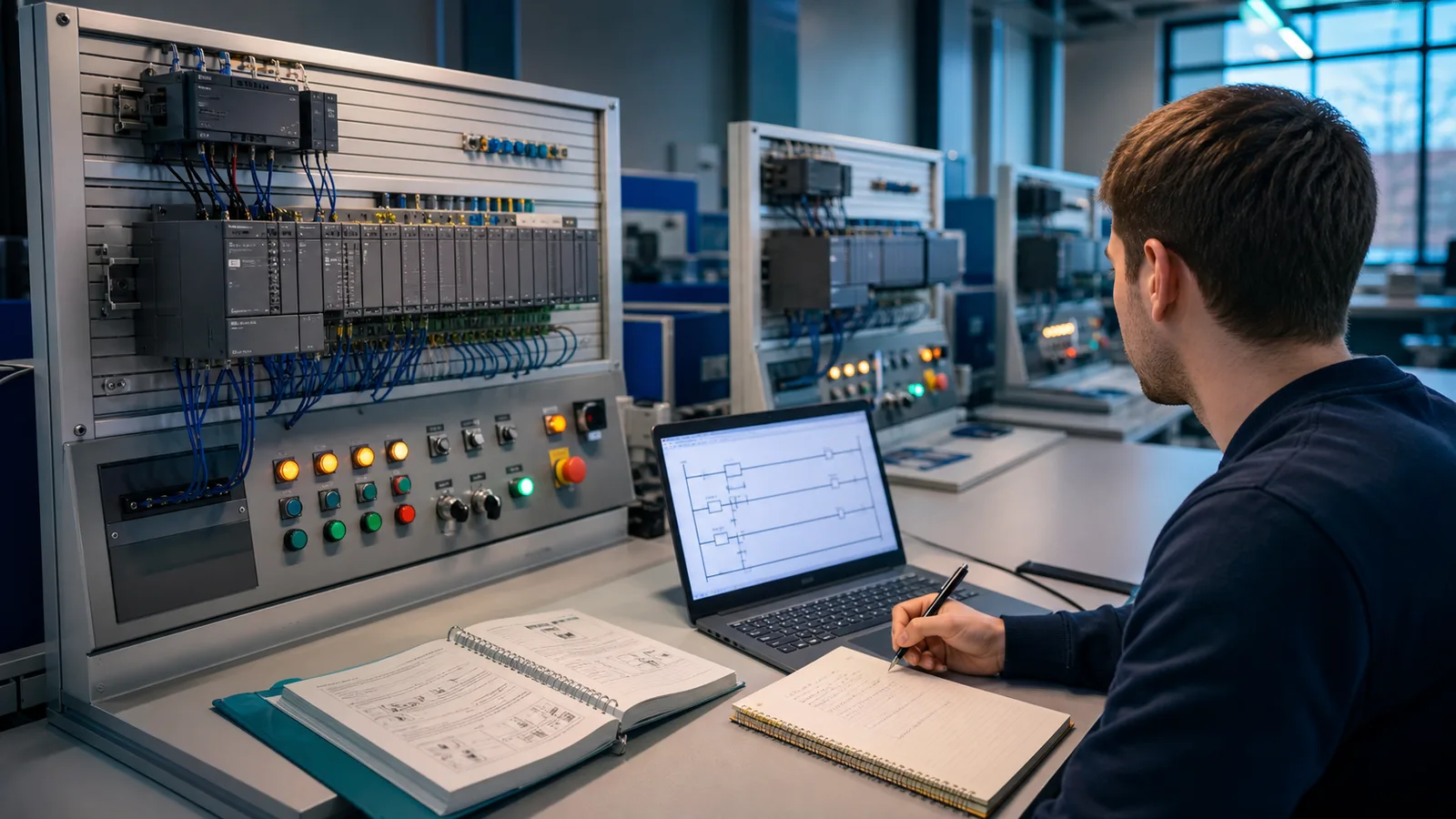
Siemens PLC training learner at a structured modular controller bench with I O switches output lamps ladder exercise and practical stations
01A useful curriculum has visible progression: one I/O loop, one machine pattern, one diagnostic explanation and then a supervised hardware handoff.
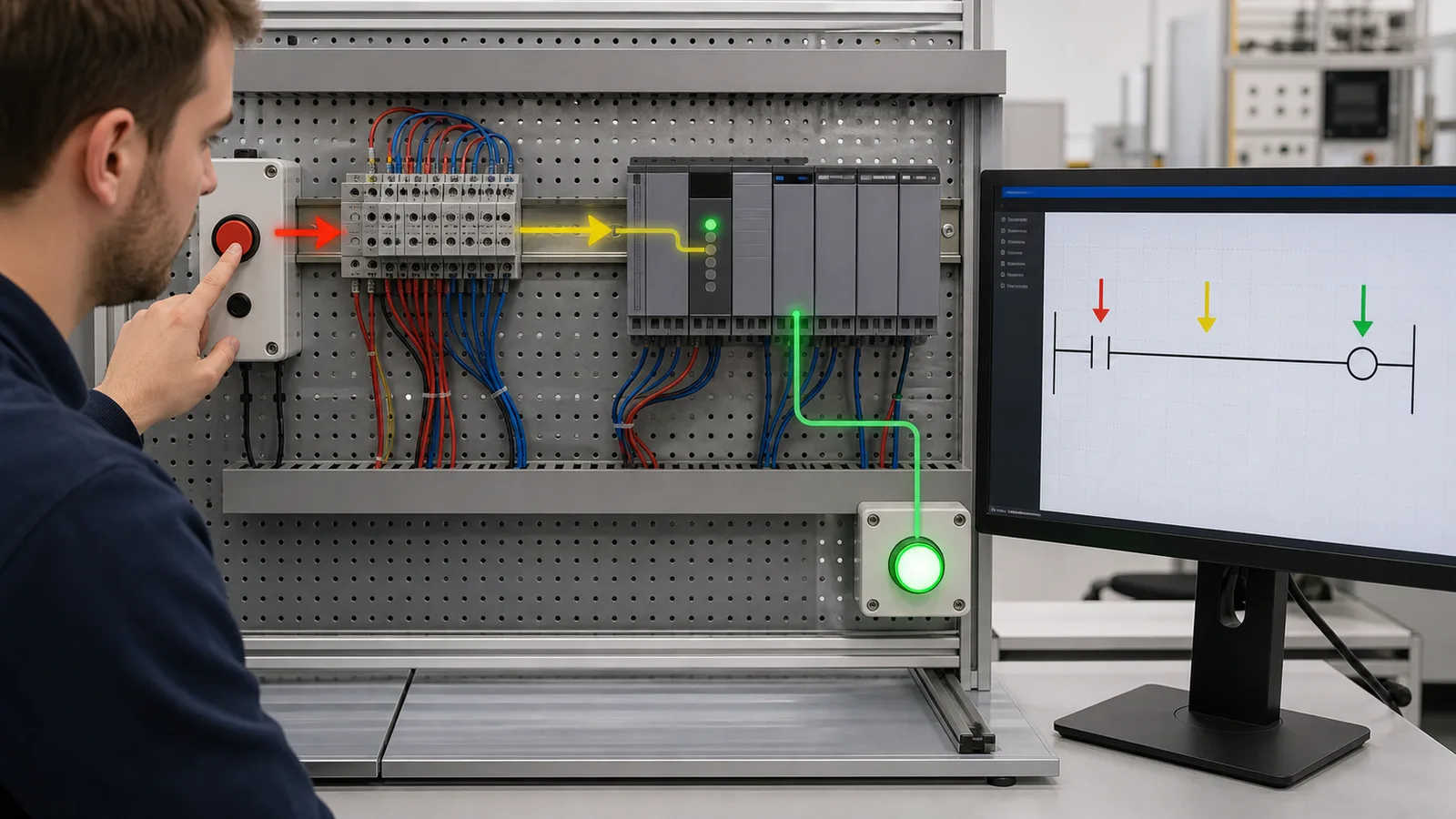
Siemens PLC fundamentals lesson tracing a pushbutton through terminal blocks input LED ladder rung and output lamp
02The first competency is traceability: explain how a physical signal becomes a program condition and then an observable output.
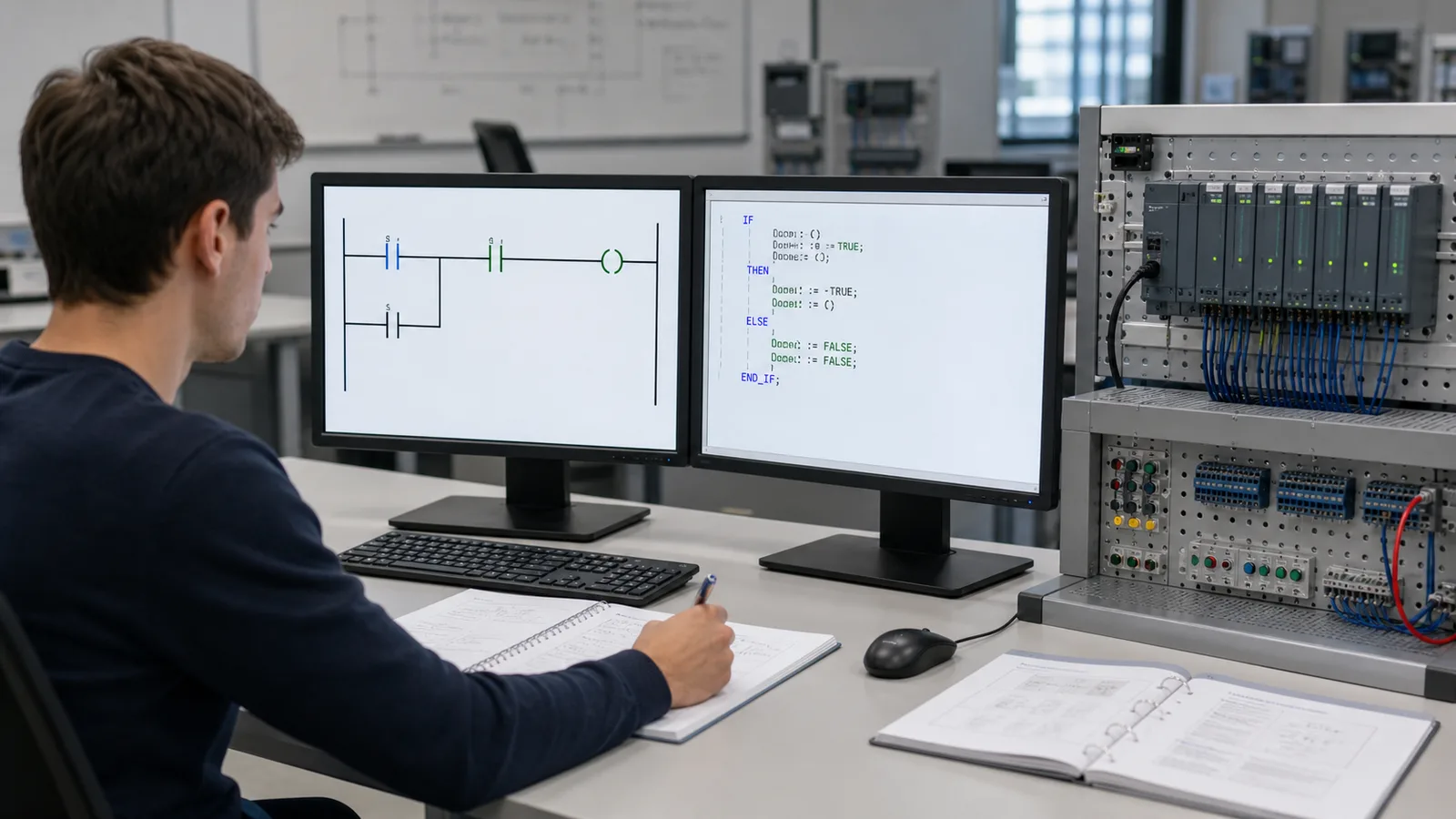
Siemens style PLC course comparing a ladder seal in pattern and structured conditional logic beside a modular controller trainer
03Ladder and structured logic are representations of machine decisions. Learn the state and test conditions before memorizing syntax.
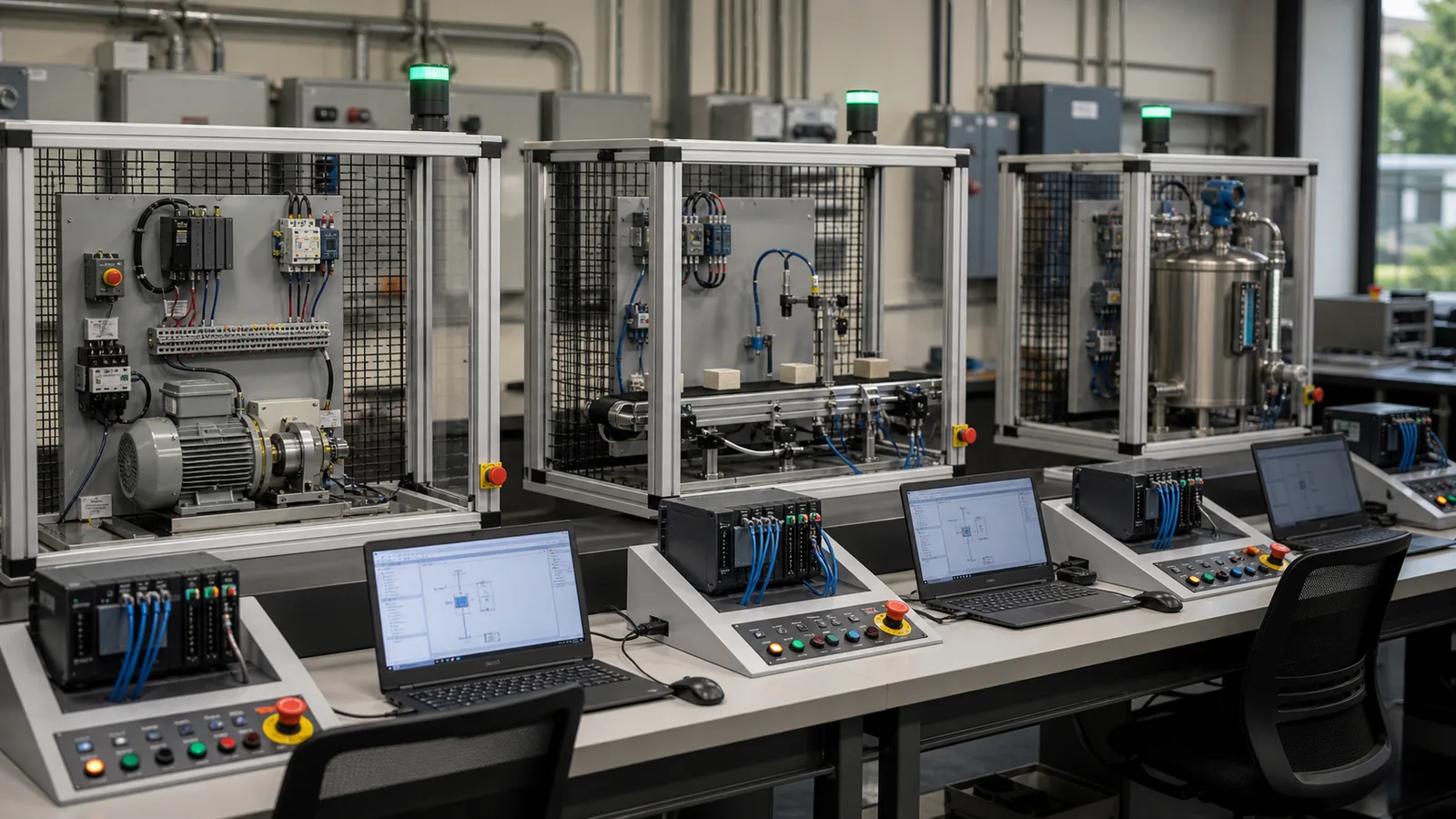
Siemens PLC training progression through guarded motor control sensor conveyor and process tank stations
04Scenario progression should widen the control problem deliberately—from a motor circuit to sequence, material flow and process behavior.
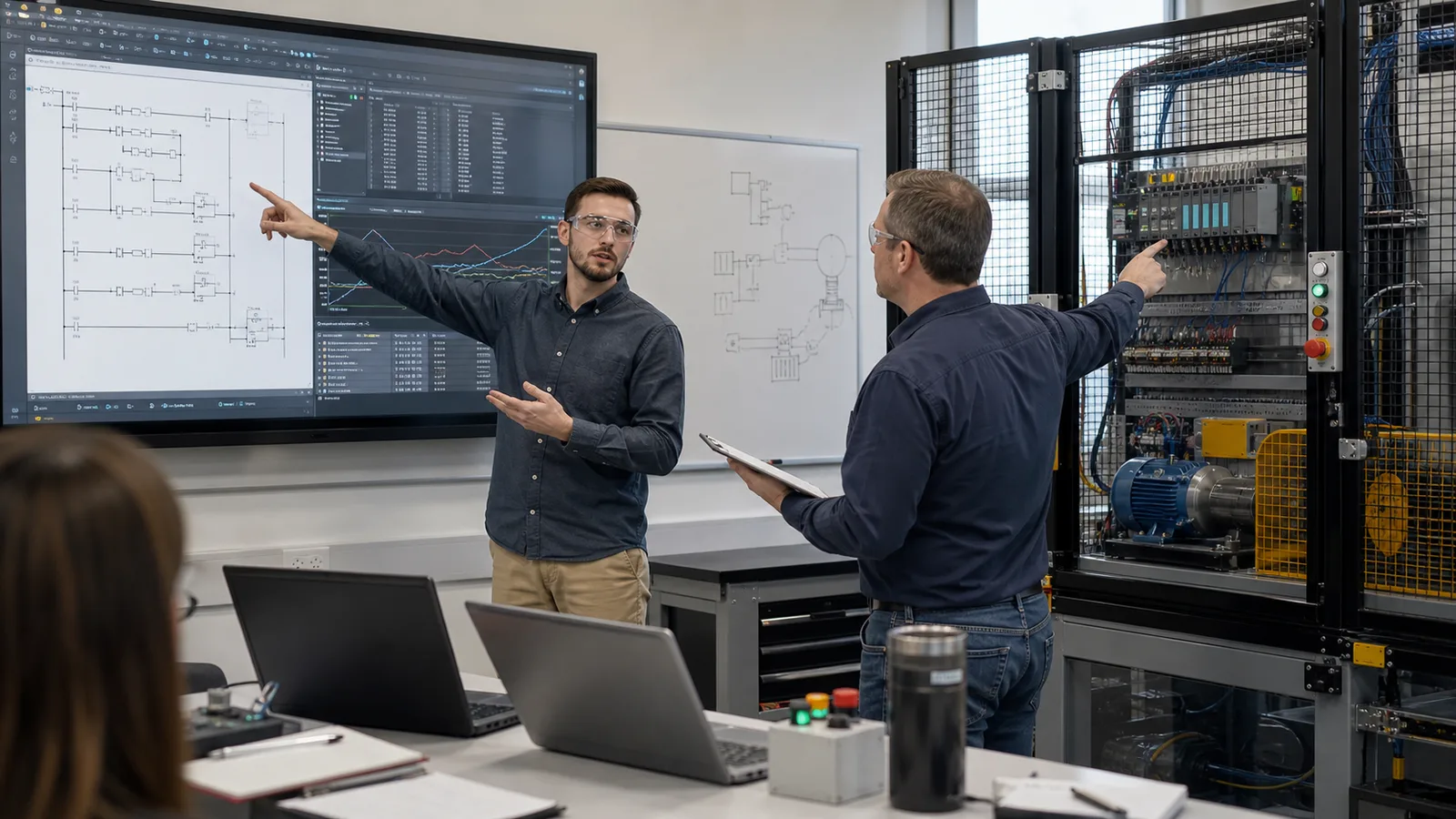
Siemens PLC diagnostics learner explaining a ladder fault with live I O trend evidence and guarded motor panel to an evaluator
05Evidence beats a completion badge: show the symptom, trace the signal, identify the failed assumption and verify the recovered machine state.
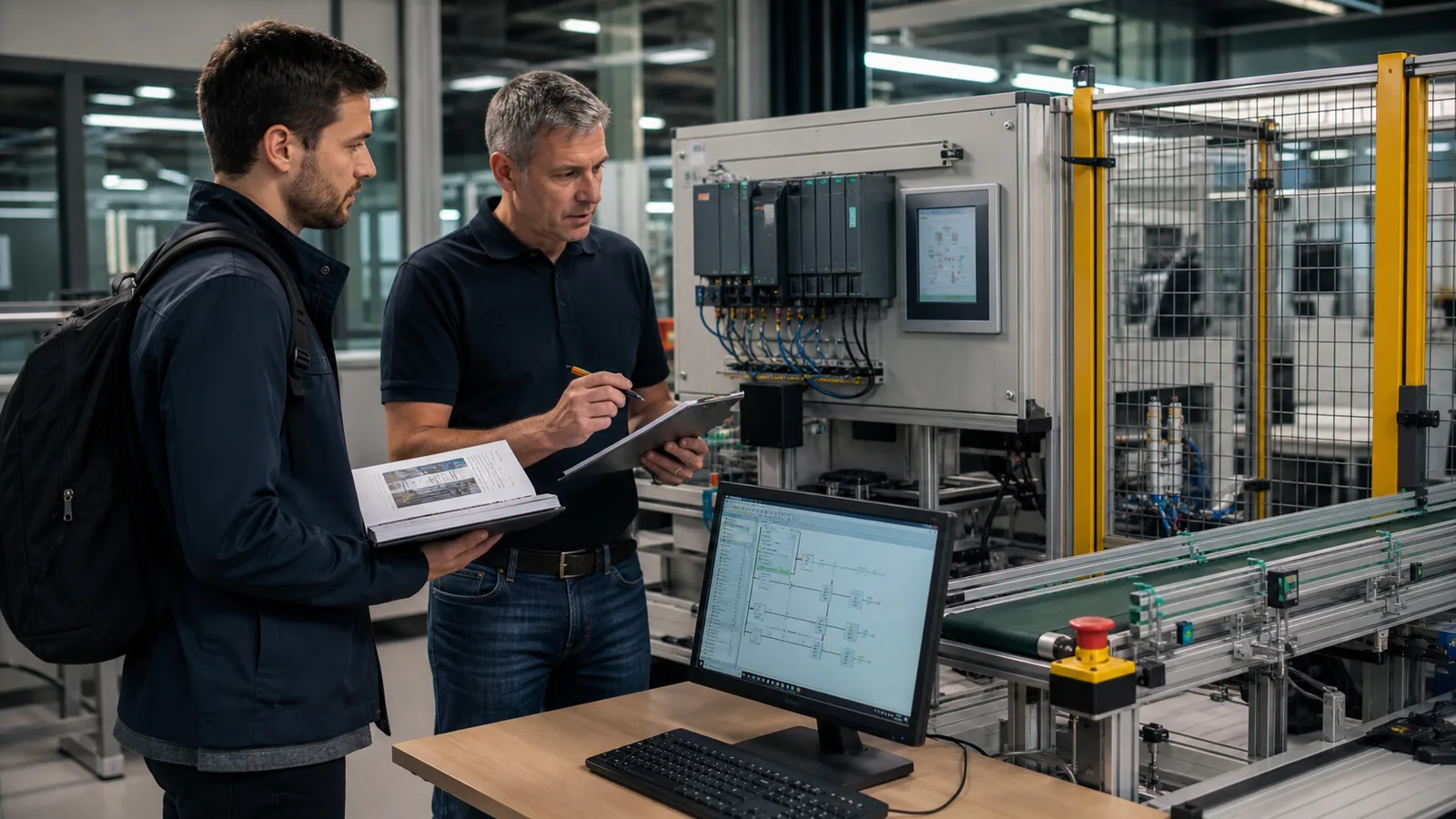
Siemens PLC learner and instructor validating device configuration commissioning checklist controller HMI and guarded conveyor
06Browser practice prepares the reasoning; Siemens software, current documentation and supervised target hardware validate the implementation.

Siemens-style ladder logic, running in your browser.

See the actual product

Watch a real PLC program run in the browser.

This is recorded from the working simulator—not a conceptual mockup. See the editor, live I/O and industrial scenario respond together before you create an account.

Free PLC Simulator — program a PLC in your browser

What the footage proves

Program the real simulator

Write ladder or structured text, run the scan, toggle live I/O and see the machine state respond.

Learn inside industrial scenarios

Practice motors, tanks, conveyors, alarms and interlocks instead of watching a decorative animation.

Get a guided next step

Use checks, explanations and structured learning paths to move from a first rung to job-relevant control work.

Run your first PLC program free →

No install. No card. Start with a working circuit.

About this training

What this Siemens PLC training covers

Siemens controllers appear across machine building, manufacturing, utilities, process plants and infrastructure. That makes TIA Portal and S7 experience valuable in many controls roles, but the exact installed base varies by employer, geography and machine generation. The durable starting point is the control problem: I/O, permissives, interlocks, sequences, alarms and diagnostics.

TIA Portal is Siemens engineering software for supported automation devices and integrates project tasks such as controller programming, HMI configuration and networks according to the installed products and licences. Official product capabilities, system requirements, licences and simulator options change by version. Verify them in current Siemens documentation rather than relying on a training-page snapshot.

This platform provides a tested Siemens-style learning subset alongside vendor-neutral PLC concepts. You build and test machine-control patterns in process, HVAC, packaging, conveyor and batch contexts. It does not compile Siemens projects or reproduce every timer, block, data type or runtime detail. Transfer the reasoning, then rebuild and verify the implementation in the supported Siemens environment.

Learning pathway

Siemens PLC training pathway

Work through the four steps in order, or jump to the step that matches where you are right now.

1

Fundamentals

Ladder logic contacts and coils, scan-cycle mechanics, input/output addressing. Language-neutral concepts that apply to any PLC brand including Siemens.

Start lessons →
2

Siemens-style vocabulary

Learn selected SCL and local-tag cues, common address concepts, timers, counters and block vocabulary. Treat the browser implementation as an educational subset, then confirm syntax and behavior in the target project.

Siemens simulator →
3

Core scenarios

Work through machine scenarios relevant to Siemens-heavy environments. Start with Motor Start/Stop, then add timers, sequences, analog values and faults as each prerequisite becomes stable.

All scenarios →
4

Quiz and interview prep

Consolidate knowledge with structured quizzes, then use interview tracks to practise explaining assumptions, tests and failure states under time pressure. Access varies by plan.

Coverage

Siemens hardware and concepts covered

Programming concepts are the primary focus. Hardware-level details are covered conceptually where they affect how you write code.

S7-1200

A Siemens controller family commonly used for compact automation. This course gives background vocabulary and transferable patterns, not CPU-specific emulation. Consult the current CPU and module manuals for authoritative capabilities.

S7-1500

A Siemens controller family spanning more demanding automation applications. Features, performance, supported languages and technology functions depend on the selected CPU and project; they are not simulated here.

TIA Portal project structure: OB, FB, DB

Organization blocks, functions, function blocks and data blocks are important Siemens project concepts. The course introduces their purpose conceptually; create, call, monitor and diagnose them in TIA Portal for product-specific competence.

SCL — Structured Control Language

SCL is Siemens terminology for a structured high-level control language related to IEC Structured Text. This platform teaches selected conditional and sequencing ideas; compiler behavior, types, libraries and block calls must be verified in TIA Portal.

WinCC (HMI) — conceptual only

WinCC product families cover Siemens HMI and SCADA use cases. This platform can teach tag-to-screen and operator-control concepts, but does not reproduce WinCC engineering, runtime, drivers, redundancy or deployment.

Profinet and Profibus — conceptual only

Industrial network concepts help learners read a device path and diagnose where data can fail. This course does not simulate a production PROFINET or PROFIBUS network; use current specifications, vendor tools and supervised equipment.

Safety Integrated (F-CPUs) — conceptual only

Safety-related control requires an engineered safety function, supported failsafe hardware and software, validated risk-reduction measures and qualified review. This platform teaches boundaries and concepts; it is not a safety runtime or validation tool.

Your options

Comparing Siemens PLC training options

Each approach has genuine strengths. Choose based on where you are in your career, your budget, and what outcome you need.

OptionTypical costFormatAccreditationBest for
SITRAIN (official Siemens)Check current regional SITRAIN pricingClassroom / virtual instructor-ledSiemens-badged certificateOfficial product curriculum; hardware and instructor access depend on the selected course and delivery format.
UniTrain / LabVolt systemsRequest a current equipment and curriculum quoteEducational hardware + software packageVaries by institutionDesigned for technical colleges and apprenticeship programmes (Berufsschule, BTS). Requires lab infrastructure.
Udemy Siemens coursesVaries by course and promotionVideo-based, self-pacedPlatform completion certificateScope and practical work vary by author. Inspect the current syllabus, projects and update date.
Specialist industrial e-learning subscriptionCheck current provider pricingSelf-paced video and assessmentsProvider completion evidenceUseful for broad conceptual coverage; verify how much executable practice and instructor feedback is included.
Community college / technical schoolCheck current local tuition and lab feesClassroom, lab sessionsInstitutional qualificationStructured curriculum with real hardware. Access depends on location. Semester-length commitment.
PLC Simulator (this platform)$29/month Pro or $249/year; free entry pathBrowser-based, self-paced, auto-gradedNo official accreditationRepeatable logic and scenario practice. Not TIA Portal, S7 firmware, supervised hardware training or official Siemens certification.

Verify current price, prerequisites, hardware access, delivery format and credential status directly with each provider before enrolling.

Certification

Is Siemens certification necessary?

Siemens SITRAIN publishes official product training and any current certification routes. Names, prerequisites, assessments and regional availability can change, so confirm the exact path on Siemens's current training site or with the regional provider.

Employers weigh credentials differently. A useful baseline is demonstrable control reasoning: read an existing rung, trace I/O, identify a failed condition, propose a safe test and explain the evidence. Scenario results and interview practice can support that story but cannot guarantee a hiring outcome.

If a target role or plant values official Siemens training, browser practice can make that investment more productive by moving basic logic mistakes into a repeatable simulator. Official instruction and supervised hardware time then add device configuration, diagnostics, networks, safety boundaries and commissioning evidence.

Audience

Who this Siemens PLC training is for

Controls engineering students and apprentices

Apprentices, technical-college students and university learners who need repeatable control-logic practice before supervised vendor software and hardware access.

Plant engineers in Siemens-standardised industries

Technicians and engineers whose employer uses Siemens controllers in manufacturing, utilities, process or building automation and who need a structured fundamentals refresh.

Engineers changing vendor ecosystems

Controls people moving from another PLC family who want to separate transferable control patterns from Siemens-specific project, block and diagnostic conventions.

Job seekers targeting a known Siemens site

Candidates who have confirmed that a target employer uses Siemens and want practice explaining I/O, interlocks, sequences and diagnostics before an interview or skills test.

FAQ

Siemens PLC training — frequently asked

Yes. Run a guided first program without an account, then create a free account for 27 source-tagged catalog records and the first 6 Siemens learning lessons. There is no card or trial expiry on the free account.

Start Siemens PLC training free.

Run one guided program without an account. A free account includes 27 source-tagged catalog records and the first 6 Siemens learning lessons.

Siemens, SIMATIC, TIA Portal, STEP 7, S7-1200, S7-1500, WinCC, Profinet, Profibus, and SITRAIN are registered trademarks of Siemens AG. This site is not affiliated with or endorsed by Siemens AG.

Independent vendor-platform field guide

Siemens PLC training: implementation, evidence and troubleshooting

Direct answer

Siemens PLC training becomes useful when it connects the selected s7 family, tia portal version and project assumptions with organization blocks, functions, function blocks, data blocks and i/o, then proves symbolic logic, instance data and monitored machine response under normal, boundary, fault and recovery conditions. The objective is a repeatable engineering or learning result, not merely activity inside a page or tool.

This guide is written for technicians and programmers learning TIA Portal workflow, S7 blocks, data and diagnostics. The intended result is specific: the learner can structure, monitor and test a small S7-oriented project while identifying target-specific verification steps.

System map / 02

Six concepts that control the result

Treat these as connected checkpoints. Each checkpoint has an expected state, an observable state and a boundary to the next part of the system. That structure prevents a software indication from being mistaken for physical proof.

NODE 01observable

Define the operating contract

the selected S7 family, TIA Portal version and project assumptions. For Siemens S7 programming training, record the initial condition, actor, requested change, observable result and stopping condition before selecting a tool or implementation.

NODE 02observable

Map the evidence path

organization blocks, functions, function blocks, data blocks and I/O. Separate request, internal state, output or service, physical or user-visible result and independent feedback so each boundary can be inspected.

NODE 03observable

Prove normal operation

symbolic logic, instance data and monitored machine response. Run more than one cycle from a known state and retain the values, timings or artifacts that demonstrate repeatability.

NODE 04observable

Exercise a boundary case

startup, scan timing, retentive data and block-interface changes. Choose minimum, maximum, simultaneous, delayed or restart conditions that reveal assumptions hidden by the happy path.

NODE 05observable

Diagnose a controlled fault

a diagnostic buffer, address or feedback-led fault case. Preserve the first symptom, divide the system at a measurable boundary and change one condition only after predicting the result.

NODE 06observable

Transfer and hand over

official project compile, PLCSIM checks and hardware test. Restore normal state, remove temporary changes, repeat affected checks and document which claims remain limited to the learning environment.

Procedure / 03

A six-step practice and commissioning workflow

Run the steps in order the first time. Later, the same structure becomes a diagnostic loop: define the expected condition, observe the boundary, interpret the difference and choose one proving action.

  1. 01

    Write the acceptance case

    Convert the selected s7 family, tia portal version and project assumptions into initial conditions, one stimulus and observable pass criteria.

    Evidence: Another person can repeat the case without guessing the intended result.

    Avoid: Using page completion or an animation as the acceptance criterion.

  2. 02

    Build the map

    Document organization blocks, functions, function blocks, data blocks and i/o and name who owns each state or decision.

    Evidence: Every request and result has a source, destination and useful inspection point.

    Avoid: Using the same value as command, status and independent feedback.

  3. 03

    Run the baseline

    Apply symbolic logic, instance data and monitored machine response from a clean start and record the expected evidence.

    Evidence: Repeated runs produce the same bounded result.

    Avoid: Changing several parameters before a baseline exists.

  4. 04

    Challenge assumptions

    Test startup, scan timing, retentive data and block-interface changes without changing the acceptance contract.

    Evidence: Limits, timing and restart behavior reach defined states.

    Avoid: Testing only one ideal sequence.

  5. 05

    Isolate one failure

    Introduce or analyse a diagnostic buffer, address or feedback-led fault case and locate the first disagreement.

    Evidence: The proving action distinguishes the leading hypotheses.

    Avoid: Resetting, forcing or replacing before evidence is retained.

  6. 06

    Close the evidence loop

    Complete official project compile, plcsim checks and hardware test and repeat the affected regression cases.

    Evidence: Transfer is complete only after the example is recreated, compiled and tested in the official engineering environment and on the intended controller family.

    Avoid: Treating an acknowledged message or one successful rerun as handover.

Diagnostic matrix / 04

Symptoms, proving points and next actions

The table is a reasoning aid, not a parts-replacement chart. Preserve the initial symptom, inspect the named boundary and use the interpretation to choose the next controlled test. Site safety procedures and equipment manuals remain authoritative.

Diagnostic symptoms, inspection points, interpretations and next actions for Siemens PLC training: implementation, evidence and troubleshooting
Observed symptomInspectInterpretationNext proving action
The expected result is unclearRequirement, initial state, actor, stimulus, units and pass conditionThe learner, maintainer and target-platform reviewer may be solving different versions of the task.Rewrite one observable acceptance case before continuing.
Internal state changes but the outcome does notRequest, final owner, output or service boundary and independent feedbackA software or interface indication proves intent at one layer, not the complete outcome.Trace the first boundary after the changing state.
Normal case passes but an edge case failsLimits, timing, simultaneous events, reset and restart assumptionsThe implementation contains a hidden assumption exposed by the changed condition.Add the failed boundary as a permanent regression case.
The failure disappears after resetOriginal symptom, histories, diagnostics, timestamps and active causeReset changed evidence or state without proving the initiating cause.Reproduce under a controlled condition and preserve pre/post-event data.
Simulator and target disagreeModel boundary, software version, task timing, I/O behavior, data types and configurationA learning model and the intended target do not share one of the recorded assumptions.Reduce the case and verify against current target documentation.
The result cannot be explainedPrediction, observation, proving action, alternative hypotheses and limitationsActivity occurred but the evidence is not yet transferable or reviewable.Have the learner defend the signal path and repeat a changed case.

Product evidence / 05

What the browser practice can actually demonstrate

The browser material teaches transferable control behavior and vendor-oriented terminology while keeping project files, firmware and exact runtime behavior outside the claim.

Where simulation stops

Independent browser training is not Siemens certification and cannot reproduce every CPU, TIA Portal release or safety behavior.

Commissioning notebook / 06

Six cases that turn the concepts into evidence

Use these as written briefs rather than click-through instructions. For every case, state the expected condition before acting, retain the first useful observation and explain why the final result proves the requirement. A different program or component choice can still be correct when it produces the same bounded behavior and evidence.

Case 01

predict → observe → prove

Prove define the operating contract

Engineering context. the selected S7 family, TIA Portal version and project assumptions. For Siemens S7 programming training, record the initial condition, actor, requested change, observable result and stopping condition before selecting a tool or implementation. Begin with a written normal condition and identify which request, state, physical result or communication value will provide independent confirmation. Do not begin by changing the configuration; the initial state is part of the evidence and should remain reproducible.

Controlled setup. Use the “Write the acceptance case” stage of the workflow: convert the selected s7 family, tia portal version and project assumptions into initial conditions, one stimulus and observable pass criteria. The acceptance record should show this result: another person can repeat the case without guessing the intended result. Record initial conditions, the exact stimulus and the observation point so another learner can repeat the case without relying on your memory.

Fault challenge. Introduce or analyse “The expected result is unclear” as one bounded deviation. Inspect requirement, initial state, actor, stimulus, units and pass condition The working interpretation is that the learner, maintainer and target-platform reviewer may be solving different versions of the task. The next proving action is to rewrite one observable acceptance case before continuing. Change only one condition before observing the result, and preserve timestamps or measurements where timing matters.

Review and recovery. The most common trap here is using page completion or an animation as the acceptance criterion. After restoring the cause, repeat the normal case and at least one stop, timeout, disconnect or restart boundary relevant to this topic. Remove temporary forces and bypasses, return the model to a known state and retain the evidence that both operation and recovery are deliberate.

Explain it aloud: What should I learn first about Siemens S7 programming training? A defensible short answer is: Start with the operating contract and evidence path: the selected s7 family, tia portal version and project assumptions, followed by organization blocks, functions, function blocks, data blocks and i/o. Add advanced features only after the baseline is predictable.

Case 02

predict → observe → prove

Prove map the evidence path

Engineering context. organization blocks, functions, function blocks, data blocks and I/O. Separate request, internal state, output or service, physical or user-visible result and independent feedback so each boundary can be inspected. Begin with a written normal condition and identify which request, state, physical result or communication value will provide independent confirmation. Do not begin by changing the configuration; the initial state is part of the evidence and should remain reproducible.

Controlled setup. Use the “Build the map” stage of the workflow: document organization blocks, functions, function blocks, data blocks and i/o and name who owns each state or decision. The acceptance record should show this result: every request and result has a source, destination and useful inspection point. Record initial conditions, the exact stimulus and the observation point so another learner can repeat the case without relying on your memory.

Fault challenge. Introduce or analyse “Internal state changes but the outcome does not” as one bounded deviation. Inspect request, final owner, output or service boundary and independent feedback The working interpretation is that a software or interface indication proves intent at one layer, not the complete outcome. The next proving action is to trace the first boundary after the changing state. Change only one condition before observing the result, and preserve timestamps or measurements where timing matters.

Review and recovery. The most common trap here is using the same value as command, status and independent feedback. After restoring the cause, repeat the normal case and at least one stop, timeout, disconnect or restart boundary relevant to this topic. Remove temporary forces and bypasses, return the model to a known state and retain the evidence that both operation and recovery are deliberate.

Explain it aloud: How do I practise Siemens S7 programming training effectively? A defensible short answer is: Use short cases with known initial conditions, a written prediction, one action and an observable result. Then alter a boundary or fault and explain why the evidence changed.

Case 03

predict → observe → prove

Prove prove normal operation

Engineering context. symbolic logic, instance data and monitored machine response. Run more than one cycle from a known state and retain the values, timings or artifacts that demonstrate repeatability. Begin with a written normal condition and identify which request, state, physical result or communication value will provide independent confirmation. Do not begin by changing the configuration; the initial state is part of the evidence and should remain reproducible.

Controlled setup. Use the “Run the baseline” stage of the workflow: apply symbolic logic, instance data and monitored machine response from a clean start and record the expected evidence. The acceptance record should show this result: repeated runs produce the same bounded result. Record initial conditions, the exact stimulus and the observation point so another learner can repeat the case without relying on your memory.

Fault challenge. Introduce or analyse “Normal case passes but an edge case fails” as one bounded deviation. Inspect limits, timing, simultaneous events, reset and restart assumptions The working interpretation is that the implementation contains a hidden assumption exposed by the changed condition. The next proving action is to add the failed boundary as a permanent regression case. Change only one condition before observing the result, and preserve timestamps or measurements where timing matters.

Review and recovery. The most common trap here is changing several parameters before a baseline exists. After restoring the cause, repeat the normal case and at least one stop, timeout, disconnect or restart boundary relevant to this topic. Remove temporary forces and bypasses, return the model to a known state and retain the evidence that both operation and recovery are deliberate.

Explain it aloud: What counts as proof of competence? A defensible short answer is: A repeatable artifact or system result plus an explanation of the signal path is stronger than time spent, screenshots or a copied answer. Physical competence requires separate supervised evidence.

Case 04

predict → observe → prove

Prove exercise a boundary case

Engineering context. startup, scan timing, retentive data and block-interface changes. Choose minimum, maximum, simultaneous, delayed or restart conditions that reveal assumptions hidden by the happy path. Begin with a written normal condition and identify which request, state, physical result or communication value will provide independent confirmation. Do not begin by changing the configuration; the initial state is part of the evidence and should remain reproducible.

Controlled setup. Use the “Challenge assumptions” stage of the workflow: test startup, scan timing, retentive data and block-interface changes without changing the acceptance contract. The acceptance record should show this result: limits, timing and restart behavior reach defined states. Record initial conditions, the exact stimulus and the observation point so another learner can repeat the case without relying on your memory.

Fault challenge. Introduce or analyse “The failure disappears after reset” as one bounded deviation. Inspect original symptom, histories, diagnostics, timestamps and active cause The working interpretation is that reset changed evidence or state without proving the initiating cause. The next proving action is to reproduce under a controlled condition and preserve pre/post-event data. Change only one condition before observing the result, and preserve timestamps or measurements where timing matters.

Review and recovery. The most common trap here is testing only one ideal sequence. After restoring the cause, repeat the normal case and at least one stop, timeout, disconnect or restart boundary relevant to this topic. Remove temporary forces and bypasses, return the model to a known state and retain the evidence that both operation and recovery are deliberate.

Explain it aloud: Why test faults and restart behavior? A defensible short answer is: Because a diagnostic buffer, address or feedback-led fault case or startup, scan timing, retentive data and block-interface changes can expose assumptions that never appear during ideal startup and steady operation.

Case 05

predict → observe → prove

Prove diagnose a controlled fault

Engineering context. a diagnostic buffer, address or feedback-led fault case. Preserve the first symptom, divide the system at a measurable boundary and change one condition only after predicting the result. Begin with a written normal condition and identify which request, state, physical result or communication value will provide independent confirmation. Do not begin by changing the configuration; the initial state is part of the evidence and should remain reproducible.

Controlled setup. Use the “Isolate one failure” stage of the workflow: introduce or analyse a diagnostic buffer, address or feedback-led fault case and locate the first disagreement. The acceptance record should show this result: the proving action distinguishes the leading hypotheses. Record initial conditions, the exact stimulus and the observation point so another learner can repeat the case without relying on your memory.

Fault challenge. Introduce or analyse “Simulator and target disagree” as one bounded deviation. Inspect model boundary, software version, task timing, I/O behavior, data types and configuration The working interpretation is that a learning model and the intended target do not share one of the recorded assumptions. The next proving action is to reduce the case and verify against current target documentation. Change only one condition before observing the result, and preserve timestamps or measurements where timing matters.

Review and recovery. The most common trap here is resetting, forcing or replacing before evidence is retained. After restoring the cause, repeat the normal case and at least one stop, timeout, disconnect or restart boundary relevant to this topic. Remove temporary forces and bypasses, return the model to a known state and retain the evidence that both operation and recovery are deliberate.

Explain it aloud: Can browser practice replace official software or hardware? A defensible short answer is: No. It can build concepts and diagnostic reasoning. Exact firmware, I/O electrical behavior, networking, safety and commissioning require current official tools, documentation and target equipment.

Case 06

predict → observe → prove

Prove transfer and hand over

Engineering context. official project compile, PLCSIM checks and hardware test. Restore normal state, remove temporary changes, repeat affected checks and document which claims remain limited to the learning environment. Begin with a written normal condition and identify which request, state, physical result or communication value will provide independent confirmation. Do not begin by changing the configuration; the initial state is part of the evidence and should remain reproducible.

Controlled setup. Use the “Close the evidence loop” stage of the workflow: complete official project compile, plcsim checks and hardware test and repeat the affected regression cases. The acceptance record should show this result: transfer is complete only after the example is recreated, compiled and tested in the official engineering environment and on the intended controller family. Record initial conditions, the exact stimulus and the observation point so another learner can repeat the case without relying on your memory.

Fault challenge. Introduce or analyse “The result cannot be explained” as one bounded deviation. Inspect prediction, observation, proving action, alternative hypotheses and limitations The working interpretation is that activity occurred but the evidence is not yet transferable or reviewable. The next proving action is to have the learner defend the signal path and repeat a changed case. Change only one condition before observing the result, and preserve timestamps or measurements where timing matters.

Review and recovery. The most common trap here is treating an acknowledged message or one successful rerun as handover. After restoring the cause, repeat the normal case and at least one stop, timeout, disconnect or restart boundary relevant to this topic. Remove temporary forces and bypasses, return the model to a known state and retain the evidence that both operation and recovery are deliberate.

Explain it aloud: How should progress be documented? A defensible short answer is: Keep the requirement, initial state, program or configuration, observed values, fault hypothesis, proving action, recovery result and a concise limitations statement.

Answer surface / 07

Questions people ask about Siemens PLC training

These concise answers define the operating, training and product boundaries most often missed in broad summaries. The full workflow and diagnostic table above provide the evidence behind them.

What should I learn first about Siemens S7 programming training?

Start with the operating contract and evidence path: the selected s7 family, tia portal version and project assumptions, followed by organization blocks, functions, function blocks, data blocks and i/o. Add advanced features only after the baseline is predictable.

How do I practise Siemens S7 programming training effectively?

Use short cases with known initial conditions, a written prediction, one action and an observable result. Then alter a boundary or fault and explain why the evidence changed.

What counts as proof of competence?

A repeatable artifact or system result plus an explanation of the signal path is stronger than time spent, screenshots or a copied answer. Physical competence requires separate supervised evidence.

Why test faults and restart behavior?

Because a diagnostic buffer, address or feedback-led fault case or startup, scan timing, retentive data and block-interface changes can expose assumptions that never appear during ideal startup and steady operation.

Can browser practice replace official software or hardware?

No. It can build concepts and diagnostic reasoning. Exact firmware, I/O electrical behavior, networking, safety and commissioning require current official tools, documentation and target equipment.

How should progress be documented?

Keep the requirement, initial state, program or configuration, observed values, fault hypothesis, proving action, recovery result and a concise limitations statement.

What should I do when the answer differs from a guide?

Check assumptions, version, units and initial state first. Reduce the case, compare one boundary at a time and prefer current primary documentation for target-specific behavior.

When is a Siemens S7 programming training exercise finished?

Transfer is complete only after the example is recreated, compiled and tested in the official engineering environment and on the intended controller family.

Siemens learning path

Practise the control idea, then prove it in TIA Portal

Follow the same task through browser practice, Siemens-style addressing and the official project and controller workflow.