Inductive proximity sensors are the most common discrete sensor in industrial automation. If there is a metal part moving past a detection point — a shaft rotating, a part on a conveyor, a piston at end of travel — there is almost certainly an inductive proximity sensor counting or confirming it.
Understanding how they work, how to wire them, and how to use their signal in a PLC program is a foundational skill for any automation technician.

The Operating Principle
An inductive proximity sensor generates an alternating electromagnetic field from an internal coil (the "active face" or sensing face). When a metallic target enters this field, eddy currents are induced in the surface of the target. These eddy currents absorb energy from the sensor's oscillating circuit, which reduces the oscillation amplitude — a change the sensor's electronics detects and converts to a switching output.
No contact with the target is required. The sensing happens entirely through the electromagnetic field.
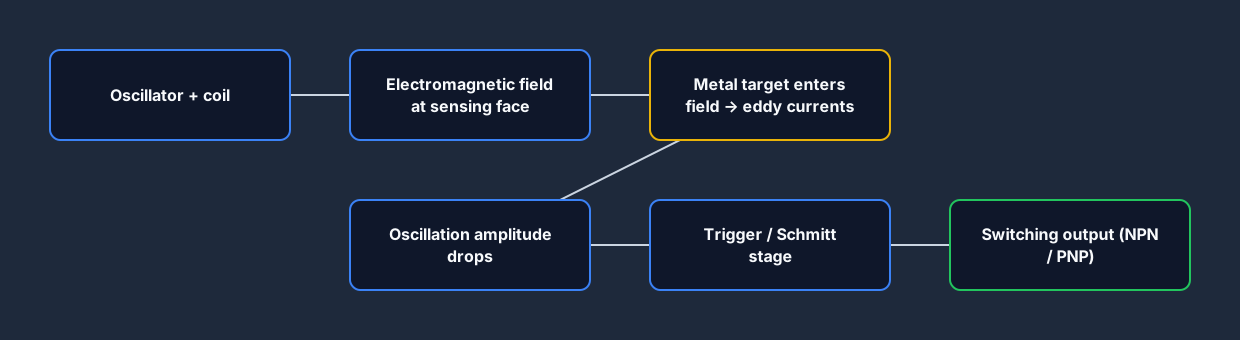
Key characteristics:
- Only detects metal (ferrous metals at full range; aluminum, copper, and other non-ferrous metals at reduced range — typically 50–80% of the rated sensing distance)
- Not affected by dirt, oil, or coolant (the sensing face can be completely submerged in most cases)
- Very long service life — no moving parts
- Typical sensing distances: 2mm to 40mm for standard sizes; up to 80mm for specialized large-face models
- Standard bore sizes: M8, M12, M18, M30 (the number is the thread diameter in mm)
NPN vs PNP Output Types
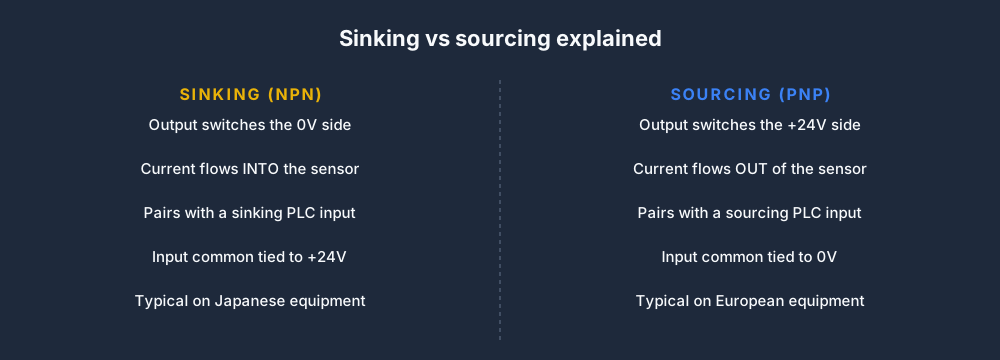
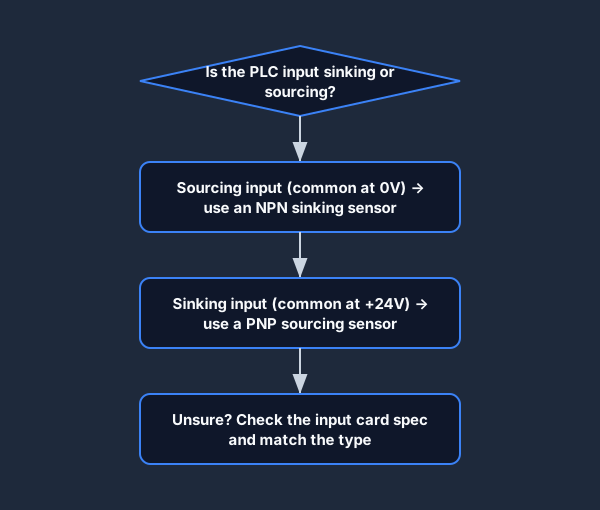
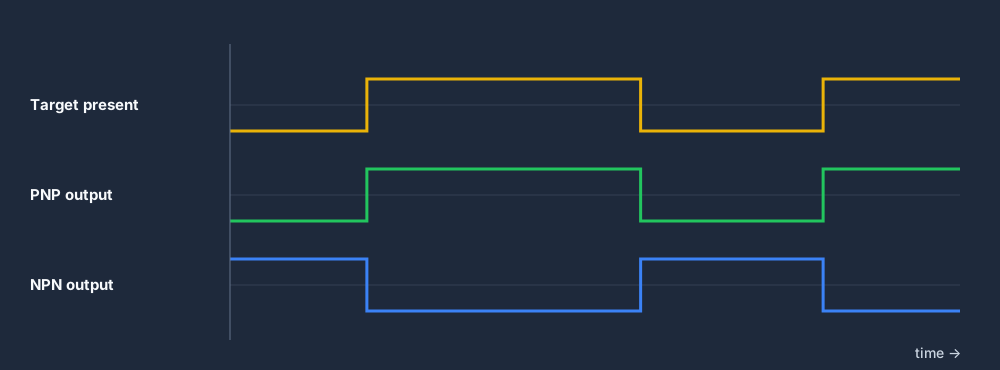
This is where most beginners get confused. Every proximity sensor is either NPN (sinking) or PNP (sourcing), and you must match the sensor output type to your PLC input type. The terms describe which supply rail the output switches: an NPN sensor switches the 0V (negative) side and sinks current, while a PNP sensor switches the +24V (positive) side and sources current.
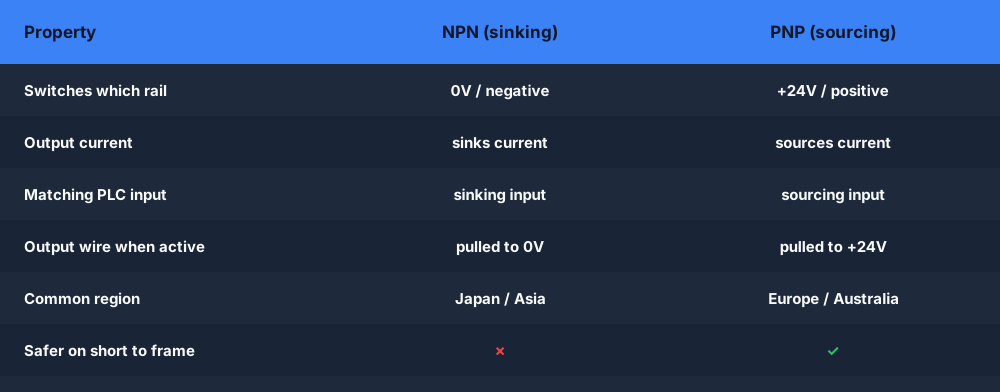
The two diagrams below show exactly how the current flows in each case so you can match the sensor to your PLC input card.
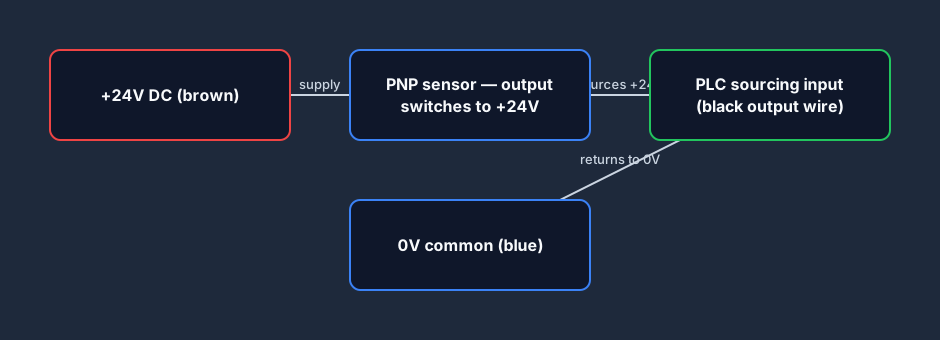
PNP (sourcing) sensors
A PNP sensor's output switches the positive supply voltage (+24V DC) to the signal wire when an object is detected. The output sources current.
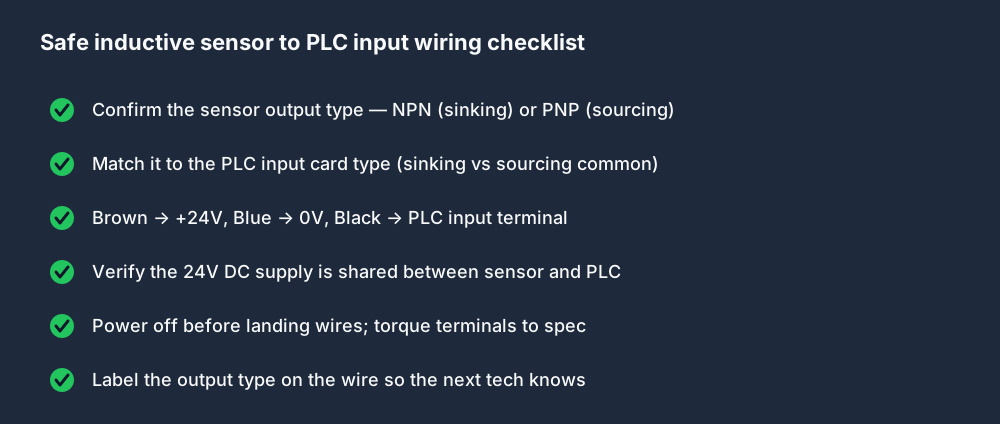
Wiring: Brown → +24V, Blue → 0V, Black (output) → PLC input terminal
When the PNP sensor detects a target, it connects +24V to the PLC input → the input reads logic HIGH (TRUE).
NPN (sinking) sensors
An NPN sensor's output connects the signal wire to 0V (common) when an object is detected. The output sinks current.
Wiring: Brown → +24V, Blue → 0V, Black (output) → PLC input terminal
When the NPN sensor detects a target, it connects the input terminal to 0V → current flows from +24V through the PLC input, through the sensor → the input reads logic HIGH (TRUE).
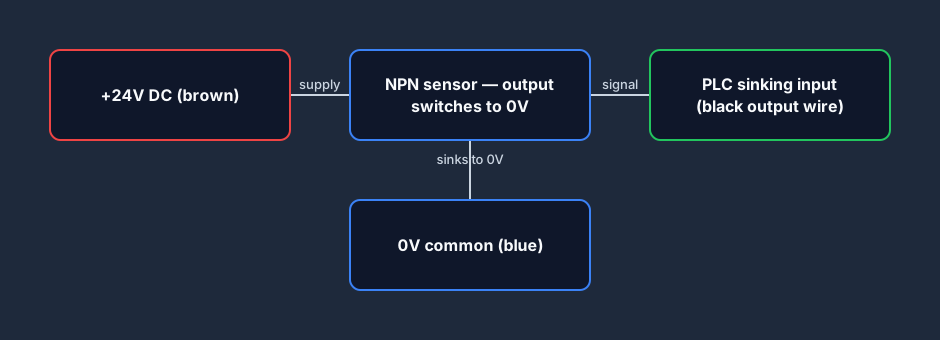
Both types give you a logic HIGH at the PLC input when an object is detected — the difference is in how the current flows through the circuit.
Practical rule: Most European and Australian equipment uses PNP sensors. Most Japanese equipment uses NPN. North American practice is split. When in doubt, buy a sensor that specifies which output type it uses, match it to your PLC input card spec, and label the wiring clearly.
Once you have the right type, follow this checklist to land the wiring safely.
Using a Proximity Sensor in Ladder Logic
Once the sensor is wired, its signal appears at a PLC digital input. In the program it is just a digital bit — TRUE when object detected, FALSE when no object present (for a normally-open output sensor).
Parts counter example
(* Parts counter — increment CTU each time sensor detects a part *)
R_TRIG_0(CLK := Part_Sensor);   (* Rising edge detection *)
IF R_TRIG_0.Q THEN
    Part_Count := Part_Count + 1;
END_IF;

(* Reset counter on operator reset button *)
IF Reset_PB THEN
    Part_Count := 0;
END_IF;
Note the R_TRIG — edge detection is essential here. Without it, the counter would increment every scan while the sensor is blocked (20–50 counts per part). See Top 5 PLC Programming Mistakes for more on edge detection.
Conveyor jam detection example
(* Timer-based jam detection *)
(* If sensor does not see a part within 10 seconds, trigger alarm *)
TON_Jam(IN := Belt_Running AND NOT Part_Sensor, PT := T#10S);
Jam_Alarm := TON_Jam.Q;
If the belt is running but no parts are detected within 10 seconds, the timer expires and triggers the alarm.
Wiring Faults and How to Find Them
Proximity sensor faults are among the most common field problems. The fault injection module in the simulator includes sensor wiring faults so you can practice finding them.
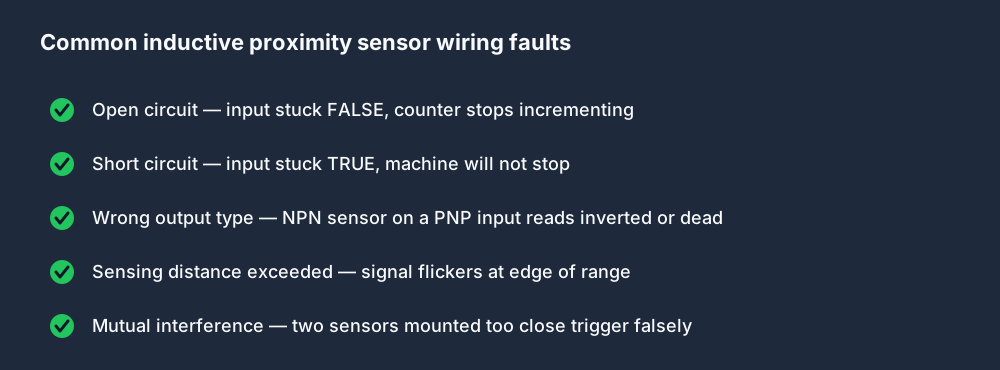
Common sensor faults:
- Open circuit — broken wire, loose terminal. Input reads permanently FALSE. Motor won't start or counter stops incrementing.
- Short circuit — input reads permanently TRUE. Counter runs continuously, conveyor won't stop.
- Wrong output type — NPN sensor on PLC card expecting PNP (or vice versa). May read inverted or not at all depending on input card design.
- Sensing distance exceeded — target too far away. Signal may flicker at edge of range.
- Mutual interference — two identical sensors mounted too close together. One sensor's field affects the other's, causing false triggers.
Use the fault diagnosis module in the simulator to practice finding all of these in a safe environment before you encounter them on an actual machine.
Try the Sensor School
The simulator's Sensor School has an interactive module specifically for inductive proximity sensors — including an animated cross-section showing the eddy-current effect, wiring diagrams for PNP and NPN types, and an exercise where you wire and program a sensor into a running conveyor simulation.
Practice with real sensor simulations — free. The sensor school includes inductive, photoelectric, capacitive, and pressure sensor exercises. All interactive, all in the browser.
