Updated October 2026: the tutor launched with eight dialects and 96 lessons. KEYENCE KV was added since, so it now covers nine dialects and 108 lessons. The first six lessons in each dialect are free; the rest are on a paid plan.
Most PLC training picks a vendor and sticks to it. You learn Allen-Bradley ladder in a TAFE lab, or Siemens TIA Portal at a German OEM, and you come away with skills that are genuinely useful — until someone hands you a Mitsubishi job card or asks whether you can also work with Delta. The Coding Tutor is built around a different premise: the physical logic is the same across all of them, so you should be able to learn it once and read any dialect.
The tutor is now live. Twelve lessons in each of nine dialects, fully browser-based, no installation, free to start.
What the Coding Tutor Is
The Coding Tutor is a structured, hands-on learning environment inside the simulator. Each lesson presents you with a physical scenario — a motor, a conveyor, an automatic door, a warning beacon — and asks you to write the PLC logic for it in a specific dialect. The simulator runs your code against the live I/O model and tells you whether the behavior matches.
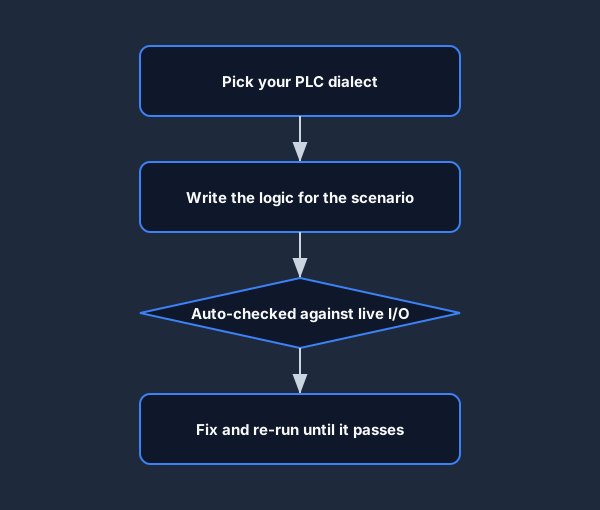
The loop is the same in every lesson: pick a dialect, write the logic, let the tutor auto-check it against the live I/O, and fix it until it passes.
There are twelve lessons per dialect across nine supported dialects:
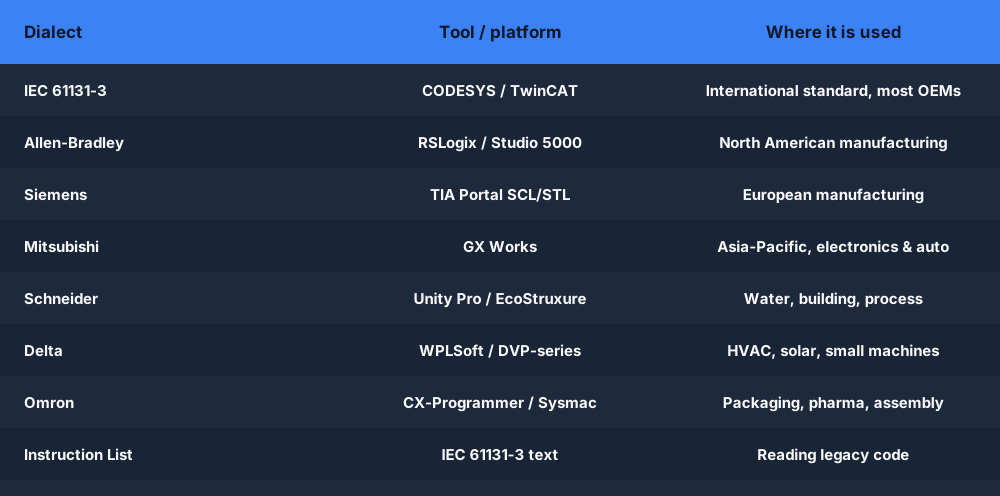
- IEC 61131-3 — the international standard, used in CODESYS, Beckhoff TwinCAT, and most OEM platforms
- Allen-Bradley (RSLogix / Studio 5000) — dominant in North American manufacturing
- Siemens (TIA Portal SCL/STL) — dominant in European manufacturing
- Mitsubishi (GX Works) — strong across Asia-Pacific, particularly electronics and automotive supply chain
- Schneider (Unity Pro / EcoStruxure) — water treatment, building automation, process industries
- Delta (DVP-series / WPLSoft) — HVAC, solar, water treatment, small-machine automation
- Omron (CX-Programmer / Sysmac Studio) — packaging, pharmaceutical, electronics assembly
- KEYENCE KV (KV STUDIO) — mnemonic ladder for KEYENCE KV controllers, added after launch
- Instruction List — the IEC 61131-3 text language, useful for reading legacy code
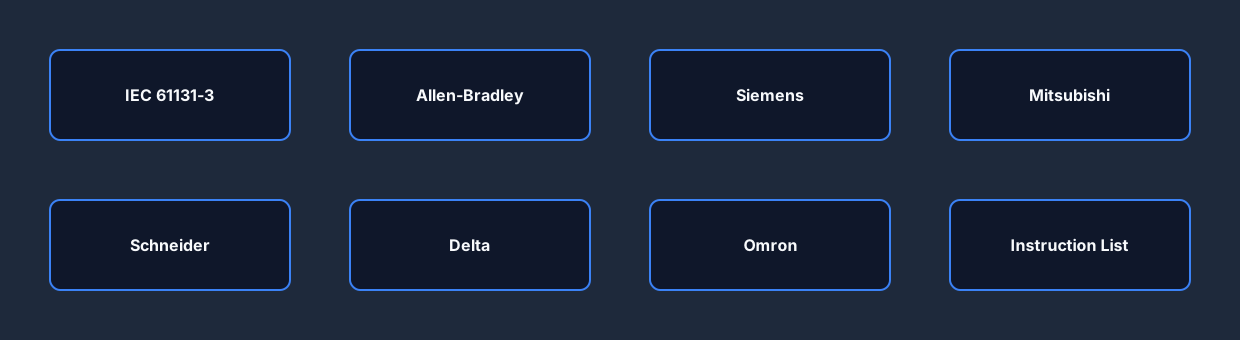
At a glance, here is what each dialect maps to in the real world and the tool you would normally use it with:
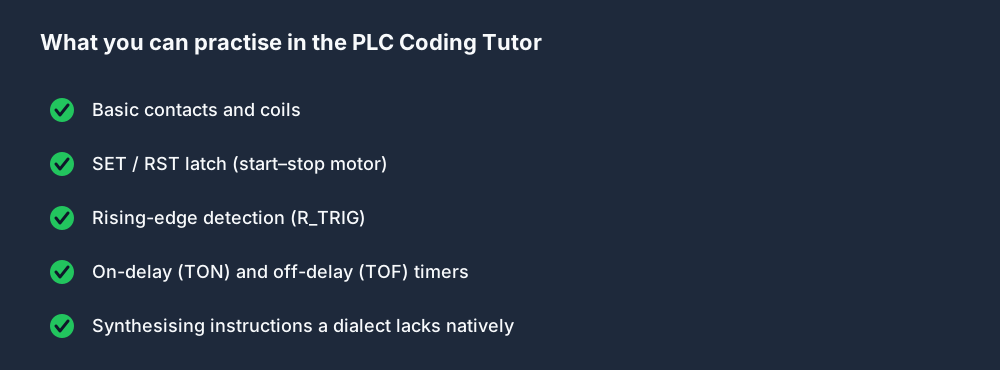
Each lesson covers the same physical behavior as its counterpart in every other dialect. Lesson 6 across all nine dialects is the SET/RST latch. Lesson 7 is the rising-edge detector. Lesson 8 is the on-delay timer. The twelve lessons build progressively from basic contacts and coils through edge detection, timers, and off-delay logic.
The Cross-Dialect Point — Illustrated
The best way to show why this matters is to look at the same physical scenario written in three different dialects. Here is lesson 6: press START, the motor latches on. Press STOP, the motor turns off.
IEC 61131-3 (Structured Text / Ladder)
VAR
  START AT %I0.0 : BOOL;
  STOP  AT %I0.1 : BOOL;
  MOTOR AT %Q0.0 : BOOL;
END_VAR

| START | := MOTOR ;
| STOP  | := MOTOR ;
The | notation is the simulator's ladder representation. The first rung: START contact drives a SET on MOTOR. The second rung: STOP contact drives a RST on MOTOR. IEC expresses this with named variables mapped to physical addresses.
Mitsubishi GX Works (IL mnemonics)
VAR
  START AT %I0.0 : BOOL;
  STOP  AT %I0.1 : BOOL;
  MOTOR AT %Q0.0 : BOOL;
END_VAR

LD  X0
SET Y0
LD  X1
RST Y0
Same physical behavior. X0 is START, X1 is STOP, Y0 is MOTOR. SET and RST are native Mitsubishi mnemonics — the latching mechanism is built into the instruction rather than into the rung structure. Device addresses (X0, Y0) replace the named variables of IEC.
Siemens TIA Portal (SCL / Structured Text)
VAR
  START AT %I0.0 : BOOL;
  STOP  AT %I0.1 : BOOL;
  MOTOR AT %Q0.0 : BOOL;
END_VAR

IF START THEN
  MOTOR := TRUE;
END_IF;
IF STOP THEN
  MOTOR := FALSE;
END_IF;
Siemens SCL uses a Pascal-style IF block. The logic is explicit: if START is true, set MOTOR; if STOP is true, clear it. The same physical terminals, the same behavior, a third notation.
The point is not that one is better than the others. The point is that once you understand the underlying behavior — latch on START, clear on STOP — reading all three becomes a matter of notation, not logic.
Who the Lessons Are For
The curriculum assumes you know what a PLC is and roughly how scan-cycle execution works. It does not assume you have touched any specific dialect before.
If you are already proficient in Allen-Bradley and want to pick up Mitsubishi or Siemens, the cross-dialect structure lets you move fast: you already understand the logic, so you are just learning new notation. Completing the Allen-Bradley track first and then the Mitsubishi track side by side is one of the fastest ways to close the gap between the two platforms.
If you are starting from scratch, begin with IEC 61131-3. The naming conventions are cleaner, the syntax is closer to what you will find in any modern certification study guide, and the concepts transfer directly to every other dialect.
If you are preparing for a job that specifies a particular vendor — say, a Rockwell integrator position — work through the Allen-Bradley track in full, then dip into the IEC track to see where the abstractions come from.
Lessons That Require Synthesis
Not every dialect has an atomic function block for every instruction. Three dialects — Mitsubishi, Delta, and Omron — have no native R_TRIG (rising-edge detector) and no native TOF (off-delay timer). Lessons 7 and 9 in those dialects teach you how to build those behaviors from primitives: a history bit and two rungs for the edge detector; a self-sealing latch, an output mirror, and a conditionally-gated timer for the off-delay.
These synthesis lessons are some of the most useful in the curriculum, because understanding how an edge detector works internally — not just how to call R_TRIG — makes you a more reliable programmer. It also explains why scan order is not arbitrary. The dialect comparison page shows the synthesis patterns side by side with the native FB versions.
Where to Start
Create a free account, then open the tutor at /learn/coding-tutor and pick your starting dialect. The first six lessons in each dialect are free.
If you want context before diving in, the dialect comparison matrix is a useful reference — it shows all nine dialects side by side with the same example program in each.
For IEC 61131-3 specifically, lesson 1 of the IEC track covers variable declarations and the first rung, and runs in under ten minutes.
108 lessons, 9 dialects, free to start, no installation. Write real PLC logic in your browser and see it graded against a live I/O model.