PLC Simulator
Delta PLC software

WPLSoft vs ISPSoft: Which Delta PLC Software Should You Use?

Delta Electronics ships two programming tools — the legacy WPLSoft and the current IEC 61131-3 IDE, ISPSoft. Here is what each one is, how they differ on languages and PLC series, and when it makes sense to migrate an existing DVP project.

Join 12600+ learners practicing PLC programming

Quick answer

ISPSoft is Delta’s current programming software; WPLSoft is the legacy tool. ISPSoft follows the IEC 61131-3 standard — ladder, structured text, FBD, SFC and IL, organised into a proper multi-POU project — and covers the DVP, AS and AH families. WPLSoft is Delta-style ladder, instruction list and SFC only, built mainly for the DVP compact series. Both are free and both are Windows-only. New projects should start in ISPSoft; WPLSoft remains relevant for maintaining older DVP machines whose programs were written in it.

The two tools

What are WPLSoft and ISPSoft?

WPLSoft — the legacy tool

WPLSoft is Delta’s older programming software, developed in the era when the DVP compact series was Delta’s flagship PLC line. It programs in Delta-style ladder diagram, instruction list, and SFC, using the classic DVP device addressing (X inputs, Y outputs, M relays, D registers).

Its strength is simplicity: a small install, a flat program structure, and a directness that suits quick edits on small machines. Its weakness is everything the IEC 61131-3 era brought — no structured text, no function block diagram, and no modern project organisation. Delta’s newer controller families are not the target; WPLSoft is a DVP-era tool.

ISPSoft — the current IDE

ISPSoft is Delta’s IEC 61131-3 programming environment, covering the DVP, AS and AH PLC families. It supports ladder, structured text, FBD, SFC and instruction list, and organises code the IEC way: a project of POUs (program organisation units), function blocks, global and local variable tables, and symbolic addressing alongside the raw device addresses.

That structure is the real upgrade. Reusable function blocks, typed variables and multi-POU projects are how modern automation code is written on every major platform — Siemens, Codesys, Allen-Bradley — so time in ISPSoft builds transferable habits, not just Delta-specific ones. (Delta has since introduced DIAStudio for its newest series, but ISPSoft remains the standard tool across the DVP/AS/AH installed base.)

Side-by-side

WPLSoft vs ISPSoft comparison table

FeatureWPLSoftISPSoft
StatusLegacy — maintained for older projectsCurrent standard Delta IDE
Supported PLC seriesDVP compact series (its home turf)DVP, AS and AH families
Ladder diagram (LD)Yes — Delta-style ladderYes — IEC 61131-3 ladder
Instruction list (IL)YesYes
SFCYesYes
Structured text (ST)NoYes
Function block diagram (FBD)NoYes
Project structureFlat, single-program styleIEC multi-POU: programs, function blocks, variable tables
SimulationLadder simulation (via COMMGR)Simulator mode (via COMMGR)
Operating systemWindows onlyWindows only
PriceFreeFree

The language set is the decisive row. The IEC languages ISPSoft implements — ladder diagram, function block diagram, instruction list and structured text — are defined by IEC 61131-3:2013 (Edition 3.0), the international standard for PLC programming languages, which is exactly why ISPSoft skills transfer beyond Delta.

“Learn the IEC way once in ISPSoft and every other platform becomes a dialect, not a new language.”
— Paul, creator of plcsimulationsoftware.com

Which should a beginner learn first — WPLSoft or ISPSoft?

ISPSoft. It teaches the IEC 61131-3 way of working — typed variables, POUs, function blocks, structured text — which transfers to Siemens, CODESYS and every modern platform, and it covers Delta’s current AS and AH series as well as the DVP. Learn WPLSoft only if your job maintains older DVP machines whose programs already live there.

Both tools are free downloads from Delta Electronics’ official site. If you are unsure where to download vendor software safely, see our PLC software download guide.

Migration

Migrating DVP projects from WPLSoft to ISPSoft

The most common real-world question is not “which is better” — it is “I have a plant full of DVP machines programmed in WPLSoft; do I move them?” The honest answer is: only when there is a reason to.

When migration makes sense

  • You are reworking the machine anyway. A significant logic change, a hardware refresh, or an added station is the natural moment to bring the program into ISPSoft rather than piling more edits onto a legacy project.
  • You need ST or FBD. Recipe handling, arithmetic-heavy logic, and data manipulation are painful in pure ladder. If the next feature wants structured text, that feature wants ISPSoft.
  • You are standardizing a team. Running two IDEs doubles training, documentation and archive complexity. Teams consolidating on Delta usually consolidate on ISPSoft, because it covers the AS and AH series that WPLSoft does not.

When to leave it in WPLSoft

  • The machine is stable and rarely touched. A working DVP program that gets one small edit a year gains nothing from migration and carries re-validation risk.
  • The site’s maintenance staff know WPLSoft. The tool the night-shift technician can actually drive is worth more than IEC purity.

Compatibility considerations

ISPSoft can import WPLSoft projects, which does the heavy lifting — but treat the import as a starting point, not a finished migration. Review the converted logic rung by rung, check that comments and element labels survived, and re-run the program in simulation before downloading to a production PLC. Device addressing (X/Y/M/D) carries over, but the surrounding project structure changes, so anything that referenced the old flat layout — documentation, backup procedures, change logs — needs updating too.

For brand-new projects there is no debate: start in ISPSoft. You get the full IEC 61131-3 language set, a project structure that scales past one machine, coverage of Delta’s current controller families, and skills that transfer to every other IEC-based platform.

Before the install

Practise Delta-style ladder in the browser first

Whichever Delta tool you land on, the hard part is the same: reading a rung, building seal-in logic, driving timers and counters, and thinking in the scan cycle. None of that requires a Windows VM or a COMMGR driver. You can drill exactly those fundamentals in a browser-based Delta-style PLC simulator on any OS — including the Mac that ISPSoft will not run on — then move into ISPSoft once the concepts click.

The simulator is a learning environment, not Delta’s software: it does not compile to DVP firmware or upload to hardware. What it does is give you scored, auto-graded ladder practice with zero setup — 135 graded machine scenarios, 27 of them free — so your first hour in ISPSoft is spent on Delta specifics instead of on “what is a normally-closed contact”.

Try it live

Run a ladder rung in your browser right now

No install, no Windows VM, no licence file — build a rung and watch it execute.

Learn the logic free — in your browser.

Auto-graded ladder scenarios, no credit card, no install. Works on Mac, Windows, Linux and Chromebook.

Questions

WPLSoft vs ISPSoft FAQ

Yes. ISPSoft is a free download from Delta Electronics — there is no license fee, no trial timer, and no paid tier. The same is true of WPLSoft and of COMMGR, the communication manager both tools use to talk to a PLC or simulator. The only real costs are indirect: a Windows machine to run it on, and the time to learn the IDE. Download it only from deltaww.com or an authorized Delta distributor — never from third-party "full version" mirrors.

Build your first ladder rung before the ISPSoft install finishes

No license. No install. No credit card. Just ladder logic.

Create free account →

Software evaluation field guide

WPLSoft versus ISPSoft: evaluation checklist

Direct answer

The reader can choose an owner for the project, test a representative program and plan data-type, instruction, device and communication checks before migration.

Written for delta PLC learners and maintainers deciding which engineering environment fits an existing DVP project, a new IEC project or a migration task.
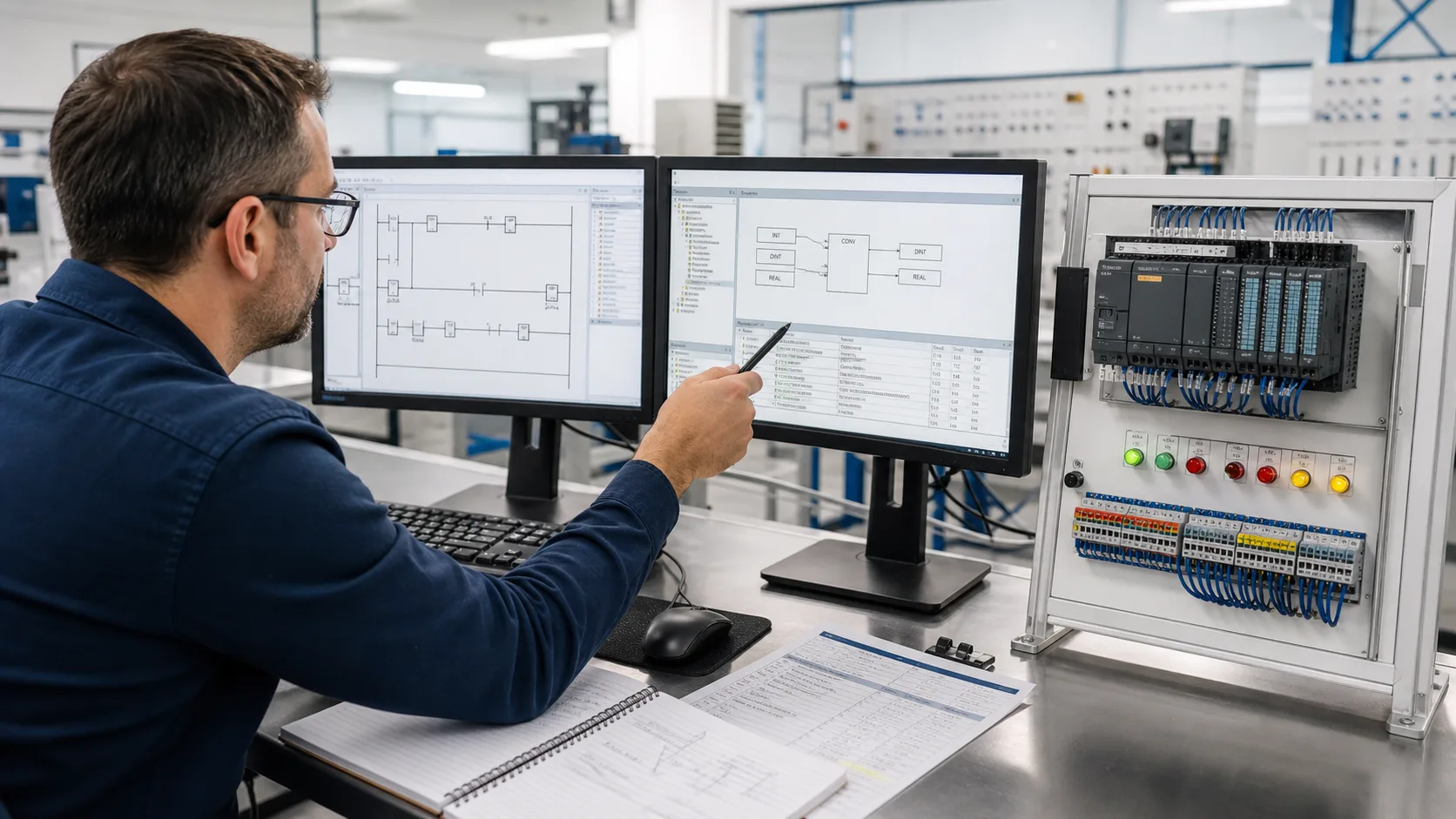
Automation engineer comparing legacy ladder logic with typed IEC data conversion beside a compact PLC training rack

System map / 02

Six checkpoints for WPLSoft versus ISPSoft

NODE 01observable

Requirement

The exact Delta CPU, current project format, software release, required IEC languages, device map, libraries and online workflow.

NODE 02observable

Test job

Legacy devices and ladder through POUs, typed variables, conversion instructions, simulation and target communication.

NODE 03observable

Baseline result

A backed-up start-stop and numeric-conversion case opened, compiled, simulated and monitored.

NODE 04observable

Stress case

Unsupported device ranges, INT and DINT limits, library changes, COMMGR, retained state and project conversion.

NODE 05observable

Failure handling

An import, conversion, data type, device, instruction, simulator or communication mismatch.

NODE 06observable

Decision record

The converted project reviewed rung by rung and regression-tested on the intended Delta controller.

Apply the model to real operating evidence

A useful migration worksheet records every source device, destination variable, initial value and consumer before changing types. INT_TO_DINT is simple when the source is valid, but the surrounding expression can still change through signedness, intermediate width, scaling order or an implicit conversion elsewhere. Use low, zero, nominal, negative and boundary inputs and retain both source and destination values.

Keep selection intent separate from download intent. Someone maintaining an older DVP machine may rationally keep WPLSoft because the verified project and support workflow already exist. A learner or new project may prefer ISPSoft for typed variables and IEC-style structure. The right answer depends on the installed controller and change risk, not which interface looks newer.

Answer surface / 07

Questions people ask about WPLSoft versus ISPSoft

What does INT_TO_DINT do in ISPSoft?

It converts a signed integer value into the wider signed DINT type so later arithmetic uses the intended range. Verify the exact instruction signature, source type, destination type and overflow behavior in the current ISPSoft help.

Should a WPLSoft project be migrated only to use INT_TO_DINT?

Not usually. First establish the controller, maintenance and feature need. A migration should be backed up, reviewed and regression-tested as a project change, not treated as a one-instruction edit.