



PLC Simulator
Fault Diagnosis

PLC Troubleshooting Simulator — Diagnose the Fault, Not a Quiz

Start with a real motor no-start diagnostic in your browser, then progress through 19 guided fault-finding labs covering wiring, logic, runtime and scan-order failures.

Join 14600+ learners practicing PLC programming

The guided motor diagnostic needs no account. Create a free account to save progress in the curriculum.

PLC troubleshooting simulator with ladder monitor, field I/O and guided fault diagnosis
Real PLC troubleshooting simulator footage

See this exact skill in the working simulator.

Watch the real browser product respond to the task on this page, then try the same practical workflow yourself. No slides, concept mockups, install, or credit card.

Try this in the browser
PLC Fault Finding Training — Diagnose Logic, Wiring and Runtime Faults

See the evidence chain

Troubleshoot from symptom to verified repair

A useful fault simulator must connect the screen to the machine. These six views show the evidence you learn to compare before changing logic or hardware.

Controls technician comparing PLC input module LEDs, ladder logic tag status and multimeter readings at a training panel
01Compare the field signal, module LED, controller tag and rung state before deciding whether the fault is in wiring, configuration or logic.
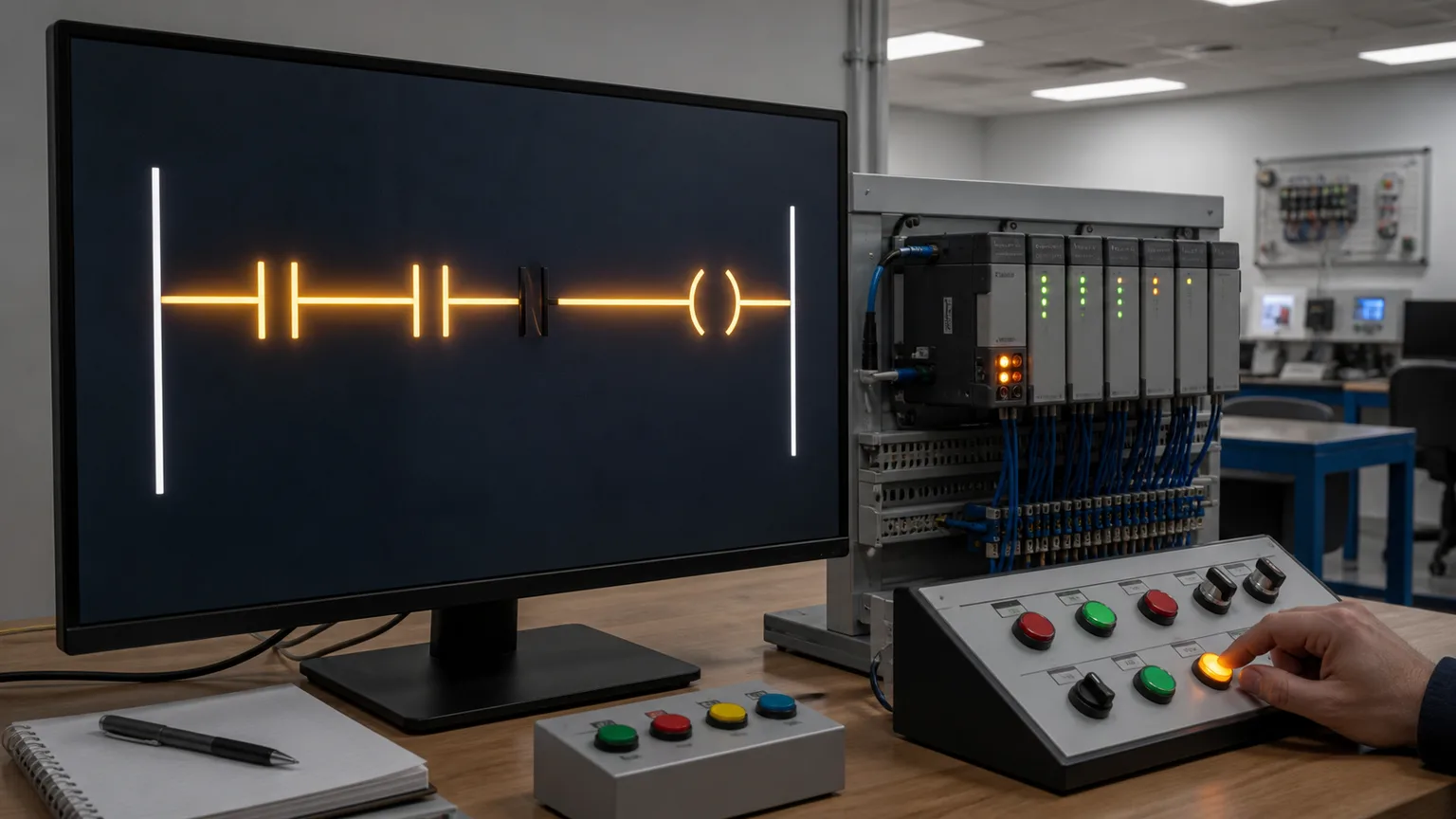
PLC ladder rung with one dark series contact blocking an otherwise energised motor output path
02Trace the false path to the first blocking condition instead of changing several components at once.
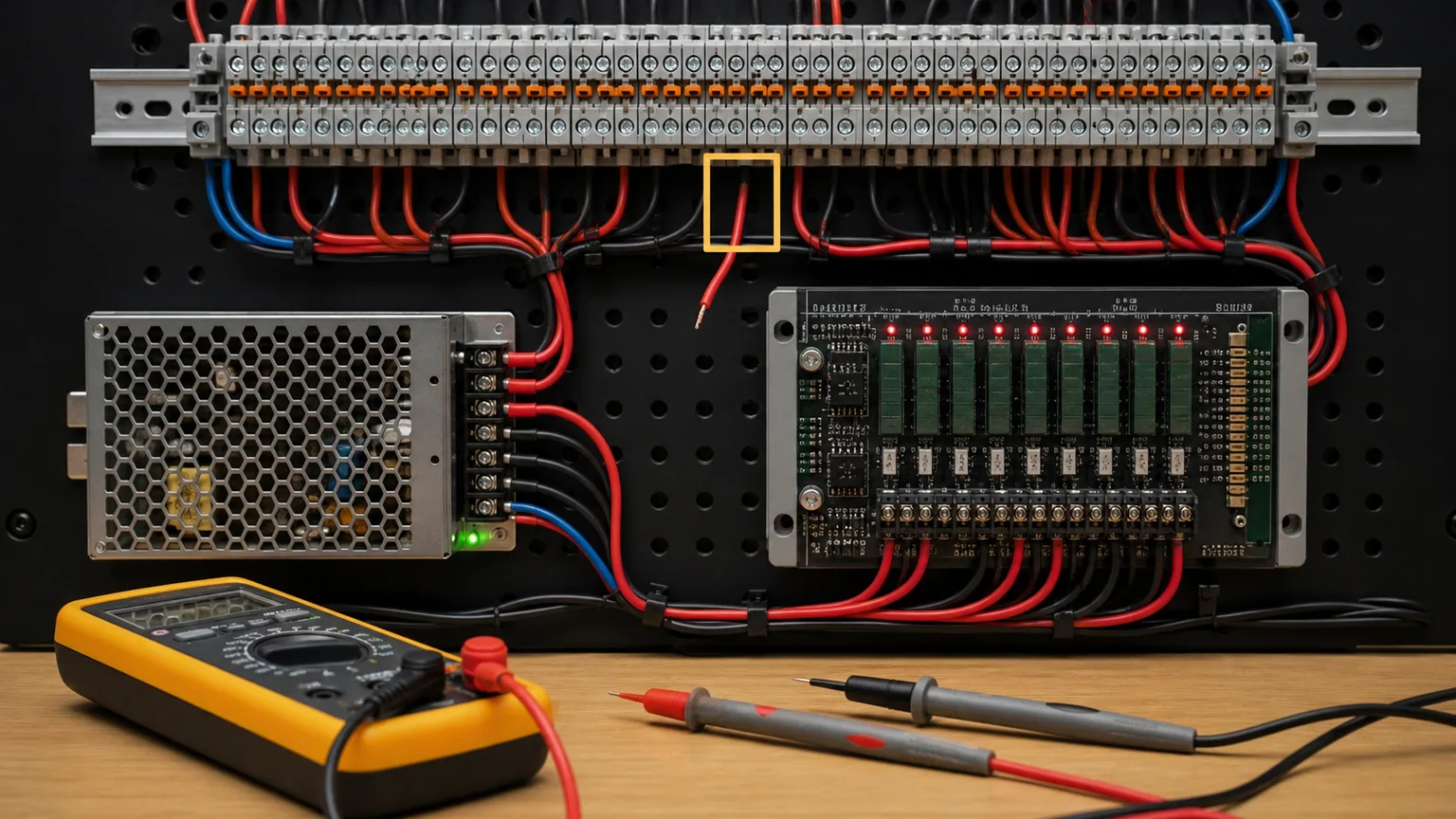
Open field wire highlighted on an industrial terminal strip beside a PLC and digital multimeter
03A correct program cannot overcome an open supply or return: prove the circuit at safe test points with an approved meter procedure.
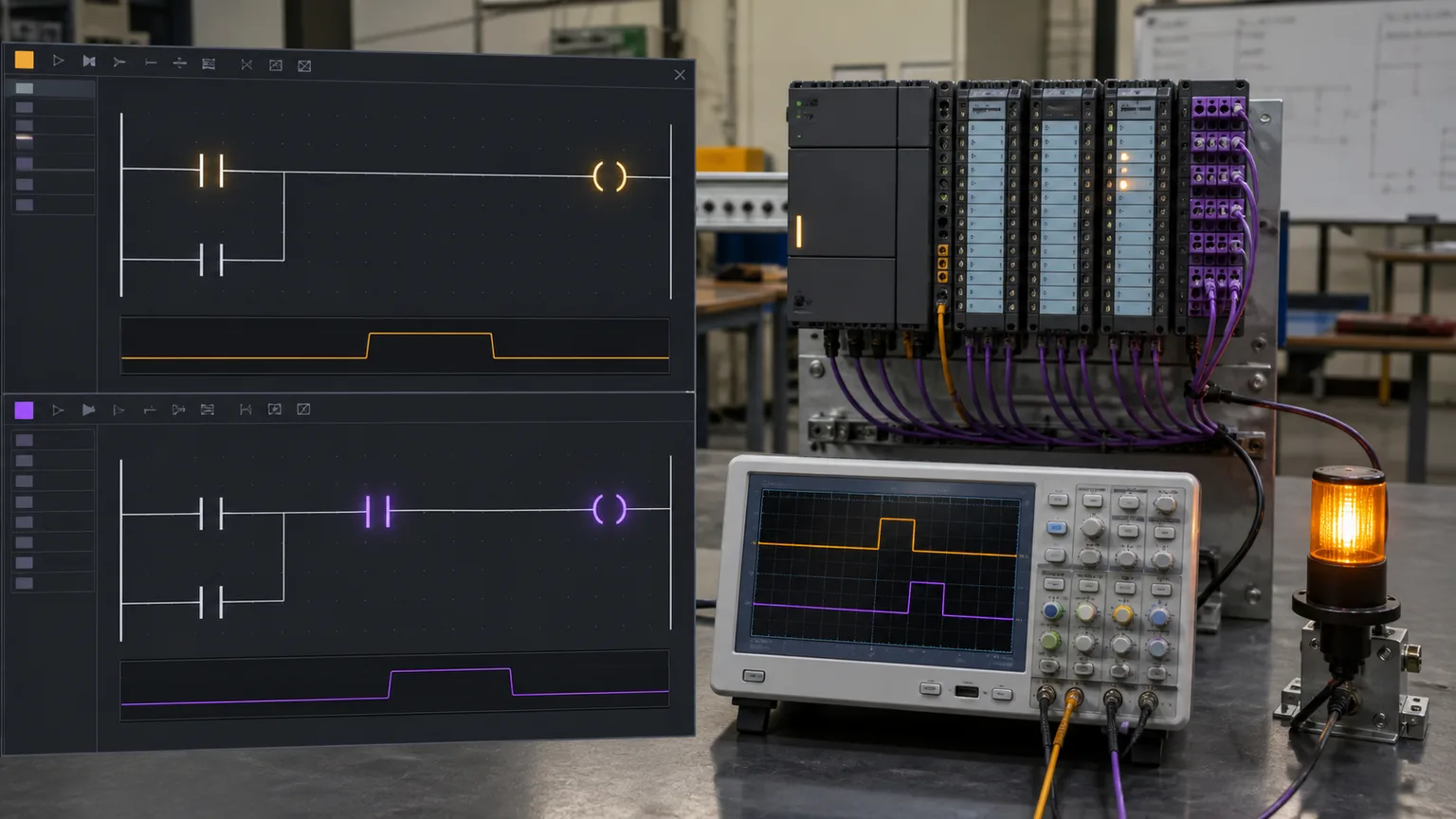
PLC scan-order diagnostic display comparing ladder execution with delayed input and output waveforms
04Relate top-to-bottom execution and I/O image updates to one-scan delays and duplicate-write symptoms.
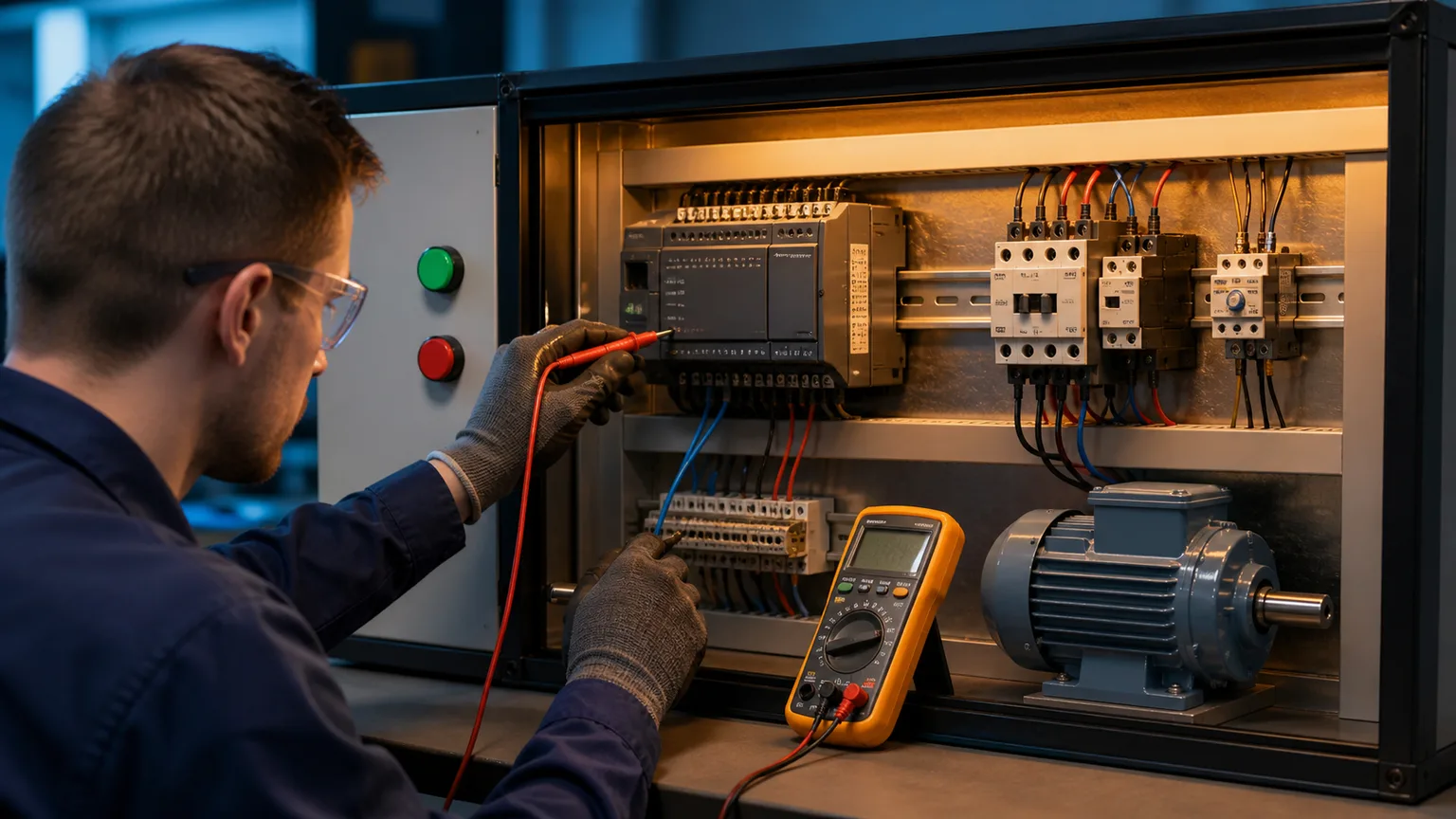
Technician diagnosing a motor no-start circuit across PLC, contactor, overload and terminal zones
05Divide a motor no-start into control supply, permissives, PLC output, contactor and power-path zones.
Technician verifying a repaired automated conveyor cell with green status checks on a tablet
06After the repair, remove temporary test states and verify normal operation, stops, interlocks and affected safety functions.

Why this exists

Choose the right practice environment for each skill

Browser labs are strongest for repeatable diagnostic reasoning and immediate feedback. Vendor engineering simulators teach platform-specific navigation, physical panels teach measurement and wiring, and instructor-led sessions add supervised judgment. The best learning path uses each where it is strongest.

Training formatBest forSetupFeedback
Guided browser simulatorRepeatable fault isolationModern browserImmediate grading and explanation
Vendor engineering simulatorPlatform navigation and diagnosticsVendor software and projectController-specific status tools
Physical training panelMeters, terminals and wiringSupervised hardware benchMeasured electrical evidence
Instructor-led courseCoached judgment and safetyScheduled class or labLive observation and correction

What is inside

The four fault types — and why each matters

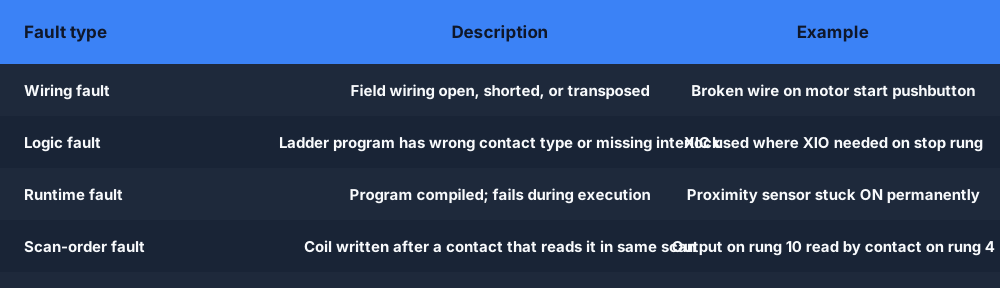
Wiring faults

An open circuit in the field wiring, a shorted sensor, transposed terminals, or a disconnected 24 V supply. The ladder looks correct but the input never changes state — the field device is the problem, not the program.

  • Broken wire on a motor start pushbutton
  • Sensor supply fuse blown
  • Transposed NO/NC wiring on a limit switch
Logic faults

The wiring is fine but the ladder logic itself is wrong — a contact type is incorrect, an interlock is missing, or a coil references the wrong address.

  • XIC used where XIO was needed on a stop rung
  • Missing seal-in branch on a motor start circuit
  • Output coil mapped to wrong address
Runtime faults

The program compiled and the wiring is correct, but something fails during execution: a sensor sends a constant signal, a card fault freezes an output, or a data value is out of expected range.

  • Proximity sensor stuck ON — output always energised
  • Counter accumulator wraps past max value
  • Timer accumulated value does not reset on fault clear
Scan-order faults

The PLC scan is deterministic and top-to-bottom within a rung/network. A coil written on rung 5 will not be seen by an XIC on rung 3 in the same scan. Scan-order bugs cause intermittent or off-by-one behavior that is hard to spot without knowing the rule.

  • Coil energised on rung 10 read by contact on rung 4 — one-scan delay
  • Two coils with the same address — second write wins
  • Output driven by XIC that reads its own coil in the same scan
PLC fault type map — wiring, logic, runtime, scan-order faults explained
The four fault categories in the browser troubleshooting simulator.

The method

Systematic 5-step PLC troubleshooting method

Experienced technicians do not poke randomly. They follow a repeatable diagnostic method that moves from symptom to root cause in the fewest steps. Every fault scenario in our simulator is designed to reinforce this method.

1

Define the symptom

What does the machine NOT do? Write it down exactly. "Motor does not start" is a symptom. "I think the sensor is bad" is a hypothesis — save that for step 3.

2

Read the ladder

Find the output coil that controls the symptom device. Look at every contact in its rung. Is the rung false? Which contact is blocking power flow?

3

Compare the evidence chain

Check the physical condition, field voltage, module LED, controller tag and ladder state. The first disagreement tells you which boundary to investigate next.

4

Isolate with an approved test

Use measurements, the browser simulator or an authorized test mode to separate logic from field hardware. On live equipment, never force a safety output or unexpected motion.

5

Apply and verify the fix

Repair the root cause, remove temporary test states, then verify normal operation, stops, interlocks and every affected safety function.

What you diagnose

A visual map of the fault types you'll diagnose

Each diagram is a mental model a scenario trains: the decision flow that finds the fault, the I/O LED comparison that splits field from software, the field terminal you half-split, the rung you read, the scan order behind scan-order bugs, and the motor-starter zones in the classic no-start fault.

PLC troubleshooting simulator decision flow — symptom to ladder read to force to trace to verify, the 5-step method practiced in every browser fault scenarioA PLC fault-diagnosis flow from top to bottom: observe the symptom, check the inputs, check the logic, check the outputs, then apply the fix.SymptomCheck inputsCheck logicCheck outputsFix
The decision flow — symptom, evidence, isolation, root cause and verification.
PLC digital input troubleshooting — comparing the I/O card LED against the tag state to isolate a wiring fault from a configuration fault in the simulatorA digital input pushbutton wired to a PLC input card, and a PLC output card driving a lamp, with a sinking versus sourcing hint.I/O CARDINPUTOUTPUTPushbuttonI:0/0LampO:0/0sinking (NPN) vs sourcing (PNP)
Digital I/O — the LED-vs-tag check that splits wiring from configuration faults.
PLC field wiring terminal — the broken-supply, open-return, and transposed-terminal wiring faults injected into the browser troubleshooting simulatorA PLC terminal strip wiring view: a switch wired to an input terminal and a lamp wired to an output terminal, with numbered terminals.TERMINAL STRIP0VI0I124VO0O1switchlampfield wiring to numbered terminals
Wiring faults — broken supply, open return, transposed terminals.
A PLC ladder rung with a logic fault — a wrong contact type or missing seal-in that keeps the rung false, diagnosed in the simulator's ladder monitorA basic ladder logic rung between two power rails: an examine-if-closed contact (XIC) in series driving an output coil (OTE).L1L2] [StartXIC I:0/0LampOTE O:0/0
Logic faults — wrong contact type or missing seal-in keeps the rung false.
The PLC scan cycle and scan-order faults — read inputs, execute top-to-bottom, update outputs, the rule behind one-scan-delay bugs in the simulatorThe repeating PLC scan cycle: read inputs, execute the ladder logic, update outputs, then housekeeping, looping continuously.1Read Inputs2Execute Logic3Update Outputs4HousekeepingSCANCYCLE
Scan-order faults — the top-to-bottom scan rule behind one-scan-delay bugs.
Motor circuit troubleshooting scenario — why the motor does not start, isolated across the contactor coil, overload relay, and PLC output zonesA 3-wire motor control circuit: Stop and Start pushbuttons, a contactor coil with a seal-in auxiliary contact and an overload contact, driving a motor.StopStartM (seal-in)OLMMmotor
The motor no-start — the classic interview fault, isolated zone by zone.

How it works

What a fault scenario looks like

Each scenario opens with a running machine and a symptom description. You use the in-browser ladder monitor and I/O panel to diagnose the fault, apply the fix, and submit. The auto-grader checks your solution and tells you exactly what was wrong.

Open the scenario

A running machine simulation with a fault already injected. The symptom is described in one sentence.

Diagnose with the ladder monitor

Toggle simulated inputs, watch rungs energise or stay dark, and compare the I/O state with the machine symptom.

Submit and get graded

The auto-grader checks whether you found the root cause and applied the correct fix. Full explanation on completion.

PLC troubleshooting simulator scenario walkthrough — open, diagnose, submit, grade
From symptom description to auto-graded result in three steps.

Who this is for

PLC troubleshooting practice for every stage

Electricians moving into controls

You already understand field wiring and motor control. The browser fault simulator bridges the gap to reading ladder logic and using the five-step method on a PLC system.

Students with no plant access

19 guided fault-finding labs provide repeatable practice before you reach a supervised hardware bench.

Technicians prepping for interviews

Maintenance and controls interviews often include a verbal fault walkthrough. Repeated practice gives you a structured, evidence-led answer instead of a guess.

Engineers adding troubleshooting to their CV

Design engineers who understand fault diagnosis are rare and valuable. The four fault types here align directly with what maintenance teams deal with on deployed systems you designed.

Keep exploring

Related practice on this site

Questions

PLC troubleshooting simulator FAQ

A PLC troubleshooting simulator injects known faults — wiring opens, wrong contacts, runtime failures and scan-order problems — into a running PLC exercise so you can diagnose them without risking production hardware. This platform currently includes 19 guided fault-finding labs, plus a no-account motor-control diagnostic that shows the workflow before signup.

Diagnose your first PLC fault in the next two minutes.

Run the no-account motor diagnostic, then save your progress in the guided fault track.

Injected-fault diagnosis practice

PLC troubleshooting simulator: diagnose injected faults from symptom to fix

Direct answer

A PLC troubleshooting simulator loads a machine program with one known fault already injected, such as a stuck sensor, a missing seal-in branch or a counter that never resets. You restate the symptom, read the rung that owns the failing output, compare input, tag and rung state, confirm the cause with a simulated test and verify the repair.

This guide is written for electricians moving into controls, maintenance apprentices, students without plant access and technicians preparing for a spoken fault walkthrough in an interview. The intended result is specific: the learner can place a fault in the right category (field device, program, runtime value or scan order) and justify it with one observation that rules out the competing explanations.

System map / 02

NODE 01observable

Symptom before hypothesis

Write down what the machine fails to do in observable terms: “fill pump never starts with the tank empty”, not “the level switch is bad”. The symptom fixes which output is under suspicion and the conditions needed to reproduce it. A suspected cause belongs later, once the rung and the input values point somewhere specific.

NODE 02observable

The owning rung

Every misbehaving output is decided by one rung, or by a pair of latch and unlatch rungs. Find them by searching for the output address, then read each series contact to see which one blocks power flow. A dark contact is only a lead; the real question is whether its input value is wrong or the instruction itself is wrong.

NODE 03observable

Stuck or failed input

A sensor that fails closed reports true whatever the process is doing, so correct logic produces the wrong result. In the stuck level-switch exercise the fill pump never energizes because the program always believes the tank is full. The giveaway is an input that never changes state while the condition it measures obviously does.

NODE 04observable

Program defect

Here the field devices are healthy and the ladder is wrong: the wrong examine instruction on a normally closed stop button, a missing seal-in branch that drops the motor when START is released, or a coil written to the wrong output address. Toggling inputs shows the rung responding exactly as written, which is the problem.

NODE 05observable

Timer and counter state

Timers and counters hide faults inside their accumulated values. A TON clears its elapsed time only when its enable drops, so an enable that is never cleared leaves the done output on permanently. A CTU keeps its count until its reset input is driven, so the next batch cannot begin. Watch the values, not just the outputs.

NODE 06observable

Forcing and scan order

A simulated input toggle shows whether the logic responds once a field signal is corrected. On real plant a force overrides the field state and can move machinery, so it is an authorized action and never a default step. Scan order is the other trap: a coil written below the rung that reads it arrives one scan late.

Procedure / 03

  1. 01

    Restate the symptom

    Read the one-sentence scenario brief and rewrite it as expected versus observed behavior, including the input conditions that should produce the output.

    Evidence: A symptom line that names the output, its expected state and the operating condition.

    Avoid: Writing a suspected component as the first line of the fault log.

  2. 02

    Locate the owning logic

    Find every rung that writes the affected output, including latch, unlatch and duplicate coils, and list the contacts in series with each one.

    Evidence: A short list of the conditions that enable or block that single output.

    Avoid: Reading the whole program from the top before narrowing down to the failing device.

  3. 03

    Compare signal states

    For each listed condition, compare what the process should be doing with the input value in the I/O panel and the contact highlight on the rung.

    Evidence: The specific condition where the tag stops matching the process is identified and recorded.

    Avoid: Assuming an input is healthy because its contact happens to be lit at this moment.

  4. 04

    Test one hypothesis

    Toggle a single simulated input, or watch one timer or counter value through a full cycle, to separate a field-device fault from a program fault.

    Evidence: A prediction written before the test and a result that confirms or eliminates one explanation.

    Avoid: Toggling several inputs together and losing track of which change mattered.

  5. 05

    Choose the cause and repair

    Select the root cause the evidence supports and make the smallest correction, such as restoring a seal-in branch, correcting a contact type or adding a reset path.

    Evidence: The grader accepts both the diagnosis and the fix and explains the injected fault.

    Avoid: Adding extra rungs that hide the symptom while the original cause stays in place.

  6. 06

    Verify the whole function

    Rerun normal start, stop, restart and the original failure case; on real plant, also prove stops and interlocks as part of the verification step.

    Evidence: The original symptom is gone and none of the unaffected cases behaves differently.

    Avoid: Declaring success the first time the symptom disappears.

Diagnostic matrix / 04

Diagnostic symptoms, inspection points, interpretations and next actions for PLC troubleshooting simulator: diagnose injected faults from symptom to fix
Observed symptomInspectInterpretationNext proving action
Motor runs only while START is heldMotor coil rung, the parallel holding branch and the address of the contact used in itA missing or mis-addressed seal-in branch means nothing keeps the rung true once the button is released.Add a normally open contact of the motor output in parallel with START and retest stop.
Motor will not start at allStop button contact type, its input value at rest and the instruction used for it on the rungA normally closed stop button reads true at rest and needs XIC; examining it with XIO holds the rung false permanently.Check the rest state of the input, then match the instruction to the physical contact type.
Rung true but the field device stays idleOutput address in the coil, the output image, the module indication and the device that address actually drivesA coil written to the wrong address energizes a different output, or a valid command is lost in the output circuit.Match the coil address to the I/O list, then trace the output wiring.
Pump never runs although the tank is emptyLevel input value across a full fill cycle compared with the process indicationAn input that stays true while the process changes points to a failed or stuck sensor, not to the ladder.Toggle the simulated input; if the pump responds, the sensor is the fault and the program stays unchanged.
Cycle-complete output stays on or never repeatsTimer enable, elapsed time, done output, counter count and counter reset inputValues that never return to zero mean the reset or enable path is missing; the preset is rarely the culprit.Trace what should drop the timer enable or drive the counter reset, then repair that path.
Output glitches or a brief start press is lostRung order, duplicate coils and set and reset rungs acting in the same scanWhen two rungs write one bit in the same scan the last write wins, and a coil read above where it is written lags one scan.Give each bit a single owner or reorder the logic, then retest the edge case.

Product evidence / 05

What the browser practice can actually demonstrate

Each fault scenario opens with a one-sentence symptom, lets the learner toggle simulated inputs while the ladder monitor shows which rungs energize, and grades both the chosen root cause and the applied fix. A no-account guided motor-start diagnostic shows the workflow before signup.

Answer surface / 07

Why practice PLC troubleshooting with injected faults rather than random errors?

An injected fault is known to the scenario, so the grader can check whether your diagnosis matches the actual cause. Random failures reward guessing. A designed fault also produces consistent evidence: a stuck sensor never changes state and a missing seal-in drops on release, which makes each attempt repeatable and comparable.

How do you tell a failed sensor from a logic fault?

Watch the input value while the process changes. If the input never follows the process, the device or its wiring is suspect. If the input changes correctly but the output still misbehaves, read the rung for a wrong instruction type, address or missing branch. A single simulated toggle then confirms which side owns the fault.

What is a broken seal-in and how do I spot it?

A seal-in uses a contact of the output itself in parallel with the start button, so the rung stays true after the button is released. If that branch is missing or reads the wrong address, the motor runs only while START is held. Press, hold, release and watch whether the rung drops.

Why would a PLC output not energize when the rung looks correct?

Check whether another rung writes the same address later in the scan, whether the coil points at the wrong output, and whether the field circuit is actually being driven. A rung that shows true on screen proves only the logic decision; the physical load still depends on the output module, wiring and device.

Is forcing I/O a good way to troubleshoot?

In the simulator a toggle is a safe way to see whether logic responds when an input is corrected. On a running machine a force overrides real field state and can cause unexpected motion, so it needs authorization, warning of affected people and a plan to remove it. When behavior makes no sense, check for forces already active.

Why does my timer or counter work once and then never again?

Timers and counters retain state between scans. A TON resets its elapsed time only when its enable input goes false, and a CTU clears its count only when its reset input is driven. If nothing drops the enable or drives the reset after the first cycle, the done output stays on and the next cycle cannot start.

What are scan-order faults in a PLC?

The controller solves rungs from top to bottom on every scan. If a coil is written on a lower rung than the contact that reads it, the reading rung sees the new value one scan late. Two coils writing one address leave the last write in effect. These faults look intermittent until you apply the rule.

How should I describe my troubleshooting approach in an interview?

Walk through one concrete case: state the symptom, name the output and its rung, compare input, tag and rung state, describe the single test that separated field from logic, then give the repair and how you verified it. Say where you would stop for isolation and permission on real equipment. Structure beats naming a guessed part.

Troubleshooting learning path

Diagnose from evidence instead of replacing parts

Establish the expected state, isolate the failed signal path, test one hypothesis and prove the repair under the original conditions.