TL;DR
- JSR (Allen-Bradley) pauses the current routine, runs a named subroutine, and returns — like a function call in code.
- The trio is: JSR (the call), SBR (the subroutine entry point that receives parameters), RET (returns control to the caller).
- JSR is conditional — put contacts in front of it and it only fires when the rung is true.
- Siemens equivalent: CALL FC / FB. IEC 61131-3 equivalent: call a Function or Function Block.
A Jump To Subroutine (JSR) instruction tells the PLC to pause the current routine, run a separate block of logic, and then return to exactly where it left off. In Allen-Bradley ladder you call it with JSR, the called routine starts at SBR and hands control back with RET. It is how you break one giant program into reusable, named pieces instead of one endless ladder. Used well, JSR turns a sprawling main routine into a clean table of contents.
This guide explains what happens when a JSR fires, how JSR, SBR and RET fit together, how to pass parameters, and the equivalent constructs in Siemens and IEC 61131-3 so you are never lost switching dialects.
What a subroutine actually is
A subroutine is just a separate routine of logic that the main program can call on demand. Instead of writing the same conveyor-jam or alarm logic three times in your main ladder, you write it once in a subroutine and call it wherever you need it.
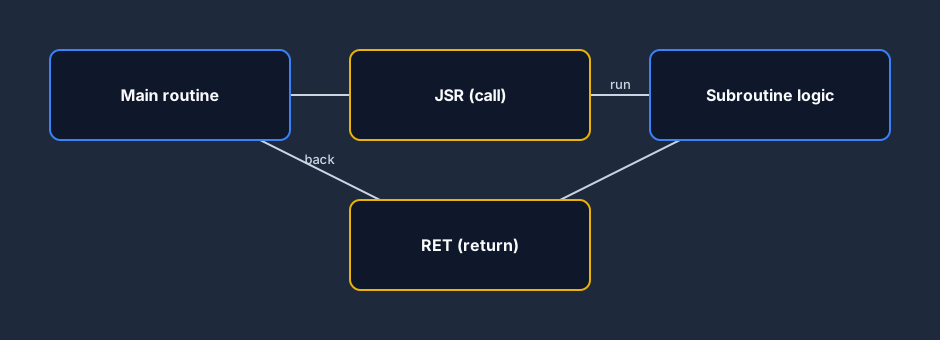
When the processor reaches a JSR instruction, it does three things: it stops scanning the current routine, jumps to the target subroutine and scans it top to bottom, and then returns to the rung right after the JSR. Control flows out and back like a detour, not a one-way jump.
JSR, SBR and RET — the three instructions
In Allen-Bradley (RSLogix 500 / Studio 5000) the call is built from three instructions that work as a set:
- JSR (Jump To Subroutine) — placed in the calling routine. It names the subroutine to run and can pass input/return parameters.
- SBR (Subroutine) — the first instruction in the called routine. It receives the parameters the JSR sent.
- RET (Return) — sends control back to the calling routine, optionally returning values.
The SBR and RET instructions are optional if you are not passing parameters — a routine called by JSR will scan and return on its own — but you should use them whenever data crosses the boundary.
Calling a subroutine conditionally
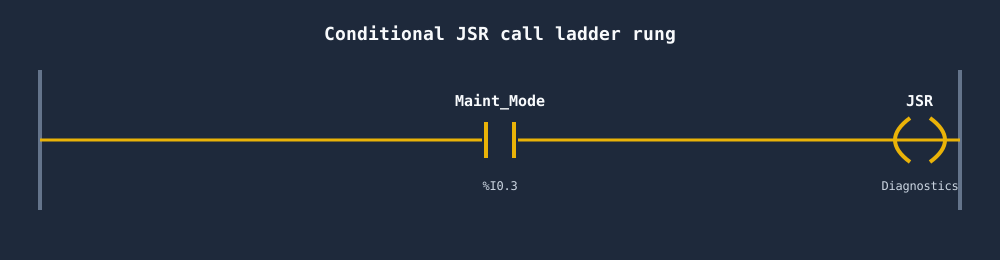
The real power of JSR is that you can put contacts in front of it. A JSR is a normal output instruction on a rung, so it only executes when the rung is true. That lets you run expensive logic only when it matters — diagnostics only in maintenance mode, a recipe block only for the selected product, fault handling only when a fault is active.
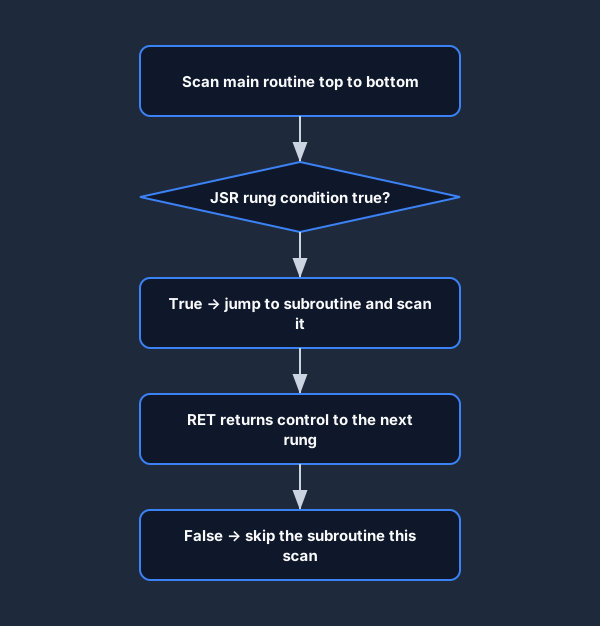
If the rung condition is false, the JSR is skipped entirely and the subroutine simply does not run that scan. This is the standard way to keep your scan time down: don't scan logic you don't need this cycle.
Passing parameters in and out
A subroutine becomes truly reusable when you pass data into it rather than hard-coding tags. With Allen-Bradley, the JSR lists input parameters (copied into the subroutine before it runs) and return parameters (copied back out via RET). The SBR instruction holds the matching input list.
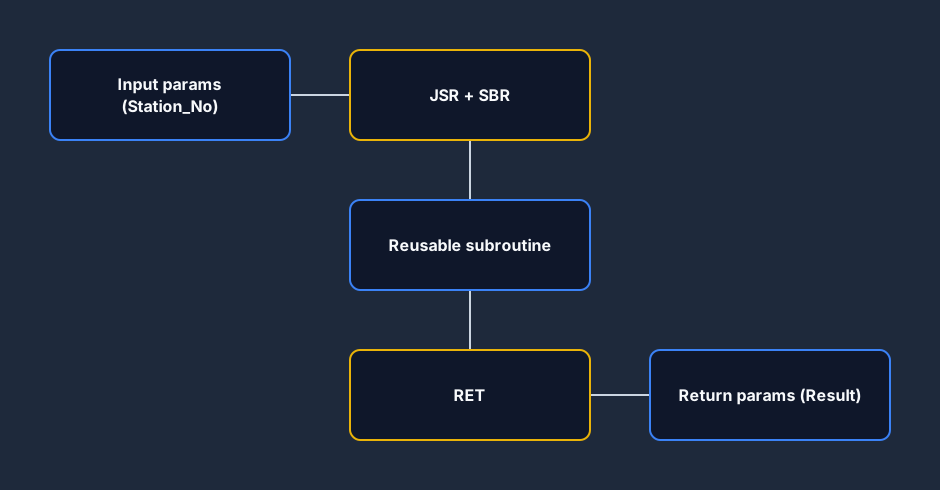
Pass a station number in, get a result out, and the same subroutine can serve every station on the line. The parameter copy happens by value at call and return time — inside the subroutine you work on the local copies, not the caller's live tags.
Subroutine vs writing logic inline
Should you break logic into a subroutine, or just leave it in the main routine? The trade-off is real.
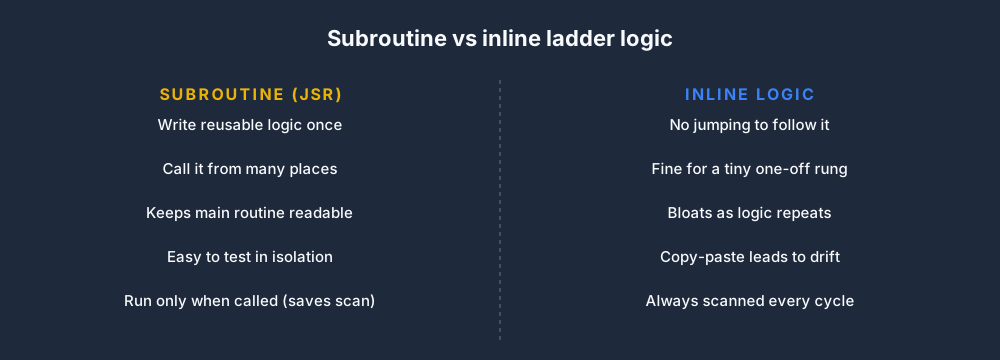
Inline logic is easier to read for a tiny, one-off rung — there is no jumping around to follow it. But the moment logic is repeated, or the main routine grows past a screen or two, a subroutine wins on reuse, testing and clarity. A good rule: if you would copy-paste it, make it a subroutine instead.
The same idea in every dialect
Subroutines are universal, but the names change. If you learn the Allen-Bradley JSR/SBR/RET set and the IEC concept behind it, you can map any platform.
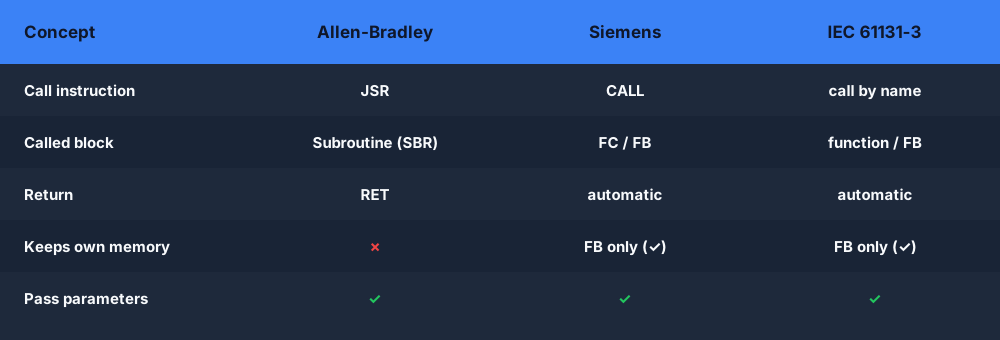
| Platform | Call instruction | Subroutine entry | Return | Has memory? |
|---|---|---|---|---|
| Allen-Bradley (RSLogix 500 / Studio 5000) | JSR | SBR | RET | No (use a program file) |
| Siemens TIA Portal | CALL | — (FC interface) | — (implicit) | FC: no; FB: yes (instance DB) |
| IEC 61131-3 | Call by name | — (function interface) | — (implicit) | Function: no; Function Block: yes |
| Codesys | Call by name | — | — | Function: no; FB: yes |
Siemens TIA Portal does not use a JSR instruction at all — you CALL a Function (FC) or Function Block (FB), and parameters are part of the call interface. Functions (FC) are stateless like a classic subroutine; Function Blocks (FB) keep their own memory in an instance data block, closer to an object. In plain IEC 61131-3, the same split is functions (no memory) versus function blocks (with memory). The JSR/SBR/RET trio is the Allen-Bradley flavour of this one idea.
Subroutine best practices
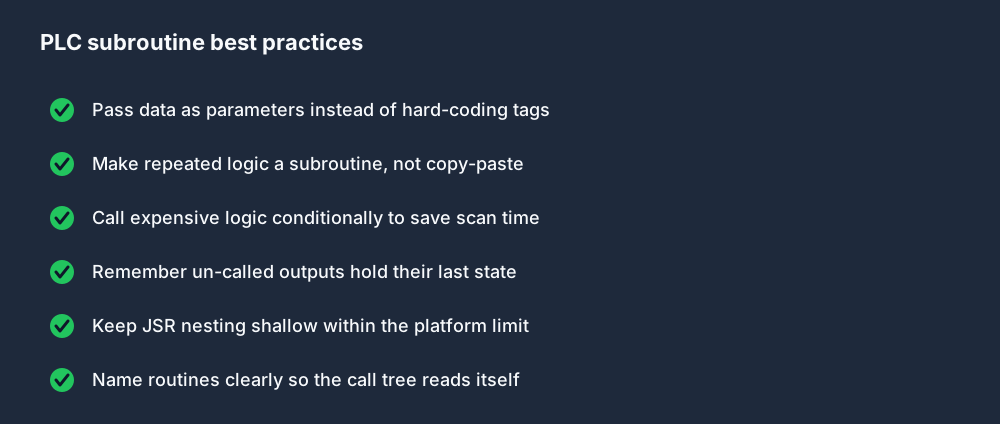
Two things trip people up most. First, scan order: a subroutine only runs when its JSR is reached, so outputs in an un-called subroutine hold their last state — they are not re-evaluated. Second, nesting: every platform limits how deep JSRs can call other JSRs, so keep your call tree shallow and predictable. Both come straight back to the scan cycle — a subroutine is just part of the same top-to-bottom scan, executed on a detour.
Practice subroutines in your browser
The fastest way to understand JSR is to build a main routine, add a subroutine, and watch control hop in and out as you toggle the calling contact. You can do exactly that — multiple routines, conditional calls and parameter passing — in the free browser PLC simulator; switch the ladder logic editor between Allen-Bradley, Siemens and IEC dialects to see how each one names the call.
FAQ
What does JSR mean in a PLC? JSR stands for Jump To Subroutine. It pauses the current routine, runs a named subroutine top to bottom, then returns to the rung immediately after the JSR.
What is the difference between JSR, SBR and RET? JSR is the call placed in the calling routine, SBR is the first instruction of the called subroutine that receives input parameters, and RET returns control (and any return values) to the caller.
Can a JSR be conditional? Yes. A JSR is an output instruction on a rung, so it only executes when the rung conditions are true. A false rung skips the subroutine for that scan.
What is the Siemens equivalent of JSR? Siemens uses CALL to invoke a Function (FC) or Function Block (FB) instead of JSR/SBR/RET. FCs are stateless like a classic subroutine; FBs keep their own instance memory.