Basic
20 min

Bottle Labeler

packaginglabelervisionreject

Ready to build this?

Sign up free — no credit card required. This scenario requires the Basic plan.

Sign up to play this scenario →

Already have an account? Log in

Bottle Labeler scenario preview

Briefing

A rotary label applicator detects bottles, triggers a print-and-apply cycle, and verifies label placement with a vision camera. If the camera rejects a label, a pusher diverts the bottle to a reject chute. The machine runs continuously while START is held and LABEL_PRESENT is true.

Objectives

  • On BOTTLE_PRESENT + LABEL_PRESENT + START_PB: trigger PRINT_TRIGGER
  • After PRINT_OK, activate LABEL_APPLY
  • After LABEL_APPLY, trigger VERIFY_CAMERA
  • If VERIFY_OK: reset for next bottle
  • If NOT VERIFY_OK: pulse REJECT_PUSHER (500ms) to eject bottle
  • READY_LAMP on when machine is idle and ready (not in mid-cycle)

Hints

  • Sequence: IDLE → PRINT → APPLY → VERIFY → (REJECT or IDLE)
  • Each step advances on sensor/input confirmation rather than fixed timer
  • Use a step variable with input conditions at transitions
  • REJECT_PUSHER is a timed pulse (500ms TON)

I/O Table

Inputs

BOTTLE_PRESENT

Bottle presence sensor

BOOL · %I0.0

LABEL_PRESENT

Label stock present sensor

BOOL · %I0.1

PRINT_OK

Printer ready/print complete signal

BOOL · %I0.2

VERIFY_OK

Vision camera verify OK signal

BOOL · %I0.3

START_PB

Machine start push-button

BOOL · %I0.4

Outputs

LABEL_APPLY

Label applicator solenoid

BOOL · %Q0.0

PRINT_TRIGGER

Print command to label printer

BOOL · %Q0.1

VERIFY_CAMERA

Camera trigger output

BOOL · %Q0.2

REJECT_PUSHER

Reject divert pusher (500ms pulse)

BOOL · %Q0.3

READY_LAMP

Machine ready indicator

BOOL · %Q0.4

Your program will be tested against:

All test cases run automatically when you submit. Assertions are hidden until you pass.

  1. #1PRINT_TRIGGER fires on bottle + label + start

    All conditions met -> PRINT_TRIGGER energises

  2. #2LABEL_APPLY fires after PRINT_OK

    PRINT_OK confirms print -> LABEL_APPLY energises

  3. #3Good label passes camera verify

    VERIFY_OK after VERIFY_CAMERA -> no reject, READY_LAMP on

  4. #4Bad label triggers REJECT_PUSHER

    VERIFY_OK=false -> REJECT_PUSHER pulses

Ready to build this?

Sign up free — no credit card required. This scenario requires the Basic plan.

Sign up to play this scenario →

Already have an account? Log in

Runnable simulator field guide

Product-labeler PLC scenario: test checklist

Direct answer

The learner can associate one product with one label request, apply within a bounded window, detect missing or duplicate labels and route a failed item to a recoverable state.

Written for packaging learners programming a conveyor labeler with product sensing, label-ready status, applicator timing and downstream verification.
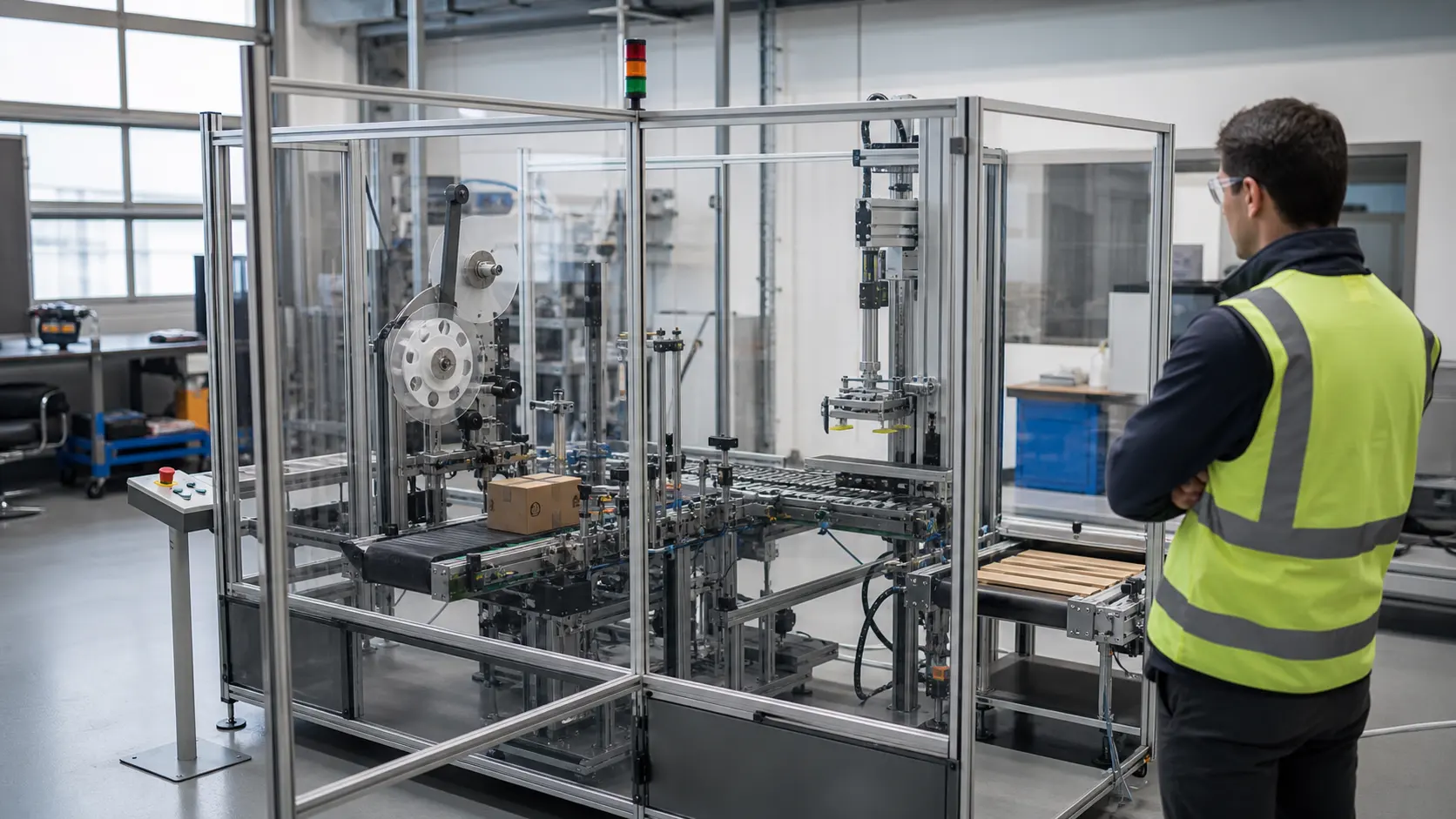
a guarded compact manufacturing cell with conveyor, sensors, pneumatic handling and a labeling station used for repeatable sequence training while studying label presence, product tracking, print readiness, application timing and reject confirmation
System map / 02

NODE 01observable

Scenario setup

Product identity, leading and trailing edges, conveyor speed, label-ready permissive, print request, application window, verification, reject and reset policy.

NODE 02observable

I/O and state map

Product sensor through tracked item state, print command, applicator output, label-present feedback, inspection result and reject confirmation.

NODE 03observable

Normal run

Each accepted product receives exactly one verified label while an unready labeler blocks or rejects according to the declared policy.

NODE 04observable

Boundary run

Closely spaced products, sensor bounce, label roll empty, late ready, missed application, duplicate trigger, inspection failure, restart and retained product state.

NODE 05observable

Injected fault

A product-tracking, readiness, command, applicator, verification, reject, timing or restart mismatch.

NODE 06observable

Target check

The sequence recreated with target motion, printer, inspection, guarding and line-clearance tests.

Answer surface / 07

How should a PLC track products through a labeler?

Create one product state at a defined sensor edge, advance it by measured motion or bounded timing and close the state only after application and independent inspection evidence.

What should happen when the labeler is not ready?

Use an explicit policy to inhibit infeed, stop at a safe boundary or reject the affected product; do not silently lose the label request.