PLC Simulator
PLC + SCADA

PLC and SCADA Training — Learn the Stack in Order

Start with the controller, trace field I/O into trustworthy tags, then connect HMI screens, Modbus data, alarms and process behaviour. Begin with a guided browser program before choosing a plan.

Join 13500+ learners practicing PLC programming

No account for the first program. Free accounts do not require a card or expire.

PLC SCADA course — browser-based scenarios and HMI builder with certificate
Real PLC SCADA training footage

See this exact skill in the working simulator.

Watch the real browser product respond to the task on this page, then try the same practical workflow yourself. No slides, concept mockups, install, or credit card.

Try this in the browser
HMI Simulator Online — Build an Operator Screen on a Live PLC

From field signal to operator decision

Learn PLC and SCADA as one traceable control system.

These six scenes make the data path concrete: instrument, I/O, control logic, industrial network, HMI response and supervised commissioning. Every screen value should have a physical source and a testable purpose.

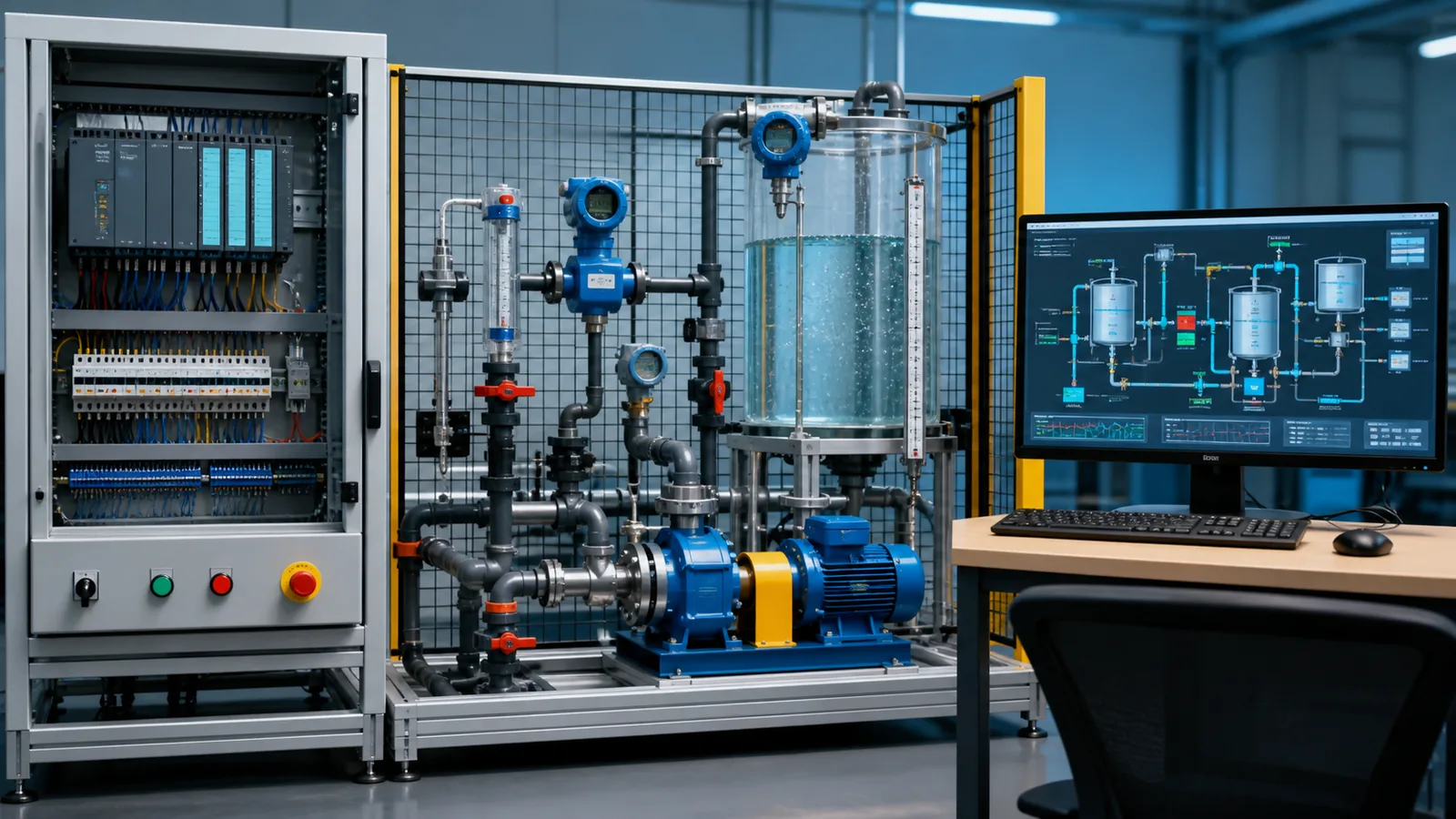
PLC and SCADA course process skid showing field instruments a PLC control cabinet and a supervisory workstation
01Read the stack from left to right: field signals enter the controller, control logic changes machine state, and the supervisory screen presents trustworthy tags.
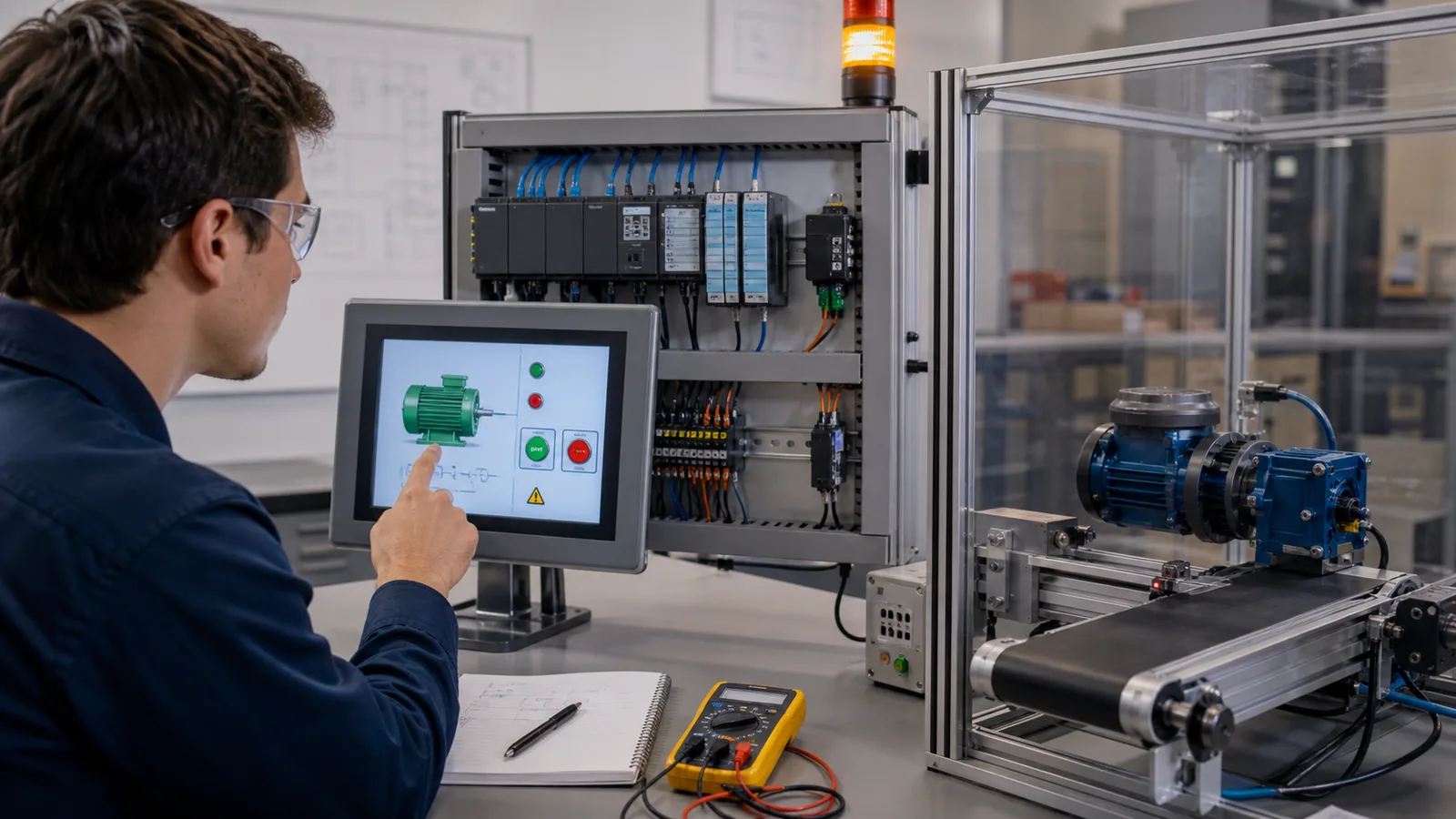
PLC SCADA learner binding an HMI motor control screen to a guarded conveyor training rig
02An HMI control only becomes useful when its command, permissive, feedback and fault states are mapped to meaningful controller tags.
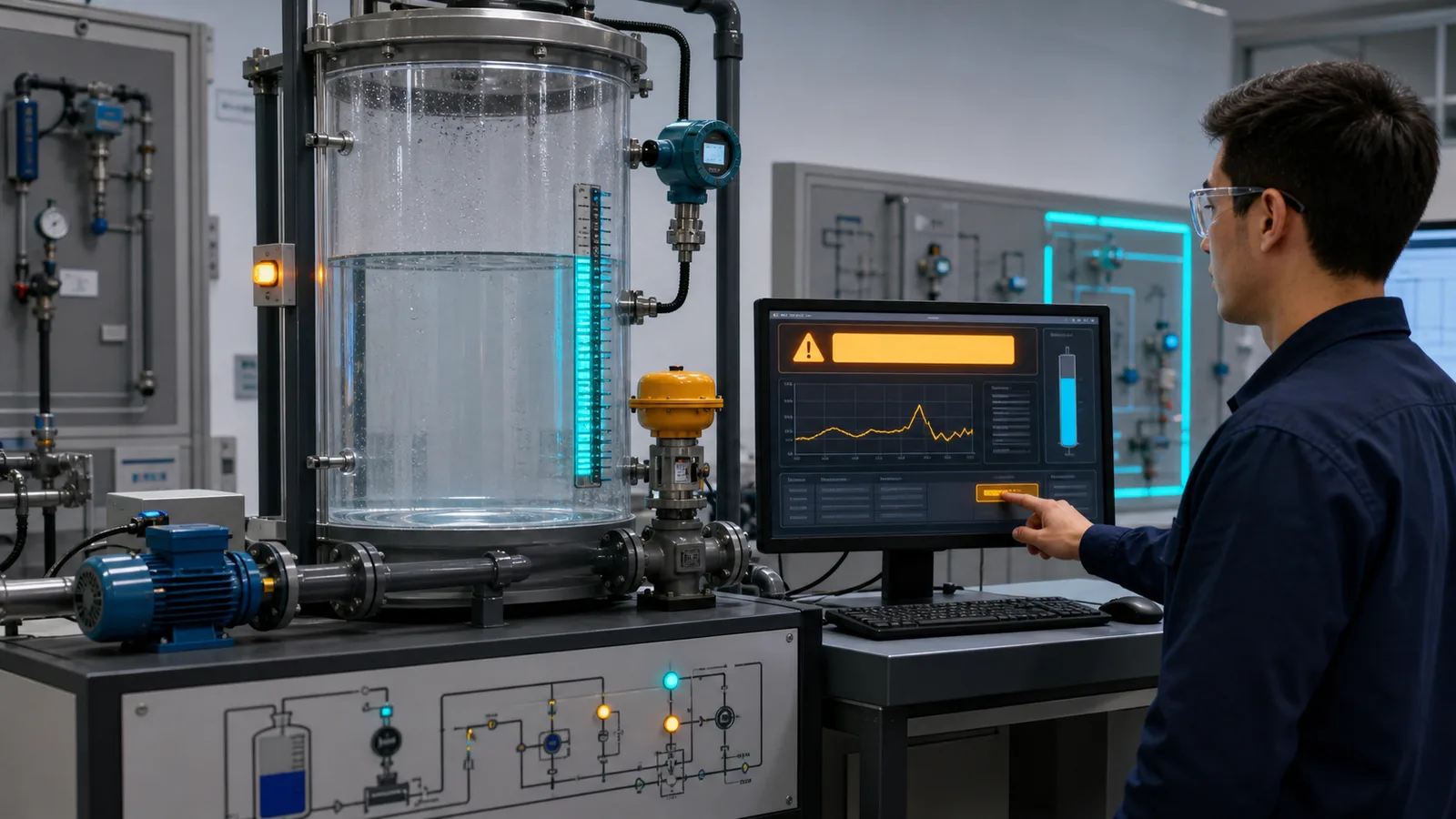
SCADA alarm response lab with transparent process tank level transmitter pump valve alarm banner and trend
03Alarm training joins the banner to the physical cause: verify the process, investigate evidence, correct the condition and confirm recovery.
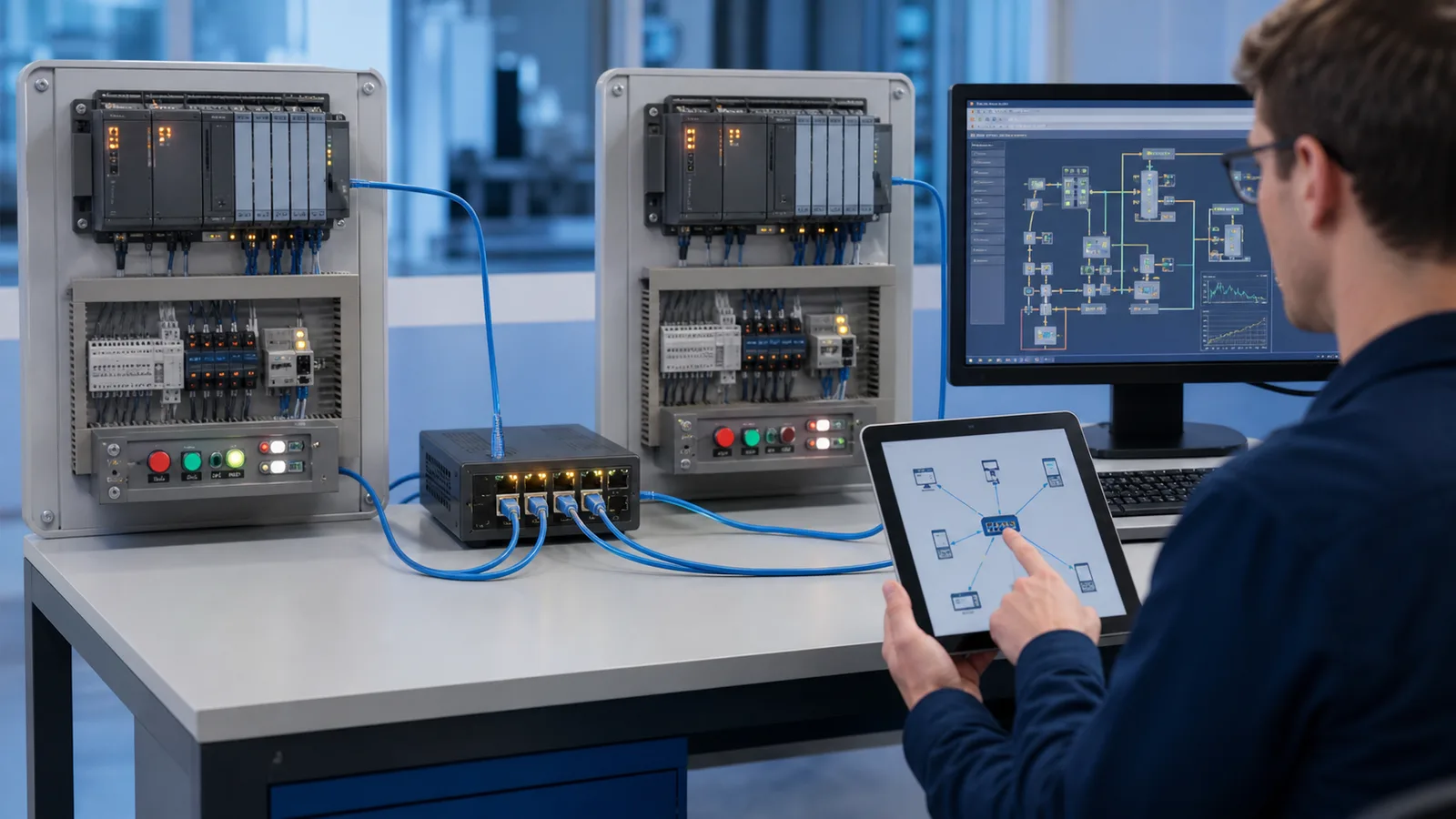
Industrial network lab connecting two PLC panels an Ethernet switch a SCADA workstation and a diagnostic tablet
04A tag path crosses devices and links. Learn where to test when the HMI value is bad: field, I/O, PLC, network, driver or display.
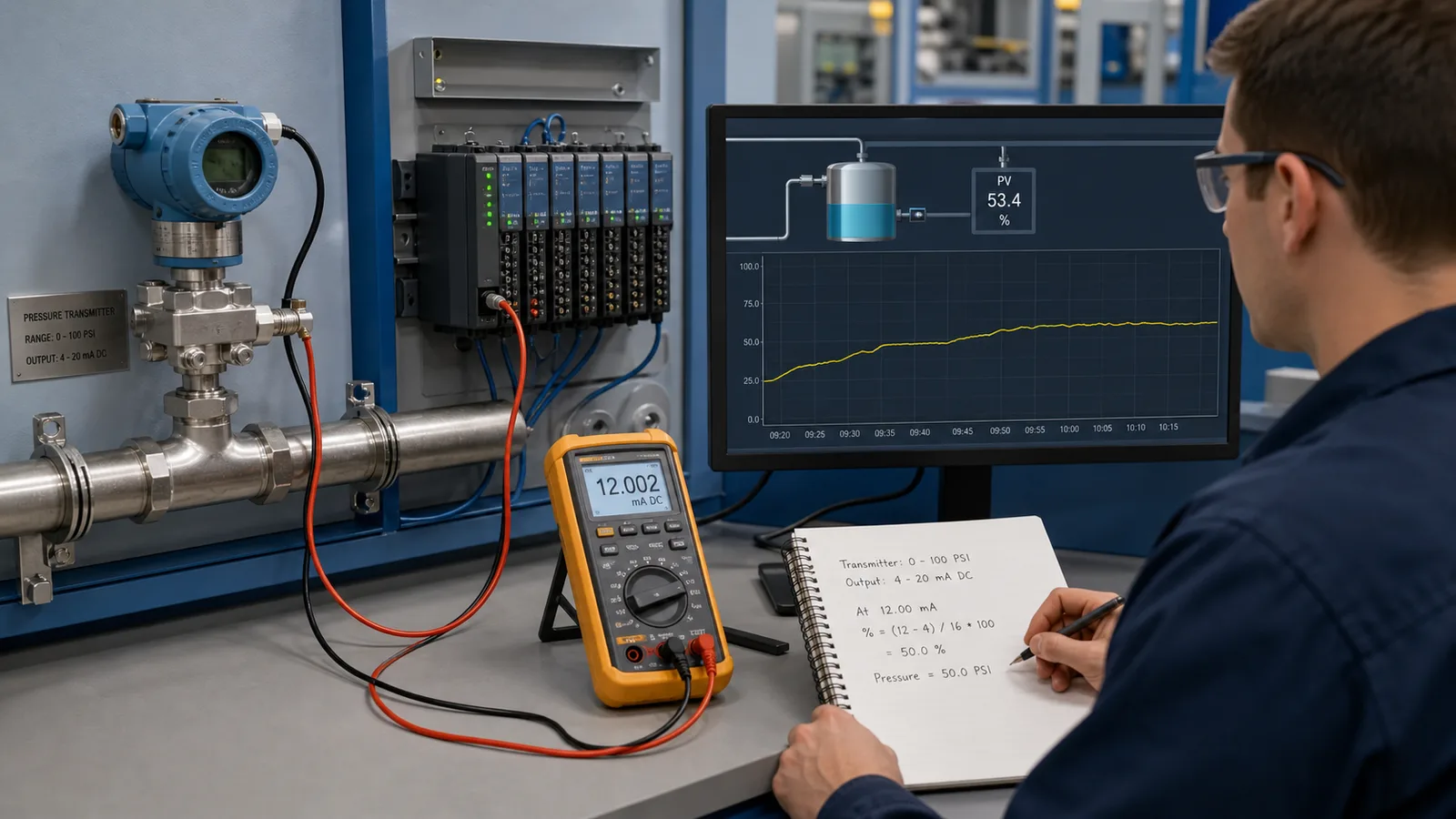
Four to twenty milliamp PLC SCADA lab with pressure transmitter analog input calibrator and engineering unit trend
05Analog values must keep their units and range through the whole chain—from loop current and raw counts to scaled tag and trend.
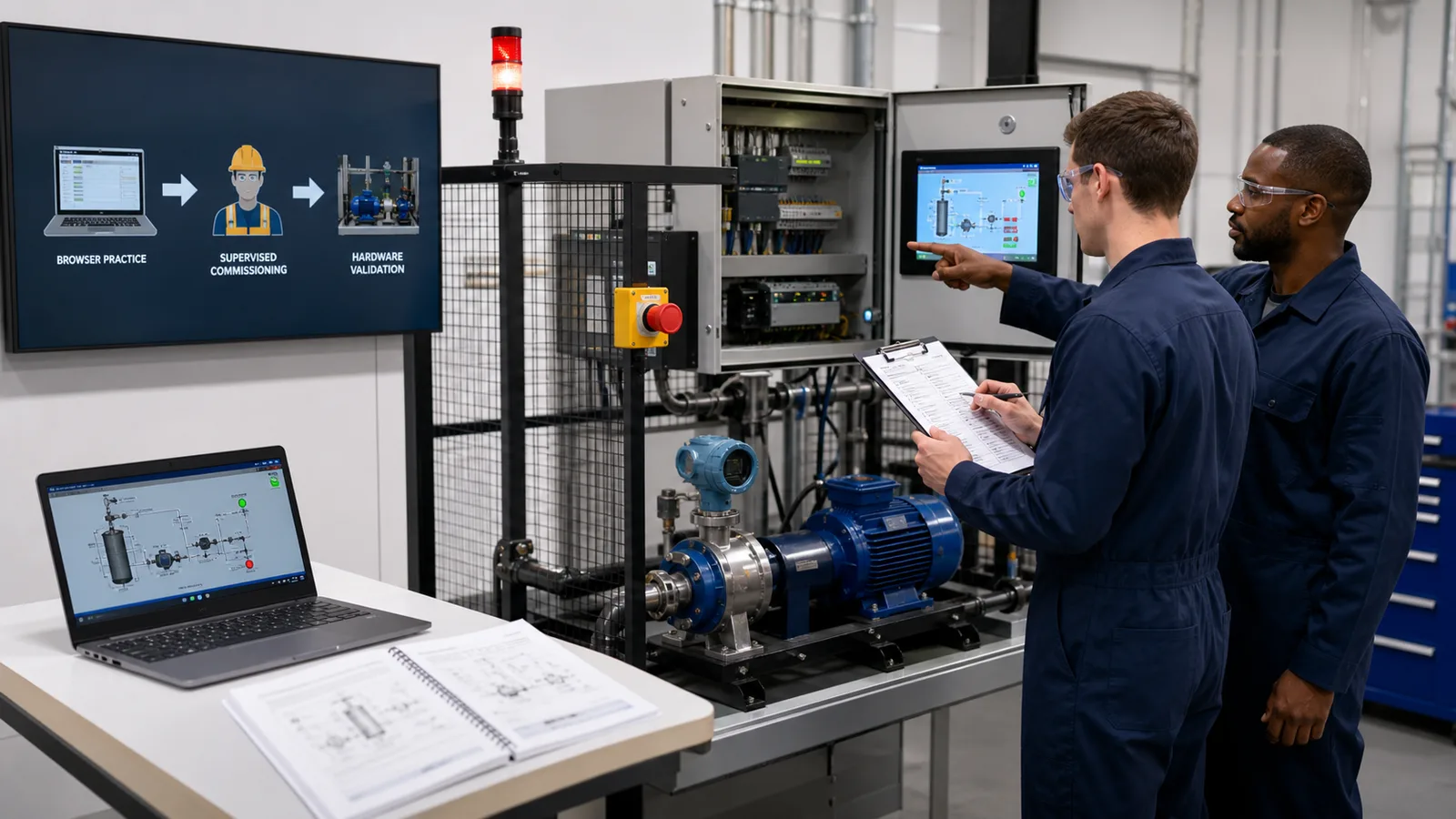
PLC SCADA learner and qualified instructor commissioning a guarded motor pump skid with HMI and emergency stop
06Simulation builds the reasoning; supervised hardware work adds electrical safety, measurement, controller configuration and commissioning evidence.

The discipline

What PLC SCADA programming actually is

A PLC (Programmable Logic Controller) is the controller that makes machines move. A SCADA system (Supervisory Control and Data Acquisition) is the software layer above it — the system that reads PLC tags, shows them on operator screens, logs them to a historian, and sends setpoint commands back down to the PLC. Most job postings that say "PLC SCADA" are asking for someone who can do both: write PLC logic that produces clean, well-named tags, and configure the SCADA system to read them correctly.

The PLC layer requires executable control logic; the SCADA layer adds its own engineering work in data modelling, alarm design, trends, security, redundancy and operator usability. This course begins with the PLC layer because every useful display value, alarm and command depends on a trustworthy controller tag underneath it.

Common question

PLC vs SCADA — and which to learn first

A PLC is the control layer: hardware that reads sensors and drives motors, valves, and lamps in real time. SCADA is the supervision layer: software that reads the PLC's tags, shows them on operator screens, logs them to a historian, raises alarms, and sends setpoints back down. SCADA cannot run without a PLC (or equivalent controller) producing the data underneath it.

That dependency answers the most common question — should I learn PLC or SCADA first? Learn the PLC data and control path first, then layer HMI, alarms, communications and historian concepts on top. SCADA is not merely drag-and-drop; starting with clean tags and predictable state makes the later engineering work testable instead of cosmetic.

Where does DCS fit? A Distributed Control System bundles the controller and supervisory layers into one vendor-integrated platform, used in continuous process plants (refining, chemicals, power). The tag, alarm, and loop-control concepts you build here transfer to DCS thinking too — the architecture differs, the control fundamentals do not.

How it fits together

The PLC + SCADA stack, illustrated

Each diagram below is a layer of the system this course teaches, from the field I/O up to the operator screen and the network that ties them together.

A SCADA and HMI architecture — operator screens reading live PLC tags for pushbuttons, pilot lamps, numeric values and alarms, the supervisory layer taught in the PLC SCADA courseA SCADA supervisory layer above a PLC, an operator HMI panel beside the PLC, and the PLC wired down to field devices such as sensors and a motor.SCADAsupervisory layerHMI panelPLCcontrollerSMfield devices (sensors, motor)
The supervisory layer — HMI/SCADA screens bound to live PLC tags.
PLC architecture in a SCADA system — CPU, power supply, digital and analog I/O modules and the communication port that feeds the SCADA softwareA modular PLC rack on a backplane: power supply, CPU processor, input module, output module and a communications module side by side.PLC RACKbackplane busPSUPowerCPUProcessorDIInputDOOutputNETComms
The controller — CPU, I/O modules, and the comms port SCADA reads from.
An industrial network topology connecting PLCs to a SCADA server over Ethernet, the plant-floor architecture a SCADA engineer must understandAn industrial Ethernet/IP or PROFINET network: a PLC, operator HMI, a variable frequency drive and remote I/O all connected through a network switch.SWITCHEthernet/IP · PROFINETPLCHMIVFDI/Ostar topology via managed switch
Network topology — how PLCs and the SCADA server connect on the plant floor.
A Modbus TCP transaction between a SCADA master and a PLC slave, reading coils and holding registers — the most common protocol in PLC SCADA integrationA Modbus master polling three slave devices over a shared serial or TCP link, reading and writing their holding registers and coils.MASTERpolls slavesModbus RTU / TCPID 01regs/coilsID 02regs/coilsID 03regs/coilsrequest / response polling
Modbus TCP — coils and holding registers a SCADA driver reads from the PLC.
Analog I/O scaling in a SCADA system — raw counts from a 4-20 mA sensor converted to engineering units for display on the SCADA screenA 4 to 20 milliamp analog signal from a sensor, read by the analog input card and scaled linearly into engineering units such as degrees Celsius.sensor4-20mAAI cardADC62.5deg C (scaled)10004mA20mAlinear scaling
Analog I/O scaling — raw counts to engineering units for the SCADA display.
The PLC scan cycle underneath every SCADA tag — read inputs, execute logic, update outputs — the timing the SCADA system samplesThe repeating PLC scan cycle: read inputs, execute the ladder logic, update outputs, then housekeeping, looping continuously.1Read Inputs2Execute Logic3Update Outputs4HousekeepingSCANCYCLE
The scan cycle — the real-time loop SCADA samples its tag values from.
A ladder logic rung producing a SCADA tag — a contact energising an output coil whose state the SCADA system reads and displaysA basic ladder logic rung between two power rails: an examine-if-closed contact (XIC) in series driving an output coil (OTE).L1L2] [StartXIC I:0/0LampOTE O:0/0
Every SCADA tag starts as a PLC rung — the logic you write in this course.
A browser-based PLC SCADA practice environment running ladder logic and an HMI with no Ignition or WinCC license and no install requiredA web browser window running a PLC ladder logic simulator with an input/output strip, requiring no installation or download.plcsimulator.app/playno installINPUTSOUTPUTS
All in a browser tab — no Ignition or WinCC licence, no install.

Curriculum

PLC SCADA course curriculum

Six tracks from first principles to SCADA-ready. Estimated hours are for an engineer with no prior PLC experience working at a focused pace.

TrackWhat you learnEst. hoursCertificateFree?
PLC FundamentalsScan cycle, I/O addressing, contacts and coils, latching, timers, counters, state machines, debugging8–16 hrsTrack progress recordedFree
Core Building BlocksFunction blocks, structured text, analog I/O and scaling, sequence transitions and data movement8–16 hrsTrack progress recordedPro
Advanced TopicsPID concepts, alarm logic, safety boundaries, Modbus TCP, code organization and troubleshooting8–16 hrsTrack progress recordedPro
170 source-catalogued practice recordsMachine logic plus 29 guided wiring labs and 19 guided fault-finding labs; access varies by plan30–60 hrsScenario results recordedPro
HMI TrackMotor start/stop panel, alarm dashboard, multi-screen navigation, tag binding exercises6–12 hrsPractice evidence recordedPro
6 Interview TracksTimed scenario challenges: basic ladder, timers and counters, interlocks, sequencers4–8 hrsEligible certificate on passPro

Planning range: roughly 60–100+ focused hours for the controller-facing foundation, depending on prior electrical and programming experience. Production SCADA competence also requires vendor tools, supervised deployment and site experience.

Certification

What the completion evidence means

Eligible assessed Pro interview tracks can award a downloadable, publicly verifiable completion certificate after a passing result. The useful evidence is the work behind it: completed scenarios, repeated tests and an ability to explain the control path.

It is not a Rockwell, Siemens or ISA certification, an accredited qualification, a trade licence or authorization to work on live equipment. Use it as supporting portfolio evidence alongside supervised hardware practice and any credential required by your employer or jurisdiction.

Cost comparison

PLC SCADA course cost — what you actually pay

Training cost and evidence vary by provider, region and delivery format. This comparison avoids temporary sale prices and shows the decision factors to verify before enrolling.

OptionCostFormatHardware includedCertificate
Community college or technical instituteCheck current local tuition and lab feesScheduled classroom or hybridOften, with instructor supervisionProvider-specific award
PLC or SCADA vendor trainingRequest current vendor or partner pricingClassroom, virtual or e-learningDepends on course formatVendor or partner completion record
Video-first online marketplace courseVaries by provider and promotionSelf-paced video and quizzesUsually not includedPlatform completion badge
This platform — Basic$12/month or $99/year after the free entry pathBrowser-based guided practiceSimulation onlyNo accredited or vendor award
This platform — Pro$29/month or $249/yearBroader browser practice and eligible assessed tracksSimulation onlyEligible completion certificate on passing tracks

Verify current pricing, hardware access, refund terms, certificate status and prerequisites directly with each provider. This platform's prices above come from the versioned product facts used by the checkout and marketing surfaces.

Related

Related training pages

Start the PLC SCADA course free.

Run one guided program without an account. Then save progress with a free account—no card and no trial expiry.

Questions

PLC SCADA course — frequently asked questions

Eligible assessed Pro interview tracks can award a downloadable, publicly verifiable completion certificate after a passing result. It records work completed on this platform; it is not an accredited qualification, trade license, ISA credential or vendor certification.

Competency and practice field guide

PLC and SCADA course: practice plan

Direct answer

The learner can prove one command and one measurement across field, PLC, communications and operator interface layers.

Written for learners connecting controller programs to HMI, alarm, trend and supervisory data workflows.

System map / 02

NODE 01observable

Scope

A control-and-supervision requirement with clear ownership.

NODE 02observable

Signal path

Field signals, PLC tags, protocol data and SCADA objects.

NODE 03observable

Baseline practice

Commands, feedback, alarms, trends and historian records.

NODE 04observable

Edge cases

Stale quality, command conflict, timeout and restart.

NODE 05observable

Fault practice

A field, logic, mapping or supervisory-layer fault.

NODE 06observable

Transfer to the job

The integrated case recreated in approved site tools.