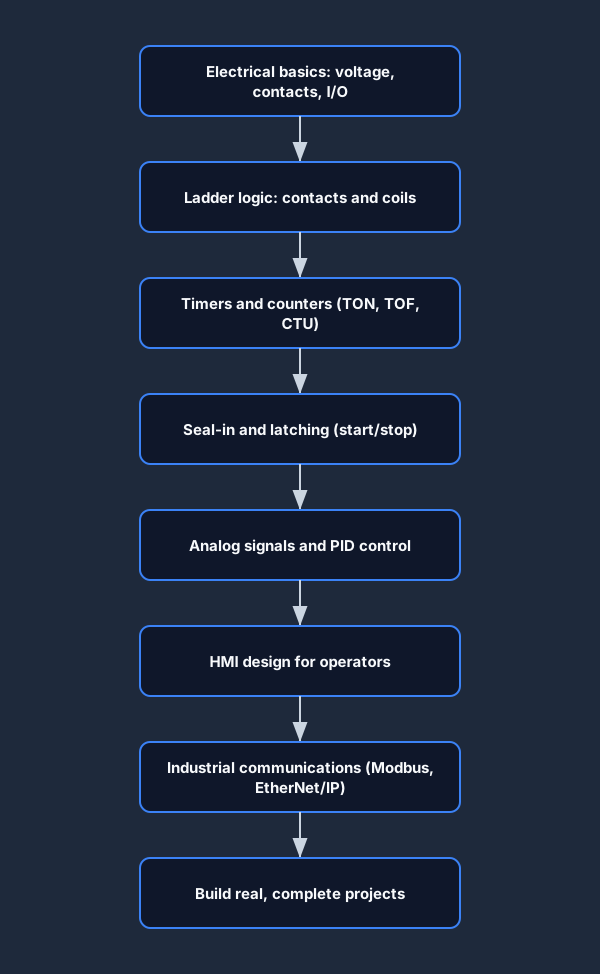
To learn PLC programming, follow one dependency order: electrical basics → ladder logic → timers and counters → seal-in and latching → analog and PID → HMI → industrial comms → real projects. Each stage uses the one before it, so skipping ahead is why most self-learners stall. This roadmap is the what-to-learn-in-what-order map. If you instead want the how-to-get-the-job path — qualifications, certifications, portfolio and applying — read how to become a PLC programmer; the two are companions, not duplicates.
The order below is not arbitrary. It mirrors how real control systems are built: you cannot reason about a latched motor before you understand a contact, and you cannot tune a PID loop before you can read an analog signal. Learn the stages in sequence and every new topic lands on top of something you already know.
The most common mistake self-learners make is treating PLC programming like a list of instructions to memorize — "learn the timer, learn the counter, learn PID" — and jumping straight to whatever sounds interesting. That fails because the instructions only make sense in context. A timer is just a box until you understand the rung it sits on; PID is just three letters until you can read the analog input it controls. Follow the dependency order and each topic explains itself.
The roadmap at a glance
Here is the full learning path as a single flow. Read it top to bottom — each box assumes you are comfortable with the one above it.
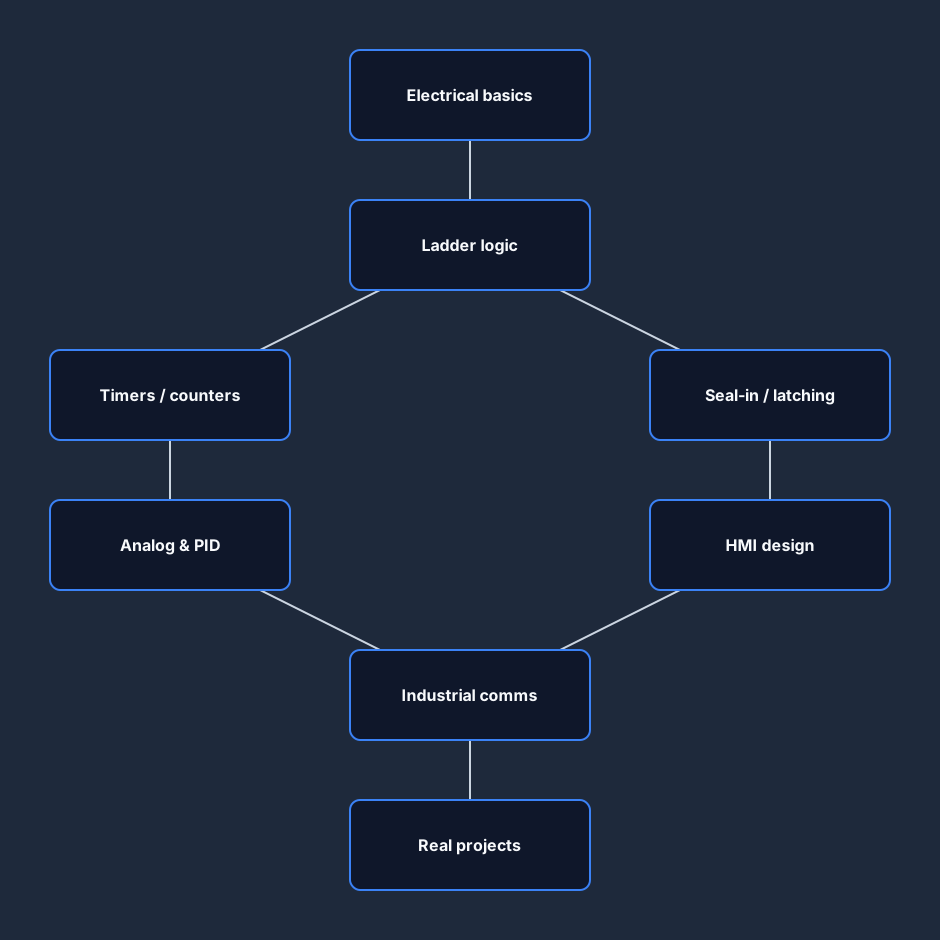
The big idea is that PLC skills form a dependency chain, not a checklist you can attack in any order. The skill tree below makes those dependencies explicit: lower skills unlock the ones above them.
How long does it take?
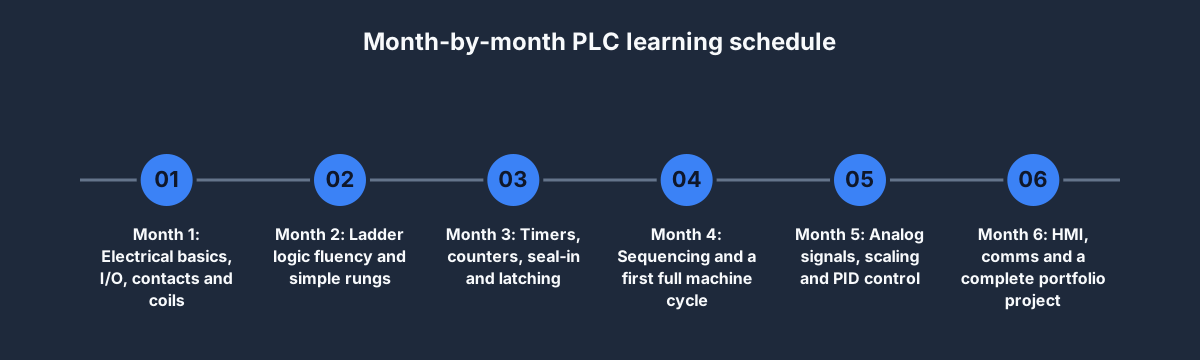
There is no universal answer, but a realistic part-time schedule for someone studying a few evenings a week looks like the timeline below. Treat the months as effort, not calendar time — if you can practice daily, compress it; if you study occasionally, expect it to stretch.
The single biggest accelerator is hands-on repetition. Reading about a seal-in rung teaches you the shape; wiring one and watching it latch teaches you the behavior — and the behavior is what sticks.
The three stages, side by side
Most people think in terms of beginner, intermediate and advanced. Here is what genuinely separates those levels — not job titles, but concrete things you can do.
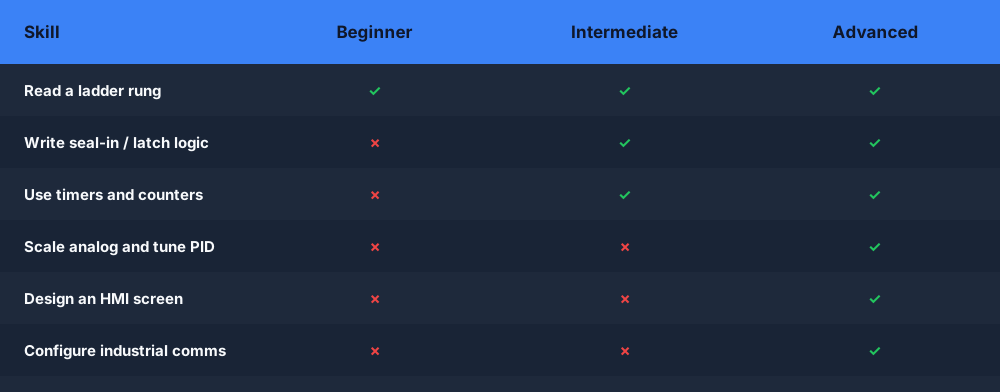
A useful test: you have left a stage when you can build its example projects from a blank screen without looking anything up.
Stage 1 — Beginner: electrical and the language
Before any code, you need the physical and logical foundation. This is the stage people are most tempted to rush, and the one that causes the most confusion later. If you do not know the difference between a normally-open and normally-closed contact, ladder logic will feel like magic instead of wiring.
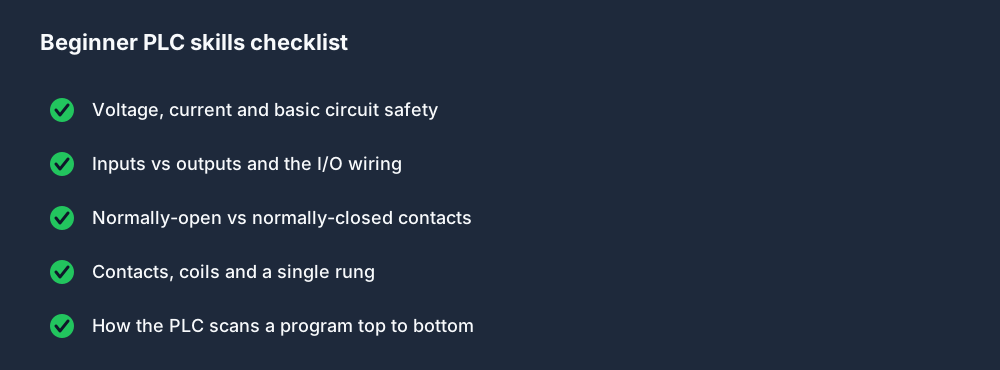
Work through these until reading a simple rung is automatic. Our how to read ladder logic guide and the lessons in the learn PLC programming track cover every item on this list. The goal of stage one is not to write clever programs — it is to make the basics boring.
Stage 2 — Intermediate: making logic do things
Once contacts and coils are second nature, you add the building blocks that turn static logic into machine behavior: time, counting, memory and structure. This is where programs start to resemble what runs on a real line.
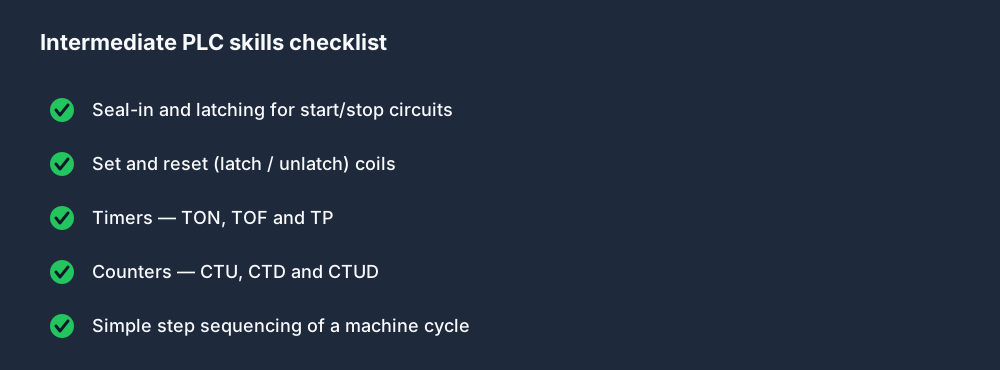
The pivotal skill here is seal-in (latching) — a coil that holds itself on through its own contact. It is the foundation of nearly every start/stop circuit, and it forces you to think in terms of the scan cycle. Timers and counters slot in naturally once you can latch; if they feel shaky, the dedicated PLC timers guide walks through TON, TOF and TP.
Stage 3 — Advanced: real systems
Advanced work is less about new instructions and more about connecting your logic to the wider world — sensors that give a range instead of a yes/no, screens an operator can use, and networks that tie machines together.
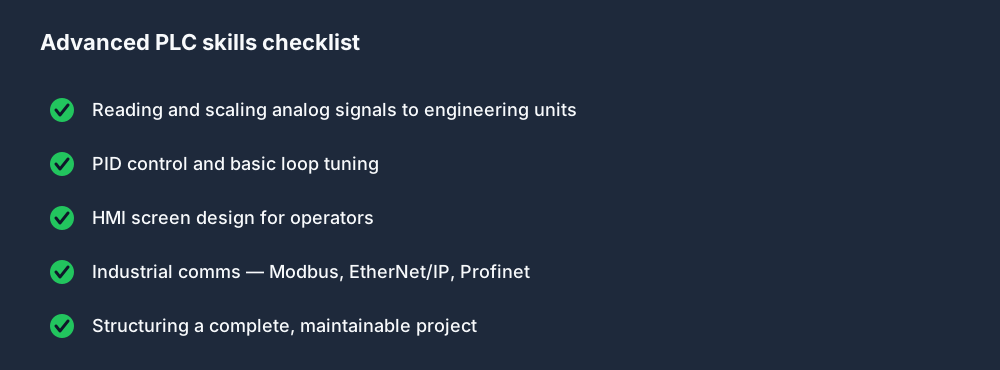
Analog and PID are where many self-taught programmers feel underprepared, because they involve scaling, engineering units and tuning rather than simple booleans. An analog input does not give you "on" or "off" — it gives you a number across a range, and your first job is to scale that raw count into something meaningful like degrees or PSI. Once you can do that reliably, PID control becomes approachable: it is just a loop that nudges an output to keep a measured value near a setpoint, and tuning it is mostly patience plus understanding what each term does.
HMI and communications round out the stage. An HMI is the screen an operator actually touches, so good HMI design is as much about clarity and safety as it is about code. Communications — Modbus, EtherNet/IP and Profinet — let your PLC talk to drives, sensors, other controllers and the wider network; you rarely build a real system without at least one of them. By the end of this stage you should be able to take a plain-English machine spec and turn it into a working, operator-facing program that talks to the rest of the plant.
Theory or practice — which first?
This is the question that decides how fast you actually progress. Both have a place, but the balance matters enormously for retention.
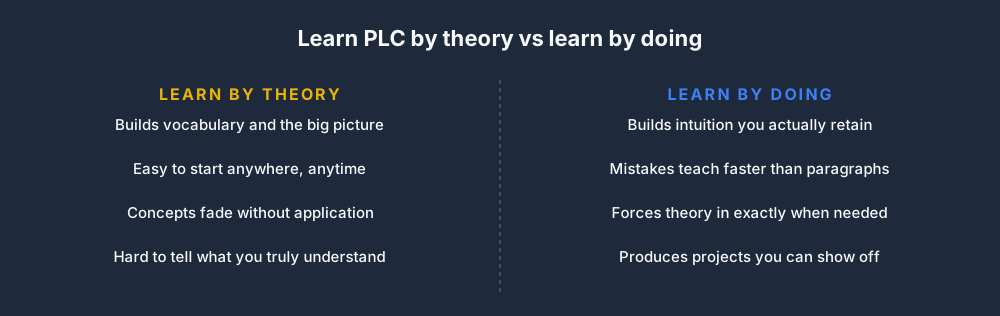
The honest answer: lead with doing, and pull in theory exactly when a project forces the question. You will remember why a TON resets when you watch your own conveyor logic misbehave far better than you will from a paragraph. The roadmap above gives you the order; a simulator gives you the reps.
Follow the roadmap in your browser
You do not need hardware to begin this roadmap. Start stage one free and build the first contacts-and-coils exercise in the browser; the guided path then adds timers, counters, analog values and complete sequences in dependency order. Use the browser PLC simulator overview when you want to inspect the tooling, and switch to how to become a PLC programmer when you are ready for the qualifications, portfolio and job-search side.
FAQ
What is the right order to learn PLC programming? Electrical basics first, then ladder logic, then timers and counters, then seal-in and latching, then analog and PID, then HMI, then industrial communications, and finally complete projects. Each stage depends on the one before it.
How long does it take to learn PLC programming? With a few evenings a week of consistent practice, the core of this roadmap is achievable in a handful of months; daily hands-on practice compresses it, while occasional study stretches it out. Hands-on repetition is the biggest accelerator.
Should I learn PLC theory or practice first? Lead with practice and pull in theory when a project raises a question you cannot answer. Doing builds intuition that pure reading does not, and the two reinforce each other.
Is this the same as becoming a PLC programmer? No. This roadmap is about which skills to learn in what order. Getting hired — qualifications, certifications, portfolio and applications — is covered separately in how to become a PLC programmer.
Do I need a real PLC to follow this roadmap? No. Every stage from contacts and coils through analog scaling and sequencing can be practiced in a free browser simulator before you ever touch hardware.
