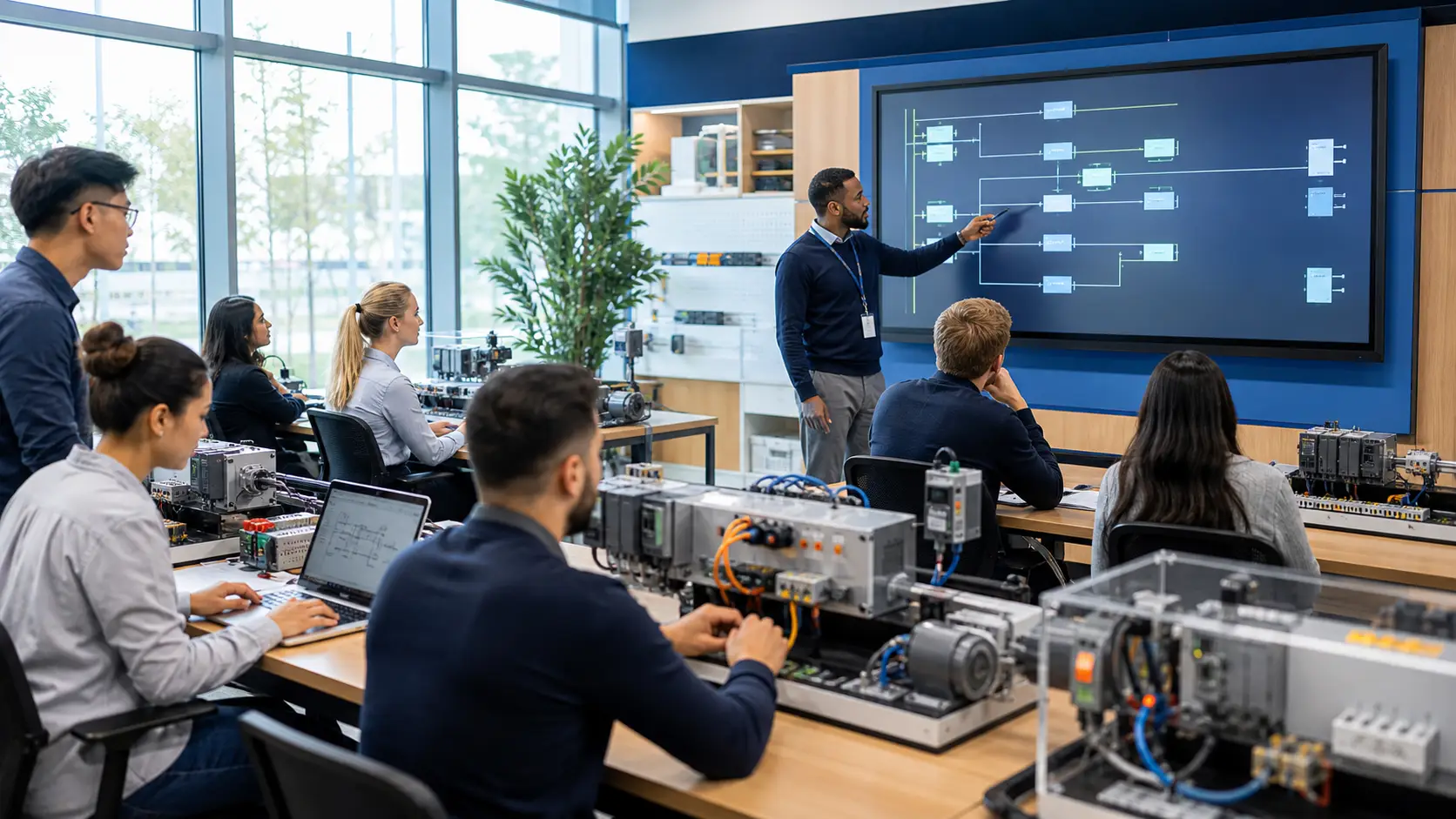
Most people who become PLC programmers did not go to university for it. They were electricians who started modifying programs, mechanical technicians who got curious about the control cabinet, or software developers who got hired at a manufacturer and taught themselves. Self-teaching works — if you follow a structured path.
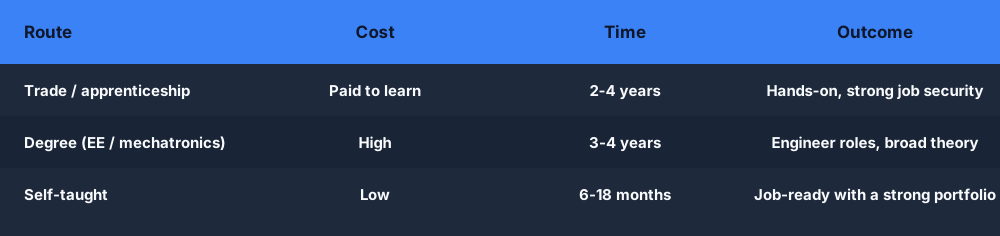
There is more than one route in, and each trades off cost, time and outcome differently:
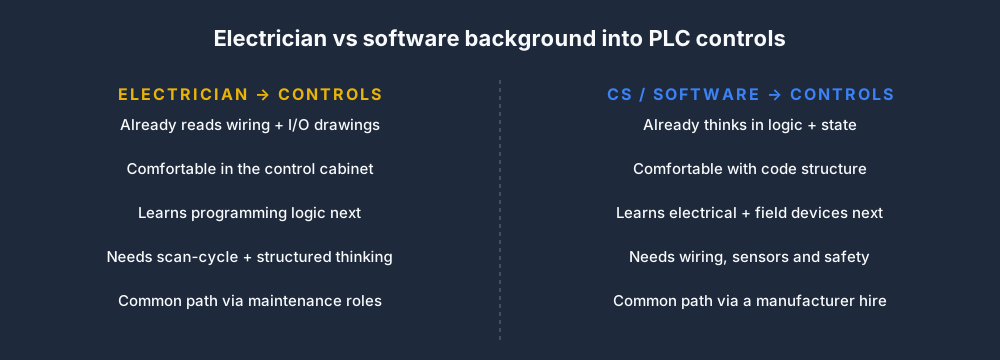
Your starting background shapes what you learn next. The two most common paths into controls come from opposite directions:
This roadmap takes you from complete beginner to job-ready in four phases. Each phase has specific milestones so you know when you are ready to move on.
The four phases build on each other in order:

Before diving into the phases, here is the order in which the concepts themselves stack up — from PLC basics all the way to real projects:
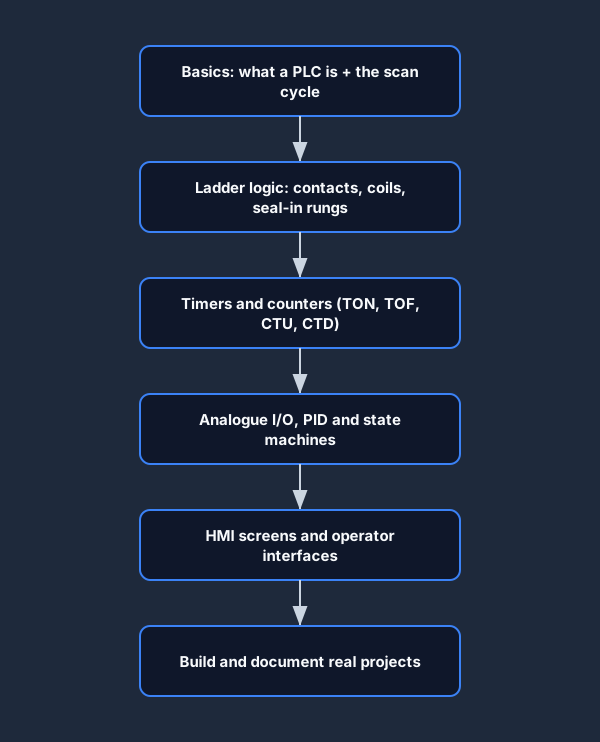
Phase 1: Understand What You Are Learning (Weeks 1–2)
Before writing a single line of code, build the mental model.
What to learn
- What a PLC is and what problem it solves → What Is a PLC? Plain-English Guide for Beginners
- The scan cycle — read, execute, write → The PLC Scan Cycle Explained
- IEC 61131-3 languages (LD, ST, FBD, SFC) — what they are used for
- Vendor landscape — Allen-Bradley, Siemens, Mitsubishi, Codesys — and how they relate to the IEC standard
Phase 1 milestone
You should be able to explain to a non-technical person: what a PLC does, what the scan cycle is, and why ladder logic looks the way it does.
Resources:
- This blog series.
- YouTube channels: RealPars (excellent visual explainers), PLC Programming (practical tutorials).
- Wikipedia: IEC 61131-3 article for an overview.
Phase 2: Write Your First Programs (Weeks 3–8)
Now write code. The goal is to build fluency with the core language elements: contacts, coils, timers, counters, and seal-in rungs.
These are the core skills you are working towards across the whole roadmap:
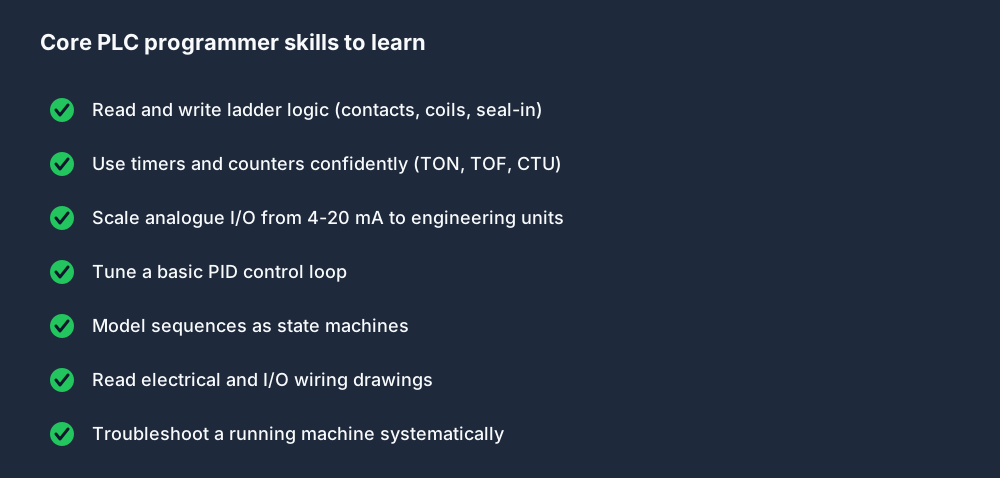
Curriculum
Work through these in order. Each builds on the previous.
- Traffic light — three outputs (red, amber, green), timed transitions. No sensors. Builds timer fluency.
- Motor start/stop with seal-in — see Seal-In Rungs in Ladder Logic.
- Conveyor sort — a diverter that sorts parts based on a sensor count.
- Tank fill — pump, inlet valve, level sensor, timer, alarm.
Tools
- Browser simulator (free) — start here. No install, no license. Write real IEC 61131-3 ladder logic and run it against a simulated machine. The PLC Simulator has structured lessons and auto-graded scenarios.
- OpenPLC Runtime (free) — open-source IEC 61131-3 runtime for Raspberry Pi or Linux. Install on a spare computer for hardware-like experience.
- Codesys (free tier) — professional-grade development environment with a free runtime for learning. Most transferable to real Codesys-compatible hardware.
Phase 2 milestones
- Write a motor start/stop with E-stop and overload protection from memory, without looking it up.
- Implement a three-step sequence (fill, mix, drain) using timers and step flags.
- Explain what happens to a TON timer if the enable drops before the preset expires.
Phase 3: Intermediate Topics (Months 2–4)
Once the basics are solid, expand your toolkit.
Topics to cover
Analog I/O and scaling Physical sensors output 4–20 mA or 0–10 V. Learn how to convert raw counts to engineering units. See the Analog IO and Scaling lesson.
PID control Temperature, pressure, and flow control all use PID loops. Understand the three terms and how to tune them. See PID Control for PLCs: Practical Tuning Guide.
Function blocks and reusable code Write your own function blocks. A motor starter FB with start, stop, run, fault, and auto/manual modes. Reuse it across your programs.
State machines Model complex sequences as explicit states (IDLE, FILLING, MIXING, DRAINING, FAULT) and transitions. This makes large programs manageable. See the State Machines lesson.
Alarms and faults Every real program needs structured alarm handling. How do you detect, annunciate, log, and reset faults? See the Alarms and Faults lesson.
Structured text Even if you plan to specialize in ladder, know structured text. It is essential for maths-heavy code. See Ladder Logic vs Structured Text: Which One to Learn.
Phase 3 milestones
- Write a PID temperature control loop from scratch.
- Implement a 5-step batch sequence using a state machine.
- Create a reusable motor starter function block with auto/manual mode.
- Tune a simulated PID loop to settle within spec.
Phase 4: Industry Readiness (Months 4–6+)
At this stage you can write real programs. Now focus on the things that turn a decent programmer into a hireable one.
Pick a vendor
Study one vendor deeply: Allen-Bradley (Rockwell Studio 5000) if you are targeting North America, automotive, or food and beverage. Siemens (TIA Portal) if you are in Europe or targeting process industries.
Vendor differences are mostly syntax and tooling — the concepts from IEC 61131-3 transfer directly. See PLC Dialects Compared: IEC 61131-3 vs Allen-Bradley vs Siemens.
Free options:
- Rockwell Studio 5000 Logix Designer — 30-day trial, then ~$500/year. Look for student licenses.
- Siemens TIA Portal Trial — free download with limited I/O.
Build a portfolio
Employers cannot assess what they cannot see. These are strong portfolio projects to build and document:
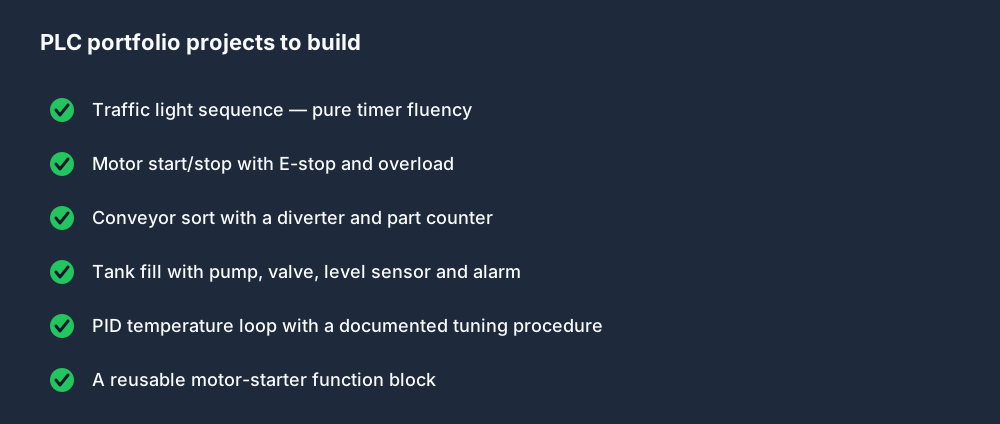
Build and document at least three projects:
- A complete machine sequence (conveyor + sorter, or tank fill + alarm system).
- A PID loop with documented tuning procedure.
- Something that shows problem-solving: a repair of a buggy program, an optimization, a custom function block.
Document each project: what it does, the control logic decisions you made, any challenges you solved.
Prepare for technical interviews
Common PLC interview questions cover: scan cycle, seal-in rungs, timers, PID, safety interlocks, Modbus basics, and troubleshooting methodology. Review 25 Common PLC Programming Interview Questions and work through the interview prep tracks in the simulator.
Get your first experience
- Maintenance technician role — many PLC programmers start here. You learn the machines and get hands-on time with the control system.
- PLC technician / automation technician — entry-level controls role.
- Automation engineer — degree-level entry, typically requires electrical or mechatronics background.
- Freelance small projects — local manufacturers, retrofits, small machine builds. Post on local trade groups.
Tools and Resources Summary
| Resource | Cost | Best for |
|---|---|---|
| PLC Simulator | Free tier available | IEC 61131-3, structured learning, auto-graded scenarios |
| OpenPLC | Free | Running IEC 61131-3 on Raspberry Pi / Linux |
| Codesys | Free tier | Professional IEC 61131-3, closest to industry |
| RealPars YouTube | Free | Visual explanations, beginner-friendly |
| Udemy courses | $15–$100 | Vendor-specific (AB, Siemens) structured courses |
| Used hardware (eBay) | $50–$500 | Hands-on practice on real PLCs |
How Long Does It Take?
Here is what a realistic month-by-month path looks like end to end:
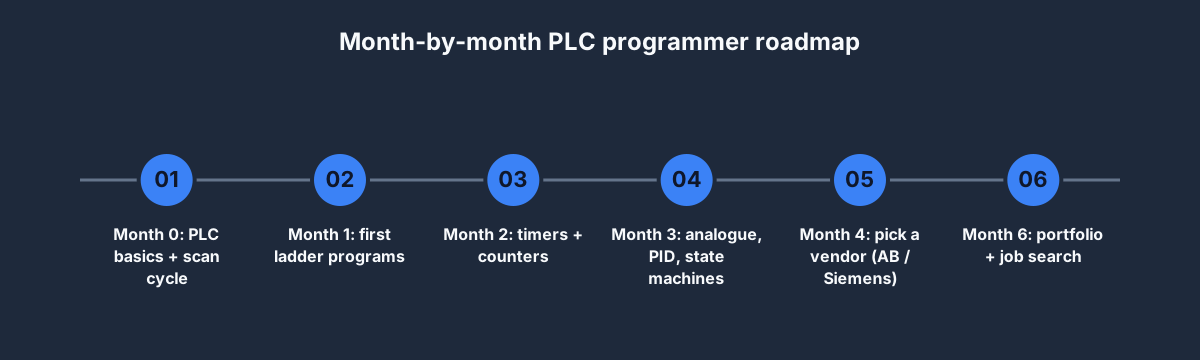
With consistent effort (1–2 hours per day):
- Phase 1: 1–2 weeks.
- Phase 2: 4–6 weeks.
- Phase 3: 2–3 months.
- Phase 4: 1–2 months of focused practice.
Realistically, 3–6 months of focused self-study will take you from zero to able to write and maintain real industrial programs. Getting your first job typically takes a bit longer — 6–18 months total including job search time, depending on your background and local market.
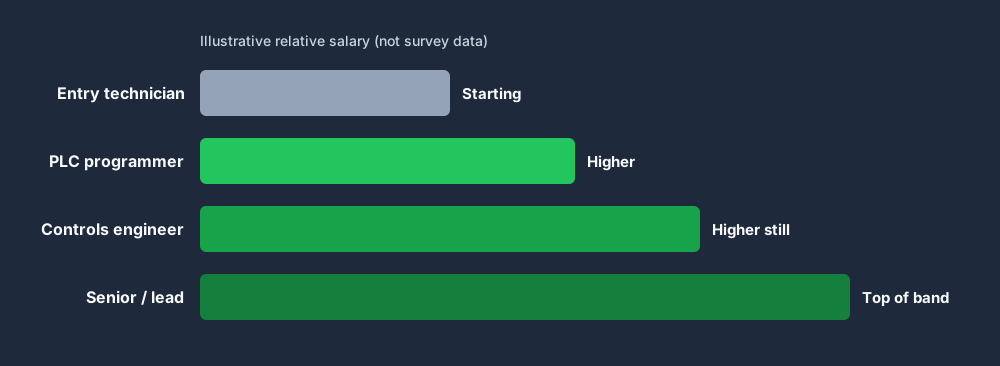
Pay tends to climb as you move from entry-level technician towards senior controls roles. The chart below is illustrative only — it shows the shape of the progression, not real salary figures, which vary widely by country and industry:
The path is well-travelled. You do not need a degree or expensive hardware to start. Start today with the Ladder Logic Basics lesson.
Practice this yourself in the simulator — 3 scenarios free. No install. No credit card. Write real ladder logic against a live machine model in your browser.