Prove one boundary before opening the next
Begin with the execution model
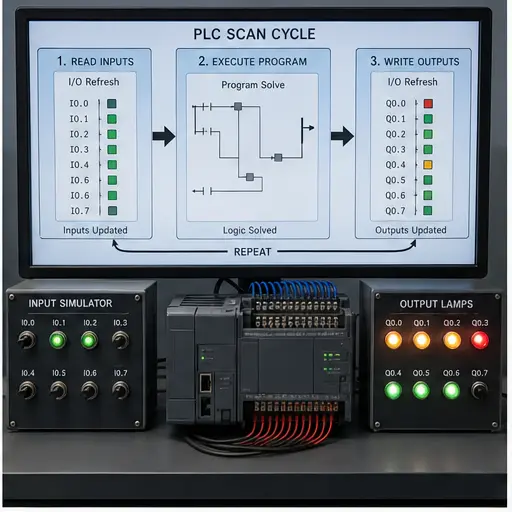
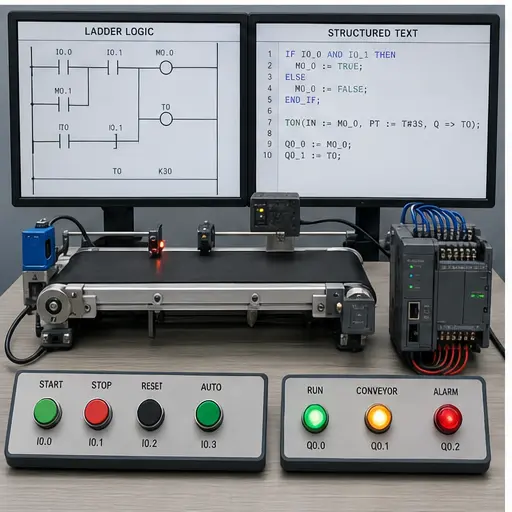
A controller-family course should not begin with memorising instruction mnemonics. Learn what the CPU does each scan: refresh inputs, execute the program in order, update outputs and service communication. That model explains one-scan pulses, apparent delay, online monitoring and why changing an input midway through a scan does not rewrite the input image already being solved.
The browser dialect lets you practise these timing and Boolean concepts without installing vendor software. When you move to real hardware, confirm every instruction, memory area, retention rule and task behavior in the manual for the exact KV model and KV STUDIO version.
Addressing, variables and program structure
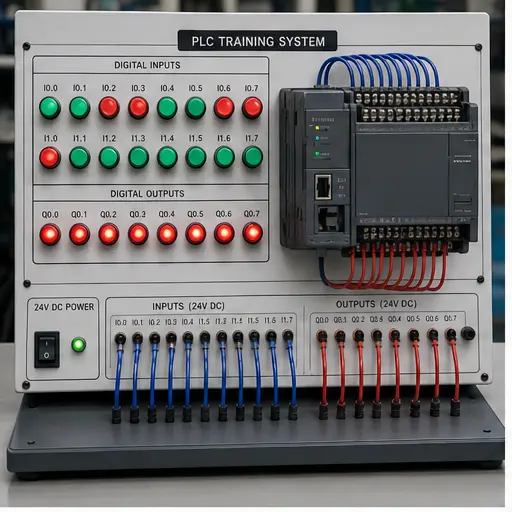
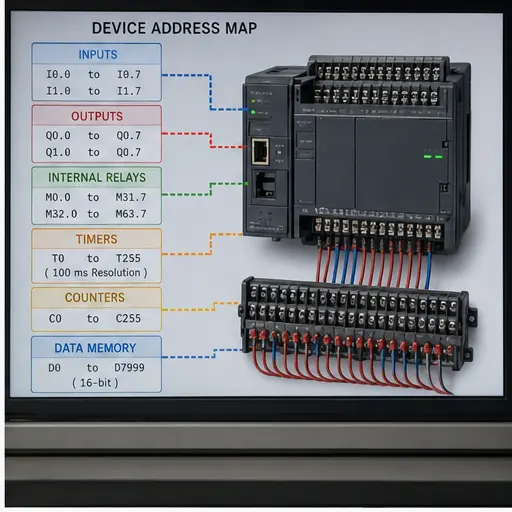
Learn physical inputs and outputs separately from internal relays, data memories, timers and counters. Give each important device a meaningful comment or variable name, even when the underlying project uses a compact address. A readable program is easier to commission than a page of unexplained device numbers.
Build small networks: start/stop, interlock, timer, counter and alarm. Test every network with both normal and abnormal input combinations. Then express the same state in Structured Text so the difference between a language and the control requirement becomes obvious.
Monitoring is a diagnostic skill
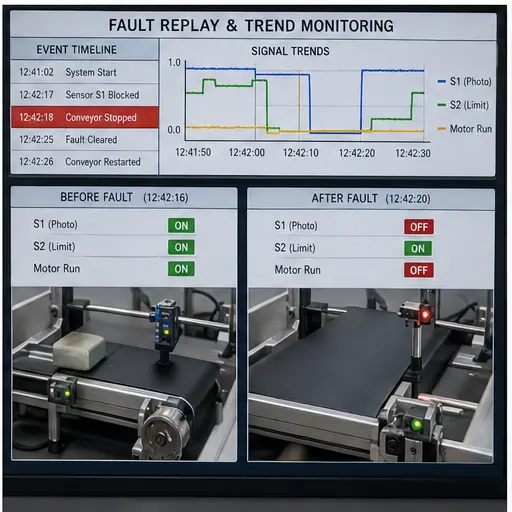
Online color is not the diagnosis. Watch raw inputs, conditioned signals, sequence states, commands and feedbacks together. A real-time chart or recorded trace becomes valuable when it captures the transition before and after a fault, rather than a static snapshot taken after the process stopped.
KEYENCE’s official training includes monitoring, real-time charting and machine-operation recording. Treat those as an evidence workflow: define the suspected transition, choose a trigger, capture the relevant variables, and compare commanded state with physical feedback.
Networks and device integration
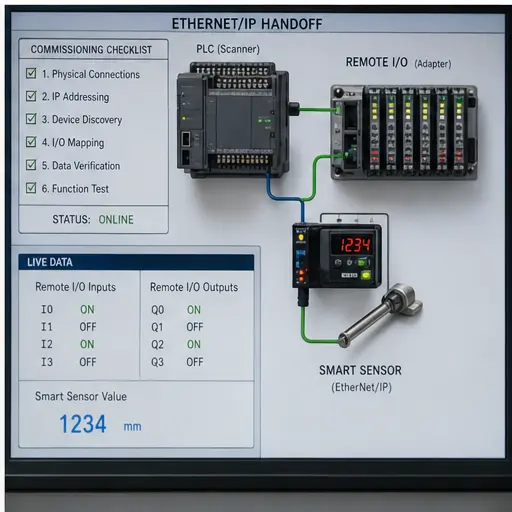
For EtherNet/IP work, start with roles, device identity, assemblies and data mapping. Auto-configuration can accelerate discovery, but the engineer still owns the final device selection, process-data meaning and failure response. Record the mapping and prove it with a physical device transition.
The guided dialect track below focuses on program skills; the industrial-protocol guides cover commissioning boundaries. Neither replaces the current KEYENCE connection guide for the exact KV and connected device.
Field record
Evidence checklist
Primary technical sources
Use these official sources and the exact device manual for production work. This guide teaches diagnostic structure; it does not authorize live work or replace site procedures.