PLC Simulator
Interview preparation

PLC Interview Prep

Structured PLC programming interview tracks: Q&A rounds, live-coding exercises graded by automated tests, and certificates (Pro) you can share with employers. Practice the problems that come up in real interviews.

Join 13600+ learners practicing PLC programming

Interview readiness in context

Practice the explanation, the code and the diagnosis

Good candidates do more than recite definitions. They can explain a rung, build it correctly, trace a failed sequence and show the evidence that supports their conclusion.

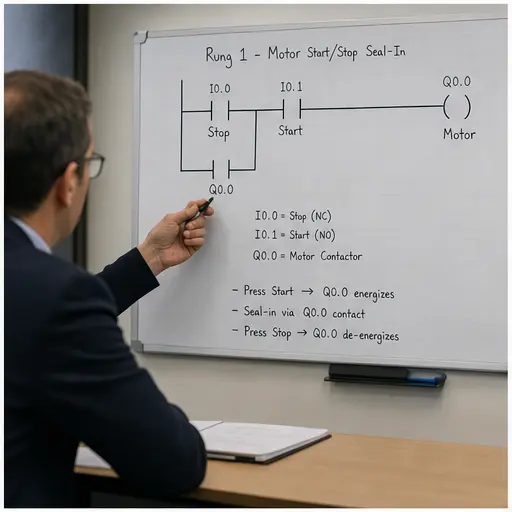
PLC job candidate explaining a motor start-stop seal-in rung during a technical interview
01Explain the requirement, current path, fail-safe stop and latch behavior in plain language.
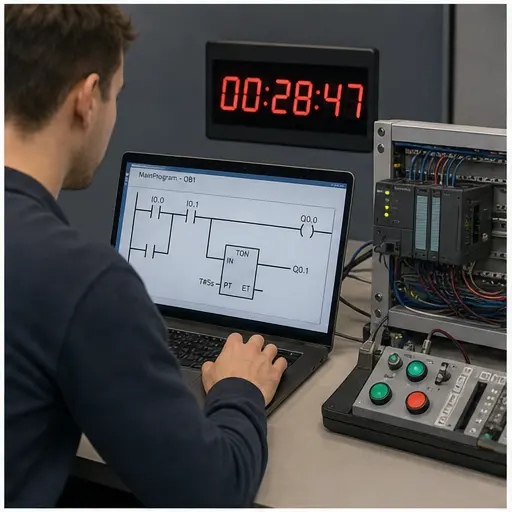
PLC live-coding interview exercise with ladder logic and a compact controller trainer
02Build and test a working rung against a live scenario instead of only memorizing model answers.
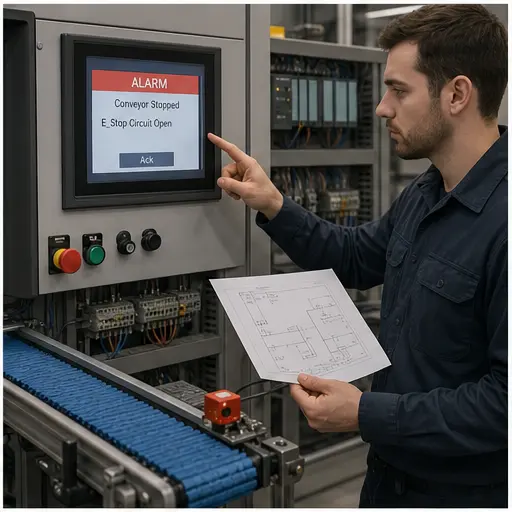
Controls candidate explaining a stopped conveyor fault from HMI alarm to field sensor
03Show a systematic signal-path diagnosis from symptom to raw input and physical evidence.
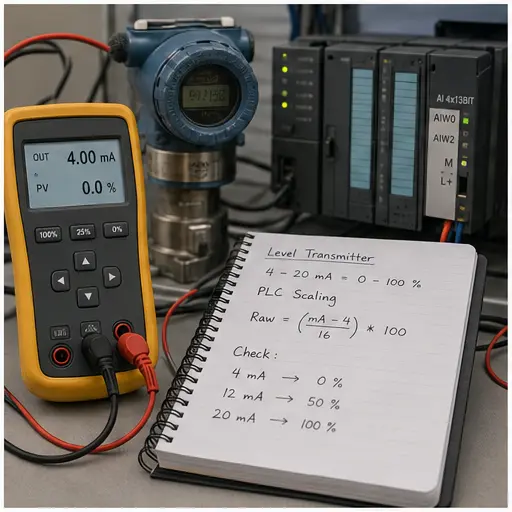
PLC interview analog scaling exercise using a 4–20 mA calibrator and pressure transmitter
04Demonstrate that you can connect field measurement, raw counts and engineering units.
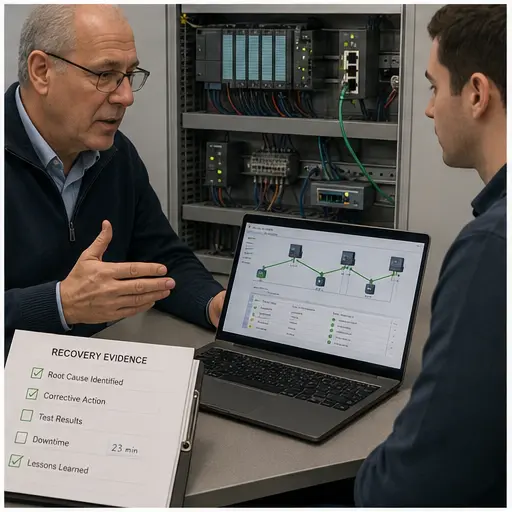
Senior controls engineering interview discussing safety interlocks network faults and recovery evidence
05Senior rounds probe design boundaries, failure response and the evidence behind a safe recovery.
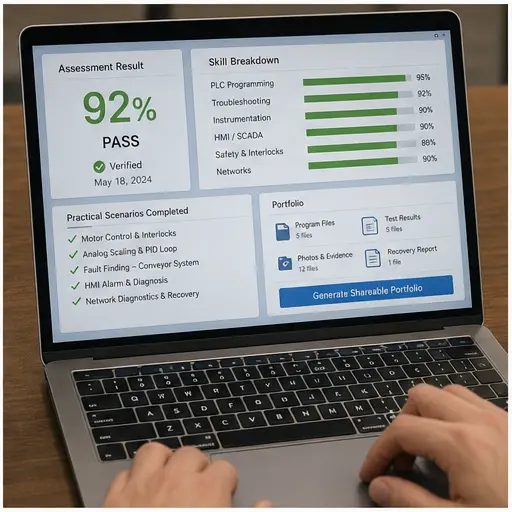
Shareable PLC assessment portfolio with verified score skill breakdown and completed practical scenarios
06Leave with concrete results and practical work that can support an employment conversation.

Why candidates use this

Passive reading vs active practice

Live-coding rounds

Write a working program from a brief against a live scenario. Automated tests grade it, so you know whether it actually works — exactly what employers test.

Q&A rounds with graded answers

Interview-style questions on fundamentals, analog I/O, PID, safety, and communication protocols. Your answers are scored against model answers with explanations.

Verifiable certificates

Pass a certificate-eligible track and earn a certificate with a unique verification URL (issuing it needs Pro; the free Junior track has none). Share it in your portfolio or LinkedIn profile.

Interview tracks

6 interview tracks by role and seniority

Junior

Junior Controls Engineer

Ladder fundamentals, seal-in rungs, basic timers, motor control. Suitable for entry-level applicants.

Start track →
Mid

PLC Programmer (Mid)

Intermediate sequencing, analog I/O, alarm handling, and structured text coding.

Start track →
Senior

Senior Controls Engineer

PID tuning, safety interlocks, Modbus, function block design, and system architecture Q&A.

Start track →
Specialist

HVAC Controls Specialist

Chiller sequencing, damper control, boiler startup, PID loops for HVAC applications.

Start track →
Specialist

Packaging Machine Engineer

Sequence-heavy machine control, counter-driven logic, reject handling, and OEM commissioning scenarios.

Start track →
Mid-Senior

Process Automation Engineer

Batch sequencing, PID, recipe management, alarm rationalisation, and Modbus integration.

Start track →

How it works

01

Choose your track

Select the track that matches the role you are applying for: junior, mid, senior, or specialist.

02

Complete Q&A round

Answer interview-style questions on PLC fundamentals. Graded against model answers.

03

Complete coding round

Write a working PLC program against a live scenario. The auto-grader evaluates it against the test suite.

04

Earn your certificate

Pass a certificate-eligible track and, with Pro, download your verifiable certificate. Share the verification link with employers.

Common questions

Common PLC interview questions — with model answers

These are the fundamentals that come up in almost every PLC programming interview, from junior controls roles to senior process automation. Read the model answer, then practise the same concept live in a graded scenario — passive reading does not survive the pressure of a live technical round.

PLC scan cycle interview question diagram — read inputs, execute the ladder program, update outputs, then repeat every scanThe repeating PLC scan cycle: read inputs, execute the ladder logic, update outputs, then housekeeping, looping continuously.1Read Inputs2Execute Logic3Update Outputs4HousekeepingSCANCYCLE
The scan cycle: read inputs → execute program → update outputs → repeat. The single most-asked PLC interview question.
Seal-in latch interview question diagram — a parallel holding contact keeps the motor energised after the momentary start button is releasedA seal-in latch rung: a Start contact in parallel with a Hold contact, in series with a normally-closed Stop contact, driving an output coil.StartHold (seal)StopMotor
The seal-in rung — interviewers ask you to draw three-wire motor control on a whiteboard from memory.
Q1. Walk me through the PLC scan cycle.

A PLC repeats a fixed cycle: (1) read all physical inputs into the input image table, (2) execute the user program rung-by-rung top-to-bottom, left-to-right, writing results to the output image table, (3) update the physical outputs from that table, then housekeeping/comms — and repeat. Outputs do not change mid-scan, which is why scan order matters and why a coil written low later in the program overrides an earlier rung.

Q2. Why must a Stop button be wired to a normally-closed contact?

For fail-safe operation. A normally-closed (NC) Stop is examined with an XIO instruction so the rung is true when the button is not pressed. If the wire breaks or a terminal comes loose, the circuit sees an open — the same as a press — and the machine stops. A normally-open Stop would fail dangerously: a broken wire would leave the machine running with no way to stop it.

Q3. What is a seal-in (latch) rung and where is it used?

A seal-in is a parallel holding contact of the output placed around the momentary Start contact. Once Start energises the coil, the output’s own contact keeps the rung true after Start is released; an NC Stop in series breaks it. It is the basis of three-wire motor control and appears in nearly every real control program.

Q4. Explain the difference between TON, TOF, and RTO timers.

A TON (on-delay) starts timing when its rung goes true and sets its Done bit when accumulated time reaches the preset; if the rung goes false the accumulator resets to zero. A TOF (off-delay) keeps its output on for the preset after the rung goes false. An RTO (retentive) holds its accumulated value when the rung goes false and needs a separate RES instruction to reset — used where elapsed time must survive power or logic interruptions.

Q5. How would you troubleshoot a machine that suddenly stopped?

Work systematically rather than randomly: check the PLC and fault indicators, look at the program status (which rung is not making true), then divide and conquer — confirm the input the rung needs is present (force/monitor it), trace back to the field device with a meter (24 VDC present? sensor switching? wiring intact?). Isolate to the smallest failing element before changing anything, then verify the fix.

Q6. What is the difference between a normally-open and normally-closed contact in ladder logic?

A normally-open contact (XIC, "examine if closed") passes power when its referenced bit is 1/true. A normally-closed contact (XIO, "examine if open") passes power when its bit is 0/false. The contact symbol describes how it behaves in the program, which is independent of whether the physical field device is wired NO or NC — a common source of confusion that interviewers probe.

TON, TOF and RTO timer interview question diagram — on-delay, off-delay and retentive timing showing the enable rung, accumulator and done bitA TON on-delay timer: the accumulated time bar ramps up toward the preset value, and the done (DN) bit turns on when the accumulator reaches preset.TONPRE 5000ACCACC ramps to PREPREDNdone bit
Timers (TON / TOF / RTO) — a guaranteed interview topic. Know how each handles a rung going false.
Ladder logic symbol interview reference — XIC examine-if-closed, XIO examine-if-open, OTE output energise, OTL and OTU latch and unlatch, timer and counter instructionsThe core ladder logic symbols side by side: XIC examine-if-closed, XIO examine-if-open, OTE output energize, OTL output latch and OTU output unlatch.XICIfXIOIfOTEEnergizeLOTLLatchUOTUUnlatch
NO vs NC contacts (XIC / XIO) and the rest of the instruction set you will be asked to read and write on the spot.
Digital I/O interview question diagram — sinking and sourcing field devices wired to PLC discrete input and output modulesA digital input pushbutton wired to a PLC input card, and a PLC output card driving a lamp, with a sinking versus sourcing hint.I/O CARDINPUTOUTPUTPushbuttonI:0/0LampO:0/0sinking (NPN) vs sourcing (PNP)
Discrete I/O, sinking vs sourcing — the wiring fundamentals technical screens cover before any coding round.
IEC 61131-3 PLC languages interview reference — ladder diagram, function block, structured text, instruction list and sequential function chartThe five IEC 61131-3 PLC programming languages as chips: Ladder Diagram, Function Block Diagram, Structured Text, Instruction List and Sequential Function Chart.IEC 61131-3 — five languagesLDLadder DiagramFBDFunction BlockSTStructured TextILInstruction ListSFCSequential Func. Chart
The five IEC 61131-3 languages — senior interviews ask which language suits which job and why ladder dominates discrete control.

Want a longer written list? 25 common PLC interview questions → Then turn the answers into reps with the runnable practice problems → — or check where you stand first with the free 10-question PLC practice test → and brush up on MCR zone control, a favourite interviewer gotcha.

vs reading interview lists online

Active practice vs passive reading — you write code, not just read answers
Realistic briefs — the same kind of program an interviewer asks for
Objective auto-grading — know if your program actually works
Verifiable certificate on most tracks (Pro) — credible evidence for your portfolio
Role-specific tracks — junior questions vs senior questions vs specialist
Built on real machine scenarios — not abstract I/O toggling

Start your interview prep today

Free tier includes 2 machine scenarios. Interview tracks are included in Pro and Basic plans.

Questions

Interview Prep FAQ

Most PLC interviews have a technical screen (verbal Q&A on fundamentals: scan cycle, timers, safety, PID) and a practical exercise (write a program to solve a machine control problem — sometimes on paper, sometimes live in an IDE or simulator). Our interview tracks are structured around both components.

Ace your PLC programming interview

Graded tracks, live coding, verifiable certificates (Pro). Start free.

Create free account →

Job-readiness and assessment field guide

PLC interview preparation: readiness checklist

Direct answer

The candidate can answer concisely, draw a signal path and solve a changed practical case without bluffing vendor experience.

Written for technicians and programmers preparing to explain PLC concepts, diagnose faults and discuss project evidence.

System map / 02

NODE 01observable

Role scope

Role requirements grouped into concepts, practical tasks and evidence.

NODE 02observable

Skills map

Each answer linked to a diagram, program, measurement or project result.

NODE 03observable

Core exercise

Concise explanations of scan, I/O, interlocks, timers and diagnostics.

NODE 04observable

Stretch case

Follow-up questions, incomplete information and safety boundaries.

NODE 05observable

Troubleshooting

A practical fault solved aloud from evidence.

NODE 06observable

Portfolio evidence

Honest portfolio stories using situation, action, result and limitation.