PLC Training Online: Hands-On Lessons You Run in Your Browser
Learn PLC programming by doing it. You write ladder logic, run it on a simulated machine, and automated checks tell you what works and what does not. All 12 labs are free in the beginner track: no card, no download, no hardware.
The first program runs without an account. Create a free account to save your progress.
Want one structured course with a certificate? Take the online PLC programming course.
Syllabus: 12 beginner labs
about 76 min in total- 1Switch turns on Light3 minFree
- 2Two switches (AND)4 minFree
- 3Two switches (OR)4 minFree
- 4Stop button (NC contact)4 minFree
- 5Start/Stop (no latch)5 minFree
- 6Latch the start (SET coil)4 minFree
- 7Latched Start/Stop (SET/RESET)5 minFree
- 8Delayed-on light (TON)6 minFree
- 9Conveyor with auto stop6 minFree
- 10Count to five (CTU)8 minFree
- 11Count five boxes and stop (CTU)15 minFree
- 12Carton line (mini-project)12 minFree
Then motor control labs, machine scenarios, wiring labs and fault-finding labs. What you can do after each stage
What is this PLC training?
It is self-paced online PLC training that runs in a browser tab. Each lab gives you a small machine and a task; you build the ladder logic, check it, and a grader tests how the machine behaves. Nothing is installed and no PLC hardware is needed.
It teaches the programming side of PLC work: reading and writing logic, timers, counters, sequences and fault-finding in the program. It does not replace time on real wiring and real controllers, and it is not Rockwell or Siemens software.
| Format | Online, self-paced, hands-on. You program a simulated machine in the browser. |
|---|---|
| Beginner track | 12 hands-on labs, about 76 minutes at the estimate shown for each lab. All 12 labs are free. |
| Also free | 32 practice records, the first quiz and guided help in lessons 1–3. No card, no expiry. |
| After the beginner track | Motor control labs, then 170 source-catalogued practice records, 29 wiring labs, 19 fault-finding labs and 12 quizzes. |
| PLC styles | 9 learning dialects: IEC 61131-3, Allen-Bradley, Siemens SCL, Mitsubishi, Omron, KEYENCE KV, Schneider Unity, Delta, Instruction List. |
| Grading | Automatic. Your program passes when the machine behaves correctly, whatever rung layout you chose. |
| Pro plan | $29 per month or $249 per year. Cancel anytime, keep access to period end. |
| Certificate | A completion certificate from the Pro interview tracks, with a public verification page. Not an accredited qualification or a vendor certification. |
Watch: what the training looks like
A short screen recording of the real product: the browser labs, the feedback you get on each action, and how progress is saved.
PLC training syllabus: 12 beginner labs, in order
This is the path a new learner follows after the first program. Every lab is one skill, practised on a simulated machine and checked by tests. The minutes are the estimate the product shows for each lab; a first attempt can take longer. All 12 labs are free with a free account. Step-by-step guided help is a free preview in lessons 1–3 and part of Pro from lesson 4.
| # | Lab | What you do | Time | Access |
|---|---|---|---|---|
| 1 | Switch turns on Light | Run a finished one-rung program: flip the switch and the light follows it. You see a contact and a coil at work. | about 3 min | Free |
| 2 | Two switches (AND) | Add a second contact in series, so the light needs both switches on. | about 4 min | Free |
| 3 | Two switches (OR) | Add a parallel contact, so either switch turns the light on. | about 4 min | Free |
| 4 | Stop button (NC contact) | Use a normally closed contact: the light is on until the stop button is pressed. | about 4 min | Free |
| 5 | Start/Stop (no latch) | Combine a start and a stop button, and find out why the light drops when you let go of Start. | about 5 min | Free |
| 6 | Latch the start (SET coil) | Latch the output with a SET coil, so one tap of Start keeps it on. | about 4 min | Free |
| 7 | Latched Start/Stop (SET/RESET) | Add the stop: Start latches on, Stop resets. SET/RESET or a seal-in rung both pass. | about 5 min | Free |
| 8 | Delayed-on light (TON) | Use an on-delay timer (TON): the light comes on only after the switch has been held for two seconds. | about 6 min | Free |
| 9 | Conveyor with auto stop | Tap Start, the conveyor motor latches on, and a timer shuts it off about three seconds later. | about 6 min | Free |
| 10 | Count to five (CTU) | Count boxes past a photo-eye with a CTU counter: the fifth box lights "carton full", and a reset clears the count. | about 8 min | Free |
| 11 | Count five boxes and stop (CTU) | Put that counter on a running conveyor: after five boxes the motor stops and the lamp comes on. | about 15 min | Free |
| 12 | Carton line (mini-project) | Build a small carton line on your own: a two-second start delay, a stop that works at any time, a five-box count and a reset. | about 12 min | Free |
Lesson 1 is one switch, one light and one rung. No account needed to run it.
Next on the path: motor control
- Three ways to stopabout 8 minFree
- Remember the tripabout 10 minFree
- Motor Start/Stop & Fault Monitoringabout 30 minFree
What you can do after each stage
Stage 1: contacts and coils
Labs 1–3
- Read a ladder rung and say out loud when its output is on.
- Put two conditions in series (AND) and in parallel (OR).
- Explain what "normally open" means in terms of what the input is doing.
Stage 2: stop buttons and latching
Labs 4–7
- Use a normally closed contact for a stop button and say why.
- Explain why a held start button is the wrong design for a machine.
- Write a latched start/stop, with SET and RESET coils or with a seal-in rung.
Stage 3: timers, counters and a first project
Labs 8–12
- Add an on-delay timer and predict what happens when the input drops early.
- Count parts with a CTU counter and reset it.
- Combine a latch, a timer and a counter into one small conveyor program without a starter rung.
After the beginner track: motors, machines and faults
Three ways to stop, Remember the trip, Motor Start/Stop & Fault Monitoring, then 170 source-catalogued practice records, 29 wiring labs and 19 fault-finding labs
- Stop a motor from every source that must stop it: the stop button, the E-stop and the overload.
- Latch a fault and allow a reset only when the cause has cleared.
- Take an I/O list and a written objective and write the program for a machine you have not seen before.
- Trace a fault from the symptom back to the rung or the wire that causes it.
Short concept lessons sit between the labs: control power, relays, the scan cycle, stop buttons, latching and timers. Which of them you see depends on your path and plan; the labs in the table are the hands-on spine.
How the grading works
- 1
You write the program
Each task gives you the machine, its inputs and outputs, and what it must do. You build the rungs yourself in the ladder editor. A partly finished program still runs, so you can test one rung at a time.
- 2
The simulator runs it
The simulator follows a PLC scan cycle: read inputs, execute the current valid program top-to-bottom, update outputs. Press the buttons and watch the lamp, motor or conveyor respond.
- 3
The grader checks behaviour
The checks press the inputs in a set order and watch the outputs. Any program that behaves correctly passes, whatever rung layout you chose. Each check is reported on its own line, so a fail names the behaviour that is missing.
Which PLC brands the training covers
The beginner labs use vendor-neutral IEC 61131-3 ladder logic, because contacts, coils, timers and counters behave the same way on every platform. A dialect picker switches the same labs to any of the 9 learning dialects: IEC 61131-3, Allen-Bradley, Siemens SCL, Mitsubishi, Omron, KEYENCE KV, Schneider Unity, Delta, Instruction List. Choosing a dialect does not cost extra. Four PID labs open in IEC for dialects that have no PID block here.
In the Allen-Bradley dialect you write XIC, XIO and OTE instructions; in the Siemens dialect you work in SCL. The dialects teach the notation and the logic patterns so vendor software feels familiar when you open it.
What it is not: Vendor dialect support teaches transferable syntax and logic patterns; it does not emulate every instruction or firmware behavior of each vendor runtime. It is not Studio 5000 or TIA Portal, and it does not export native vendor project files.
What is free, and what Pro adds
Free: $0, no card, no expiry
- The first program at /try, without an account.
- All 12 beginner labs in the syllabus above.
- Guided help in lessons 1–3.
- 32 practice records tagged free in the catalog, and the first quiz.
- Your choice of the 9 learning dialects for the labs.
Pro: $29/month or $249/year
- Guided help from lesson 4 onward.
- The full published scenario library, with worked solutions.
- The 6 interview tracks, which award a completion certificate.
Cancel anytime, keep access to period end. Full pricing →
Looking for a specific kind of PLC training?
- Free PLC trainingExactly what you get without paying, and where the paid plan starts.
- A structured online course with a certificateThe same lessons as one course with modules, auto-graded labs and a certificate employers can verify.
- A self-study roadmapWhat PLC programming is and the order to learn it in if you are teaching yourself.
- Running a PLC classFor schools and instructors: join codes, student progress and labs that check themselves.
- Training for electriciansFrom relay control circuits to ladder logic, building on what you already wire.
- Classroom vs online trainingWhen in-person classes are worth the cost, and when online practice is enough.
- A career in automationPay data, day-to-day work and the skills checklist for seven automation roles.
- CertificatesWhat a completion certificate is, and how it differs from vendor and ISA credentials.
PLC training where you write the code, we run the machine.
Watch a real PLC program run in the browser.
This is recorded from the working simulator—not a conceptual mockup. See the editor, live I/O and industrial scenario respond together before you create an account.
What the footage proves
Write ladder or structured text, run the scan, toggle live I/O and see the machine state respond.
Practice motors, tanks, conveyors, alarms and interlocks instead of watching a decorative animation.
Use checks, explanations and structured learning paths to move from a first rung to job-relevant control work.
No install. No card. Start with a working circuit.
Beginner-to-advanced PLC training path
Build one control skill, apply it, then add the next layer
The curriculum is structured around observable machine outcomes. These six views show the progression from one input and output to motor control, analog processes, transferable dialects and a test-backed practical assessment.
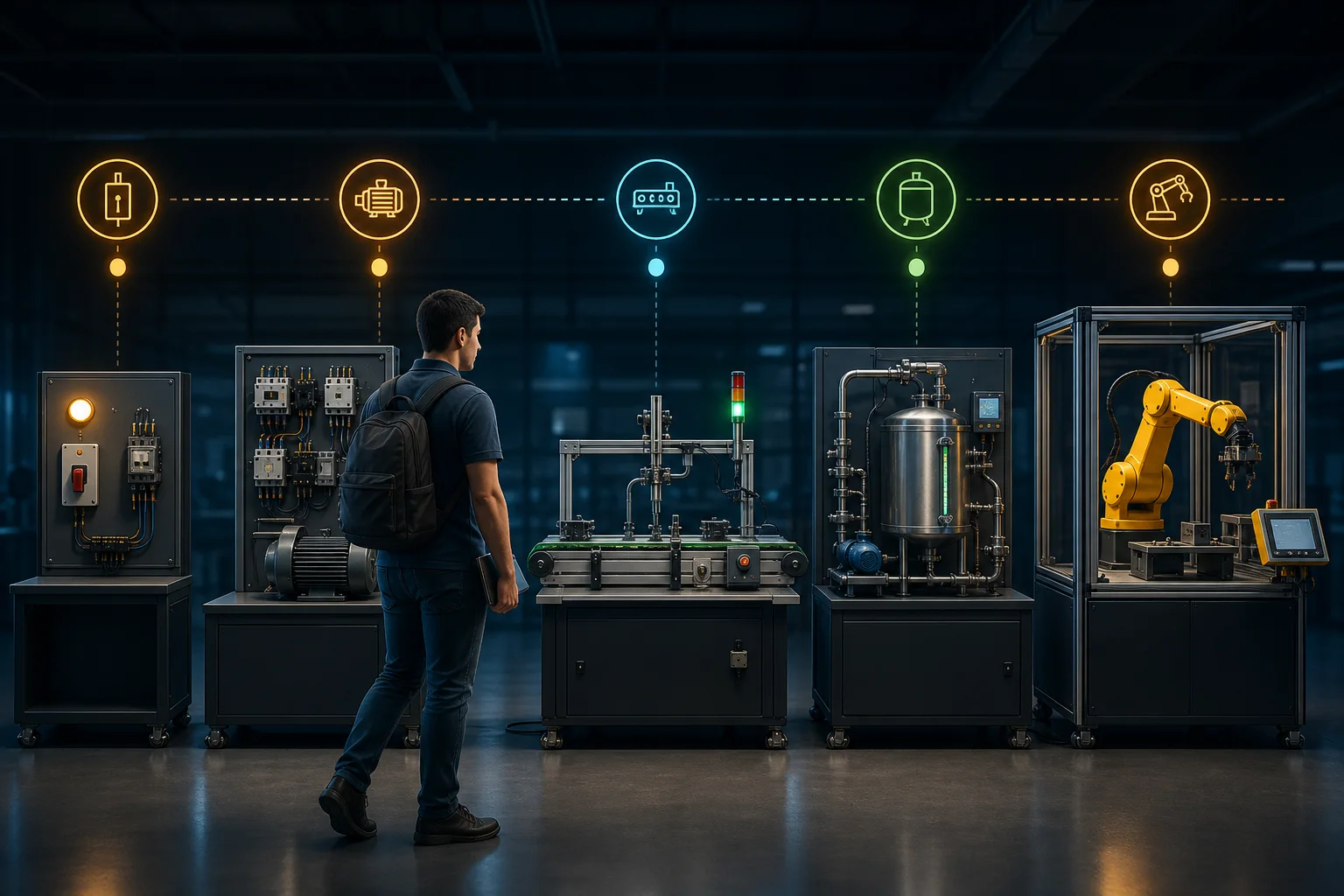
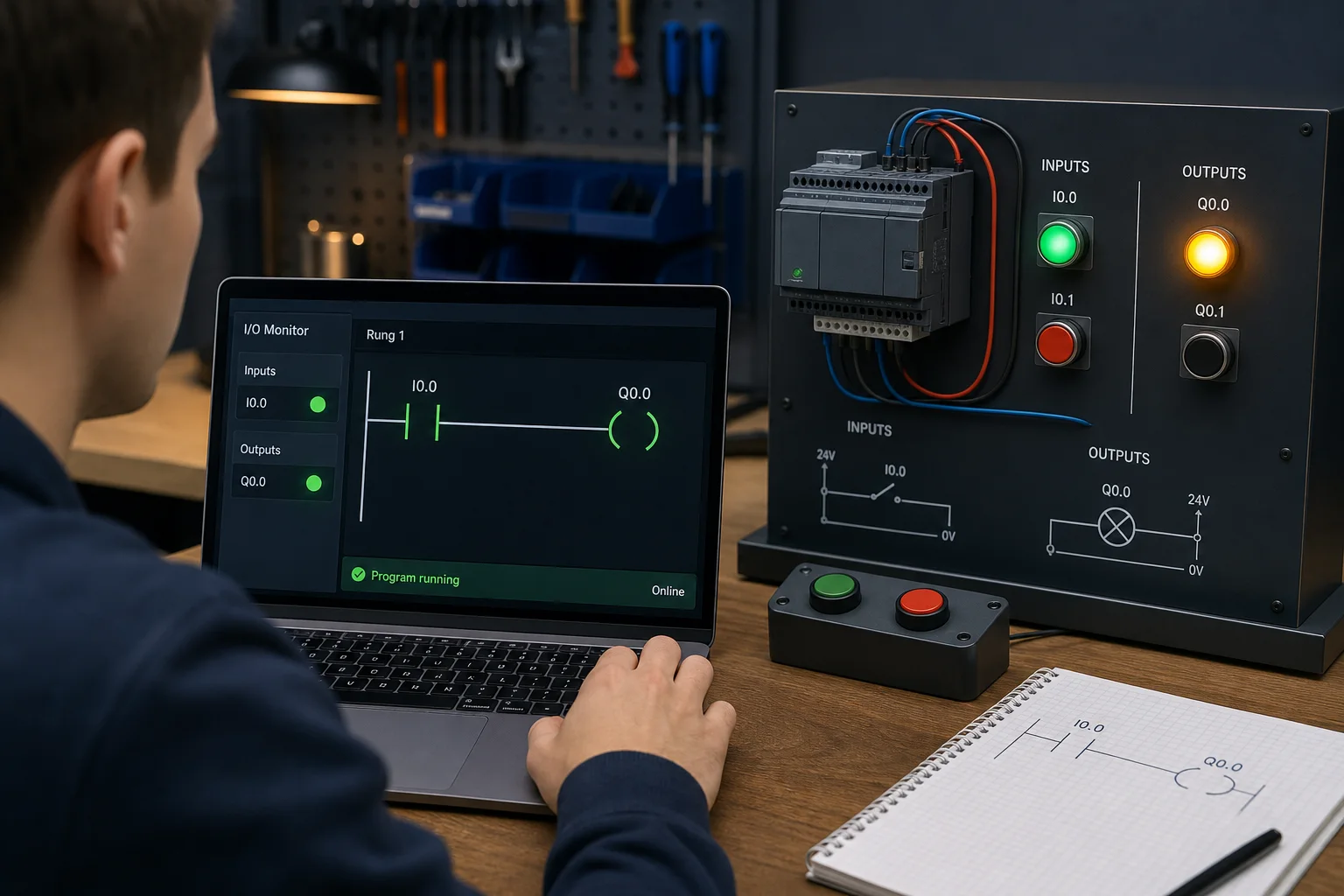
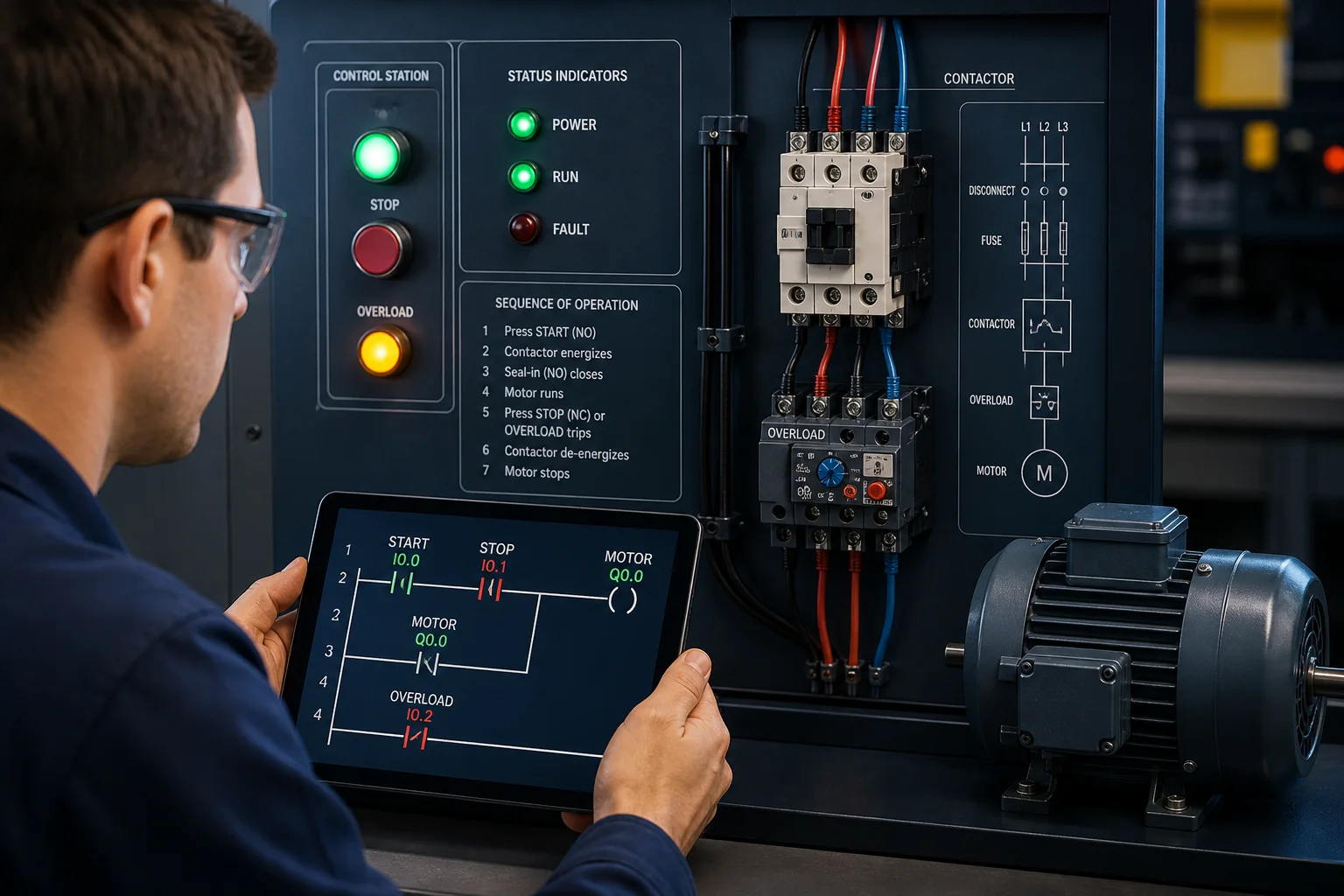
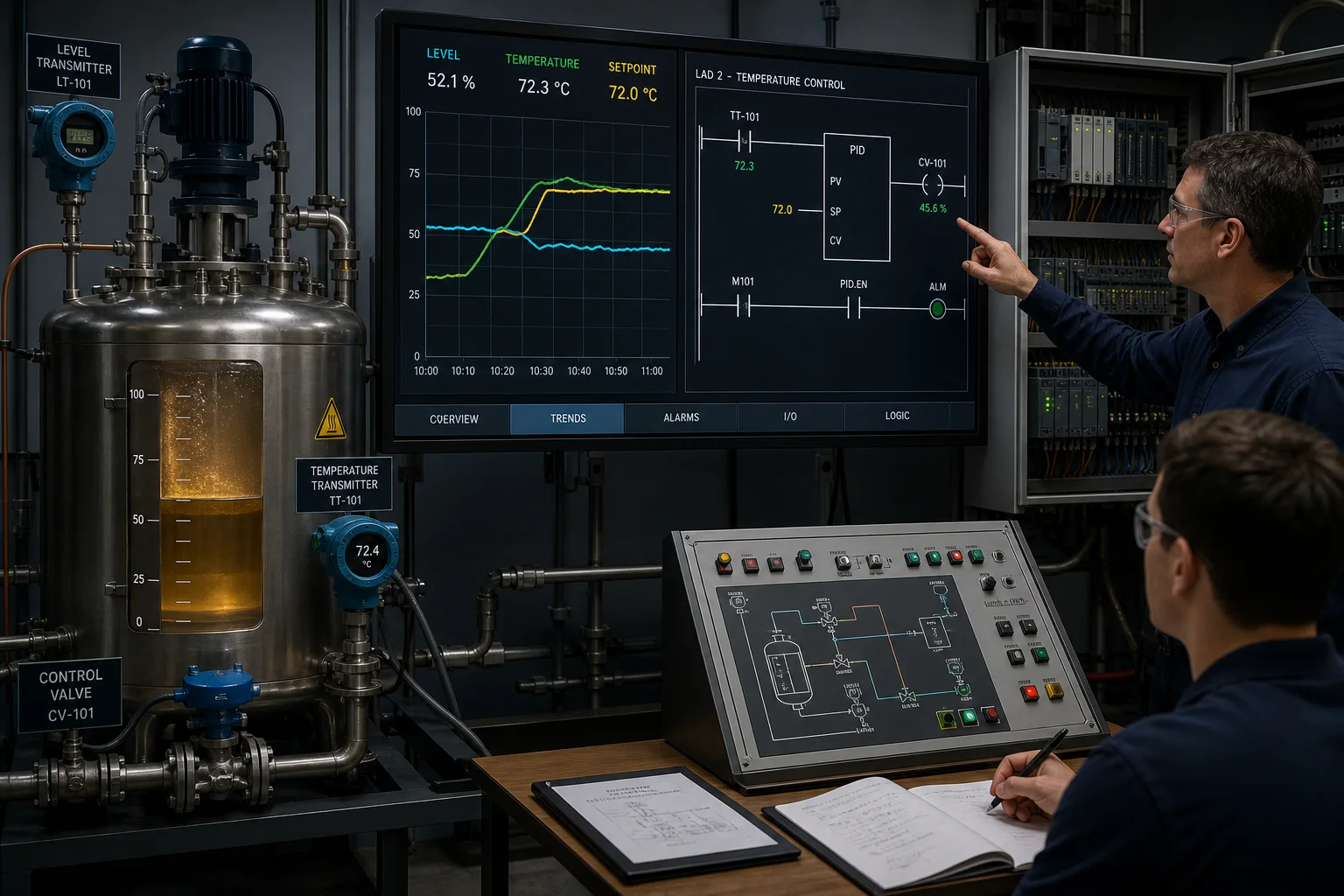
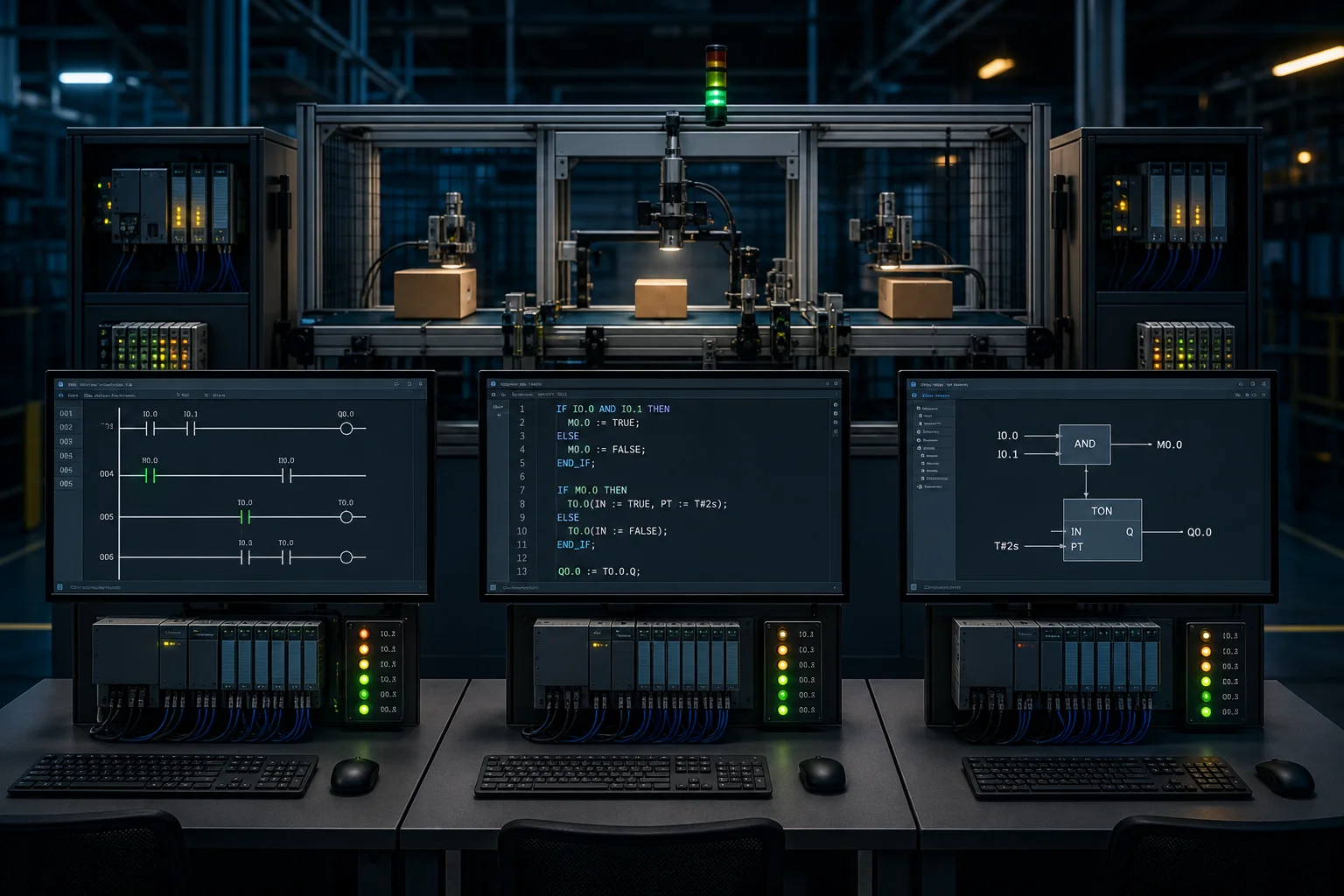
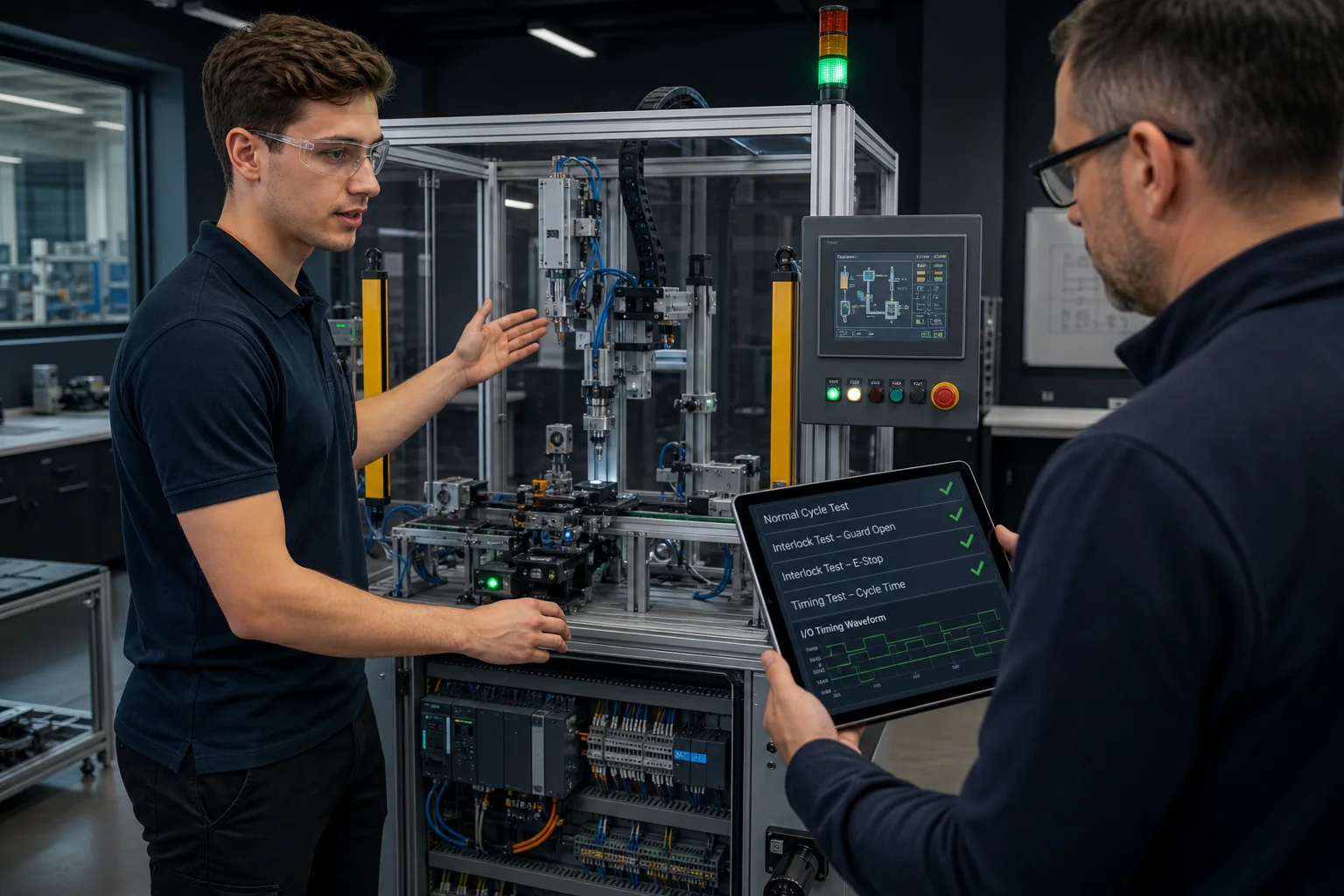
Reading library, machine scenarios and quizzes
The 12 beginner labs above are the spine. Around them sit 55 written learning modules, 170 source-catalogued practice records and 12 quizzes. What you can open depends on your account and plan.
Reading: part 1
Fundamentals
Written modules that explain the ideas behind the beginner labs: the scan cycle, contacts and coils, latching, timers, counters and the state-machine way of thinking. No assumed knowledge beyond basic electricity.
PLC Fundamentals
What a PLC is, the scan cycle, I/O tags and addresses. The mental model everything else builds on.
Ladder Logic Basics
Contacts, coils, OR/AND rails. How ladder notation maps to relay schematics — and why that matters.
Latching and Sealing-In
SET/RESET coils, the three-wire seal-in rung, and why non-retentive coils de-energise between scans.
Timers and Counters
TON, TOF, TP, CTU, CTD — the function blocks that appear in virtually every piece of ladder logic.
State Machines in Ladder Logic
How to encode a state variable and transition logic without spaghetti rungs.
Debugging and the Scan Cycle
Online monitoring, force bits, and the scan-cycle timing bugs that catch every beginner twice.
Reading: part 2
Core building blocks
Function blocks, structured text, analog I/O, and sequencing. The building blocks that separate someone who can write a motor-start rung from someone who can write a complete machine program.
Function Blocks In Depth
Instance data, input/output pins, and how to wire standard IEC function blocks into a program.
Comparisons and Math
EQ/GT/LT, ADD/SUB/MUL/DIV instructions and how they interact with the rung power flow.
Analog I/O and Scaling
Raw counts, engineering-unit scaling, and the dead-band tricks that keep analog-driven rungs stable.
Sequential Function Charts
Steps, transitions, and divergence. The IEC 61131-3 language that makes batch sequencers readable.
Introduction to Structured Text
IF/ELSIF/CASE, FOR loops, and how ST sits alongside ladder in the same project.
Shift Registers and Sequencing
Part-tracking on conveyors, pallet ID handoff, and bit-array sequencers for packaging lines.
Reading: part 3
Advanced topics
PID control, safety systems, industrial communications, and troubleshooting methodology. The lessons that cover the problems plant engineers actually spend time on.
PID Control Fundamentals
P, I, and D terms explained physically. Tuning a loop from first principles without a simulator crash.
Alarms and Fault Handling
Alarm latching, acknowledge/reset logic, and the common mistake that causes nuisance trips.
Safety Systems Introduction
Safety PLCs, SIL levels, E-stop circuits, and light curtain wiring — what the standard actually requires.
Modbus TCP Basics
Coils, discrete inputs, holding registers — the register map mental model and a worked read/write example.
Code Organization
Program tasks, function block libraries, and naming conventions that stop a 500-rung program from becoming unreadable.
Troubleshooting Methodology
Half-split, substitution, and the first-principles approach that works when the IO table is your only instrument.
Practice
Machine scenarios
The source catalog contains 170 practice records, each with an IO list, a written objective, and a scripted test harness. Write ladder logic, press Run, and watch the machine respond. Visible records vary by plan and entitlement; the grader still checks sequencing, interlocks, and timing on every available exercise.
Traffic Light
Four-way signal with timer chain and all-red safety phase. The canonical first scenario.
Motor Start / Stop
Three-wire control with seal-in, E-stop, and thermal overload. Every motor control pattern starts here.
Conveyor Sort
Photo-eye sort station with a CTU counter and reject actuator timing.
Tank Fill Station
Level sensors with hysteresis and a latched high-level alarm. First analog-adjacent scenario.
Batch Mixer
Multi-step sequencer with ingredient timing and agitator interlock. State machine practice.
Elevator Controller
Multi-floor call queue, door timing, and direction logic. Builds real sequencer discipline.
Boiler Startup
Purge, ignition, and pressure-proving sequence with fail-safe lockout logic.
PID Temperature
Closed-loop control of a heated vessel. Tune the loop by adjusting gains and watching the response.
Palletizer
Layer counting, row indexing, and full-pallet divert — packaging line sequencing at its core.
Bottling Line
Indexing conveyor with filler, capper, and reject interlocks. Multiple simultaneous state machines.
Check yourself
Quizzes and certification
12 topic quizzes test your recall and understanding before you progress. Quizzes cover fundamentals, timers, contacts and coils, number systems, safety, state machines, SFC, structured text, PID, analog I/O, debugging, and industrial communications. Passing the interview tracks earns a downloadable certificate of completion.
Who is this PLC training for?
Electricians
You already read relay and motor-control circuits. Ladder logic is the same idea drawn in software, so the start/stop latch labs will look familiar. What is new is the scan cycle, addressing and timers.
Maintenance technicians
When a line stops, the technician who can read the program finds the fault faster. Work the beginner labs, then the fault-finding labs, where the task is to find what is wrong rather than to write from scratch.
Students and apprentices
College lab time is short and shared. Use the simulator for the repetitions between lab sessions; it runs on a Chromebook or a library computer, and each beginner lab is a short sitting.
Engineers moving into controls
If you program in other languages, the surprise is the scan cycle and the way a rung is re-evaluated every scan. The beginner track covers that quickly, and the dialect picker shows the same logic in Structured Text.
How long does PLC training take?
The short answer: around 20 hours of hands-on practice to get competent on the fundamentals, another 30–60 hours for sequencers, PID, and safety logic, and 100–200 hours for genuine mastery. Those numbers assume graded practice — writing logic a test suite can fail — not passive video-watching, which does not accumulate skill at anything like the same rate.
The fundamentals — lessons one through six, plus the first four scenarios (Traffic Light, Motor Start/Stop, Conveyor Sort, Tank Fill) — take most people around 20 hours of focused practice. That is two or three evenings per week for three weeks. At the end of that time you can read a basic ladder program, understand what a scan cycle is doing, and write a working interlock rung from scratch.
The scenario work in Parts 2 and 3 — sequencers, PID, safety logic, packaging machines — adds another 30 to 60 hours. The range is wide because it depends how much time you spend on each failure. Spending 45 minutes debugging why your batch-mixer sequencer skips step 3 is not wasted time — that is the training. A plant engineer who rushes past failures to get a green tick learns less than one who works out exactly why the logic failed and fixes the underlying mental model.
Mastery — meaning you can sit down with a machine you have never seen, read the IO list, and write working logic in a reasonable amount of time — takes 100 to 200 hours of deliberate practice. That is a realistic estimate for someone going from zero to employable as a PLC programmer. It is also roughly what a good apprenticeship or a serious university controls course delivers. The difference is that the logic practice fits in a browser tab, on evenings and weekends.
One thing to know: simulator hours develop the logic half of the skill. The wiring, commissioning, and hardware fault-finding half requires real equipment. Once the scenarios start feeling easy, the right next step is time on an actual controller — even a cheap used unit with a few switches wired to inputs teaches things no amount of browser practice can. Before that physical step, use the industrial multimeter tutorial to practise measurement references and the 4–20 mA loop calibration tutorial to document as-found and as-left analog evidence.
Five ways to get PLC training in the US
Most people who end up competent use more than one of these. The table describes what each route is like rather than quoting prices: tuition, class fees and kit prices change by school, vendor and year, so check the provider for current figures.
| Route | What it is | Strengths | Limits | Best for |
|---|---|---|---|---|
| Community college or technical school program | A semester course or a certificate/associate program in industrial maintenance, mechatronics or electrical technology, with scheduled lab time. | Real controllers and wiring, an instructor in the room, a credential employers recognise, and often a route into a registered apprenticeship. | Fixed schedule and location, limited lab hours per student, and tuition that depends on your state and residency. | People starting a maintenance or controls career who can attend in person. |
| Vendor instructor-led classes (Rockwell Automation, Siemens) | Multi-day classes run by the PLC manufacturer or its distributors, on that vendor's hardware and software. | The exact software used in plants, current product knowledge, and vendor course records. | Priced for employers rather than individuals, usually assumes some background, and covers one platform. | Working technicians and engineers whose employer pays and whose plant runs that platform. |
| Video courses and free video libraries | Recorded lessons you watch at your own pace, from free manufacturer libraries to paid course marketplaces. | Low cost or free, wide topic coverage, and good for seeing real vendor software on screen. | You watch someone else program. Unless you also have software or hardware to practise on, nothing checks whether you can do it. | Getting an overview, or learning a specific vendor tool you already have access to. |
| A trainer kit at home | A small PLC, power supply, switches and lamps on your bench, programmed with the vendor's software. | Real wiring, real I/O and real vendor software: the closest thing to plant work. | You pay for hardware and sometimes a software licence, you set it up yourself, and nobody grades your logic or gives you a machine to control. | Learners who already have the logic basics and want hands-on wiring and commissioning practice. |
| A browser simulator with graded lessons (this site) | You write ladder logic in a browser tab, run it against a simulated machine, and automated checks tell you what passed. | Starts in seconds on any computer, gives feedback on every attempt, and lets you repeat an exercise as often as you like. | No physical wiring or real hardware, not the vendor's own software, and the certificate is a completion certificate, not an accredited qualification. | Learning and drilling the logic before, or alongside, any of the routes above. |
Two public starting points for the in-person routes: the US Department of Labor lists registered apprenticeships at apprenticeship.gov, and AutomationDirect publishes a free video library that needs only an email address. For real hardware prices read from vendor pages, see PLC training equipment and the trainer kit comparison.
Is PLC training worth it?
For industrial-maintenance and controls careers, practical PLC training can be valuable. The US Bureau of Labor Statistics projects 14% employment growth from 2025 to 2035 for industrial machinery mechanics, machinery maintenance workers and millwrights, with about 51,900 openings per year on average and a median annual wage of $64,100 in May 2025 (Occupational Outlook Handbook, read 19 November 2026). These are broader maintenance occupations rather than PLC-only jobs, so local job descriptions, credentials and hands-on requirements still determine whether a particular training path is useful.
“Twenty focused hours in a graded simulator beat two hundred passive hours of training videos. The test harness does not care how many lectures you watched — it fails your rung and tells you why, and that is the moment the skill actually forms.”
Frequently asked questions about PLC training.
PLC training simulator and software.
This is a PLC training simulator: a browser-based application that runs real machine scenarios, grades your ladder logic against hidden test cases, and gives you immediate feedback without hardware. The distinction matters — a "PLC training software" download requires installation, a Windows machine, and often a vendor licence. This runs in any browser on any device, no install required.
No install
Every scenario, lesson, and quiz runs in your browser tab. No Windows requirement, no .exe to download, no vendor license key. Works on Mac, Linux, Chromebook, and any locked-down corporate laptop with Chrome or Firefox.
Real simulation, not slideware
The scenarios run a real PLC simulation engine — not a video or screenshot. Your ladder logic drives an actual scan cycle that controls a simulated machine. The tank fills, the motor runs, the conveyor sorts. If your code is wrong, the machine fails in a physically realistic way.
Simulator before you buy a kit
A physical PLC training kit (bench rig, PLC board, or training panel) costs real money and takes wiring time to set up. Build your logic skills here first: understand scan cycles, timers and sequencing in simulation. Then the time on the kit goes to wiring and commissioning, not to debugging your logic.
Related: PLC simulator overview · Free PLC training · No-install PLC simulator · Online PLC programming course with certificate · Learn PLC programming
Assign this training to a managed cohort
Import a roster, assign learning paths, export learner progress and issue organisation-attributed certificates. Test it with a real cohort before purchasing.
Begin your PLC training.
Lesson 1 is one switch, one light and one rung, and it runs without an account. All 12 beginner labs are free with no card.
Related: PLC programming course · PLC simulator · PLC certification guide.
See this exact skill in the working simulator.
Watch the real browser product respond to the task on this page, then try the same practical workflow yourself. No slides, concept mockups, install, or credit card.
Try this in the browserPLC learning and career path
Turn practice into a demonstrable skill sequence
Start with the fundamentals, complete machine exercises, diagnose failures and retain evidence you can explain in an assessment or interview.